日本の中小企業応援ストア
この商品は選択したお届け先には発送できません。別のお届け先を選択してください。
次に追加されました:

申し訳ありません。問題が発生しました。

ウィッシュリストの取得中にエラーが発生しました。もう一度やり直してください。

申し訳ありません。問題が発生しました。

リストを利用できません。
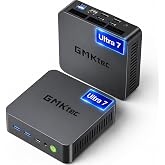
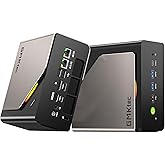
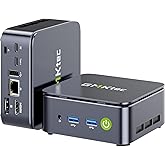
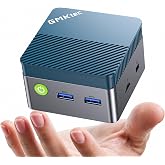
  • GMKtec 次世代AIミニPC Core Ultra 9 285H搭載 Arc 140T OCuLink USB4 EVO-T1 32GB+1TB

GMKtec 次世代AIミニPC Core Ultra 9 285H搭載 Arc 140T OCuLink USB4 EVO-T1 32GB+1TB

5つ星のうち4.0 (1,148)
Amazonおすすめには、すぐに発送ができて、評価が高く、お求めやすい価格の商品が揃っています。
Amazon おすすめ

サステナブルな特徴

この商品は信頼できる認証機関によってサステナブルな特徴があると認められています。
リサイクル素材
少なくとも50%のリサイクル素材が含まれています。
認証機関名:
Global Recycled Standard

Global Recycled Standard

Global Recycled Standard(GRS)認定商品には、供給元から最終商品まで、サプライチェーンの各段階で独立して検証された50%超のリサイクル素材が含まれており、社会的、環境的、化学的な要件を満たしています。 Global Recycled Standard (GRS)認定商品を購入することで、サプライチェーンにおけるリサイクル素材の使用を促進できます。

この認証について詳しくはこちら

認証機関

TUV Rheinland (China) Ltd

認証番号

TE-00325179

安心・安全への取り組み
Amazonは安心・安全のために取り組んでいます。ストレスや不安なくお買い物いただくため、商品の返品対応やカスタマーサポート、信頼性のあるカスタマレビューのための健全なコミュニティの運営、お客様のプライバシーの保護などに取り組んでいます。また配送、梱包、製品、物流拠点などさまざまな面で、サステナブルな未来への取り組みを進めています。 詳細はこちら
お客様情報を保護しています
Amazonはお客様のセキュリティとプライバシーの保護に全力で取り組んでいます。Amazonの支払いセキュリティシステムは、送信中にお客様の情報を暗号化します。お客様のクレジットカード情報を出品者と共有することはありません。また、お客様の情報を他者に販売することはありません。 詳細はこちら
この商品は選択したお届け先には発送できません。別のお届け先を選択してください。 在庫状況について
Brief content visible, double tap to read full content.
Full content visible, double tap to read brief content.
サイズ: T1 U9 258H 32+1TB

この商品について

  • 【2025年最先端Intel Core Ultra 9 285H搭載|16コア16スレッド 最大5.4GHz】 GMKtec EVO-T1は、最新のIntel Core Ultra 9 285Hを搭載。TSMCの先進的なN3Bプロセスで製造され、6つの高性能Pコア、8つの高効率Eコア、2つの低消費電力LPコアの計16コア16スレッド構成を持ち、最大5.4GHzの高クロック動作を実現。従来比で180%の処理効率向上を達成し、大規模なマルチタスクやリアルタイムのAI推論処理をオフライン環境で高速に実行可能です。さらに、CPUは最大99TOPS(Int8)の総合演算性能を持ち、PhotoshopのAI画像処理は従来の2倍以上の高速化を達成し、音声書籍変換などのAIタスクも3倍のスピードで処理可能。
  • 【Intel Arc 140T GPU搭載|8基Xeコア 最大77TOPSのGPU演算性能】 EVO-T1は新設計のIntel Arc 140T GPUを内蔵。最大2.35GHzで動作し、8基のXeコアにより前世代の140Vモデルに比べフレームレート約60%向上を実現。77TOPSのGPU演算性能を誇り、4K/8K映像編集、3Dレンダリング、ゲームプレイにおいて圧倒的なパフォーマンスを提供します。AI処理と高精細グラフィックスの高度な融合により、クリエイティブな映像編集、3Dレンダリング、最新ゲームプレイ、そしてローカルでの大規模AIモデル推論まで、幅広い用途でモバイルPCの限界を超える革新的なパフォーマンスを提供します。
  • 【圧倒的32GBメモリ+1TB SSD&最大128GB+24TB拡張対応|4K動画も丸ごと保存できる最強ゲーミングミニPC!】標準搭載の32GBメモリは、最新のAAAゲームタイトル(例:Cyberpunk 2077、Microsoft Flight Simulator 2020、Elden Ringなど)を最高画質設定で快適にプレイ可能です。さらに、32GBあれば、これらのゲームを3〜4本同時に起動しつつ、OBSなどの配信ソフトやPhotoshopでの画像編集作業も同時に行え、メモリ使用率は70%未満に抑えられます。ストレージの1TB NVMe SSDは、高速読み書きによりゲームのロード時間を大幅に短縮。最大24TBまで拡張できるため、4K動画素材なら約240時間(1時間あたり約100GB換算)、ゲームデータなら約500タイトル(1タイトル平均50GB換算)をローカル保存できます。、この圧倒的なメモリ・ストレージ容量により、ゲーミングや映像制作、AI・推論といったヘビーな作業も余裕を持ってこなせる、次世代のハイパフォーマンスミニPCです。
  • 【PCIe Gen4×4 Oculink搭載|USB4.0比約2.8倍高速&95%以上GPU性能活用で快適ゲーミング】GMKtec EVO-T1は上位機種限定のPCIe Gen4×4 Oculinkポート搭載。USB4.0(最大40Gbps)比約2.8倍の高速伝送でGPU性能95%以上を引き出せ(USB4.0は約80%)。GMKtec E-GPU(AD-GP1)+RX 7600M XTで《黒神話:悟空》最大150fps安定駆動。Thunderbolt 4より帯域効率とGPU活用に優れ、RTX 40/50シリーズ対応。デスクトップ級性能をコンパクトに実現。設計、3Dビジュアライゼーション、高度なゲーミング用途においても、デスクトップクラスの描画性能をコンパクト筐体で実現する次世代ミニPCです。
  • 【4画面8K同時出力で作業効率200%UP|プロのための多端子ミニPC】USB4.0(100W給電/15W映像/40Gbps高速転送)、Type-C USB3.2(100W給電/10Gbps)、HDMI2.1(8K@60Hz)、DP1.4(8K@60Hz)を搭載。株取引で4つの市場を同時監視、動画編集でプレビューとタイムラインを分離、CADや3D設計で図面・レンダリング・資料を同時表示し、生産性を飛躍的に向上。
  • 【デュアル2.5Gbps LAN|同時通信で業務効率最大化】2つの2.5Gbps有線LANポートにより、NAS・社内サーバー・外部ネットワークを同時かつ高速に接続可能。単ポート比で約2.5倍の帯域を確保し、大容量データの転送、仮想マシン運用、クラウドAI処理、4K/8K動画素材の共有も待ち時間を大幅削減。金融取引、設計事務所、映像制作など、低遅延と安定性が求められる環境に最適なミニPCです。
  • 【驚異の空間効率&冷却性能】従来のわずか1/50サイズの超小型筐体に、ドイツ・レッドドット賞受賞デザイナーとの共同設計による洗練された外観を融合。最大TDP 80Wに対応し、全く新しいエアフロー設計とデュアルファンによる立体吸気システムを搭載。VC均熱板と北極圏仕様のデュアルファン冷却システムにより、最大80Wのパフォーマンスを安定して発揮しながらも、常に静かで快適な動作を実現。動作モードは、静音(45W)、バランス(54W)、パフォーマンス(70W)、ピーク(80W)から選択可能。72時間連続稼働でも静音性を保ち、過酷な業務環境でも快適に使用できます。
  • 【12ヶ月保証+国内サポート|初めてのミニPCにも安心】 12ヶ月の公式保証+24時間以内対応のカスタマーサポートを完備。パッケージ内容は:GMKtec mini PC本体、電源アダプター、HDMIケーブル、VESAマウント、説明書一式。信頼のミニPCブランド「GMKtec」が、ビジネスもプライベートも支える理想のminipc体験をお届けします。

サステナブルな特徴

この商品は信頼できる認証機関によってサステナブルな特徴があると認められています。

リサイクル素材

少なくとも50%のリサイクル素材が含まれています。

認証機関名:
より安全な化学物質

人の健康と環境に安全な化学物質で作られています。

認証機関名:
労働者の健康

労働者の権利や健康を保護する農場または施設で製造されています。

認証機関名:

商品ガイドとドキュメント


ブランド紹介

商品情報

ご意見ご要望

GMKtec 次世代AIミニPC Core Ultra 9 285H搭載 Arc 140T OCuLink USB4 EVO-T1 32GB+1TB


さらに安い価格を見つけられた場合は、当サイトまでお知らせください。お客様からの情報を参考にして、さらにリーズナブルな価格でご提供できるよう努力します。

さらに安い価格はどこでご覧になりましたか?

Price Availability
/
/
/
/
フィードバックを提供するにはサインインしてください。

商品の説明

GMKtec EVO-T1 Intel Core Ultra 9 285H搭載【2025最新AIミニPC】32GB DDR5 1TB NVMe SSD(最大128GB+24TB拡張)Intel Arc 140T・NPU搭載ミニ PC OCulink/デュアル2.5G LAN/DP/HDMI/USB4 4画面8K同時出力 静音ファン 省電力設計 Win11 Pro正規版 ゲーミングミニpc

製品安全や製品に関する補足事項

安全性に関する文書

カスタマーレビュー

星5つ中4つ
1,148グローバルレーティング
ファンレス並に静か
星5つ中5つ
ファンレス並に静か
音がしないので最初ファンが壊れてるのかとおもい、耳を近づけて確認するくらい静かです。NVMeですが1500MB/s程度で遅め。2240が増設できます。ライセンスはOEMで問題なし。内部空間は広めで、ヒートシンク装着の場合高さ制限はなさそうですが、先の通り遅いのでM.2冷却は必要ないでしょうね。余ってるヒートシンクをつけるかどうか迷いましたがつけないでいきましょう。メモリは16が1枚。消費電力計測ではアイドルは5W未満、中程度の負荷時15W程度。そんな低電力機ですが、ACアダプタは案外太めのケーブルがついていて余裕を感じました。
フィードバックをお寄せいただきありがとうございます
申し訳ありませんが、エラーが発生しました
申し訳ありませんが、レビューを読み込めませんでした

日本からのトップレビュー

  • 星5つ中5つ
    パフォーマンス良く、コスパも良い。
    2025年12月8日に日本でレビュー済み
    Brief content visible, double tap to read full content.
    Full content visible, double tap to read brief content.

    Intel Core Ultra 9 285H 搭載で、パフォーマンス良し

    64GBメモリ搭載でしばらくは拡張する必要も無さそう

    ->メモリスロットは DDR5 SO-DIMM x 2 スロット(空きなし)

    SSDは 2280 NVMe PCIe Gen4スロット ×3スロット(空き2個)

    ->最初に搭載されているSSDも シーケンシャルリード 7GB/sec 程度出る

    OSは Windows11 Pro 24H2 がプリインストール済みで、最初のセットアップ時にインターネット接続せずにセットアップを進めると「インターネットに接続していません」オプションが出るので、ローカルアカウントでセットアップできる

    その後、インターネットに接続させて小一時間程度するとWindowsのライセンス認証も完了する

    本品のスペックのPCが約14万円なのでコストパフォーマンスはかなり良いと感じる

    ->2026/01追記:メモリ価格が高騰している影響か、価格が数万円上がっている

    筐体の質感も良く、内部ファンの音も静かで使いやすい

    拡張ポート類もそこそこ有るので困ることも無さそう

    ->希望を言うと、リア側にUSB-Cが1ポートしかないので、もう1ポートくらい欲しい

    ー>また、リア側にUSB-A(USB2.0)が2ポートしかなく(キーボード&マウス用だと思う)、USB3.2Gen2のポートが2つくらい欲しい

    小型でパフォーマンスも良いPCをお探しの人におススメです

    3人のユーザーが役に立ったと感じています
    フィードバックを送信中...
    フィードバックをお寄せいただきありがとうございます。
    フィードバックを送信中...
    ありがとうございます。数日中に調査いたします。

    コミュニティガイドライン新しいタブで開きますに照らしてこのレビューが適切かどうか確認します。 そうでない場合は削除されます。

  • 星5つ中5つ
    いい買い物
    2026年3月13日に日本でレビュー済み
    Brief content visible, double tap to read full content.
    Full content visible, double tap to read brief content.

    ちゃんと使える。コスパ最強。

    フィードバックを送信中...
    フィードバックをお寄せいただきありがとうございます。
    フィードバックを送信中...
    ありがとうございます。数日中に調査いたします。

    コミュニティガイドライン新しいタブで開きますに照らしてこのレビューが適切かどうか確認します。 そうでない場合は削除されます。

  • 星5つ中5つ
    満足
    2026年9月6日に日本でレビュー済み
    Brief content visible, double tap to read full content.
    Full content visible, double tap to read brief content.

    もともと使っていたパソコンが化石だったのもあるのですが、動作の快適さが段違いにあがり、良い買い物をしたと思っています。たかがブラウザの1つや2つがまともに動くようになるまでに5分とか待たされる日々におさらば出来ました。簡単な動画編集や軽めのゲームはサクサク動き、また、本体は予想以上に小さく省スペース化もできました。今のPCってこんなに小さくできるんですね・・・。

    1人のお客様がこれが役に立ったと考えています
    フィードバックを送信中...
    フィードバックをお寄せいただきありがとうございます。
    フィードバックを送信中...
    ありがとうございます。数日中に調査いたします。

    コミュニティガイドライン新しいタブで開きますに照らしてこのレビューが適切かどうか確認します。 そうでない場合は削除されます。

  • 星5つ中5つ
    問題無し!
    2026年7月3日に日本でレビュー済み
    Brief content visible, double tap to read full content.
    Full content visible, double tap to read brief content.

    OSのライセンス認証で少しありましたがすぐに対応してもらえました。PCとしては問題ありません。

    対応もスムーズで助かりました!

    1人のお客様がこれが役に立ったと考えています
    フィードバックを送信中...
    フィードバックをお寄せいただきありがとうございます。
    フィードバックを送信中...
    ありがとうございます。数日中に調査いたします。

    コミュニティガイドライン新しいタブで開きますに照らしてこのレビューが適切かどうか確認します。 そうでない場合は削除されます。

  • 星5つ中3つ
    ときどき不安定
    2026年9月2日に日本でレビュー済み
    Brief content visible, double tap to read full content.
    Full content visible, double tap to read brief content.

    USBメモリなど2つ接続すると動作不安定になることがある。

    フィードバックを送信中...
    フィードバックをお寄せいただきありがとうございます。
    フィードバックを送信中...
    ありがとうございます。数日中に調査いたします。

    コミュニティガイドライン新しいタブで開きますに照らしてこのレビューが適切かどうか確認します。 そうでない場合は削除されます。

  • 星5つ中4つ
    今のところ満足
    2025年9月3日に日本でレビュー済み
    Brief content visible, double tap to read full content.
    Full content visible, double tap to read brief content.

    画面出力が一瞬おちる現象が生じたが、これはintelの最新ドライバを当てることで改善された。

    今のところ性能、見た目、発熱すべて問題ない。優秀。

    USBからの画像出力がたまに機能せず、USBを差しなおさなければならないのが難点。

    なにかいい方法はないものか。

    フィードバックを送信中...
    フィードバックをお寄せいただきありがとうございます。
    フィードバックを送信中...
    ありがとうございます。数日中に調査いたします。

    コミュニティガイドライン新しいタブで開きますに照らしてこのレビューが適切かどうか確認します。 そうでない場合は削除されます。

  • 星5つ中5つ
    軽めのゲームに最適!
    2025年12月10日に日本でレビュー済み
    Brief content visible, double tap to read full content.
    Full content visible, double tap to read brief content.

    すっごい性能よくて値段も安いけど、分かってはいたけどVRAMだけ微妙です。軽めのゲームならサクサク動くのでめっちゃオススメ!

    1人のお客様がこれが役に立ったと考えています
    フィードバックを送信中...
    フィードバックをお寄せいただきありがとうございます。
    フィードバックを送信中...
    ありがとうございます。数日中に調査いたします。

    コミュニティガイドライン新しいタブで開きますに照らしてこのレビューが適切かどうか確認します。 そうでない場合は削除されます。

  • 星5つ中5つ
    ライセンス認証に不具合あり(解決済)
    2025年7月8日に日本でレビュー済み
    Brief content visible, double tap to read full content.
    Full content visible, double tap to read brief content.

    購入したNucBox M3(Windows 11 Pro搭載モデル)でライセンス認証ができません。エラーコード0xC004F211が表示され、トラブルシューティングでも解決しませんでした。対応またはプロダクトキーの提供をお願いできないかメールしてみましたが、返信ありません。返品交換するしかないのか……。

    ライセンスの不具合はちょこちょこ見受けられるので、注意が必要と思います。

    7/8追記

    カスタマーサポートから連絡いただきました。

    ライセンス番号再発行してもらい、無事問題解決しました。

    他はとてもバランスが取れていて良い商品と思います。

    7人のユーザーが役に立ったと感じています
    フィードバックを送信中...
    フィードバックをお寄せいただきありがとうございます。
    フィードバックを送信中...
    ありがとうございます。数日中に調査いたします。

    コミュニティガイドライン新しいタブで開きますに照らしてこのレビューが適切かどうか確認します。 そうでない場合は削除されます。

他の国からのトップレビュー

    Amazonにより翻訳済み
    原文を見る
  • 星5つ中5つ
    Super
    2025年2月17日にドイツでレビュー済み
    Brief content visible, double tap to read full content.
    Full content visible, double tap to read brief content.
    フィードバックを送信中...
    ありがとうございます。数日中に調査いたします。

    コミュニティガイドライン新しいタブで開きますに照らしてこのレビューが適切かどうか確認します。 そうでない場合は削除されます。

    Amazonにより英語から翻訳済み
    元の言語を参照する
  • 星5つ中5つ
    A very impressive little unit
    2025年4月26日にオーストラリアでレビュー済み
    Brief content visible, double tap to read full content.
    Full content visible, double tap to read brief content.

    This mini PC is perfect for a home office setup and excels at web browsing and handling emails effortlessly. Its incredibly compact design is a game-changer for keeping my desk space neat and uncluttered. Setup was a breeze, and it comes pre-installed with Windows 10, making it ready to go right out of the box. Not only does it perform well, but it also has a sleek and modern look that complements any workspace.

    I've decided to use it as a backup for my home laptop, and for the price, the value it offers is exceptional. Having previously owned the GMKtec K8 Plus, I can confidently say that this brand consistently delivers top-notch build quality.

    A very impressive little unit
    A very impressive little unit
    A very impressive little unit
    星5つ中5つ
    A very impressive little unit
    2025年4月26日にオーストラリアでレビュー済み

    This mini PC is perfect for a home office setup and excels at web browsing and handling emails effortlessly. Its incredibly compact design is a game-changer for keeping my desk space neat and uncluttered. Setup was a breeze, and it comes pre-installed with Windows 10, making it ready to go right out of the box. Not only does it perform well, but it also has a sleek and modern look that complements any workspace.

    I've decided to use it as a backup for my home laptop, and for the price, the value it offers is exceptional. Having previously owned the GMKtec K8 Plus, I can confidently say that this brand consistently delivers top-notch build quality.

    フィードバックを送信中...
    ありがとうございます。数日中に調査いたします。

    コミュニティガイドライン新しいタブで開きますに照らしてこのレビューが適切かどうか確認します。 そうでない場合は削除されます。

    Amazonにより英語から翻訳済み
    元の言語を参照する
  • 星5つ中5つ
    NucBox G5 - An Incredibly Compact Powerhouse of a Mini PC
    2024年9月23日にカナダでレビュー済み
    Brief content visible, double tap to read full content.
    Full content visible, double tap to read brief content.

    The NucBox G5 is a remarkable feat of engineering, fitting a very capable processor and lots of ports into an incredibly tiny package that will fit anywhere, or that you could easily take with you in a bag (more on that below).

    As an existing owner of the NucBox G3, the G5's baby(?) brother (G3 = lesser power, bigger size), I was already impressed with what GMKTec has been able to do with a mini-PC, but the G5 blows that out of the water.

    Size Comparison with NucBox G3:

    The NucBox G5 is remarkably compact, measuring just 72 x 72 x 44.5mm and weighing less than a small and light coffee mug (168 grams). To put that in perspective, it’s about 2/3 the lenght of a deck of cards, and about twice as thick. When you compare it to its predecessor, the NucBox G3 (see photo), it's clearly much smaller, and about the same weight. The G5 manages to maintain its power while taking up even less space on your desk... or frankly anywhere you want to put it. I had my G3 and now have my G5 mounted on the back of a monitor (see photos) - just be careful to ensure adequate ventilation so the unit doesn't overheat.

    Performance and Use Cases:

    Inside the NucBox G5, you’ll find an Intel N97 processor, a step up vs. the N100 in the G3. The 3.6 GHz CPU has 4 cores and 4 threads . Now there's no way it can compete with high-end desktop or laptop processors, but it’s more than capable for everyday computing tasks. I've also used it with zero perceptible latency with an external FocusRite interface and Neural DSP Archetype plugins (CPU-heavy guitar amp and effects modelling software) that has choked some of my older laptops and it's capable of light work without a huge number of layers in Affinity Designer (pro-level vector graphics design software). If you haven't used those types of demanding software, that's genuinely a huge achievement for something that costs less than $300 CAD.

    For day-to-day activities like office work, web browsing, and multimedia playback, the NucBox G5 works very well too. It can handle running at least a dozen browser tabs at once in MS Edge or Chrome. Its small size, combined with built-in WiFi and Bluetooth, makes it easy to integrate into your setup. Comes with Windows 11 Pro baked-in, so setup is straightforward even for non-IT professionals. The OS loads quickly, and basic tasks are smooth.

    Let’s set realistic expectations though. If you’re planning heavy image or video processing, the NucBox G5 might struggle. Stick to light to medium-weight office tasks, and you’ll be pleased with its performance.

    Connectivity, Ports and Power Consumption

    The NucBox G5 offers many connectivity options, but it is a bit disappointing to see that all USB 3.2 ports are Type A (no USB C connectivity without adapters). It has limited upgrade options, so consider your needs carefully before purchasing - you can basically upgrade the hard drive size and that's it. Given the size of the unit, the RAM (memory) is hard-soldered to the motherboard, but at 12GB for most purchase options, it's got plenty for most applications.

    If you’re looking for a lightweight machine for on-site work, off-grid systems, or even van life, the NucBox G5’s power draw (15-25W) through its single USB-C port makes it an excellent choice.

    Packaging:

    The G5 comes nicely boxed and the box is highly protective of the G5 itself. (The box did take some minor dings in transit as seen in the photos, but the contents were pristine.) I was also pleasantly surprised that GMKtec fixed the absolutely airtight NucBox G3 box that was almost impossible to open. This one is snug to open, but doesn't require a prybar to get into.

    In summary, the GMKtec NucBox G5 is a worthy upgrade from the G3, offering an impressive blend of compact design, powerful performance, and affordability. If you need a mini PC that fits almost anywhere without compromising too much on capability, this little box is worth considering. Just be mindful of its intended use, and you’ll appreciate what it brings to the table!

    NucBox G5 - An Incredibly Compact Powerhouse of a Mini PC
    NucBox G5 - An Incredibly Compact Powerhouse of a Mini PC
    NucBox G5 - An Incredibly Compact Powerhouse of a Mini PC
    NucBox G5 - An Incredibly Compact Powerhouse of a Mini PC
    NucBox G5 - An Incredibly Compact Powerhouse of a Mini PC
    NucBox G5 - An Incredibly Compact Powerhouse of a Mini PC
    NucBox G5 - An Incredibly Compact Powerhouse of a Mini PC
    NucBox G5 - An Incredibly Compact Powerhouse of a Mini PC
    NucBox G5 - An Incredibly Compact Powerhouse of a Mini PC
    NucBox G5 - An Incredibly Compact Powerhouse of a Mini PC
    NucBox G5 - An Incredibly Compact Powerhouse of a Mini PC
    星5つ中5つ
    NucBox G5 - An Incredibly Compact Powerhouse of a Mini PC
    2024年9月23日にカナダでレビュー済み

    The NucBox G5 is a remarkable feat of engineering, fitting a very capable processor and lots of ports into an incredibly tiny package that will fit anywhere, or that you could easily take with you in a bag (more on that below).

    As an existing owner of the NucBox G3, the G5's baby(?) brother (G3 = lesser power, bigger size), I was already impressed with what GMKTec has been able to do with a mini-PC, but the G5 blows that out of the water.

    Size Comparison with NucBox G3:

    The NucBox G5 is remarkably compact, measuring just 72 x 72 x 44.5mm and weighing less than a small and light coffee mug (168 grams). To put that in perspective, it’s about 2/3 the lenght of a deck of cards, and about twice as thick. When you compare it to its predecessor, the NucBox G3 (see photo), it's clearly much smaller, and about the same weight. The G5 manages to maintain its power while taking up even less space on your desk... or frankly anywhere you want to put it. I had my G3 and now have my G5 mounted on the back of a monitor (see photos) - just be careful to ensure adequate ventilation so the unit doesn't overheat.

    Performance and Use Cases:

    Inside the NucBox G5, you’ll find an Intel N97 processor, a step up vs. the N100 in the G3. The 3.6 GHz CPU has 4 cores and 4 threads . Now there's no way it can compete with high-end desktop or laptop processors, but it’s more than capable for everyday computing tasks. I've also used it with zero perceptible latency with an external FocusRite interface and Neural DSP Archetype plugins (CPU-heavy guitar amp and effects modelling software) that has choked some of my older laptops and it's capable of light work without a huge number of layers in Affinity Designer (pro-level vector graphics design software). If you haven't used those types of demanding software, that's genuinely a huge achievement for something that costs less than $300 CAD.

    For day-to-day activities like office work, web browsing, and multimedia playback, the NucBox G5 works very well too. It can handle running at least a dozen browser tabs at once in MS Edge or Chrome. Its small size, combined with built-in WiFi and Bluetooth, makes it easy to integrate into your setup. Comes with Windows 11 Pro baked-in, so setup is straightforward even for non-IT professionals. The OS loads quickly, and basic tasks are smooth.

    Let’s set realistic expectations though. If you’re planning heavy image or video processing, the NucBox G5 might struggle. Stick to light to medium-weight office tasks, and you’ll be pleased with its performance.

    Connectivity, Ports and Power Consumption

    The NucBox G5 offers many connectivity options, but it is a bit disappointing to see that all USB 3.2 ports are Type A (no USB C connectivity without adapters). It has limited upgrade options, so consider your needs carefully before purchasing - you can basically upgrade the hard drive size and that's it. Given the size of the unit, the RAM (memory) is hard-soldered to the motherboard, but at 12GB for most purchase options, it's got plenty for most applications.

    If you’re looking for a lightweight machine for on-site work, off-grid systems, or even van life, the NucBox G5’s power draw (15-25W) through its single USB-C port makes it an excellent choice.

    Packaging:

    The G5 comes nicely boxed and the box is highly protective of the G5 itself. (The box did take some minor dings in transit as seen in the photos, but the contents were pristine.) I was also pleasantly surprised that GMKtec fixed the absolutely airtight NucBox G3 box that was almost impossible to open. This one is snug to open, but doesn't require a prybar to get into.

    In summary, the GMKtec NucBox G5 is a worthy upgrade from the G3, offering an impressive blend of compact design, powerful performance, and affordability. If you need a mini PC that fits almost anywhere without compromising too much on capability, this little box is worth considering. Just be mindful of its intended use, and you’ll appreciate what it brings to the table!

    フィードバックを送信中...
    ありがとうございます。数日中に調査いたします。

    コミュニティガイドライン新しいタブで開きますに照らしてこのレビューが適切かどうか確認します。 そうでない場合は削除されます。

    Amazonにより英語から翻訳済み
    元の言語を参照する
  • 星5つ中5つ
    The GMKtec Mini PC N97 is surprisingly great for the price!
    2025年3月10日にアメリカ合衆国でレビュー済み
    Brief content visible, double tap to read full content.
    Full content visible, double tap to read brief content.

    I recently purchased this little computer, alongside some other accessories (monitors, keyboard and mouse, etc.), and let me tell you: as of writing this review, this little guy has blown me away! I was trying to stay within a budget of less than $400 for everything I needed, and this computer caught my attention, as it had decent specs at an affordable price. For further context, I mainly wanted an affordable desktop setup that could do all the web browsing, media consumption, recording videos, and light gaming that I desired. (NOTE: Keep in mind though that you’re not going to be able to run any competitive, demanding AAA title games on here!)

    As I got my package and held the box containing the computer, I was blown away with how small, light, and compact this thing was! For reference, my GPD Win (1st gen) weighed more than this PC, and my Win only has an Atom processor in it! As for setting up the device, I saw some reviews claiming there’s a bunch of bloatware pre-installed on this device, to which I can confirm that there is absolutely none whatsoever (at least on mine there wasn’t). Setup was absolutely easy and straightforward.

    As for its performance, this thing may be small, but it is mighty for the price. For gaming, I tested it out with three different versions of Minecraft: Java Edition: latest release, Beta 1.7.3, and Alpha v1.0.7. The latest release at low-mid settings and Beta 1.7.3 max settings run at similar framerates for me, around 60 fps 720p. I know, 720p doesn’t sound very impressive. However, for me, I don’t personally need anything too fancy, and 720p is perfectly fine for me on a 20 inch monitor. Alpha v1.0.7 ran on this almost flawlessly! No issues there whatsoever!

    For recording purposes, I utilized OBS Studio to test with this, and I screen recorded some gameplay of me playing Minecraft Alpha v1.0.7 with commentary, and with some occasional dips in frames every now and then while I was playing the game, the recording ran smoothly at 720p! (NOTE: I haven’t tested out anything with 1080p, but if I do in the future, I will update this review.) Playing the recording back, it blew me away with this PC’s capabilities in such a small chassis!

    For media consumption and web browsing purposes, I have had absolutely no issues in this regard. This little computer just eats anything I throw at it. Whether it be a YouTube video, an offline screen recording I’ve made, viewing documents, or even doing more demanding tasks on the browser, like playing browser games or running a 3D tour on Zillow, this little guy can handle any task I throw at it reliably and efficiently!

    Overall, I’d highly recommend the GMKtec Mini PC N97 to anyone looking for an affordable mini desktop PC! Safe to say, I’m very happy with my purchase and will look to this seller for any future mini computers they have in store!

    フィードバックを送信中...
    ありがとうございます。数日中に調査いたします。

    コミュニティガイドライン新しいタブで開きますに照らしてこのレビューが適切かどうか確認します。 そうでない場合は削除されます。

    Amazonにより英語から翻訳済み
    元の言語を参照する
  • 星5つ中5つ
    Fait un travail remarquable
    2024年9月29日にカナダでレビュー済み
    Brief content visible, double tap to read full content.
    Full content visible, double tap to read brief content.

    Aucunement déçu de mon achat. pour 209$ canadien avant taxe, c'est un beau petit bijou. Je ne game pas avec lui mais pour le traitement de texte, tableur, facebook, youtube et streaming c'est un 5 étoiles assuré

    フィードバックを送信中...
    ありがとうございます。数日中に調査いたします。

    コミュニティガイドライン新しいタブで開きますに照らしてこのレビューが適切かどうか確認します。 そうでない場合は削除されます。

    Amazonによりフランス語から翻訳済み
    元の言語を参照する