一、MyTip.vue
<template>
    <div class="tip" :class="type">
        {{ msg }}
    </div>
</template>
<script>
export default {
    props: {
        msg: String,
        type: { type: String, default: "success" }
    }
}
</script>
<style scoped>
.tip {
    position: fixed;
    top: 30px;
    left: 50%;
    transform: translateX(-50%);
    padding: 10px 20px;
    border-radius: 4px;
    color: #fff;
    z-index: 9999;
}

.success {
    background: #67c23a;
}

.error {
    background: #f56c6c;
}
</style>
二、StudentCard.vue
<template>
    <div class="card" v-bind="$attrs">
        <!-- 默认插槽 -->
        <slot></slot>
        <!-- 具名插槽 -->
        <div class="card-footer">
            <slot name="footer"></slot>
        </div>
    </div>
</template>
<script>
export default {
    inheritAttrs: false
}
</script>
<style scoped>
.card {
    border: 1px solid #ccc;
    padding: 14px;
    border-radius: 6px;
    width: 260px;
}

.card-footer {
    margin-top: 10px;
    border-top: 1px solid #eee;
    padding-top: 8px;
}
</style>
三、TableRowRender.vue
<script>
export default {
    props: ["text"],
    render(h) {
        return h("span", {
            style: {
                color: "#409eff",
                fontWeight: "bold"
            }
        }, this.text)
    }
}
</script>
四、main.js
import Vue from 'vue'
import App from './App.vue'
import MyTip from './components/MyTip.vue'

// 全局自定义指令 v‑highlight
Vue.directive('highlight', {
  bind(el, binding) {
    el.style.backgroundColor = binding.value ? '#fff2cc' : ''
  },
  update(el, binding) {
    el.style.backgroundColor = binding.value ? '#fff2cc' : ''
  }
})

// Vue.use 自定义插件语法演示
const tipPlugin = {
  install(Vue) {
    const TipConstructor = Vue.extend(MyTip)
    Vue.prototype.$showTip = function (msg, type = "success") {
      const instance = new TipConstructor({
        propsData: { msg, type }
      })
      instance.$mount()
      document.body.appendChild(instance.$el)
      setTimeout(() => {
        document.body.removeChild(instance.$el)
      }, 2000)
    }
  }
}
Vue.use(tipPlugin)

Vue.config.productionTip = false

new Vue({
  render: h => h(App)
}).$mount('#app')
五、App.vue
<template>
  <div class="layout">
    <!-- 侧边导航:仅切换页面视图,无业务逻辑 -->
    <aside class="sidebar">
      <h2>📚学生管理系统</h2>
      <div class="menu-item" @click="pageKey = 'home'">首页</div>
      <div class="menu-item" @click="pageKey = 'list'">学生列表</div>
      <div class="menu-item" @click="pageKey = 'add'">新增学生</div>
    </aside>

    <main class="main">
      <!--页面1:仪表盘首页-->
      <div v-if="pageKey === 'home'">
        <h1>欢迎来到学生信息管理面板</h1>
        <p>我是计应08班的周长</p>
        <div style="display:flex;gap:15px;margin-top:20px;">
          <!--演示 $attrs 非特定属性,data-static为非prop属性-->
          <StudentCard data-static="静态测试">
            <h3>综合项目静态页面</h3>
            <p>我喜欢打篮球</p>
            <template #footer>
              <span>我的学号是10260916</span>
            </template>
          </StudentCard>
        </div>
        <div style="margin-top:20px;">
          <button @click="$showTip('插件弹窗演示')">测试插件弹窗(Vue.use)</button>
        </div>
      </div>

      <!--页面2:学生列表【静态表格,按钮仅样式,点击不修改数据】-->
      <div v-if="pageKey === 'list'">
        <h2>学生信息列表</h2>
        <table border="1" cellpadding="8" cellspacing="0" style="background:#fff;width:100%;">
          <thead>
            <tr>
              <th>ID</th>
              <th>姓名</th>
              <th>年龄</th>
              <th>状态</th>
              <th>操作</th>
            </tr>
          </thead>
          <tbody>
            <!-- v-highlight自定义指令演示 -->
            <tr v-for="item in staticStudentList" :key="item.id" v-highlight="item.highlight">
              <td>
                <TableRowRender :text="item.id"></TableRowRender>
              </td>
              <td>{{ item.name }}</td>
              <td>{{ item.age }}</td>
              <td>{{ item.highlight ? "已标记" : "正常" }}</td>
              <td>
                <!--按钮仅UI展示,点击无业务效果-->
                <button>标记/取消标记</button>
                <button>编辑</button>
                <button>删除</button>
              </td>
            </tr>
          </tbody>
        </table>
      </div>

      <!--页面3:新增学生表单【静态表单,输入框可以打字,但不会提交保存】-->
      <div v-if="pageKey === 'add'">
        <h2>新增学生(静态表单)</h2>
        <div style="background:#fff;padding:20px;width:400px;">
          <!--$refs语法演示,mounted获取DOM,仅演示代码,不做业务逻辑-->
          <div>姓名:<input ref="nameRef" v-model="form.name" placeholder="请输入姓名" /></div>
          <div style="margin-top:8px">年龄:<input v-model.number="form.age" type="number" placeholder="请输入年龄" /></div>
          <div style="margin-top:12px;">
            <button>保存提交</button>
            <button>重置</button>
            <button @click="pageKey = 'list'">返回列表</button>
          </div>
        </div>
      </div>
    </main>
  </div>
</template>

<script>
import StudentCard from './components/StudentCard.vue'
import TableRowRender from './components/TableRowRender.vue'

export default {
  components: { StudentCard, TableRowRender },
  data() {
    return {
      pageKey: 'home',
      // 静态模拟表单,可输入,但不会提交保存
      form: {
        name: "",
        age: 18
      },
      // 写死静态表格数据,不会被修改
      staticStudentList: [
        { id: 1, name: "张三", age: 18, highlight: false },
        { id: 2, name: "李四", age: 19, highlight: true },
        { id: 3, name: "王五", age: 20, highlight: false },
        { id: 4, name: "周长", age: 28, highlight: true }
      ]
    }
  },
  mounted() {
    // $refs语法演示,仅获取DOM,无业务逻辑
    if (this.$refs.nameRef) {
      console.log("$refs获取输入框DOM:", this.$refs.nameRef)
    }
  }
}
</script>

<style scoped>
.layout {
  display: flex;
  height: 100vh;
  margin: 0;
}

.sidebar {
  width: 220px;
  background: #304156;
  color: #fff;
  padding: 20px 10px;
}

.menu-item {
  padding: 10px 8px;
  cursor: pointer;
  margin: 6px 0;
}

.menu-item:hover {
  background-color: #48576a;
}

.main {
  flex: 1;
  padding: 24px;
  background: #f5f7fa;
  overflow: auto;
}
</style>
六、运行效果
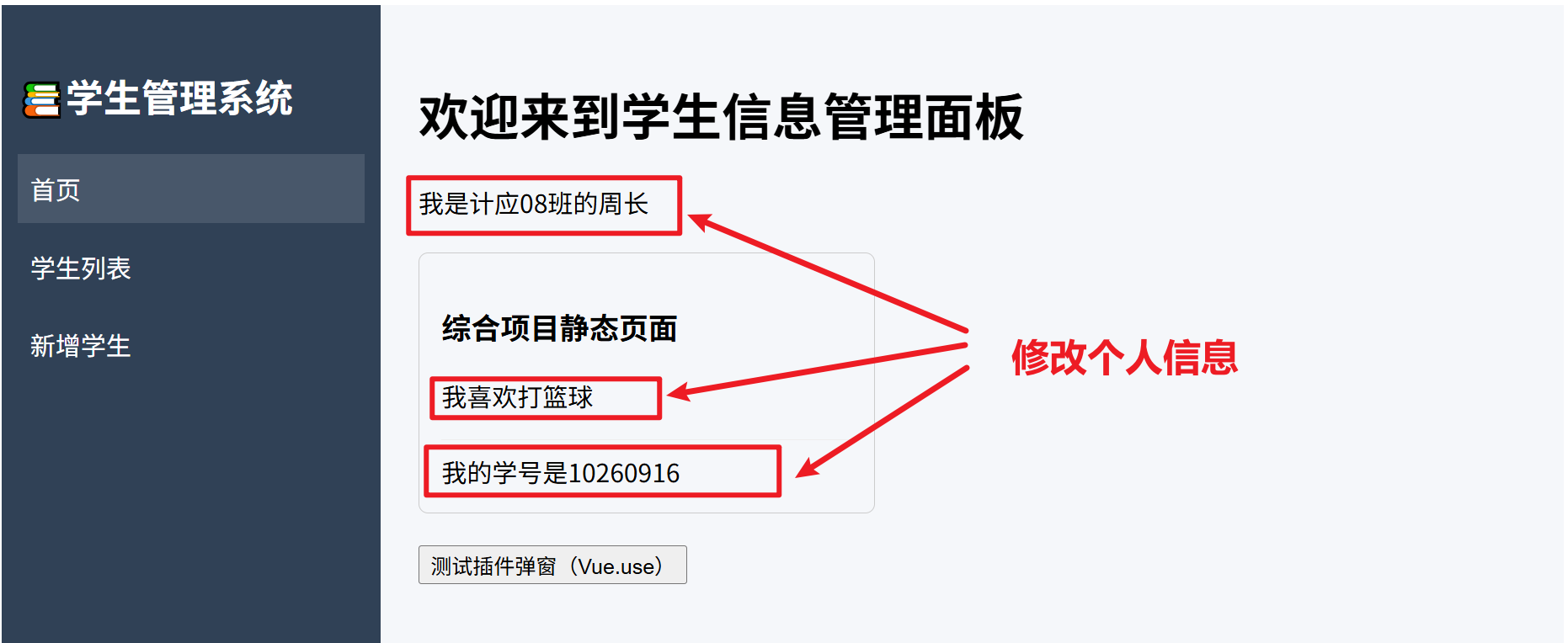
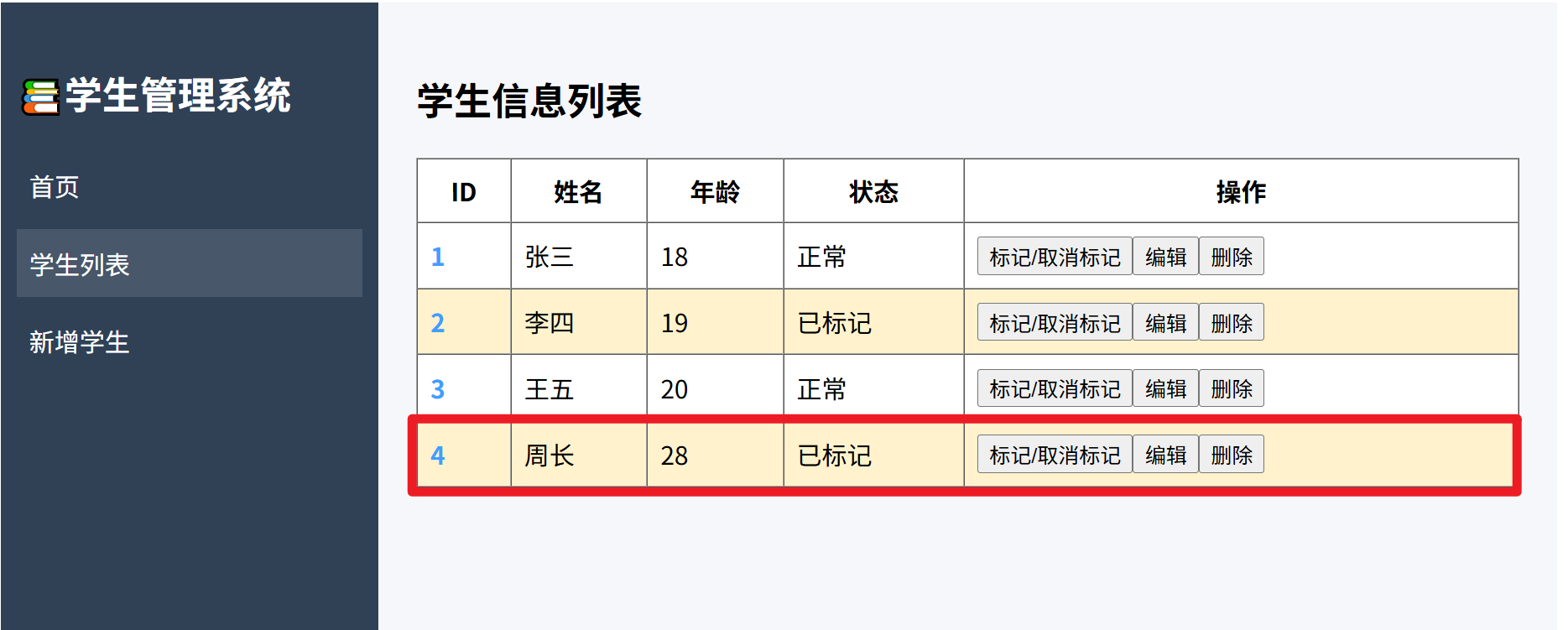
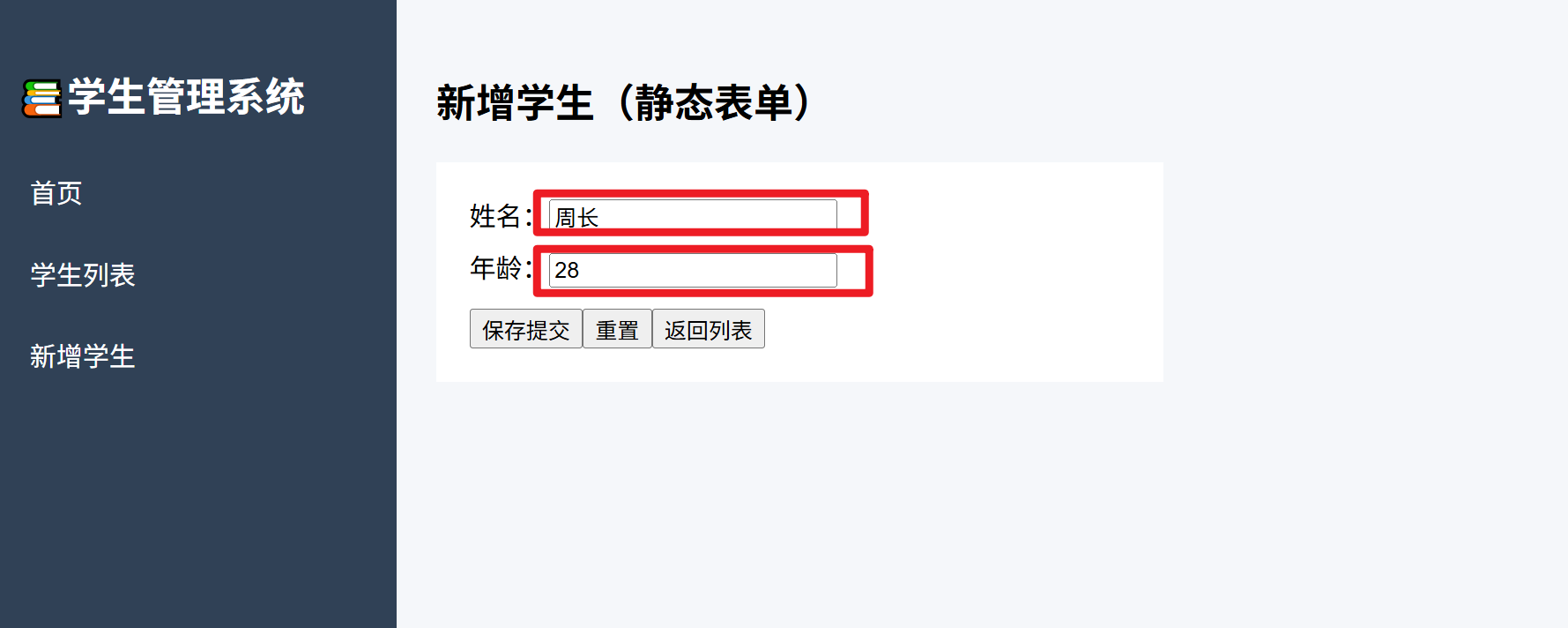


 扫一扫
扫一扫


&spm=1001.2101.3001.5002&articleId=164359223&d=1&t=3&u=958795fddfc740509a58107eca01f7d7)
 301
301

 被折叠的 条评论
为什么被折叠?
被折叠的 条评论
为什么被折叠?
 到【灌水乐园】发言


