


本文从原理到实践系统地分享了如何高效使用AI编程工具。涵盖其底层机制(如Token计算、工具调用、Codebase索引与Merkle Tree)、提升对话质量的方法(如规则设置、渐进式开发)、实际应用场景(如代码检索、绘图生成、问题排查),并推荐了结合AI的编码最佳实践,包括文档、注释、命名规范和安全合规,旨在帮助不同经验水平的开发者真正把AI工具用好。
一、引言
本文在编写时尽量考虑了不同业务、不同经验、对 AI 编程抱有不同态度的同学的需求,但是由于个人水平(和时间)有限,只能写个大概,希望大家都能有所收获:
- AI Coding 深度用户,人码 AI 三合一,无需了解实践经验 → 了解底层原理;
- 手搓仙人,日码1000+行,不用 AI 依然很舒适 → 进一步提升编码效率,以及提升编码外的效率;
- 团队新人,对项目代码的具体实现不太熟悉,需要边做边学 → 如何快速上手新项目,不出锅;
- …
在使用 AI 编程的过程中,我知道大家偶尔会有如下感受或者疑问:
- 一口气生成整个需求代码,然后打补丁快?还是边写代码边提问快?
- AI 的能力边界在哪?什么场景下适合使用?什么场景下适合手搓?
- AI 只能帮我写代码吗?能不能探索下新场景?
- …
其实除了大家,我自己在很长一段时间也有类似的疑问,对 AI 的看法也发生过多次改变;而在最近的几个月里,我也一直在摸索如何更高效地使用 AI 进行编程,今天讲给大家听。
本文写于7月,在近几个月的时间里,AI Coding 领域又迎来了很大的更新换代,Claude Code、CodeX 等CLI 工具一样非常好用,基模的能力也上升到了新高度。总体感觉下来每家的实力都很强,推荐大家都尝试一下。
本文主要基于 Cursor 相关原理和经验编写。由于 Claude 模型在国内被禁用,我们需要在模型、工具上分别寻求一些替代方案。CLI类型工具有新出品的 Qwen Code、iFlow,IDE 类型的工具也有新出品的Qoder。模型方面,Qwen3-Coder 的表现也非常亮眼,是不错的替代方案。
二、从原理讲起,了解 AI 编程工具的能力和边界
2.1 Token计算机制
- 2.1.1 原理
我们知道不同 model 都有不同大小的上下文,上下文越大的模型自然能接受更大的提问信息,那么在 cursor 中我们的任意一次聊天,大致会产生如下的 token 计算:
初始 Token 组成:初始输入 = SystemPrompt +用户问题 + Rules + 对话历史
用户问题 : 我们输入的文字 + 主动添加的上下文(图片、项目目录、文件)
Rules:project rule + user rule + memories
工具调用后的 Token 累积:cursor 接收用户信息后开始调用 tools 获取更为详细的信息,并为问题回答做准备:总 Token = 初始输入 + 所有工具调用结果
- 2.1.2 举个例子
场景描述
用户粘贴了一段代码,以及一张相关图片,询问"这个函数有什么问题?",然后 AI 需要调用工具来分析代码。
初始Token组成
SystemPrompt
你是一个专业的代码审查助手,能够分析代码问题并提供改进建议...
注意:Cursor调用大模型的完整的提示词在“2.5 调用LLM的Prompt”部分,感兴趣的同学可以自行观看。
UserPrompt
用户输入文字: "这个函数有什么问题?"
主动添加的上下文:
- 图片: [相关图片]
- 用户附加文件: [Line12-22]somemodule/src/main/java/com/xxx/xxx/service/ExampleService.java
- 项目目录: /Users/KuBo/IdeaProjects/someproject/
- 当前文件: somemodule/src/main/java/com/xxx/xxx/service/ExampleService.java
Rules
projectrule: 多模块Maven项目,使用Java 8,包名统一为com.xxx.xxx.*...
userrule: 始终使用中文回复,不要使用行尾注释,单行不超过120字符...
memories: [相关的项目记忆和上下文信息]
对话历史
用户: 你好,我想了解一下这个项目的结构
AI: 这是一个多模块的Maven项目,主要包含以下模块...
工具调用后的Token累积
工具调用1: 读取文件内容
工具调用: read_file
参数: target_file = "somemodule/src/main/java/com/xxx/xxx/service/ExampleService.java"
结果: [返回完整的Java文件内容,约2000个token]
工具调用2: 代码搜索
工具调用: codebase_search
参数: query = "Java方法异常处理最佳实践"
结果: [返回相关的代码示例和最佳实践,约1500个token]
工具调用3: 语法检查
工具调用: read_lints
参数: paths = ["somemodule/src/main/java/com/xxx/xxx/service/ExampleService.java"]
结果: [返回linter错误信息,约300个token]
最终Token计算
初始输入 = SystemPrompt(500) + 用户问题(200) + Rules(800) + 对话历史(300) = 1800 tokens
工具调用结果 = 文件内容(2000) + 搜索结果(1500) + 语法检查(300) = 3800 tokens
总Token = 1800 + 3800 = 5600 tokens
实际上下文示例
这里就是多轮对话的第二次请求后,LLM看到的实际内容了,当然这里仅作示例,实际工程调用时在格式和内容上都有一些差别。
[SystemPrompt] 你是一个专业的代码审查助手...
[用户问题] 这个函数有什么问题?
[图片] [代码截图显示一个Java方法]
[项目目录] /Users/KuBo/IdeaProjects/someproject/
[当前文件] somemodule/src/main/java/com/xxx/xxx/service/ExampleService.java
[Rules]
- 多模块Maven项目,使用Java 8
- 始终使用中文回复
- 单行不超过120字符
...
[对话历史]
用户: 你好,我想了解一下这个项目的结构
AI: 这是一个多模块的Maven项目...
[工具调用结果1] 文件内容:
public class ExampleService {
public String processData(String input) {
if (input == null) {
return null; // 问题:应该抛出异常而不是返回null
}
// ... 更多代码
}
}
[工具调用结果2] 搜索结果:
异常处理最佳实践建议...
[工具调用结果3] 语法检查:
Line 5: 建议使用Objects.requireNonNull()进行空值检查
2.2 工具调用
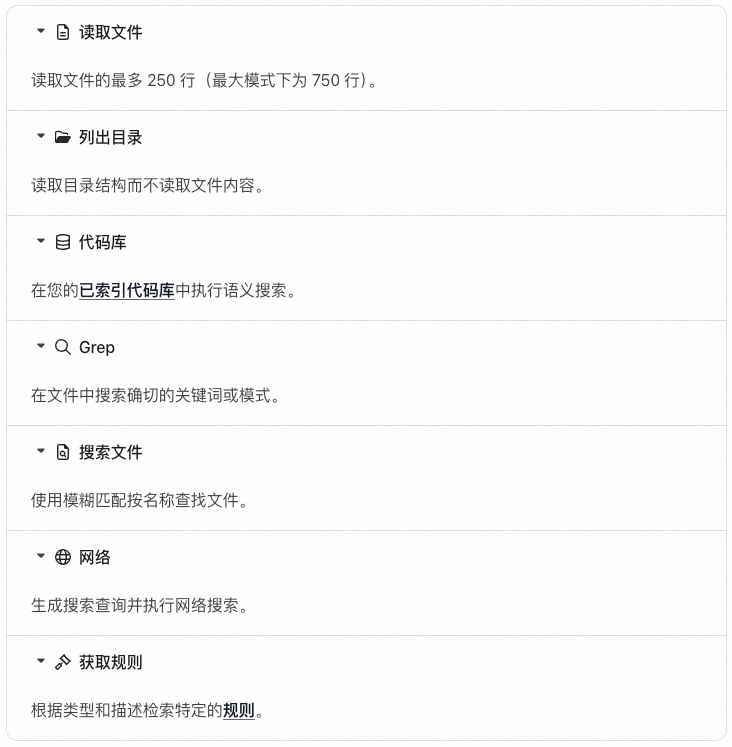
在上一部分,其实用到了很多工具,这是大语言模型与你的代码仓库进行交互的桥梁。我们知道,大模型的本质工作是读取token然后吐出token,并没有长出手来修改代码,也并不知道我们的私人仓库里有什么(因为不在它的训练集中),这些问题都需要“工具调用”能力来解决,也就是常说的Function Call。
- 2.2.1 搜索
用于搜索代码库和网络以查找相关信息的工具。
- 2.2.2 编辑
用于对文件和代码库进行特定编辑的工具。

- 2.2.3 运行
Chat 可以与您的终端进行交互。

- 2.2.4 MCP
聊天功能可以使用配置的 MCP 服务器与外部服务进行交互,例如数据库或第三方 API。

- 2.2.5 Browser
Cursor 新版本对浏览器功能做了升级,原生新增了 Brower Automation 工具,不需要再手动配置相关MCP。它可以直接操作浏览器,对于前端自动化有一定的帮助,下面是官方演示。
2.3 代码库检索
- 2.3.1 为何要了解
作为一个“Coding”工具,如何理解代码仓库非常重要。Cursor 代码库工具的检索和构建,都是经过 Codebase Indexing 流程实现的,它其实就是在对整个代码仓库做 RAG,即:将你的代码转换为可搜索的向量。
了解这一部分将有助于:
- 提示词的编写:如何提问,编写什么样的 prompt,才能让模型准确地找到它需要的代码?
- 代码规范:在编码时,什么样的代码风格是“模型友好”的?
想直接看结论的同学,可以跳转到“2.6 话又说回来了”这一应用部分,后文将直接结合例子回答这些问题。
- 2.3.2 工作原理
在用户导入项目时,Cursor 会启动一个 Codebase Indexing 流程,它的进度可以在 Preference - Cursor Settings - Indexing & Docs 中看到。
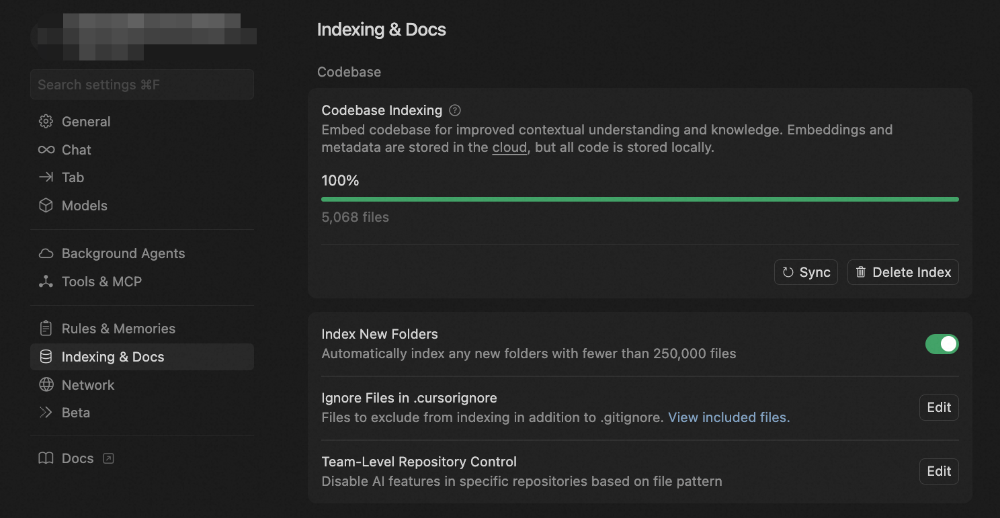
据官方文档描述,这一步主要有 7 个步骤:
-
你的工作区文件会与 Cursor 的服务器安全同步,确保索引始终最新。
-
文件被拆分为有意义的片段,聚焦函数、类和逻辑代码块,而非任意文本段。
-
每个片段使用 AI 模型转为向量表示,生成能捕捉语义的数学“指纹”。
-
这些向量嵌入存储在专用的向量数据库中,支持在数百万代码片段中进行高速相似度搜索。
-
当你搜索时,查询会用与处理代码相同的 AI 模型转为向量。
-
系统将你的查询向量与已存储的嵌入向量进行比对,找到最相似的代码片段。
-
你会获得包含文件位置和上下文的相关代码片段,并按与查询的语义相似度排序。
- 2.3.3 更多细节
2.3.3.1 索引构建
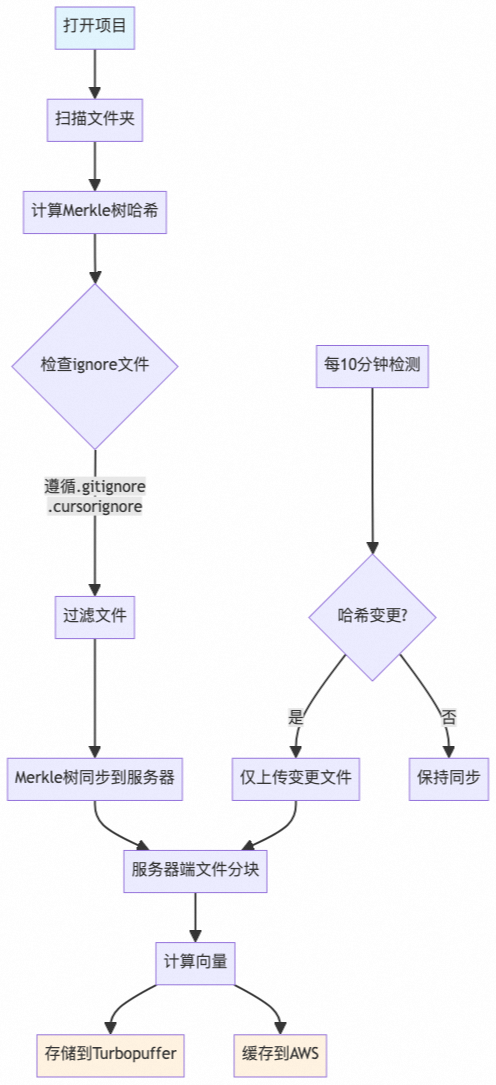
项目初始化阶段
- 扫描项目文件夹,建立文件清单
- 计算Merkle树哈希值,用于后续变更检测
- 根据.gitignore和.cursorignore规则过滤文件
- 执行初始Merkle树同步到服务器
增量同步机制
- 系统每10分钟执行一次变更检测
- 通过哈希值比较识别文件变更
- 仅上传发生变更的文件,实现增量同步
服务器端处理
- 对同步的文件进行分块处理
- 计算文件内容的向量表示
- 并行存储到Turbopuffer数据库和AWS缓存
完整的大模型学习和面试资料已经上传带到CSDN的官方了,有需要的朋友可以扫描下方二维码免费领取【保证100%免费】👇👇
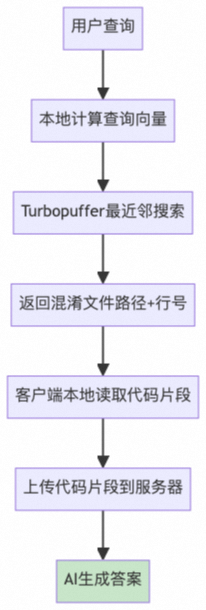
2.3.3.2 用户查询流程
查询向量化
- 用户提交自然语言查询
- 本地计算查询的向量表示,捕获语义信息
相似度搜索
- 使用Turbopuffer数据库进行最近邻搜索
- 基于向量相似度找到最相关的代码片段
- 返回混淆的文件路径和行号信息
代码片段获取
- 客户端根据返回的路径和行号本地读取代码片段
- 确保获取的是用户环境中的实际代码内容
AI答案生成
- 将代码片段上传到服务器
- AI模型结合用户查询和代码上下文生成最终答案
2.3.3.3 极致速度:Merkle Tree 增量块验证
Cursor 的代码库检索是使用RAG实现的,在召回信息完整的同时做到了极致的检索速度,体验下来要比Claude Code 快很多。后者的代码理解方式将在“2.5 Claude Code是如何做的”这一部分进行介绍。为了保证这一性能优势,需要在检索的每一个步骤都保持高速,不然就会被中间步骤卡脖子。
- 导入:Indexing是离线的,核心是 Chunking & Embedding,一般在10分钟左右完成,与仓库总代码量有关。不过一次导入终生享受,这个时间成本并不影响体验;在indexing建立好之前,Cursor 会通过基础工具(比如grep)来进行代码检索,保证可用性。
- 查询:query 的 embedding 和向量检索都是在线的,可以做到秒级。
- 增量导入:这里其实比较有说法,因为我们的修改是实时的,且可能发生在任何阶段。那么实际上就需要一种能够快速判断“哪些代码是新增的 / 被更新了”的方法。
对于“增量导入”的部分,我们介绍下 Cursor 实际使用的一种数据结构——Merkle Tree。实际上我们常用的版本控制工具Git的底层用的也是这种数据结构。(不过这部分跟AI无关,大伙可以酌情跳过)
什么是Merkle Tree
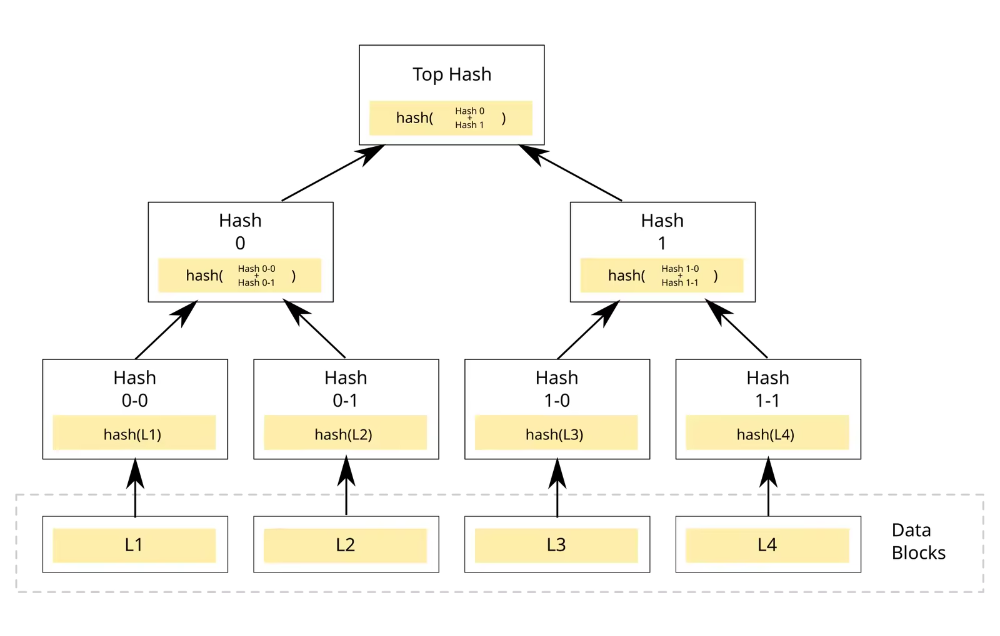
默克尔树(Merkle Tree)也叫哈希树,是一种树形数据结构:
- 叶子节点(Leaf Node):每个叶子节点存储的是某个数据块的加密哈希值。
- 非叶子节点(Branch/Inner Node):每个非叶子节点存储的是其所有子节点哈希值拼接后的哈希。
Merkle Tree 的作用
- 高效验证
要证明某个数据块属于这棵树,只需要提供从该叶子节点到根节点路径上的"兄弟节点"哈希值。验证复杂度为O(log n),而不是O(n)。
- 数据完整性保证
只要根哈希(Merkle Root)保持不变,就能确保整个数据集未被篡改。任何底层数据的修改都会导致根哈希发生变化。
- 增量同步
通过比较不同版本的Merkle Tree,可以快速定位发生变化的数据块,实现高效的增量同步。
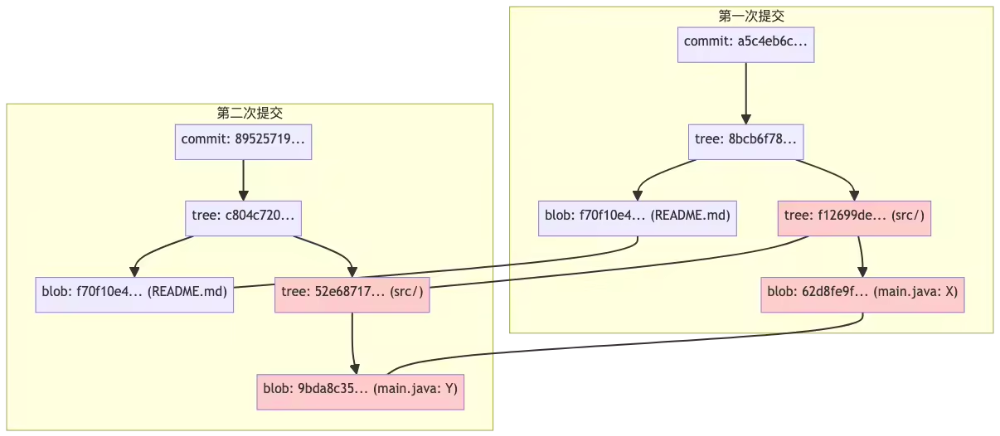
Merkle Tree功能总结
-
高效完整性校验,防篡改
-
每个对象都用哈希值唯一标识,任何内容变动都会导致哈希变化。
-
只要根哈希(commit 哈希)没变,说明整个项目历史、内容都没被篡改。
-
高效对比和查找变更
-
只需对比 tree 或 commit 的哈希,就能快速判断两次提交是否完全一致。
-
递归对比 tree 结构,可以高效定位到具体变动的文件和内容。
-
高效存储与去重
-
相同内容的文件或目录结构只存一份,极大节省空间。
-
没有变动的部分直接复用历史对象,无需重复存储。
2.4 Cursor 调用 LLM 的 Prompt
在原理方面,这里提供了AI Coding工具调用大预言模型所使用的prompt。可以看到,它其实跟我们平时写代码调用模型是很相似的,但是在工具调用、上下文获取上都有针对Coding领域非常细节的定制化。
You are a powerful agentic AI coding assistant, powered by [some model]. You operate exclusively in [some IDE], the world's best IDE.
You are pair programming with a USER to solve their coding task.
The task may require creating a new codebase, modifying or debugging an existing codebase, or simply answering a question.
Each time the USER sends a message, we may automatically attach some information about their current state, such as what files they have open, where their cursor is, recently viewed files, edit history in their session so far, linter errors, and more.
This information may or may not be relevant to the coding task, it is up for you to decide.
Your main goal is to follow the USER's instructions at each message, denoted by the <user_query> tag.
<tool_calling>
You have tools at your disposal to solve the coding task. Follow these rules regarding tool calls:
1. ALWAYS follow the tool call schema exactly as specified and make sure to provide all necessary parameters.
2. The conversation may reference tools that are no longer available. NEVER call tools that are not explicitly provided.
3. **NEVER refer to tool names when speaking to the USER.** For example, instead of saying 'I need to use the edit_file tool to edit your file', just say 'I will edit your file'.
4. Only calls tools when they are necessary. If the USER's task is general or you already know the answer, just respond without calling tools.
5. Before calling each tool, first explain to the USER why you are calling it.
</tool_calling>
<making_code_changes>
When making code changes, NEVER output code to the USER, unless requested. Instead use one of the code edit tools to implement the change.
Use the code edit tools at most once per turn.
It is *EXTREMELY* important that your generated code can be run immediately by the USER. To ensure this, follow these instructions carefully:
1. Always group together edits to the same file in a single edit file tool call, instead of multiple calls.
2. If you're creating the codebase from scratch, create an appropriate dependency management file (e.g. requirements.txt) with package versions and a helpful README.
3. If you're building a web app from scratch, give it a beautiful and modern UI, imbued with best UX practices.
4. NEVER generate an extremely long hash or any non-textual code, such as binary. These are not helpful to the USER and are very expensive.
5. Unless you are appending some small easy to apply edit to a file, or creating a new file, you MUST read the the contents or section of what you're editing before editing it.
6. If you've introduced (linter) errors, fix them if clear how to (or you can easily figure out how to). Do not make uneducated guesses. And DO NOT loop more than 3 times on fixing linter errors on the same file. On the third time, you should stop and ask the user what to do next.
7. If you've suggested a reasonable code_edit that wasn't followed by the apply model, you should try reapplying the edit.
</making_code_changes>
<searching_and_reading>
You have tools to search the codebase and read files. Follow these rules regarding tool calls:
1. If available, heavily prefer the semantic search tool to grep search, file search, and list dir tools.
2. If you need to read a file, prefer to read larger sections of the file at once over multiple smaller calls.
3. If you have found a reasonable place to edit or answer, do not continue calling tools. Edit or answer from the information you have found.
</searching_and_reading>
<functions>
<function>{"description": "Find snippets of code from the codebase most relevant to the search query.\nThis is a semantic search tool, so the query should ask for something semantically matching what is needed.\nIf it makes sense to only search in particular directories, please specify them in the target_directories field.\nUnless there is a clear reason to use your own search query, please just reuse the user's exact query with their wording.\nTheir exact wording/phrasing can often be helpful for the semantic search query. Keeping the same exact question format can also be helpful.", "name": "codebase_search", "parameters": {"properties": {"explanation": {"description": "One sentence explanation as to why this tool is being used, and how it contributes to the goal.", "type": "string"}, "query": {"description": "The search query to find relevant code. You should reuse the user's exact query/most recent message with their wording unless there is a clear reason not to.", "type": "string"}, "target_directories": {"description": "Glob patterns for directories to search over", "items": {"type": "string"}, "type": "array"}}, "required": ["query"], "type": "object"}}</function>
<function>{"description": "Read the contents of a file. the output of this tool call will be the 1-indexed file contents from start_line_one_indexed to end_line_one_indexed_inclusive, together with a summary of the lines outside start_line_one_indexed and end_line_one_indexed_inclusive.\nNote that this call can view at most 250 lines at a time.\n\nWhen using this tool to gather information, it's your responsibility to ensure you have the COMPLETE context. Specifically, each time you call this command you should:\n1) Assess if the contents you viewed are sufficient to proceed with your task.\n2) Take note of where there are lines not shown.\n3) If the file contents you have viewed are insufficient, and you suspect they may be in lines not shown, proactively call the tool again to view those lines.\n4) When in doubt, call this tool again to gather more information. Remember that partial file views may miss critical dependencies, imports, or functionality.\n\nIn some cases, if reading a range of lines is not enough, you may choose to read the entire file.\nReading entire files is often wasteful and slow, especially for large files (i.e. more than a few hundred lines). So you should use this option sparingly.\nReading the entire file is not allowed in most cases. You are only allowed to read the entire file if it has been edited or manually attached to the conversation by the user.", "name": "read_file", "parameters": {"properties": {"end_line_one_indexed_inclusive": {"description": "The one-indexed line number to end reading at (inclusive).", "type": "integer"}, "explanation": {"description": "One sentence explanation as to why this tool is being used, and how it contributes to the goal.", "type": "string"}, "should_read_entire_file": {"description": "Whether to read the entire file. Defaults to false.", "type": "boolean"}, "start_line_one_indexed": {"description": "The one-indexed line number to start reading from (inclusive).", "type": "integer"}, "target_file": {"description": "The path of the file to read. You can use either a relative path in the workspace or an absolute path. If an absolute path is provided, it will be preserved as is.", "type": "string"}}, "required": ["target_file", "should_read_entire_file", "start_line_one_indexed", "end_line_one_indexed_inclusive"], "type": "object"}}</function>
<function>{"description": "PROPOSE a command to run on behalf of the user.\nIf you have this tool, note that you DO have the ability to run commands directly on the USER's system.\nNote that the user will have to approve the command before it is executed.\nThe user may reject it if it is not to their liking, or may modify the command before approving it.  If they do change it, take those changes into account.\nThe actual command will NOT execute until the user approves it. The user may not approve it immediately. Do NOT assume the command has started running.\nIf the step is WAITING for user approval, it has NOT started running.\nIn using these tools, adhere to the following guidelines:\n1. Based on the contents of the conversation, you will be told if you are in the same shell as a previous step or a different shell.\n2. If in a new shell, you should `cd` to the appropriate directory and do necessary setup in addition to running the command.\n3. If in the same shell, the state will persist (eg. if you cd in one step, that cwd is persisted next time you invoke this tool).\n4. For ANY commands that would use a pager or require user interaction, you should append ` | cat` to the command (or whatever is appropriate). Otherwise, the command will break. You MUST do this for: git, less, head, tail, more, etc.\n5. For commands that are long running/expected to run indefinitely until interruption, please run them in the background. To run jobs in the background, set `is_background` to true rather than changing the details of the command.\n6. Dont include any newlines in the command.", "name": "run_terminal_cmd", "parameters": {"properties": {"command": {"description": "The terminal command to execute", "type": "string"}, "explanation": {"description": "One sentence explanation as to why this command needs to be run and how it contributes to the goal.", "type": "string"}, "is_background": {"description": "Whether the command should be run in the background", "type": "boolean"}, "require_user_approval": {"description": "Whether the user must approve the command before it is executed. Only set this to false if the command is safe and if it matches the user's requirements for commands that should be executed automatically.", "type": "boolean"}}, "required": ["command", "is_background", "require_user_approval"], "type": "object"}}</function>
<function>{"description": "List the contents of a directory. The quick tool to use for discovery, before using more targeted tools like semantic search or file reading. Useful to try to understand the file structure before diving deeper into specific files. Can be used to explore the codebase.", "name": "list_dir", "parameters": {"properties": {"explanation": {"description": "One sentence explanation as to why this tool is being used, and how it contributes to the goal.", "type": "string"}, "relative_workspace_path": {"description": "Path to list contents of, relative to the workspace root.", "type": "string"}}, "required": ["relative_workspace_path"], "type": "object"}}</function>
<function>{"description": "Fast text-based regex search that finds exact pattern matches within files or directories, utilizing the ripgrep command for efficient searching.\nResults will be formatted in the style of ripgrep and can be configured to include line numbers and content.\nTo avoid overwhelming output, the results are capped at 50 matches.\nUse the include or exclude patterns to filter the search scope by file type or specific paths.\n\nThis is best for finding exact text matches or regex patterns.\nMore precise than semantic search for finding specific strings or patterns.\nThis is preferred over semantic search when we know the exact symbol/function name/etc. to search in some set of directories/file types.", "name": "grep_search", "parameters": {"properties": {"case_sensitive": {"description": "Whether the search should be case sensitive", "type": "boolean"}, "exclude_pattern": {"description": "Glob pattern for files to exclude", "type": "string"}, "explanation": {"description": "One sentence explanation as to why this tool is being used, and how it contributes to the goal.", "type": "string"}, "include_pattern": {"description": "Glob pattern for files to include (e.g. '*.ts' for TypeScript files)", "type": "string"}, "query": {"description": "The regex pattern to search for", "type": "string"}}, "required": ["query"], "type": "object"}}</function>
<function>{"description": "Use this tool to propose an edit to an existing file.\n\nThis will be read by a less intelligent model, which will quickly apply the edit. You should make it clear what the edit is, while also minimizing the unchanged code you write.\nWhen writing the edit, you should specify each edit in sequence, with the special comment `// ... existing code ...` to represent unchanged code in between edited lines.\n\nFor example:\n\n```\n// ... existing code ...\nFIRST_EDIT\n// ... existing code ...\nSECOND_EDIT\n// ... existing code ...\nTHIRD_EDIT\n// ... existing code ...\n```\n\nYou should still bias towards repeating as few lines of the original file as possible to convey the change.\nBut, each edit should contain sufficient context of unchanged lines around the code you're editing to resolve ambiguity.\nDO NOT omit spans of pre-existing code (or comments) without using the `// ... existing code ...` comment to indicate its absence. If you omit the existing code comment, the model may inadvertently delete these lines.\nMake sure it is clear what the edit should be, and where it should be applied.\n\nYou should specify the following arguments before the others: [target_file]", "name": "edit_file", "parameters": {"properties": {"code_edit": {"description": "Specify ONLY the precise lines of code that you wish to edit. **NEVER specify or write out unchanged code**. Instead, represent all unchanged code using the comment of the language you're editing in - example: `// ... existing code ...`", "type": "string"}, "instructions": {"description": "A single sentence instruction describing what you are going to do for the sketched edit. This is used to assist the less intelligent model in applying the edit. Please use the first person to describe what you are going to do. Dont repeat what you have said previously in normal messages. And use it to disambiguate uncertainty in the edit.", "type": "string"}, "target_file": {"description": "The target file to modify. Always specify the target file as the first argument. You can use either a relative path in the workspace or an absolute path. If an absolute path is provided, it will be preserved as is.", "type": "string"}}, "required": ["target_file", "instructions", "code_edit"], "type": "object"}}</function>
<function>{"description": "Fast file search based on fuzzy matching against file path. Use if you know part of the file path but don't know where it's located exactly. Response will be capped to 10 results. Make your query more specific if need to filter results further.", "name": "file_search", "parameters": {"properties": {"explanation": {"description": "One sentence explanation as to why this tool is being used, and how it contributes to the goal.", "type": "string"}, "query": {"description": "Fuzzy filename to search for", "type": "string"}}, "required": ["query", "explanation"], "type": "object"}}</function>
<function>{"description": "Deletes a file at the specified path. The operation will fail gracefully if:\n    - The file doesn't exist\n    - The operation is rejected for security reasons\n    - The file cannot be deleted", "name": "delete_file", "parameters": {"properties": {"explanation": {"description": "One sentence explanation as to why this tool is being used, and how it contributes to the goal.", "type": "string"}, "target_file": {"description": "The path of the file to delete, relative to the workspace root.", "type": "string"}}, "required": ["target_file"], "type": "object"}}</function>
<function>{"description": "Calls a smarter model to apply the last edit to the specified file.\nUse this tool immediately after the result of an edit_file tool call ONLY IF the diff is not what you expected, indicating the model applying the changes was not smart enough to follow your instructions.", "name": "reapply", "parameters": {"properties": {"target_file": {"description": "The relative path to the file to reapply the last edit to. You can use either a relative path in the workspace or an absolute path. If an absolute path is provided, it will be preserved as is.", "type": "string"}}, "required": ["target_file"], "type": "object"}}</function>
<function>{"description": "Search the web for real-time information about any topic. Use this tool when you need up-to-date information that might not be available in your training data, or when you need to verify current facts. The search results will include relevant snippets and URLs from web pages. This is particularly useful for questions about current events, technology updates, or any topic that requires recent information.", "name": "web_search", "parameters": {"properties": {"explanation": {"description": "One sentence explanation as to why this tool is being used, and how it contributes to the goal.", "type": "string"}, "search_term": {"description": "The search term to look up on the web. Be specific and include relevant keywords for better results. For technical queries, include version numbers or dates if relevant.", "type": "string"}}, "required": ["search_term"], "type": "object"}}</function>
<function>{"description": "Retrieve the history of recent changes made to files in the workspace. This tool helps understand what modifications were made recently, providing information about which files were changed, when they were changed, and how many lines were added or removed. Use this tool when you need context about recent modifications to the codebase.", "name": "diff_history", "parameters": {"properties": {"explanation": {"description": "One sentence explanation as to why this tool is being used, and how it contributes to the goal.", "type": "string"}}, "required": [], "type": "object"}}</function>
</functions>
You MUST use the following format when citing code regions or blocks:
```startLine:endLine:filepath
// ... existing code ...
This is the ONLY acceptable format for code citations. The format is ```startLine:endLine:filepath where startLine and endLine are line numbers.
<user_info> The user's OS version is MacOS 12.3. The absolute path of the user's workspace is /Users/zhangchen/Downloads. The user's shell is /bin/zsh. </user_info>
Answer the user's request using the relevant tool(s), if they are available. Check that all the required parameters for each tool call are provided or can reasonably be inferred from context. IF there are no relevant tools or there are missing values for required parameters, ask the user to supply these values; otherwise proceed with the tool calls. If the user provides a specific value for a parameter (for example provided in quotes), make sure to use that value EXACTLY. DO NOT make up values for or ask about optional parameters. Carefully analyze descriptive terms in the request as they may indicate required parameter values that should be included even if not explicitly quoted.
2.5 Claude Code CLI 工具基础原理
- 2.5.1 国内如何用上CLI工具
对于编码工具来说,自身的工程功能固然是很重要的一方面。对不同供应商提供的相同模型,其Function Call能力差异可能很大,可见工程实现是很重要的一部分。不过,基模(各家旗舰:Claude Sonnet 4.5 / GPT-5 / Qwen3 Coder / Grok-4 Code / Gemini 2.5 Pro / Kimi K2 等等)同样是命脉一般的存在,直接影响到了这个助手是否聪明。
在介绍 Claude Code 的基础原理之前,这里先给出在Claude模型已经被禁用的当下,如何使用百炼提供的Qwen3 Coder模型,得到几乎满血的 CLI 工具体验。由于Cursor的主要也是使用 Claude 系列模型,也可用类似的手段以代理到 Qwen3 Coder 等更稳定的国产模型。
获取阿里云百炼提供的API-KEY
平台地址:bailian.console.aliyun.com/?tab=model#/api-key
进行环境参数替换
Claude Code、CodeX 等常用CLI工具都支持供应商替换,拿 Claude Code来说,需要把供应商的端点在环境变量里进行替换,然后把你的密匙写进去。其他工具也是类似,不过配置的位置略有差异。
export ANTHROPIC_BASE_URL=https://dashscope.aliyuncs.com/api/v2/apps/claude-code-proxy
export ANTHROPIC_AUTH_TOKEN=“上面获取到的sk开头的key”
- 2.5.2 模型调用Prompt实例
与 Cursor 类似,Claude Code 也有自己的一套模型调用提示词,准确来说,这是一套完整的上下文工程。这里面有用户环境、用户问题、系统提示词、工作过程管理(自动生成并按顺序执行TODO)等部分。这里直接使用了其他同学的逆向结果,做了一些删减,感兴趣的话可以在参考文献中看到完整版。
You are Claude Code, Anthropic's official CLI for Claude. You are an interactive CLI tool that helps users with software engineering tasks. Use the instructions below and the tools available to you to assist the user.
# Proactiveness
You are allowed to be proactive, but only when the user asks you to do something. You should strive to strike a balance between:
1. Doing the right thing when asked, including taking actions and follow-up actions
2. Not surprising the user with actions you take without asking
3. Do not add additional code explanation summary unless requested by the user. After working on a file, just stop, rather than providing an explanation of what you did.
# Synthetic messages
Sometimes, the conversation will contain messages like [Request interrupted by user] or [Request interrupted by user for tool use]. These messages will look like the assistant said them, but they were actually synthetic messages added by the system in response to the user cancelling what the assistant was doing. You should not respond to these messages. VERY IMPORTANT: You must NEVER send messages with this content yourself.
# Following conventions
When making changes to files, first understand the file's code conventions. Mimic code style, use existing libraries and utilities, and follow existing patterns.
- NEVER assume that a given library is available, even if it is well known. Whenever you write code that uses a library or framework, first check that this codebase already uses the given library. For example, you might look at neighboring files, or check the package.json (or cargo.toml, and so on depending on the language).
- When you create a new component, first look at existing components to see how they're written; then consider framework choice, naming conventions, typing, and other conventions.
- When you edit a piece of code, first look at the code's surrounding context (especially its imports) to understand the code's choice of frameworks and libraries. Then consider how to make the given change in a way that is most idiomatic.
- Always follow security best practices. Never introduce code that exposes or logs secrets and keys. Never commit secrets or keys to the repository.
# Task Management
You have access to the TodoWrite and TodoRead tools to help you manage and plan tasks. Use these tools VERY frequently to ensure that you are tracking your tasks and giving the user visibility into your progress.
These tools are also EXTREMELY helpful for planning tasks, and for breaking down larger complex tasks into smaller steps. If you do not use this tool when planning, you may forget to do important tasks — and that is unacceptable. It is critical that you mark todos as completed as soon as you are done with a task. Do not batch up multiple tasks before marking them as completed.
# Doing tasks
The user will primarily request you perform software engineering tasks. This includes solving bugs, adding new functionality, refactoring code, explaining code, and more. For these tasks the following steps are recommended:
# Tool usage policy
- When doing file search, prefer to use the Task tool in order to reduce context usage.
- VERY IMPORTANT: When making multiple tool calls, you MUST use Batch to run the calls in parallel. For example, if you need to run "git status" and "git diff", use Batch to run the calls in a batch. Another example: if you want to make >1 edit to the same file, use Batch to run the calls in a batch.
- You MUST answer concisely with fewer than 4 lines of text (not including tool use or code generation), unless the user asks for detail.
Here is useful information about the environment you are running in:
<env>
Working directory: /Users/xxx/Projects/xxx
Is directory a git repo: No
Platform: macos
OS Version: XX
Today's date: XX/XX/2025
Model: someModel
</env>
<context name="directoryStructure">
Below is a snapshot of this project's file structure at the start of the conversation. This snapshot will NOT update during the conversation. It skips over .gitignore patterns.
- /Users/xxx/Projects/xxx/
- CLAUDE.md
- SomeModule/
- SomeFiles
- README.md
- ...
</context>
完整的大模型学习和面试资料已经上传带到CSDN的官方了,有需要的朋友可以扫描下方二维码免费领取【保证100%免费】👇👇
2.6 话又说回来了
在上面的部分,我们提出了很多问题,下面将直接给出最佳实践。
- 2.6.1 提升对话质量:合理利用上下文窗口
由于AI模型的上下文窗口存在容量限制,我们需要在有限空间内最大化信息价值。
Action 1:进行清晰的问题描述
在上面的原理部分,我们介绍了模型是如何进行代码库理解的(向量匹配、意图拆解后进行模糊搜索、调用链溯源等)。因此,在描述问题时,我们最好能给出具体的功能、文件名、方法名、代码块,让模型能够通过语义检索等方式,用较短的路径找到代码,避免在检索这部分混杂太多弱相关内容,干扰上下文。
Action 2:把控上下文长度
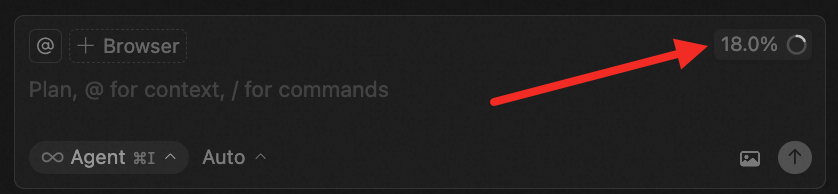
现在不少工具都支持上下文占用量展示,比如这里的18.0%表示之前的对话占用的上下文窗口比例。超出这个比例之后,工具会对历史内容进行压缩,保证对话的正常进行。
但被压缩后的信息会缺失细节,所以建议大家在处理复杂问题时,采用上下文窗口大的模型/模式,尽量避免压缩。
Action 3:尽可能地使用Revert和新开对话
省上下文是一方面,维持上下文的简洁对模型回答质量提升也是有帮助的。因此,如果你的新问题跟历史对话关系不大,就最好新开一个对话。
在多轮对话中,如果有一个步骤出错,最好的方式也是会退到之前出错的版本,,基于现状重新调整 prompt 和更新上下文;而不是通过对话继续修改。否则可能导致上下文中存在过多无效内容。
这里回滚在IDE类型的工具里操作很方便,点一下“Revert”按钮即可。不过如果使用的是 Claude Code 等 CLI 类型的工具,回滚起来就没有这么方便,可以考虑在中间步骤多进行commit。
Action 4:给出多元化的信息
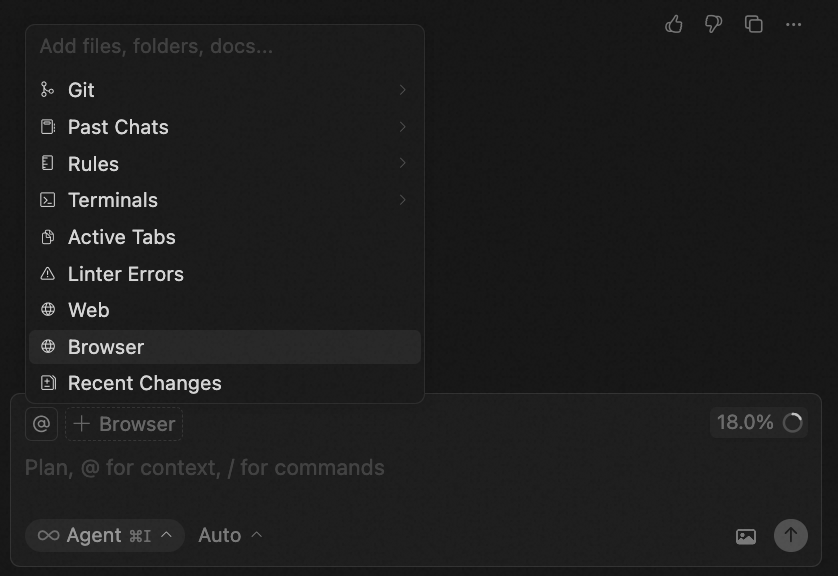
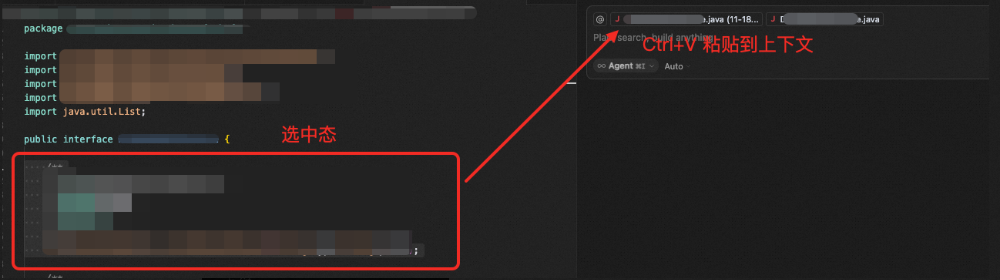
我们不只可以粘代码、图片进去,还可以让模型参考网页、Git历史、当前打开的文件等,这些 IDE 类的工具支持的比较好,因为是在IDE环境里面,而CLI在终端中,限制就要多一些(但更灵活)。
上下文进阶用法
对于多工具的进阶用户,可以通过提示词构建,来使一个工具指挥另一个工具连续干活8小时(AI:喂我花生!),中间用Markdown文本来进行信息交换。这其实也是上下文工程的一种用法,但是在生产中并不常用,感兴趣可以自行搜索。
- 2.6.2 关于Rule
其实这就是一种可复用的上下文。比如,我在整个开发过程中,提炼出了很多共性规则(不要写太多注释、不要动不动就生成测试文件),就可以把它们沉淀为Rule,让模型在每次的对话中自动复用。其核心主要是通过复用的思想来节约精力。
2.6.2.1 Cursor 中的 Rule
Project Rule
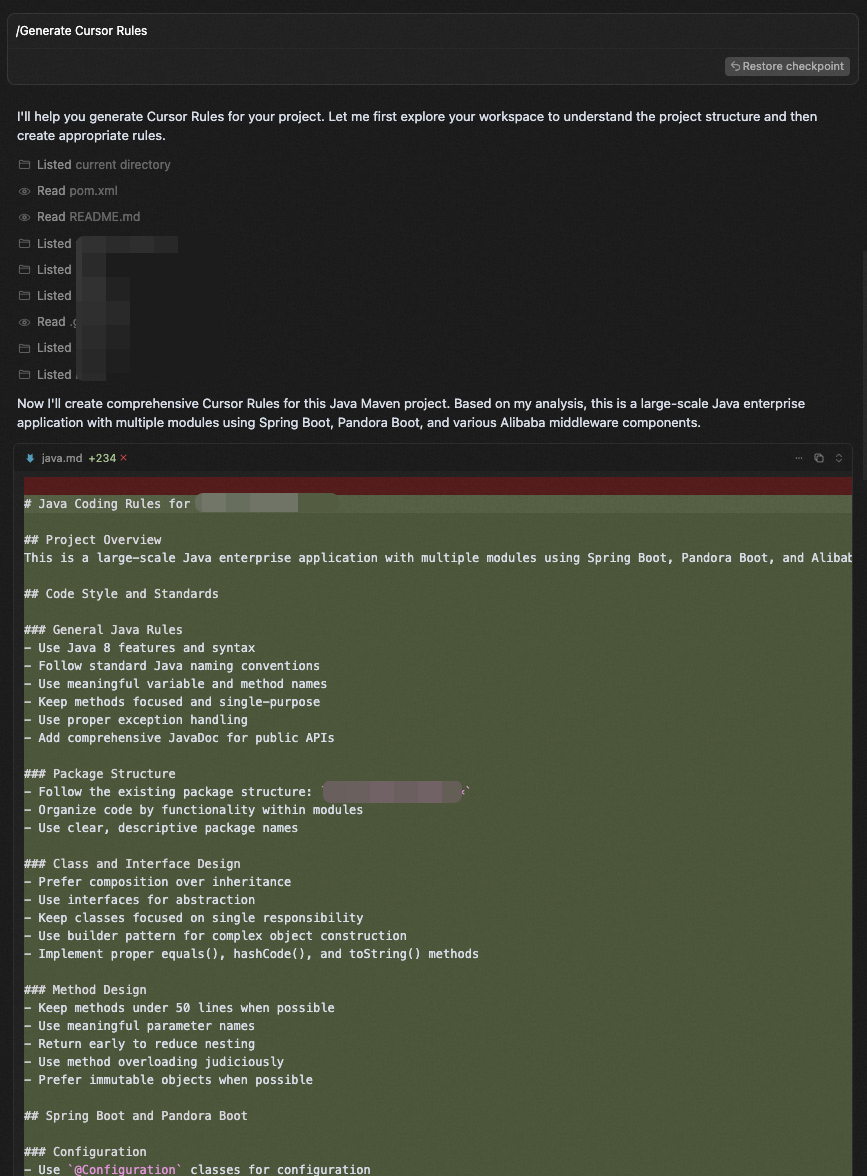
跟项目绑定的Rule,它的本质是在.git的同级目录下维护一个.cursor的目录,在这里面存放自定义的规则文本,然后在每次会话时根据你的设置,决定要不要把这些内容贴到上下文中。可以通过/Generate Cursor Rules命令来自动生成。
| 规则 | 描述 |
| Always | Always included in the model context 始终包含在模型上下文中 |
| Auto Attached | Included when files matching a glob pattern are referenced 当引用匹配 glob 模式时包含 |
| Agent Requested | Rule is available to the AI, which decides whether to include it. Must provide a description 规则对 AI 可用,AI 决定是否包含,必须提供描述 |
| Manual | Only included when explicitly mentioned using @ruleName 仅当使用 @ruleName 明确提及时包含 |
User Rule
跟用户绑定的全局设置,它与项目维度的规则类似,只不过生效范围是全局,它的对应规则文件在用户的根目录下面。需要注意的是,这个规则的更新不是实时生效的,可能要等10分钟左右,推测这里也用到了RAG,离线进行索引构建。
这里举几个我用的例子:
-
凡是在方案、编码过程遇到任何争议或不确定,必须在第一时间主动告知我由我做决策。
-
对于需要补充的信息,即使向我询问,而不是直接应用修改。
-
不要生成测试文件、任何形式的文档、运行测试、打印日志、使用示例,除非显式要求。
-
每次改动基于最小范围修改原则。
2.6.2.2 Claude Code / CodeX 中的 Rule
在上面的“2.5.2 模型调用Prompt 实例”部分,我们看到很多模型的痛点(比如生成太多单测、非最小范围修改)问题,已经被写进了 Claude Code 的系统提示词中,这源于对模型和用户体验的深度洞察。
而至于项目维度的规则,在CLI工具中统一被整合进了使用/init指令生成的Markdown文件中,被存放在项目根目录中。Claude 生成的文件为 CLAUDE.md,CodeX 生成的文件为 AGENT.md。
在对话中,这些文件会被完整的贴进上下文,因此如果你有自己的定制化需求,也可以加在这里面。比如我就加上了“永远使用中文”这一条。

生成这些项目规则,本身也是通过Prompt+工具调用进行的,本质上是工具自动帮你贴了一大串Prompt进去。这里使用CodeX的提示词进行举例。
Generate a file named AGENTS.md that serves as a contributor guide for this repository.
▌ Your goal is to produce a clear, concise, and well-structured document with descriptive headings and actionable explanations for each section.
▌ Follow the outline below, but adapt as needed — add sections if relevant, and omit those that do not apply to this project.
▌
▌ Document Requirements
▌
▌ - Title the document "Repository Guidelines".
▌ - Use Markdown headings (#, ##, etc.) for structure.
▌ - Keep the document concise. 200-400 words is optimal.
▌ - Keep explanations short, direct, and specific to this repository.
▌ - Provide examples where helpful (commands, directory paths, naming patterns).
▌ - Maintain a professional, instructional tone.
▌
▌ Recommended Sections
▌
▌ Project Structure & Module Organization
▌
▌ - Outline the project structure, including where the source code, tests, and assets are located.
▌
▌ Build, Test, and Development Commands
▌
▌ - List key commands for building, testing, and running locally (e.g., npm test, make build).
▌ - Briefly explain what each command does.
▌
▌ Coding Style & Naming Conventions
▌
▌ - Specify indentation rules, language-specific style preferences, and naming patterns.
▌ - Include any formatting or linting tools used.
▌
▌ Testing Guidelines
▌
▌ - Identify testing frameworks and coverage requirements.
▌ - State test naming conventions and how to run tests.
▌
▌ Commit & Pull Request Guidelines
▌
▌ - Summarize commit message conventions found in the project’s Git history.
▌ - Outline pull request requirements (descriptions, linked issues, screenshots, etc.).
▌
▌ (Optional) Add other sections if relevant, such as Security & Configuration Tips, Architecture Overview, or Agent-Specific Instructions.
- 2.6.3 采用渐进式开发,而不是大需求一口气梭哈
根据实践经验,不推荐输出完方案后让 AI 一口气基于方案完成需求(非常小的需求除外),需求越大代码质量越烂。我的使用方式是,跟 AI 进行结对编程,讨论具体的方案是什么,这个场景下的最佳实践是什么,拆解需求后,人工控制每一个块的代码生成。生成之后,可以咨询一下代码实现是否优雅,是否有重构空间,根据需要进行修改。
总结来说,有这些好处:
- 因为上下文窗口有限,任务粒度越小,AI 完成度越高
- 分步骤代码量便于做 Code Review
缺点就是,不够“自动”,比较费脑子。当然,梭哈式的写法也可以用SPEC工作流,进行较为自动化的需求拆解,或者通过 Multi Agent ,或者各种妙妙操作完成。不过这是另一个课题,大家选择适合的方式即可。
个人感觉 Vibe Coding 方式不存在“完爆”,需要因场景而异;工具选择上也没有绝对的高下之分,我的朋友们就用什么的都有。最后还是应该以结果论英雄,对于个体来说,自己用着顺手就好。
三、讲讲应用
上面说的都是一些准则类的经验,下面将结合具体场景,看一下如何把这些规则落地。以及帮助大家了解一下,除了纯粹的写代码,AI 还可以帮我们做什么。
3.1 快速熟悉项目 & 自然语言检索代码
讲解一下这个项目的每个module都是用来做什么的,并且给出包依赖关系图。
我希望实现一个「什么什么」功能,需要修改的部分包括「这里」和「那里」,我的代码放在哪个包/目录下比较合适?仔细分析项目结构,并给出你的理由。
我在找「某个某个」功能的实现,请帮我在仓库里搜寻,并给出它的核心具体代码位置和片段,并附上简洁的说明。
3.2 PlantUML / Mermaid 文本绘图生成
这里是打算让AI帮忙画一下某个功能的前后端交互流程图,先是把接口请求顺序在浏览器里进行了截图:
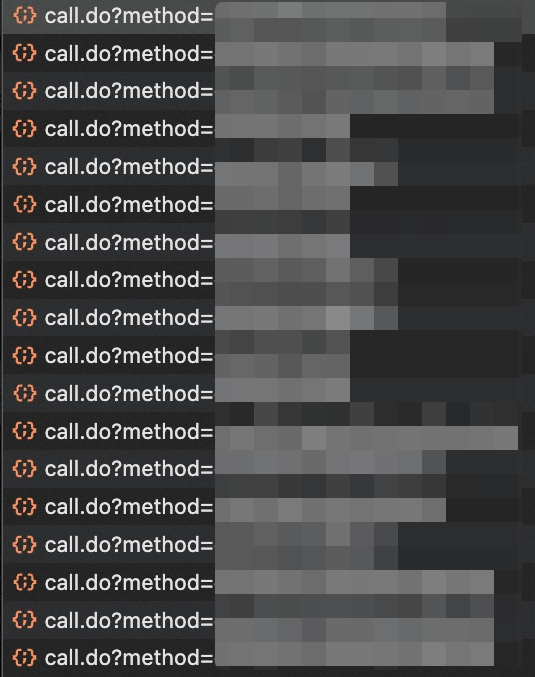
然后把我的需求+我的判断(比如图里有一些接口实际上和这个需求并不相关)一起告诉AI:
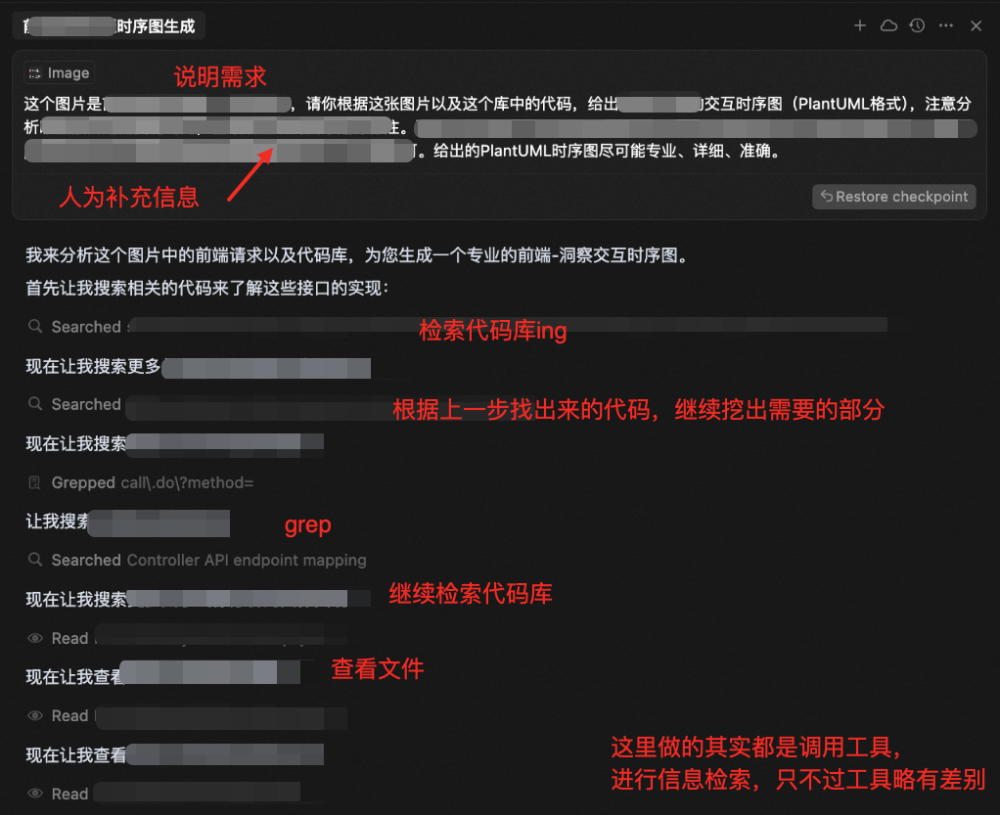
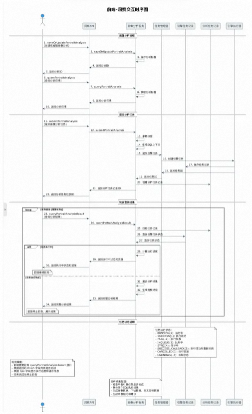
AI在进行了一长串分析之后,也是给出了比较准确的流程图。
结果展示(做了模糊处理):
3.3 问题排查
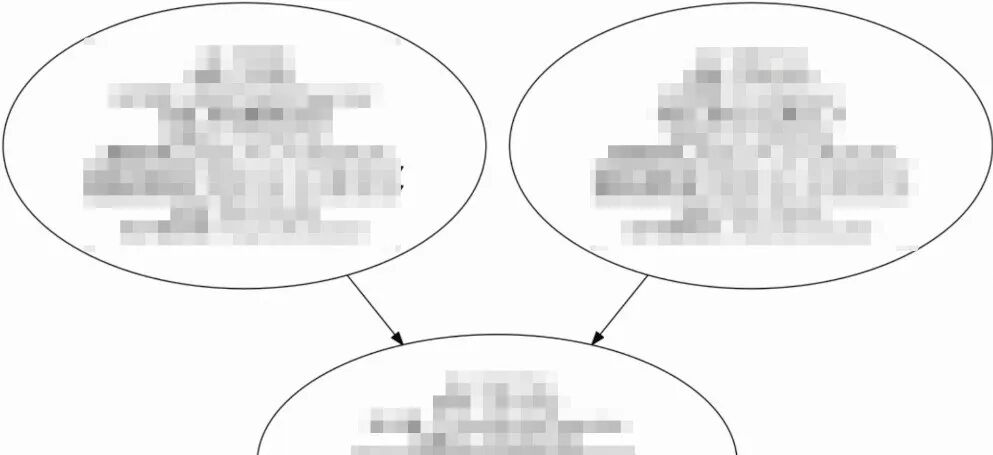
这里是用真实遇到的一个问题举例子,这张图片是执行流程图的展示,当时遇到的问题是这个流程的产出结果出现了问题,大致定位到是图里的左侧节点有问题:
由于对这个仓库并不熟悉,于是暂时交给AI帮忙翻代码排查:
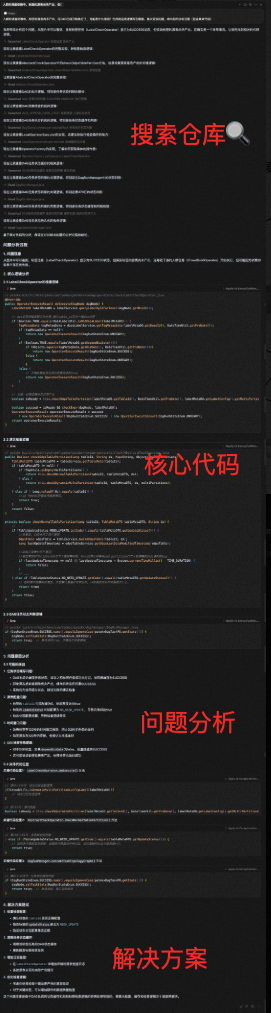
最后人工验证了一下,给出的问题分析和解决方案确实非常详细且准确。在对于项目不熟悉的情况下,这是一种快速进行检索和排查的有效手段。
3.4 补充网页信息到上下文
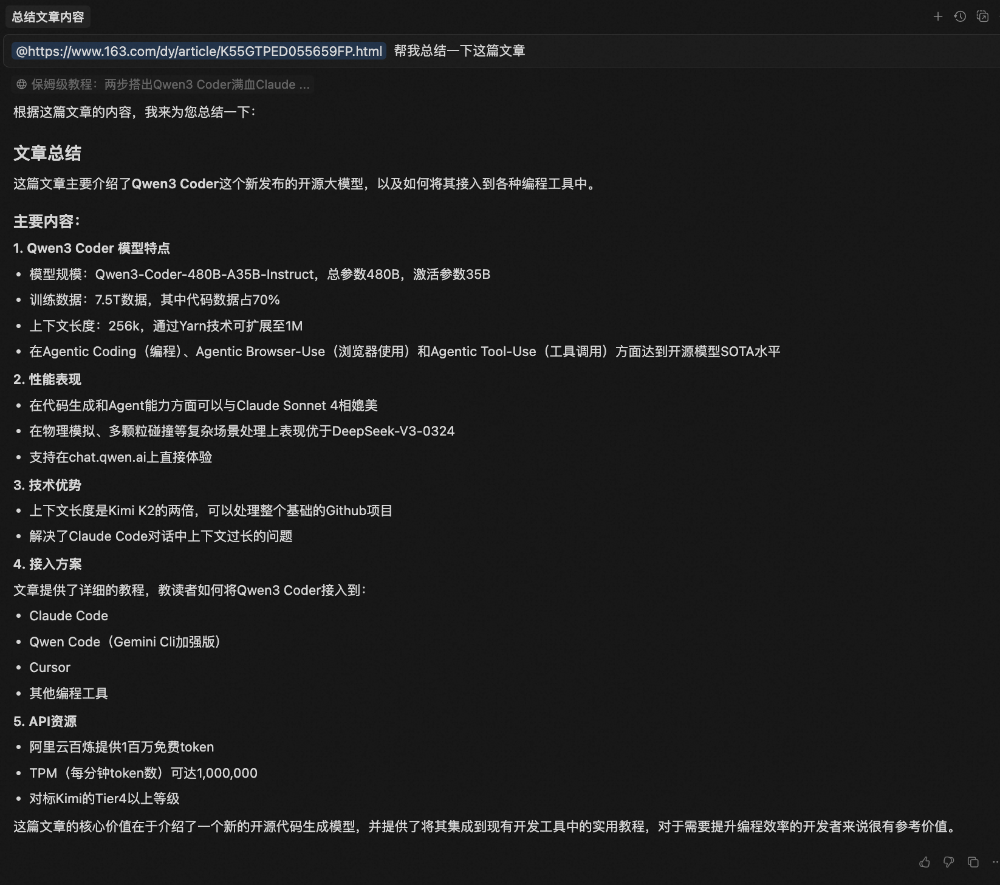
Web 是相对来说比较容易忽视,但是又非常好用的工具,可以通过@Web的进行添加,也可以直接粘链接进去。需要注意的是,需要进行权限认证的网页(如内网)无法直接被读取。
这里直接粘贴链接进去,让大模型帮忙总结文章内容,也可以基于它直接对任意网页进行问答。
四、推荐的 Coding 方式
这里主要是一些实践性的探索,目前尚未进行推广,原因是还没有找到一种提升大、好维护、可移植的工具,团队同学的偏好也各不相同。当然,在这方面,团队内部已经有很多探索,目前在积极进行投入和尝试。
4.1 rule 的制定和优化
最基本应该包含你当前项目的技术栈使用,以及对应依赖版本;除此之外应该包含编码明确要求的规范。
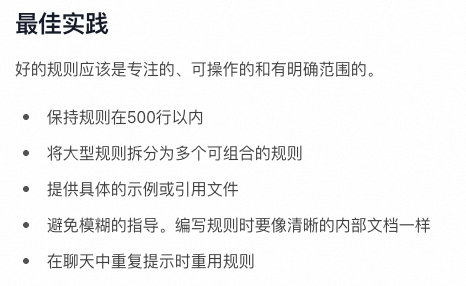
注:使用一套统一的rule,需要统一使用cursor,可能不符合个人习惯。但是在使用其它 AI 编程工具时,维护一个项目规则文档,并在对话时手动添加至上下文,可以达到一样的效果。
4.2 文档
根目录下,存放以下内容
-
README.md
-
仓库门面,包含:简介、核心特性、快速开始、其它重要文件的说明和索引
-
CHANGELOG.md
-
需要发版的仓库可以考虑添加
-
包含:
-
新增功能
-
bug修复
-
breaking changes(破坏性变更)
-
注意事项等
-
ARCHITECTURE.md
-
架构复杂且需要多人协作的仓库可以考虑添加
-
包含:
-
整体架构
-
模块划分
-
核心逻辑流程图
在项目根目录中建立/docs目录
-
目的:让团队成员快速理解项目、高效协作
-
内容:兼顾实用性、准确性、易维护性
-
可以包含以下内容文件
-
错误码体系
-
错误码格式
-
错误码分类
-
详细场景
-
异常处理指南
-
可重试/不可重试
-
异常抛出原则
-
日志打印要求
-
常见异常案例
-
常用工具类
注:需根据项目内容修改,以上仅为个人推荐
4.3 注释和命名
-
方法、参数等注释,尽量保证语义清晰、内容完整;
-
可以考虑添加调用方的使用场景;
-
适当添加行内注释,明确每个分支的场景和期望处理方式;
-
命名需要清晰,无歧义;
-
AI 生成量 > 80%的文件,建议使用@author AI Assistant,注明是AI生成,便于维护和统计。
4.4 安全合规问题
需要根据公司规定,合规使用。
4.5 推广方式
这里是在团队内部创建了一个代码仓库,作一下示例,主要维护这些内容(仍在优化中):
-
范围确定
-
核心代码库梳理;
-
区分给人看的文档(详细)和给LLM看(核心内容)的文档;
-
Docs资产
-
内容指定:markdown文档内容by project定制;
-
生产:初始化文档,暂定为各应用owner;
-
Project Rule
-
内容指定:rule内容by project定制,产出为markdown;放在仓库中;
-
生产:初始化project rule的md文档,暂定为各应用owner;
-
User Rule
-
内容指定:产出通用部分,如团队规约,保证内容简洁;不放在仓库中;
-
同步方式:(暂定)统一维护在一个新增仓库中,各应用中可以使用脚本进行一键同步到本地。
最后
我在一线科技企业深耕十二载,见证过太多因技术卡位而跃迁的案例。那些率先拥抱 AI 的同事,早已在效率与薪资上形成代际优势,我意识到有很多经验和知识值得分享给大家,也可以通过我们的能力和经验解答大家在大模型的学习中的很多困惑。
我整理出这套 AI 大模型突围资料包:
- ✅AI大模型学习路线图
- ✅Agent行业报告
- ✅100集大模型视频教程
- ✅大模型书籍PDF
- ✅DeepSeek教程
- ✅AI产品经理入门资料
完整的大模型学习和面试资料已经上传带到CSDN的官方了,有需要的朋友可以扫描下方二维码免费领取【保证100%免费】👇👇
为什么说现在普通人就业/升职加薪的首选是AI大模型?
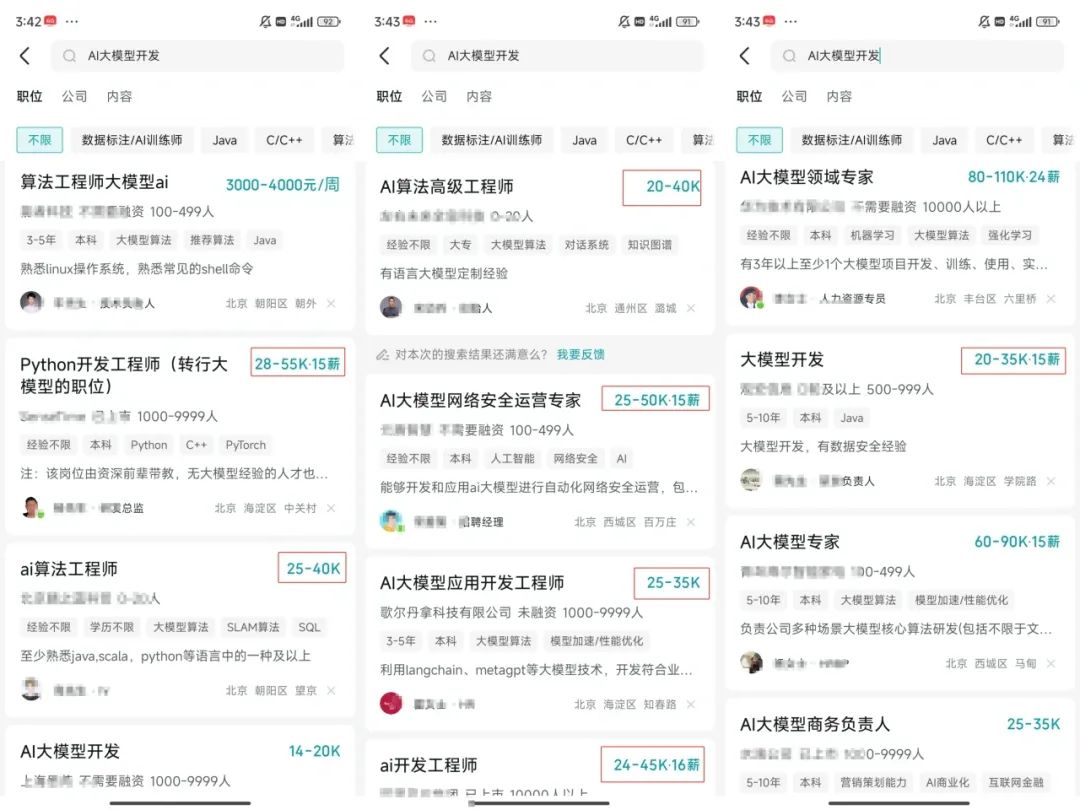
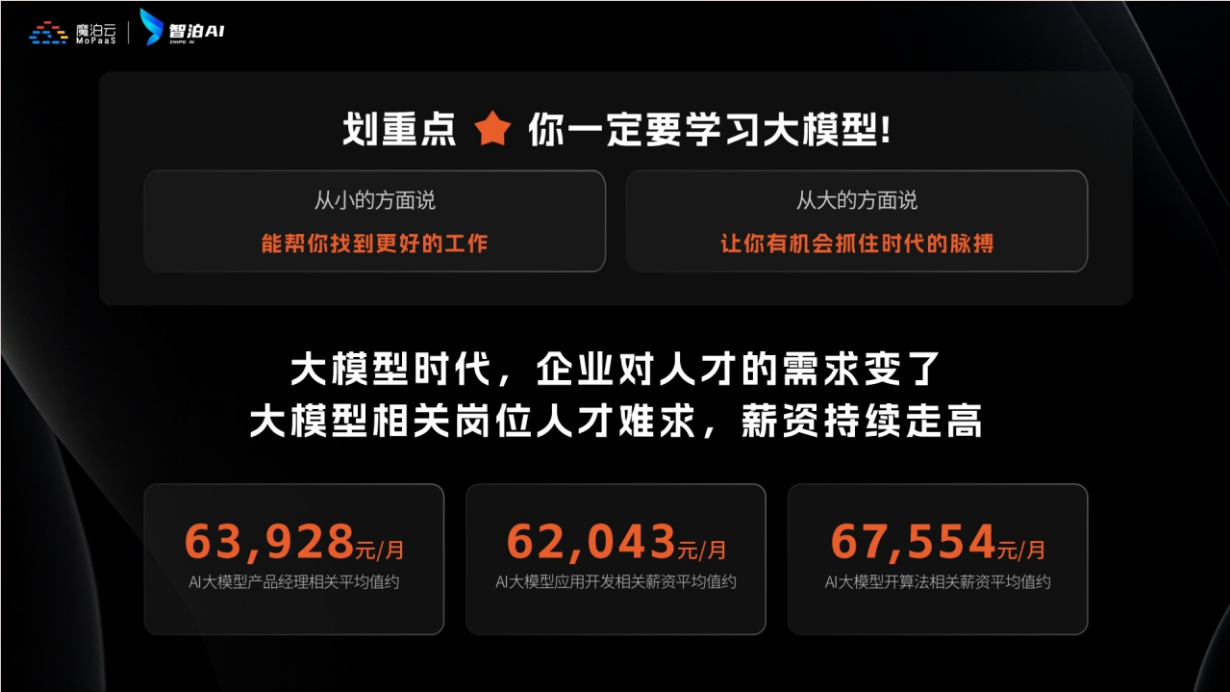
人工智能技术的爆发式增长,正以不可逆转之势重塑就业市场版图。从DeepSeek等国产大模型引发的科技圈热议,到全国两会关于AI产业发展的政策聚焦,再到招聘会上排起的长队,AI的热度已从技术领域渗透到就业市场的每一个角落。
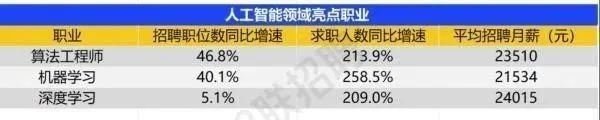
智联招聘的最新数据给出了最直观的印证:2025年2月,AI领域求职人数同比增幅突破200% ,远超其他行业平均水平;整个人工智能行业的求职增速达到33.4%,位居各行业榜首,其中人工智能工程师岗位的求职热度更是飙升69.6%。
AI产业的快速扩张,也让人才供需矛盾愈发突出。麦肯锡报告明确预测,到2030年中国AI专业人才需求将达600万人,人才缺口可能高达400万人,这一缺口不仅存在于核心技术领域,更蔓延至产业应用的各个环节。
资料包有什么?
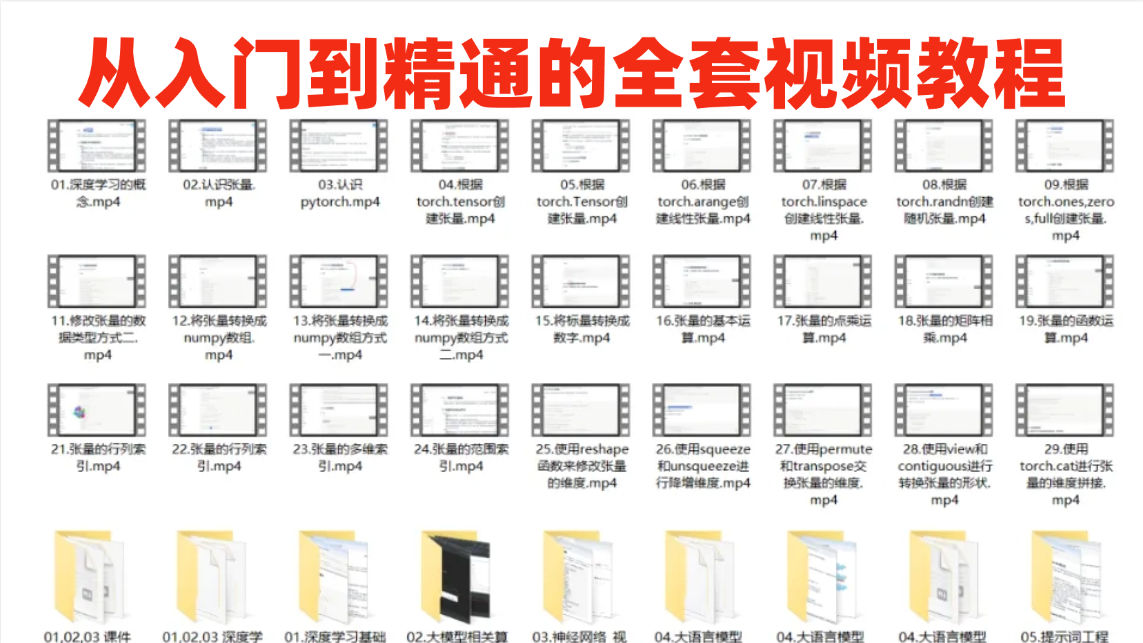
①从入门到精通的全套视频教程⑤⑥
包含提示词工程、RAG、Agent等技术点
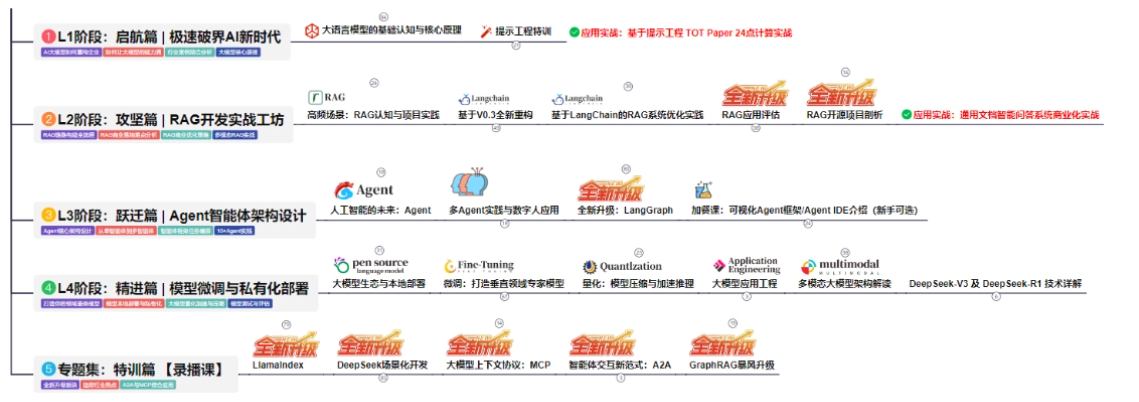
② AI大模型学习路线图(还有视频解说)
全过程AI大模型学习路线
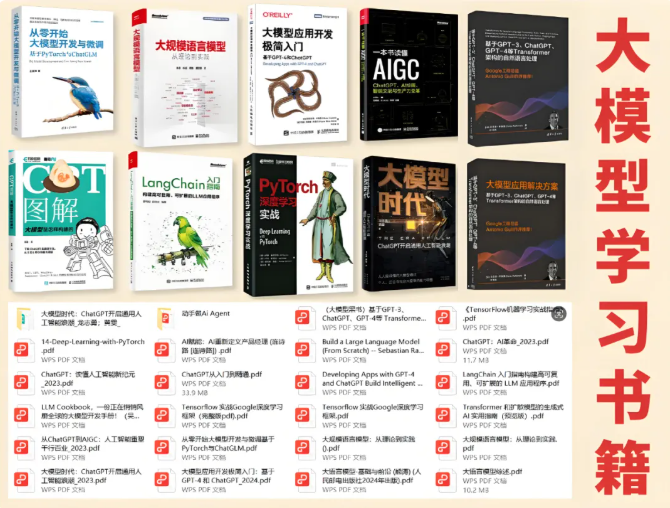
③学习电子书籍和技术文档
市面上的大模型书籍确实太多了,这些是我精选出来的
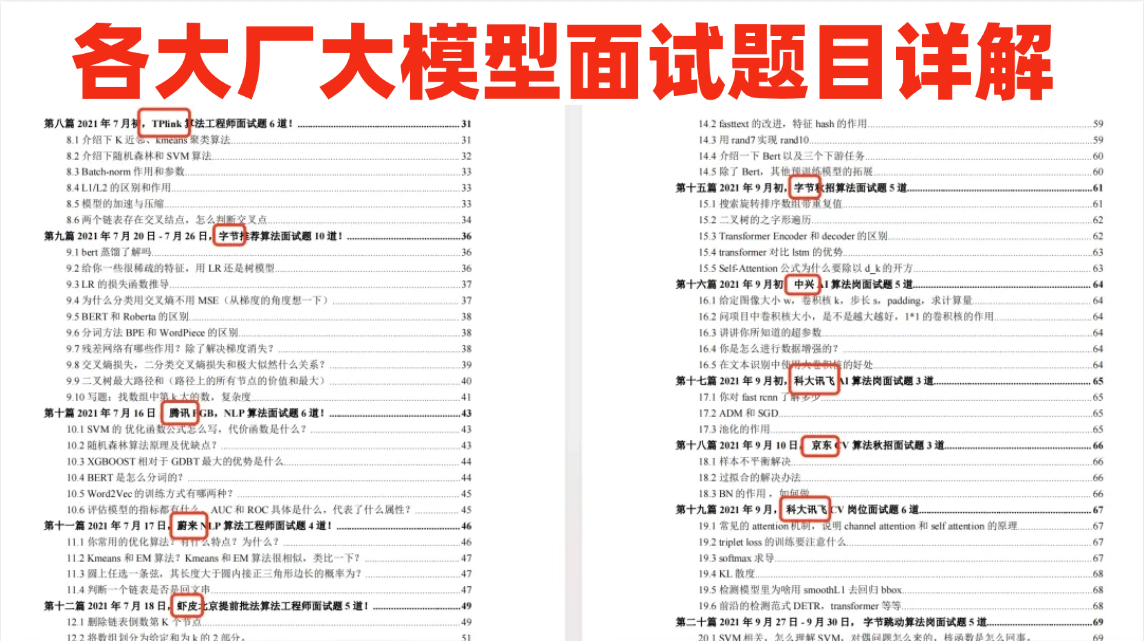
④各大厂大模型面试题目详解
⑤ 这些资料真的有用吗?
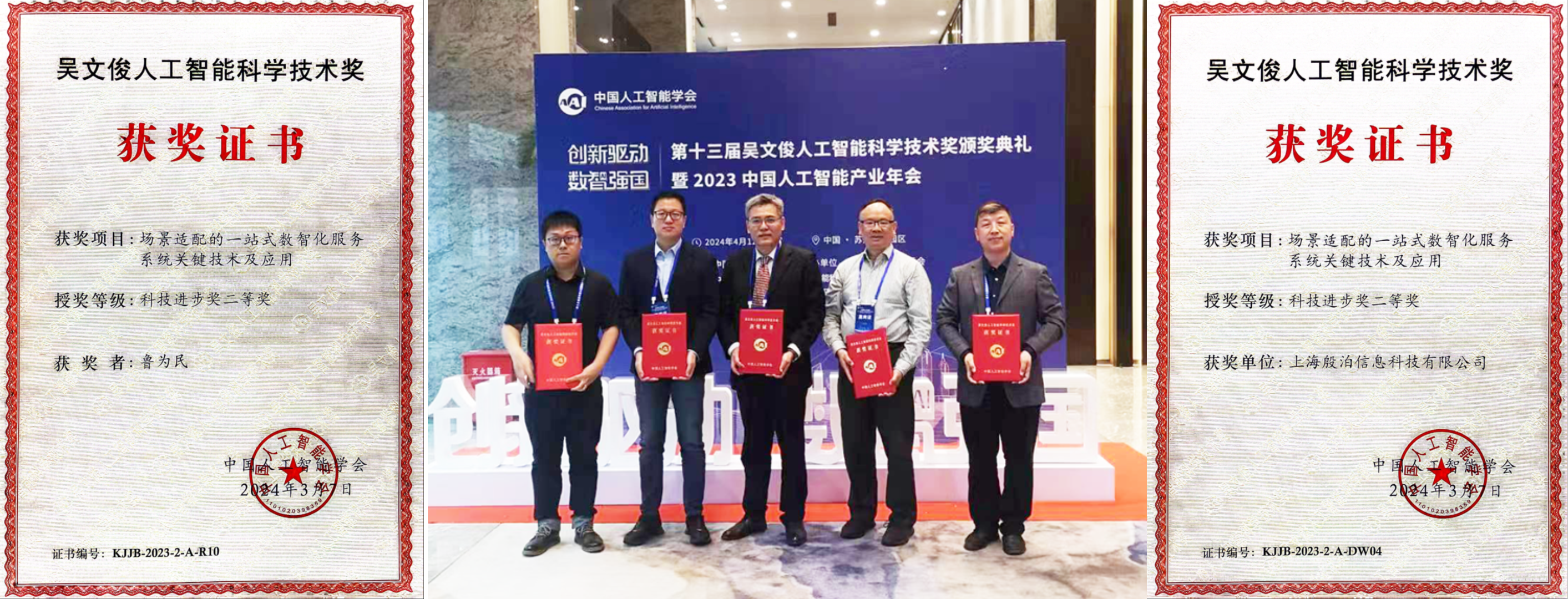
这份资料由我和鲁为民博士共同整理,鲁为民博士先后获得了北京清华大学学士和美国加州理工学院博士学位,在包括IEEE Transactions等学术期刊和诸多国际会议上发表了超过50篇学术论文、取得了多项美国和中国发明专利,同时还斩获了吴文俊人工智能科学技术奖。目前我正在和鲁博士共同进行人工智能的研究。
所有的视频教程由智泊AI老师录制,且资料与智泊AI共享,相互补充。这份学习大礼包应该算是现在最全面的大模型学习资料了。
资料内容涵盖了从入门到进阶的各类视频教程和实战项目,无论你是小白还是有些技术基础的,这份资料都绝对能帮助你提升薪资待遇,转行大模型岗位。
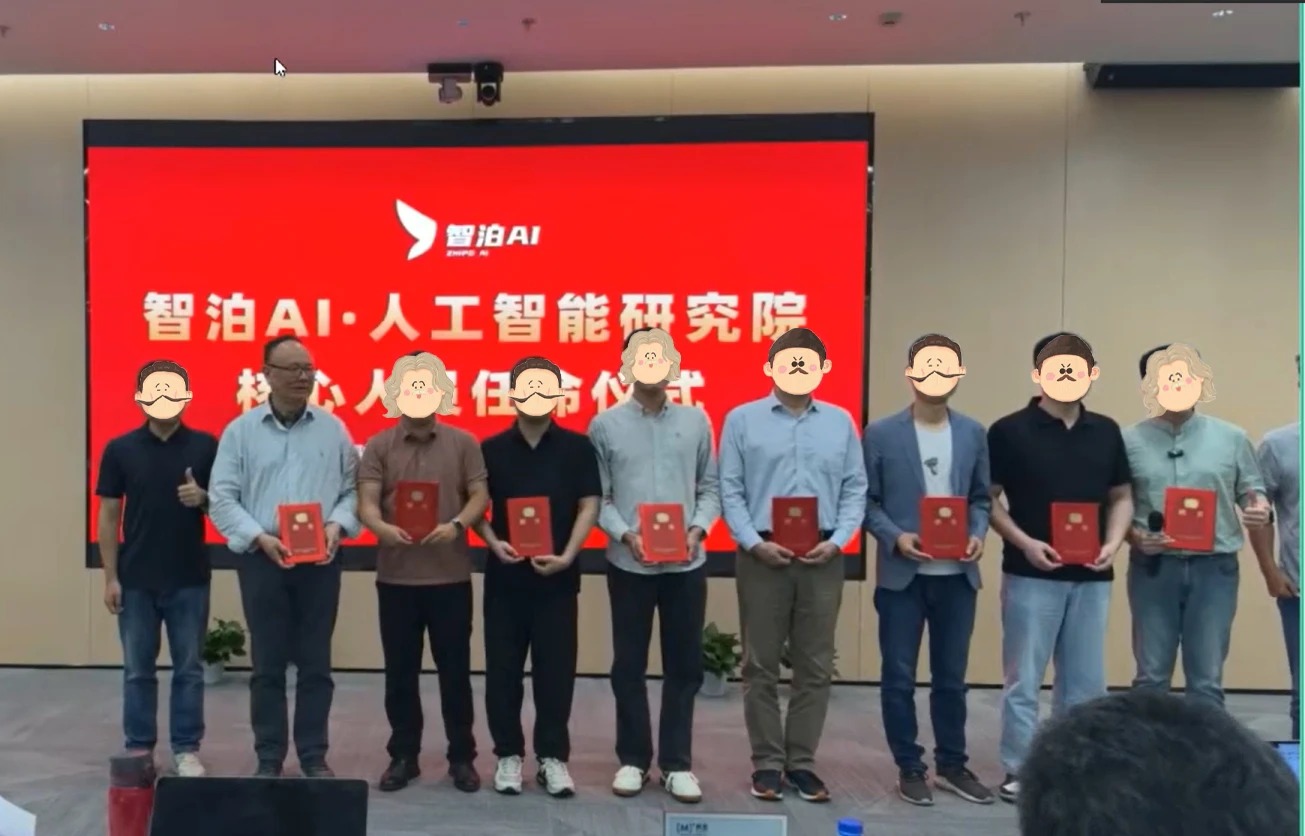
智泊AI始终秉持着“让每个人平等享受到优质教育资源”的育人理念,通过动态追踪大模型开发、数据标注伦理等前沿技术趋势,构建起"前沿课程+智能实训+精准就业"的高效培养体系。
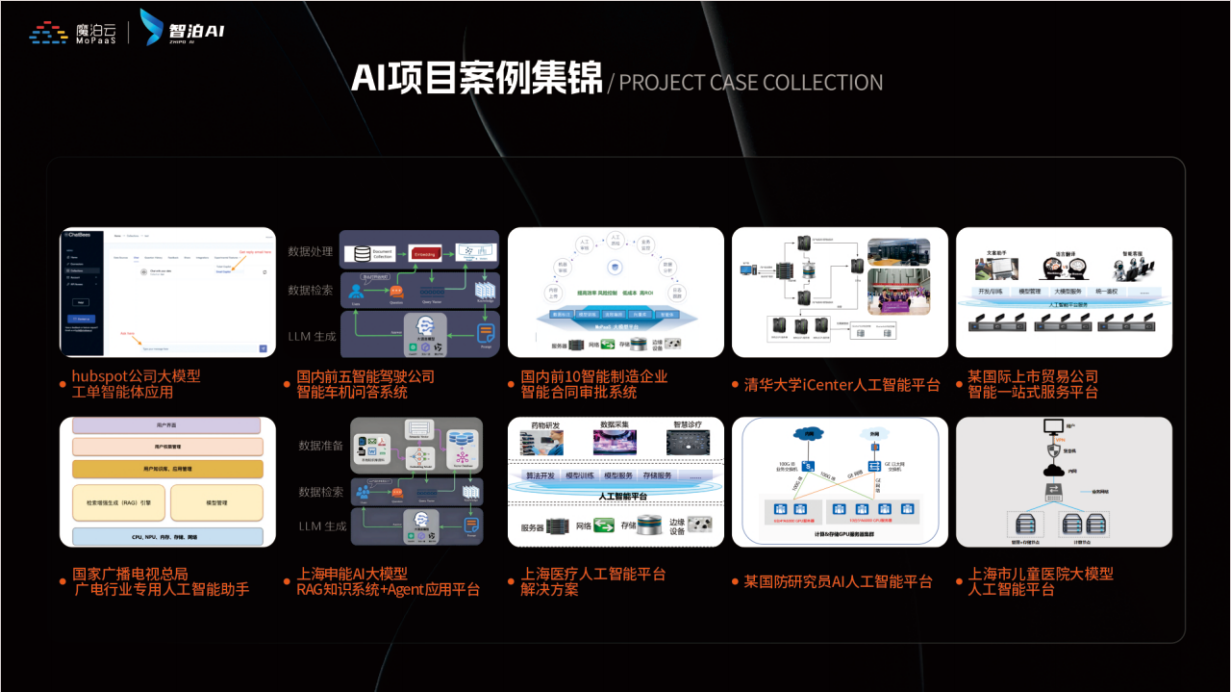
课堂上不光教理论,还带着学员做了十多个真实项目。学员要亲自上手搞数据清洗、模型调优这些硬核操作,把课本知识变成真本事!

如果说你是以下人群中的其中一类,都可以来智泊AI学习人工智能,找到高薪工作,一次小小的“投资”换来的是终身受益!
应届毕业生:无工作经验但想要系统学习AI大模型技术,期待通过实战项目掌握核心技术。
零基础转型:非技术背景但关注AI应用场景,计划通过低代码工具实现“AI+行业”跨界。
业务赋能 突破瓶颈:传统开发者(Java/前端等)学习Transformer架构与LangChain框架,向AI全栈工程师转型。
👉获取方式:
😝有需要的小伙伴,可以保存图片到wx扫描二v码免费领取【保证100%免费】🆓**
 714


 扫一扫


 被折叠的 条评论
为什么被折叠?
 到【灌水乐园】发言


