



首先需要添加两个DLL为引用:DShowNET.dll、ICameraDll.dll

链接:https://pan.baidu.com/s/1nFfPbs-z9PsAeykJPcOmDQ
提取码:cok5
代码如下:
		using System.IO;
		using ICameraDll.DirectX.Capture;

		Capture capture;    //摄像头录像操作
		Filters filters = new Filters();    //Filter集合

		// 函数
		int GetffshowIndex()
        {
            FilterCollection videoCompressors = this.filters.VideoCompressors;
            for (var i = 0; i < videoCompressors.Count; i++)
            {
                if ((videoCompressors[i] != null) && videoCompressors[i].Name.Equals("ffdshow video encoder"))
                {
                    return i;
                }
            }
            return -1;
        }
        void CreateFilepath(string FilePath)
        {
            var dir = FilePath.Remove(FilePath.LastIndexOf("\\"));
            if (!Directory.Exists(dir))
            {
                Directory.CreateDirectory(dir);
            }
        }

		private void button1_Click(object sender, EventArgs e)
        {
            Control videoControl = pictureBox1;
            string filePath = "d:\\Camera\\test\\Video\\";
            string fileName = "test.avi";

            // 检测摄像头是否被占用
            if (capture != null)
            {
                capture.Stop();
                capture.DisposeCapture();
            }

            //获取ffshow视频解码器索引
            var ffshowIndex = GetffshowIndex();

            if (ffshowIndex > 0)
            {
                var Flie = filePath + fileName;
                CreateFilepath(Flie);
                capture = new Capture(new Filters().VideoInputDevices[0], null);

                //设置承载控件
                capture.PreviewWindow = videoControl;

                //设置视频解码器
                capture.VideoCompressor = filters.VideoCompressors[ffshowIndex];

                //设置要保存的文件路径和文件名
                capture.Filename = Flie;

                //设置帧
                capture.FrameRate = 15;

                //设置视频分辨率
                capture.FrameSize = new Size(320, 240);

                //开启录制
                capture.Start();
            }


        }

        private void button2_Click(object sender, EventArgs e)
        {
            if (capture != null)
            {
                // 停止录制
                capture.Stop();
                capture.DisposeCapture();
                capture = null;
            }
        }
另外运行这个代码可能需要给电脑安装视频解码器,我用的是 codecs_pack 这款软件。
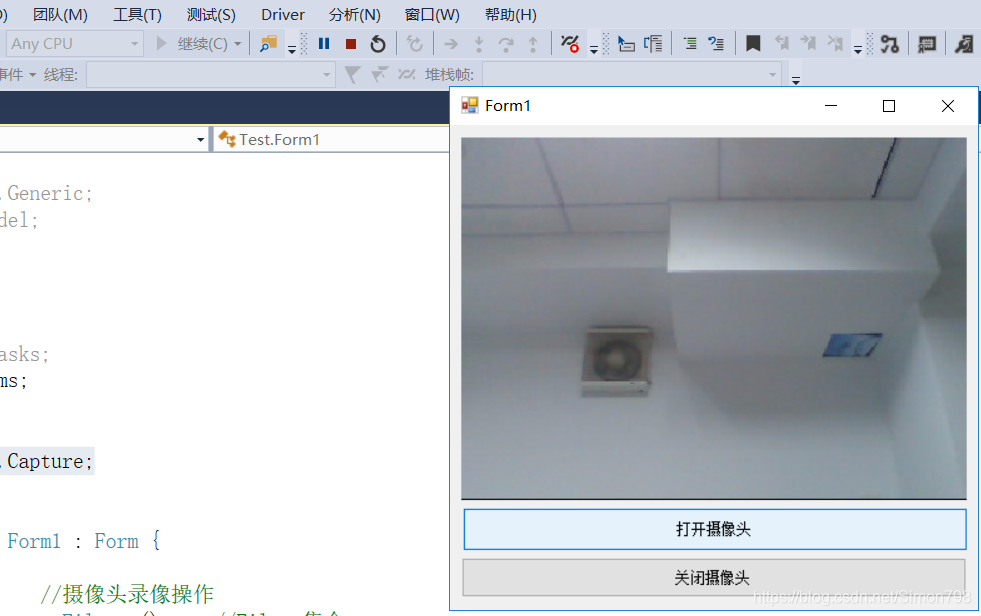
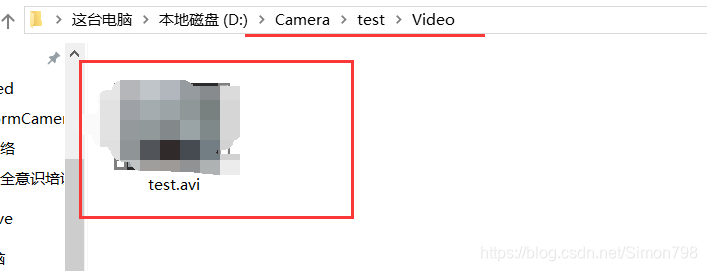
效果图:
 !!!
!!!


 扫一扫
扫一扫


 403
403


 被折叠的 条评论
为什么被折叠?
被折叠的 条评论
为什么被折叠?
 到【灌水乐园】发言


