



💡 做 AI 应用,第一步不是 RAG,也不是 Agent,而是把模型调用、流式输出、参数控制和多模态能力先跑通。
Java 开发者常见的三条路径:通过 DeepSeek 使用云端模型;通过 阿里云百炼 接入通义与多模态能力;或使用 Ollama 在本地运行模型。
这篇文章从零创建 Spring AI 2.0 项目,完整演示三种接入方式,以及 temperature、推理模型、流式响应与多模态的使用。
1. 创建 Spring AI 2.0 项目
Spring AI 是把 Spring Boot 应用与模型、企业数据、工具调用、RAG、MCP 连接起来的框架。
Spring Boot
  --> Spring AI
    --> 云端模型:DeepSeek / 百炼
    --> 本地模型:Ollama
    --> Chat / Stream / Image / Audio / RAG / MCP
下面使用 Spring Boot 4.0.0、JDK 17+ 与 Spring AI 2.0.1。生产环境更建议 JDK 21+。
<?xml version="1.0" encoding="UTF-8"?>
<project xmlns="http://maven.apache.org/POM/4.0.0"
         xmlns:xsi="http://www.w3.org/2001/XMLSchema-instance"
         xsi:schemaLocation="
         http://maven.apache.org/POM/4.0.0
         https://maven.apache.org/xsd/maven-4.0.0.xsd">

    <modelVersion>4.0.0</modelVersion>

    <parent>
        <groupId>org.springframework.boot</groupId>
        <artifactId>spring-boot-starter-parent</artifactId>
        <version>4.0.0</version>
        <relativePath/>
    </parent>

    <groupId>com.gc</groupId>
    <artifactId>spring-ai-demo</artifactId>
    <version>0.0.1-SNAPSHOT</version>
    <name>spring-ai-demo</name>
    <description>程序员GC:Spring AI 2.0 示例</description>

    <properties>
        <java.version>21</java.version>
        <spring-ai.version>2.0.1</spring-ai.version>
    </properties>

    <dependencyManagement>
        <dependencies>
            <dependency>
                <groupId>org.springframework.ai</groupId>
                <artifactId>spring-ai-bom</artifactId>
                <version>${spring-ai.version}</version>
                <type>pom</type>
                <scope>import</scope>
            </dependency>
        </dependencies>
    </dependencyManagement>

    <dependencies>
        <dependency>
            <groupId>org.springframework.boot</groupId>
            <artifactId>spring-boot-starter-web</artifactId>
        </dependency>

        <dependency>
            <groupId>org.springframework.boot</groupId>
            <artifactId>spring-boot-starter-test</artifactId>
            <scope>test</scope>
        </dependency>
    </dependencies>

    <build>
        <plugins>
            <plugin>
                <groupId>org.springframework.boot</groupId>
                <artifactId>spring-boot-maven-plugin</artifactId>
            </plugin>
        </plugins>
    </build>

</project>
spring-ai-bom 的作用是统一管理 Spring AI 组件版本。后续接入模型、向量库或 MCP 时,不需要给每个 Starter 单独指定版本。
2. 接入 DeepSeek:普通对话、流式输出与推理模型
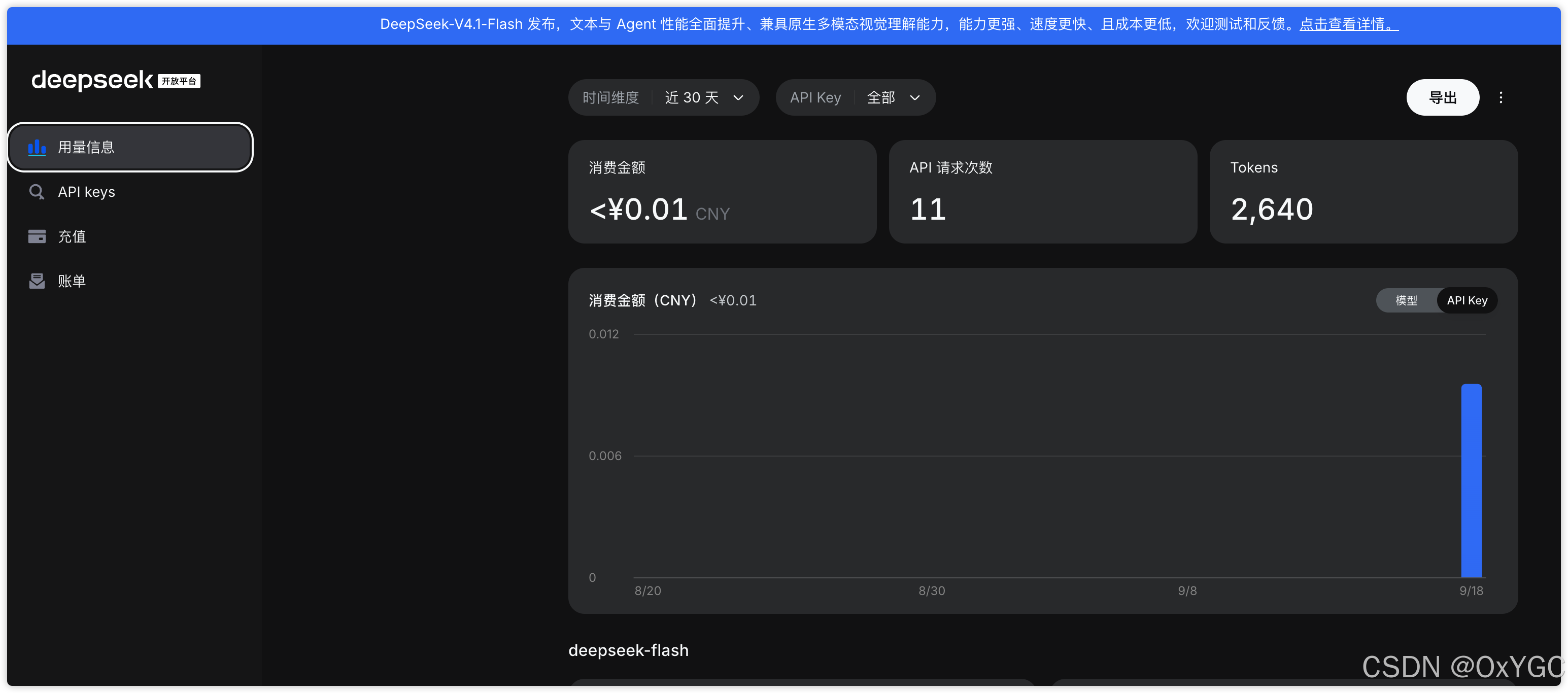
先在 DeepSeek 开放平台 创建 API Key。添加依赖:
<dependency>
    <groupId>org.springframework.ai</groupId>
    <artifactId>spring-ai-starter-model-deepseek</artifactId>
</dependency>
配置 application.yml:
spring:
  ai:
    deepseek:
      api-key: ${DEEPSEEK_API_KEY}
      chat:
        model: deepseek-chat
        temperature: 0.5
        max-tokens: 1024
本地设置环境变量:
export DEEPSEEK_API_KEY=你的_API_KEY
不要把 API Key 写进
application.yml后提交 Git。
2.1 普通对话
Starter 会自动配置 DeepSeekChatModel。Spring AI 2.0 中,ChatModel 遵循统一的模型调用抽象,模型提供方不同,调用方式基本一致。
@SpringBootTest
class DeepSeekTest {

    @Test
    void testChat(@Autowired DeepSeekChatModel chatModel) {
        String result = chatModel.call("用一句话解释什么是 RAG");
        System.out.println(result);
    }
}
更推荐业务代码中使用 ChatClient,因为它更适合后续叠加 Prompt、Memory、Advisor、Tool Calling 与 RAG。
@RestController
@RequestMapping("/ai")
class ChatController {

    private final ChatClient chatClient;

    ChatController(ChatClient.Builder builder) {
        this.chatClient = builder.build();
    }

    @GetMapping("/chat")
    String chat(@RequestParam String message) {
        return chatClient.prompt()
                .user(message)
                .call()
                .content();
    }
}
2.2 流式对话
聊天窗口或实时生成场景使用流式响应:
@Test
void testStream(@Autowired DeepSeekChatModel chatModel) {
    Flux<String> stream = chatModel.stream("写一首关于清晨的短诗");
    stream.toIterable().forEach(System.out::print);
}
Controller 中可直接输出 SSE:
@GetMapping(value = "/stream", produces = "text/event-stream")
Flux<String> stream(@RequestParam String message) {
    return chatClient.prompt()
            .user(message)
            .stream()
            .content();
}
2.3 temperature、maxTokens 与 stop
temperature 决定输出随机性。它不是“幻觉开关”,但会明显影响回答风格。
| Temperature | 适合场景 | 输出特点 |
|---|---|---|
0.0 ~ 0.2 | 代码补全、结构化抽取、严谨问答 | 稳定、收敛 |
0.3 ~ 0.6 | 摘要、客服、日常助手 | 平衡、稳妥 |
0.7 ~ 1.0 | 标题、文案、内容创作 | 更灵活、有创意 |
1.1+ | 脑暴、故事、发散创作 | 多样,但更容易跑偏 |
代码中按请求覆盖参数:
@Test
void testOptions(@Autowired DeepSeekChatModel chatModel) {
    DeepSeekChatOptions options = DeepSeekChatOptions.builder()
            .temperature(0.8)
            .maxTokens(200)
            .build();

    ChatResponse response = chatModel.call(
            new Prompt("写一句描述清晨的诗。", options)
    );

    System.out.println(response.getResult().getOutput().getText());
}
对于事实型问答,除了调低温度,更重要的是在提示词中约束回答边界:
请只基于已知事实回答。
信息不足时请明确说明,不要自行补充或推测。
请简洁、客观地给出答案。
maxTokens 用于限制单次回复长度;stop 可以在模型生成指定文本时提前截断输出。它适合控制格式,不适合作为内容安全的唯一手段。
spring:
  ai:
    deepseek:
      chat:
        model: deepseek-chat
        max-tokens: 50
        stop:
          - "\n"
          - "。"
2.4 使用推理模型
推理模型会同时返回最终结果与 reasoning 信息。以 deepseek-reasoner 为例:
@Test
void testReasoner(@Autowired DeepSeekChatModel chatModel) {
    DeepSeekChatOptions options = DeepSeekChatOptions.builder()
            .model("deepseek-reasoner")
            .build();

    ChatResponse response = chatModel.call(
            new Prompt("比较 Redis 与 Caffeine 的典型使用场景。", options)
    );

    AssistantMessage message = response.getResult().getOutput();

    String reasoning = message.getMetadata().get("reasoningContent");
    String answer = message.getText();

    System.out.println("推理信息:" + reasoning);
    System.out.println("最终回答:" + answer);
}
实际产品中,通常只展示最终回答。推理信息更适合用于调试、评测和内部观测,不建议默认直接暴露给终端用户。
Spring AI 对 DeepSeek 的自动配置、重试与参数说明可见:官方文档。
综合测试代码:
import org.junit.jupiter.api.Test;
import org.springframework.ai.chat.messages.AssistantMessage;
import org.springframework.ai.chat.model.ChatResponse;
import org.springframework.ai.chat.prompt.Prompt;
import org.springframework.ai.deepseek.DeepSeekAssistantMessage;
import org.springframework.ai.deepseek.DeepSeekChatModel;
import org.springframework.ai.deepseek.DeepSeekChatOptions;
import org.springframework.beans.factory.annotation.Autowired;
import org.springframework.boot.test.context.SpringBootTest;
import reactor.core.publisher.Flux;

@SpringBootTest
public class DeepSeekTest {
    /**
     * 启动加载测试:
     * 2.0 中 ChatModel 实现了统一的 Model<Prompt, ChatResponse> 接口,所有模型遵循同一调用规范。
     * @param chatModel
     */
    @Test
    public void testChat(@Autowired DeepSeekChatModel chatModel) {
        String call = chatModel.call("你是谁");
        System.out.println(call);
    }

    /**
     *  2.0 中 StreamingChatModel 接口
     * @param chatModel
     */
    @Test
    public void testChat2(@Autowired DeepSeekChatModel chatModel) {
        Flux<String> stream = chatModel.stream("你是谁");
        stream.toIterable().forEach(System.out::print);
    }


    /**
     * options 配置选项
     * 2.0 中 ChatOptions 是统一的请求选项接口,支持 temperature、topK、topP、maxTokens 等参数。
     * temperature(温度)
     * 0-2 浮点数值
     * 数值越高 更有创造性 热情
     * 数值越低 保守
     * @param chatModel
     */
    @Test
    public void testChatOptions(@Autowired DeepSeekChatModel chatModel) {
        DeepSeekChatOptions options = DeepSeekChatOptions.builder().temperature(0.1d).build();
        ChatResponse res = chatModel.call(new Prompt("请写一句诗描述清晨。", options));
        System.out.println(res.getResult().getOutput().getText());
    }


    /**
     * 模型推理: 设置深度思考,思考的内容有个专业名词叫:Chain of Thought (CoT)
     * @param deepSeekChatModel
     * 在 DeepSeek 中,deepseek-reasoner 模型是深度思考模型:
     */


    @Test
    public void deepSeekReasonerExample(@Autowired DeepSeekChatModel deepSeekChatModel) {


        DeepSeekChatOptions options = DeepSeekChatOptions.builder().model("deepseek-reasoner").build();

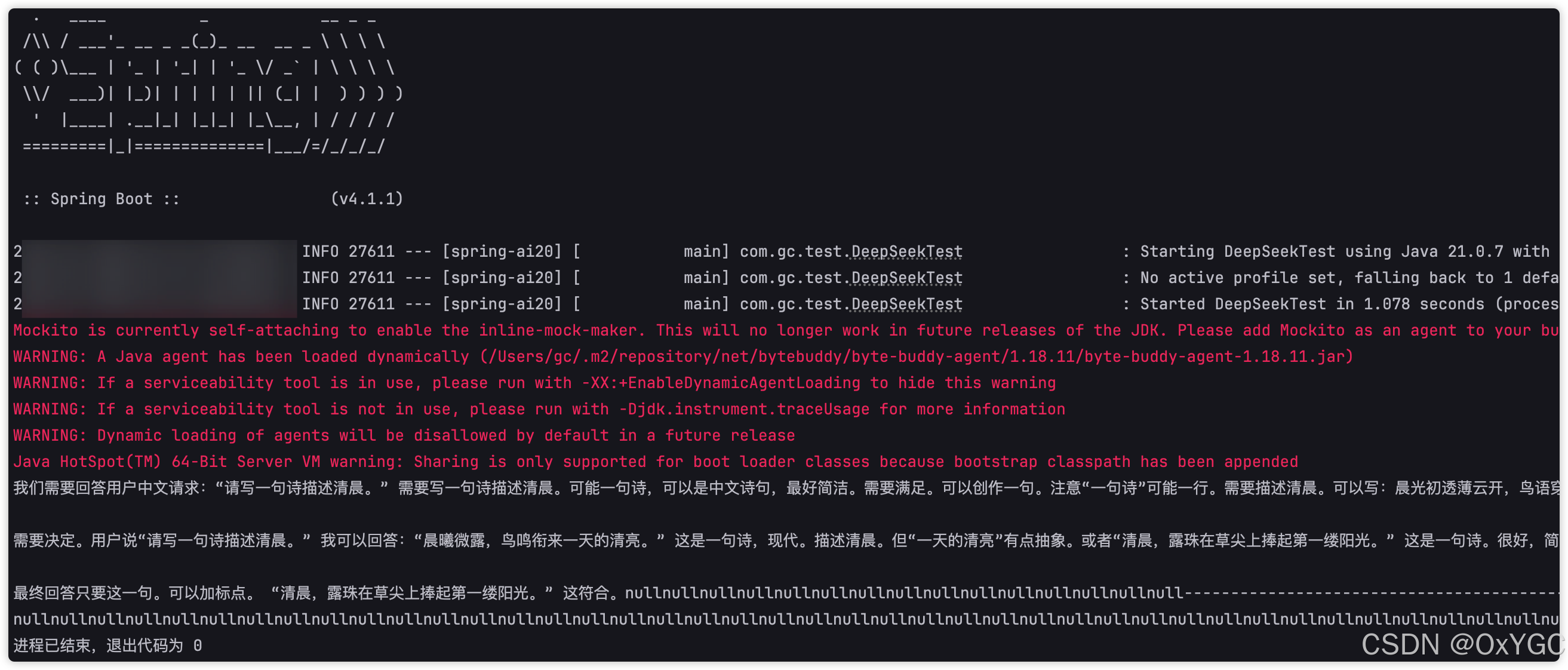
        Prompt prompt = new Prompt("请写一句诗描述清晨。", options);
        ChatResponse response = deepSeekChatModel.call(prompt);

        // 2.0 中 AssistantMessage 获取推理内容
        DeepSeekAssistantMessage message =
                (DeepSeekAssistantMessage) response.getResult().getOutput();

        String content = message.getText();
        String reasoningContent = message.getReasoningContent();

        System.out.println(reasoningContent.toString());
        System.out.println("--------------------------------------------");
        System.out.println(content);
    }


    @Test
    public void deepSeekReasonerStreamExample(@Autowired DeepSeekChatModel deepSeekChatModel) {
//
        DeepSeekChatOptions options = DeepSeekChatOptions.builder()
                .model("deepseek-reasoner").build();

        Prompt prompt = new Prompt("请写一句诗描述清晨。", options);
        Flux<ChatResponse> stream = deepSeekChatModel.stream(prompt);

        stream.toIterable().forEach(res -> {
            DeepSeekAssistantMessage message =
                    (DeepSeekAssistantMessage) res.getResult().getOutput();
            String reasoningContent = message.getReasoningContent();
            System.out.print(reasoningContent);
        });
        System.out.println("--------------------------------------------");
        stream.toIterable().forEach(res -> {
            AssistantMessage assistantMessage = res.getResult().getOutput();
            String content = assistantMessage.getText();
            System.out.print(content);
        });
    }
3. DeepSeek 调用过程到底发生了什么?
调用一句 chatModel.call("你是谁"),底层大致经过以下流程:
用户文本
  --> Prompt / UserMessage
  --> DeepSeekChatModel
  --> 请求对象 JSON
  --> DeepSeek API
  --> Spring Retry
  --> ChatResponse
ChatResponse 中最值得关注的是:
| 结构 | 包含内容 |
|---|---|
ChatResponseMetadata | 模型信息、Token Usage、响应元数据 |
Generation | 单次生成结果 |
AssistantMessage | 模型输出文本、多模态内容、附加元数据 |
ChatGenerationMetadata | 与本次生成相关的附加信息 |
这也是 Spring AI 的价值:无论底层是 DeepSeek、OpenAI、Ollama 还是百炼,应用层都能用接近一致的 Prompt、ChatModel、ChatResponse 编程模型。
4. 接入阿里百炼:聊天、图片、语音与多模态
Spring AI Alibaba 是阿里云围绕 Spring AI 提供的扩展,支持百炼模型、图片、音频、向量检索、工具调用等能力。
版本迭代较快,Spring AI Alibaba 与 Spring AI 2.0 的兼容版本需要以官方版本说明为准;不要把不同时间的 BOM 随意混用。
基础依赖示例:
<dependencyManagement>
    <dependencies>
        <dependency>
            <groupId>com.alibaba.cloud.ai</groupId>
            <artifactId>spring-ai-alibaba-bom</artifactId>
            <version>2.0.0-M1.1</version>
            <type>pom</type>
            <scope>import</scope>
        </dependency>
    </dependencies>
</dependencyManagement>

<dependencies>
    <dependency>
        <groupId>com.alibaba.cloud.ai</groupId>
        <artifactId>spring-ai-alibaba-starter-dashscope</artifactId>
    </dependency>
</dependencies>
配置 API Key:
spring:
  ai:
    dashscope:
      api-key: ${AI_DASHSCOPE_API_KEY}
普通对话:
@Test
void testQwen(@Autowired DashScopeChatModel chatModel) {
    String result = chatModel.call("你好,请介绍一下 Spring AI");
    System.out.println(result);
}
4.1 文生图
@Test
void textToImage(@Autowired DashScopeImageModel imageModel) {
    DashScopeImageOptions options = DashScopeImageOptions.builder()
            .withModel("wanx2.1-t2i-turbo")
            .build();

    ImageResponse response = imageModel.call(
            new ImagePrompt("一位正在编写 Java AI 应用的程序员,科技插画风格", options)
    );

    String imageUrl = response.getResult().getOutput().getUrl();
    System.out.println(imageUrl);
}
4.2 文生语音
@Test
void textToAudio(
        @Autowired DashScopeSpeechSynthesisModel speechModel
) throws IOException {

    SpeechSynthesisResponse response = speechModel.call(
            new SpeechSynthesisPrompt("大家好,我是程序员GC。")
    );

    ByteBuffer audio = response.getResult().getOutput().getAudio();

    try (FileOutputStream output =
                 new FileOutputStream("output.mp3")) {
        output.write(audio.array());
    }
}
4.3 语音转文字
@Test
void audioToText(
        @Autowired DashScopeAudioTranscriptionModel model
) throws MalformedURLException {

    Resource audio = new UrlResource(
            "https://example.com/demo.wav"
    );

    AudioTranscriptionResponse response = model.call(
            new AudioTranscriptionPrompt(audio)
    );

    System.out.println(response.getResult().getOutput());
}
4.4 多模态图片理解
@Test
void testMultimodal(
        @Autowired DashScopeChatModel chatModel
) {

    Resource image = new ClassPathResource("images/demo.png");

    Media media = new Media(
            MimeTypeUtils.IMAGE_PNG,
            image
    );

    Prompt prompt = Prompt.builder()
            .messages(
                    UserMessage.builder()
                            .text("识别图片中的内容,并给出简短说明。")
                            .media(media)
                            .build()
            )
            .build();

    ChatResponse response = chatModel.call(prompt);

    System.out.println(
            response.getResult().getOutput().getText()
    );
}
百炼相关的图片、语音与多模态模型名称会持续变化,上线前应在百炼控制台确认当前可用模型与计费规则。
5. 接入 Ollama:本地模型与私有化部署
Ollama 是本地运行大模型的工具。它适合数据不出网、内网知识库、离线开发或模型实验场景。
安装地址:Ollama Download
# 查看本地模型
ollama list

# 拉取并运行模型
ollama run qwen3:4b
4b 表示约 40 亿参数,但不等于“只要 4GB 显存”。实际资源消耗还取决于量化精度、上下文长度、系统内存、GPU 类型和并发数。
添加依赖:
<dependency>
    <groupId>org.springframework.ai</groupId>
    <artifactId>spring-ai-starter-model-ollama</artifactId>
</dependency>
配置:
spring:
  ai:
    ollama:
      base-url: http://localhost:11434
      chat:
        model: qwen3:4b
        temperature: 0.5
        think: false
普通调用:
@SpringBootTest
class OllamaTest {

    @Test
    void testChat(@Autowired OllamaChatModel chatModel) {
        String result = chatModel.call("你是谁?");
        System.out.println(result);
    }

    @Test
    void testStream(@Autowired OllamaChatModel chatModel) {
        chatModel.stream("介绍一下 Java 虚拟线程。")
                .toIterable()
                .forEach(System.out::print);
    }
}
对于支持推理能力的模型,优先使用 think: false 之类的模型参数控制,而不是依赖 Prompt 中的 /no_think。提示词指令并非所有模型都保证支持。
5.1 Ollama 多模态
以支持视觉的模型为例:
@Test
void testVision(@Autowired OllamaChatModel chatModel) {
    Resource image = new ClassPathResource("images/architecture.png");

    Media media = new Media(
            MimeTypeUtils.IMAGE_PNG,
            image
    );

    OllamaChatOptions options = OllamaChatOptions.builder()
            .model("gemma3")
            .build();

    ChatResponse response = chatModel.call(
            new Prompt(
                    UserMessage.builder()
                            .text("请解释这张架构图。")
                            .media(media)
                            .build(),
                    options
            )
    );

    System.out.println(
            response.getResult().getOutput().getText()
    );
}
Ollama 支持哪些多模态模型,以其模型库和本地已安装版本为准。Spring AI 当前的 Ollama 集成说明见:官方文档。
最后总结
-
如果你只是想快速跑通聊天能力:
选择 DeepSeek API,使用DeepSeekChatModel或ChatClient。 -
如果你需要图片、语音、多模态与国内云模型生态:
选择阿里百炼与 Spring AI Alibaba,但注意 BOM 与 Spring AI 的版本兼容。 -
如果业务数据不能出网:
使用 Ollama 本地部署,先测清楚模型、量化、硬件和并发的真实资源消耗。
Spring AI 的核心价值,不是替你写一条 HTTP 请求,而是用统一抽象把模型、流式响应、工具、RAG、MCP 与可观测性纳入 Spring 工程体系。
参考资料 & 致谢
[1] Spring AI 官方项目
[2] Spring AI DeepSeek Chat 文档
[3] Spring AI Ollama Chat 文档
[4] DeepSeek 开放平台
[5] Spring AI Alibaba
[6] 阿里云百炼
[7] Ollama 官网



 扫一扫
扫一扫


 1173
1173

 被折叠的 条评论
为什么被折叠?
被折叠的 条评论
为什么被折叠?
 到【灌水乐园】发言


