



一、安装sentinel控制台
1、下载控制台jar
2、使用java命令运行
java -jar sentinel-dashboard-1.8.4.jar --server.port=8808二、导入pom
<dependency>
    <groupId>com.alibaba.cloud</groupId>
    <artifactId>spring-cloud-starter-alibaba-sentinel</artifactId>
</dependency>
三、配置application.properties
spring.cloud.sentinel.transport.dashboard=127.0.0.1:8808四、使用sentinel
@RestController
public class HelloController {

    @DubboReference
    private HelloService helloService;

    /**
     * 可以在任何方法上使用
     */
    @SentinelResource(value = "hello", fallback = "fallback")
    @RequestMapping("/hello")
    public String sayHello() throws InterruptedException {
        Thread.sleep(800);
        helloService.sayHello();
        return "ok";
    }
    /**
     * 降级方法
     */
    public String fallback() {
        return "fail";
    }
}
五、配置限流规则
1、登录sentinel控制台
默认用户名:sentinel 密码:sentinel
2、配置限流规则
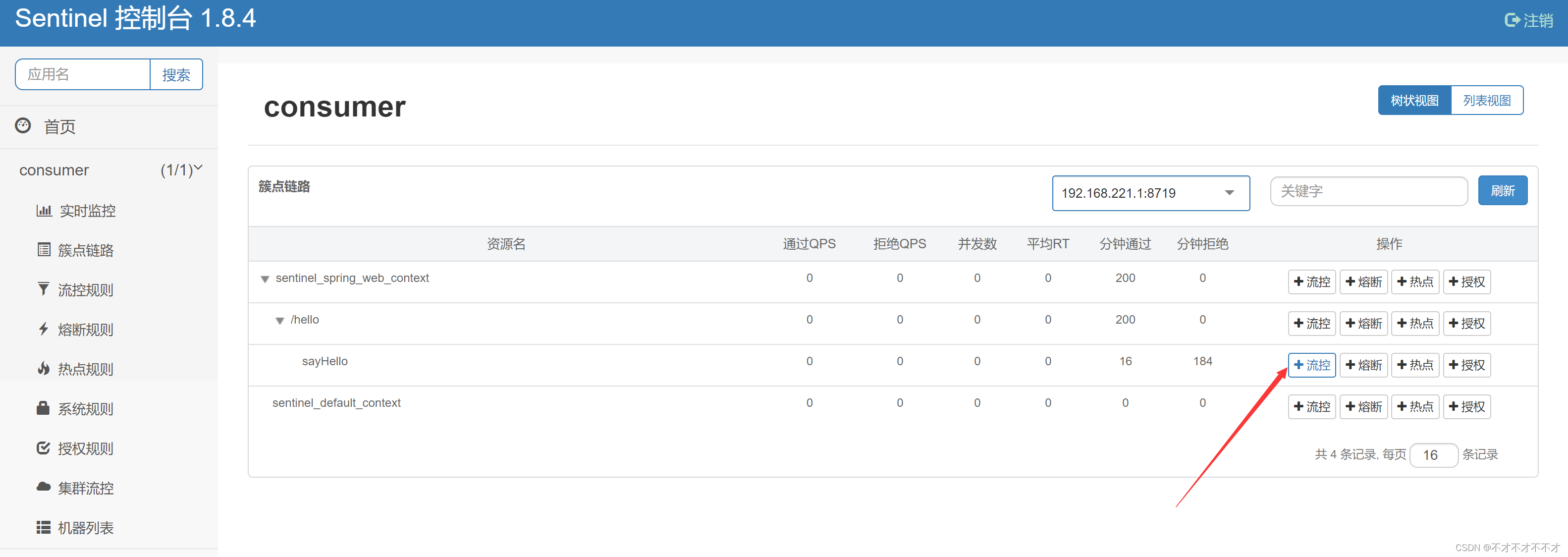
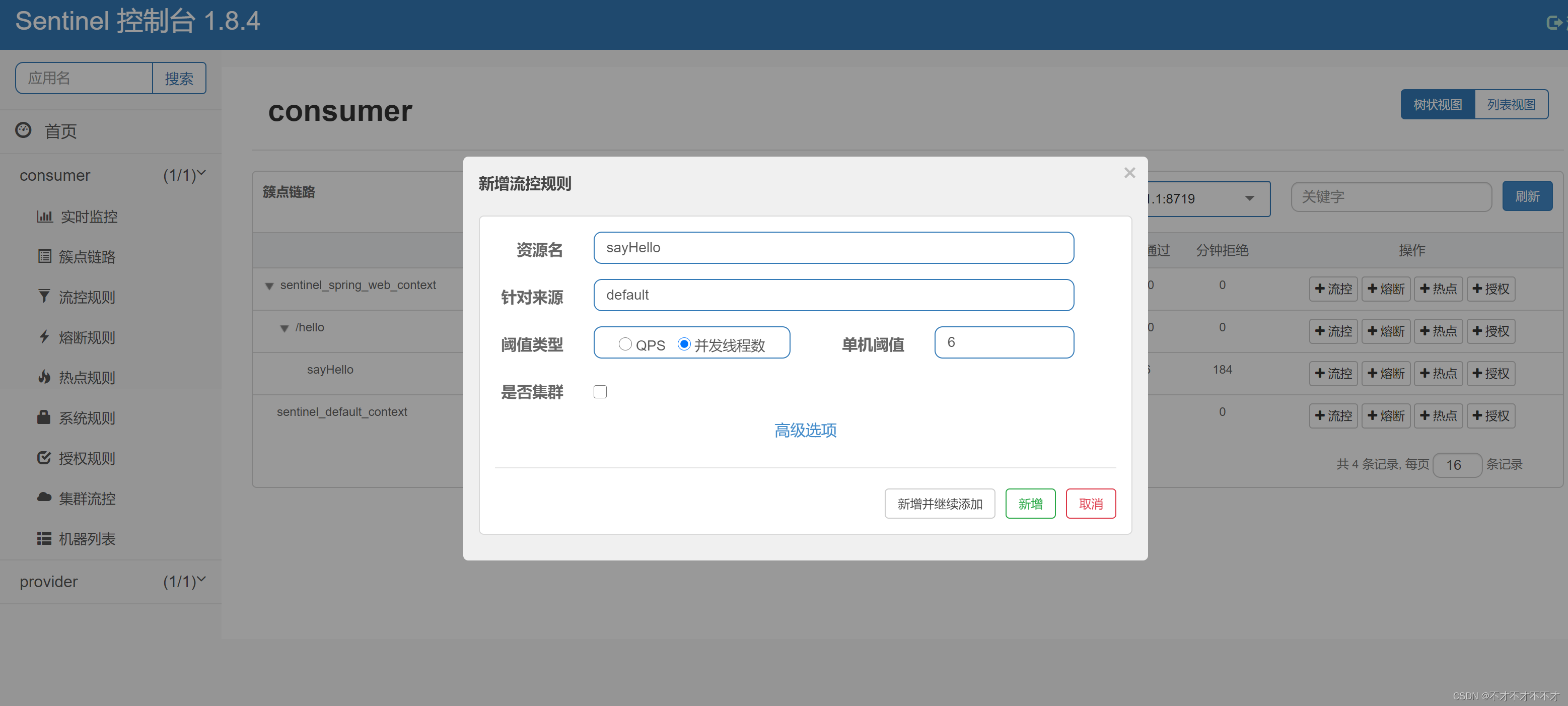
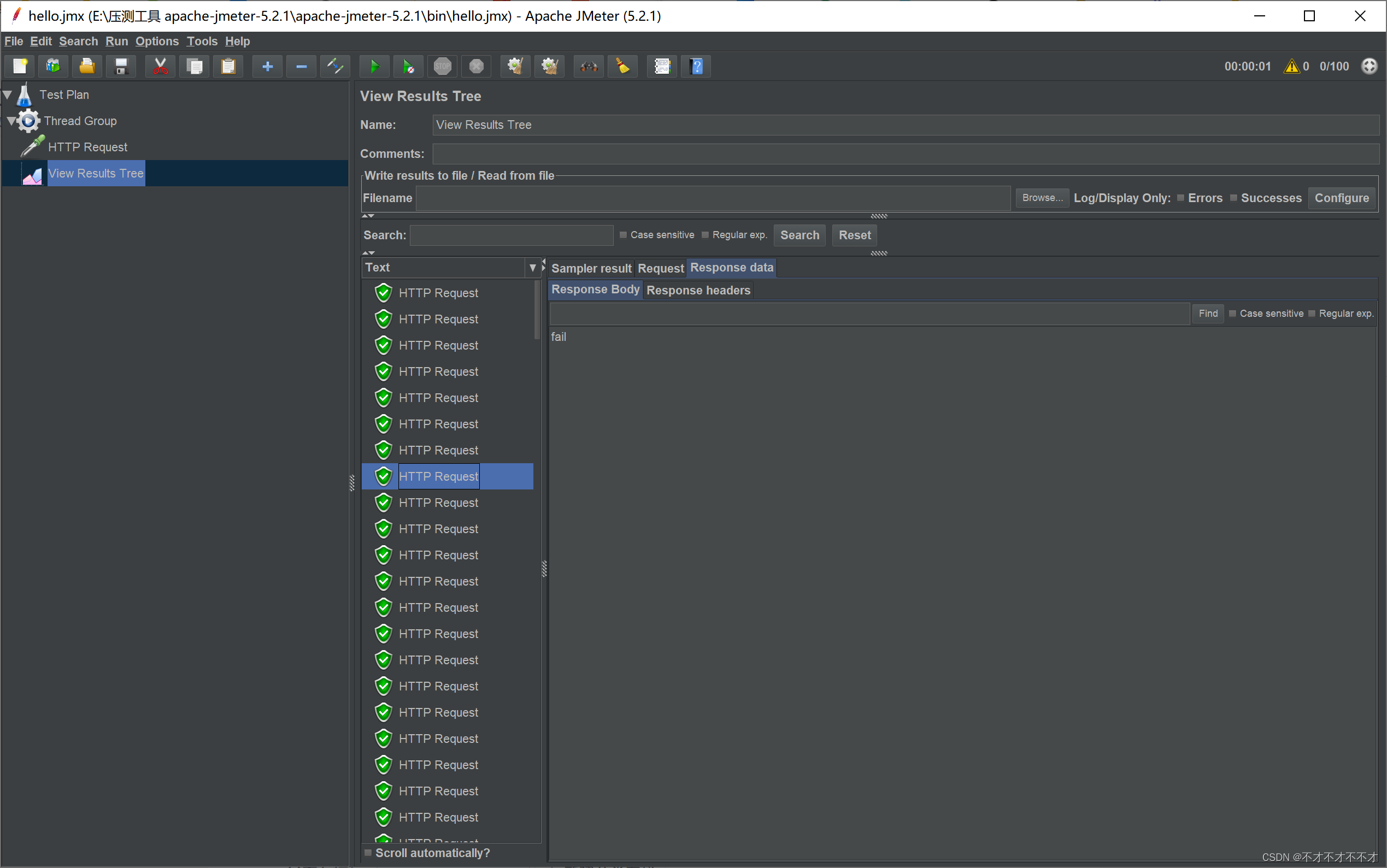
3、使用jmeter测试





 扫一扫
扫一扫


 6246
6246

 被折叠的 条评论
为什么被折叠?
被折叠的 条评论
为什么被折叠?
 到【灌水乐园】发言





