


矩阵:demo_matrix_min
sample_mode=matrix,直接给二维 z 矩阵。示例为 6×6 文本矩阵 + plottype=cylinder(柱状)。
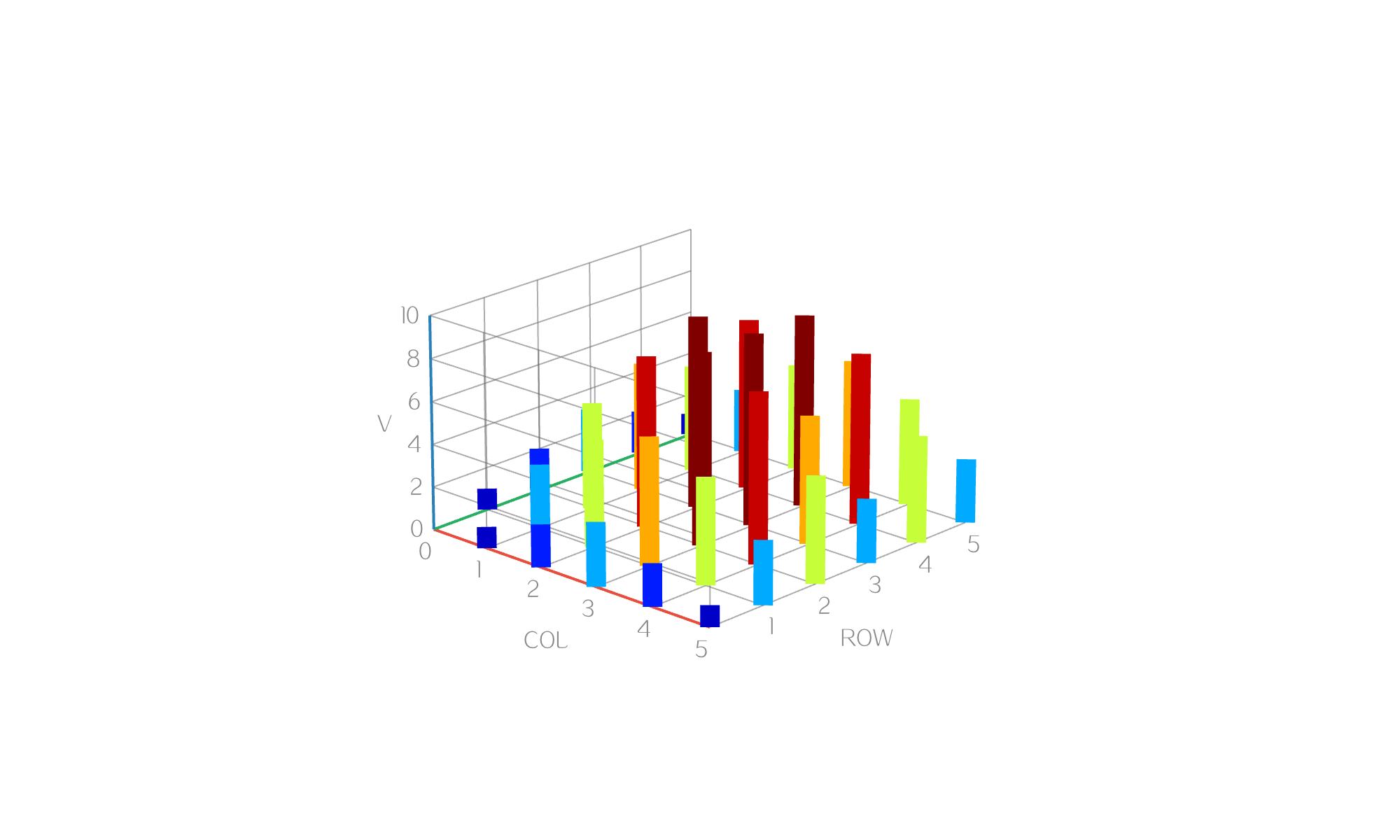
plot3d_set_plottype(chart, "cylinder");
plot3d_set_xlabel(chart, "COL");
plot3d_set_ylabel(chart, "ROW");
plot3d_set_zlabel(chart, "V");
plot3d_set_line_width(chart, 14.0f);
plot3d_set_colormap(chart, "jet");
plot3d_set_sample_mode(chart, PLOT3D_SAMPLE_MODE_MATRIX);
plot3d_set_sample_z_matrix(
    chart, "0,1,2,3,2,1;1,3,5,6,5,3;2,5,8,9,8,5;3,6,9,9,6,3;2,5,8,9,8,5;1,3,5,6,5,3");
要点:
- 文本矩阵:行用
;分隔,列用,分隔 - 未指定范围时,x/y 取列号 / 行号
- 大矩阵也可用
plot3d_set_z_matrix(chart, zs, cols, rows)直接喂float数组





 扫一扫
扫一扫


 943
943

 被折叠的 条评论
为什么被折叠?
被折叠的 条评论
为什么被折叠?
 到【灌水乐园】发言





