


前言
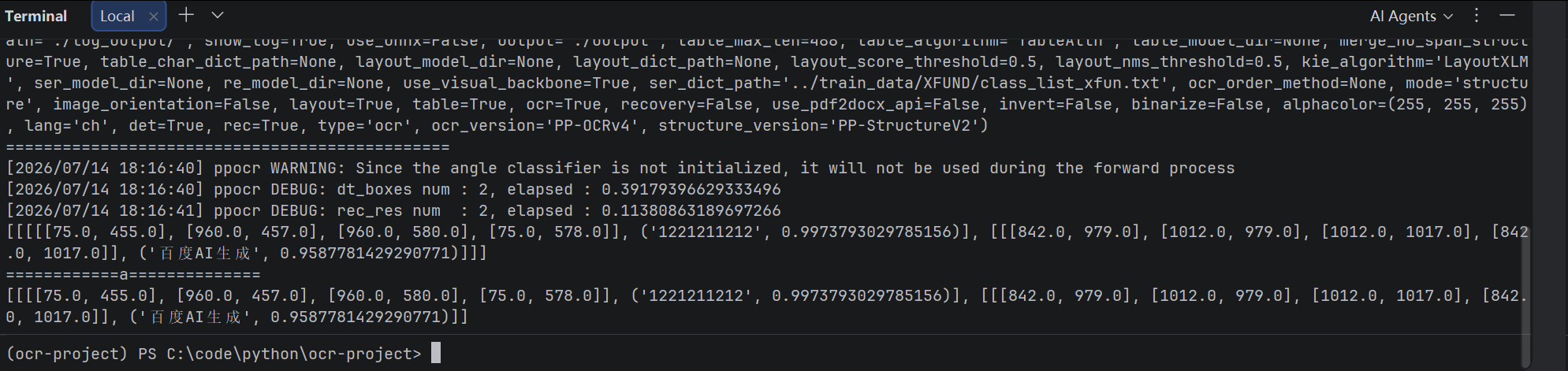
使用python,进行对图片中文字信息识别
开始
环境
uv init ocr-project --python 3.10
python 3.10


深度学习库
uv add setuptools
uv pip install paddlepaddle==2.6.1 -i https://www.paddlepaddle.org.cn/packages/stable/cpu/
uv run python -c "import paddle;print(paddle.__version__)"

uv add paddleocr==2.7.3

uv add opencv-python

uv add protobuf==3.20.3
uv add numpy==1.26.4

运行

uv run python main.py
项目架构
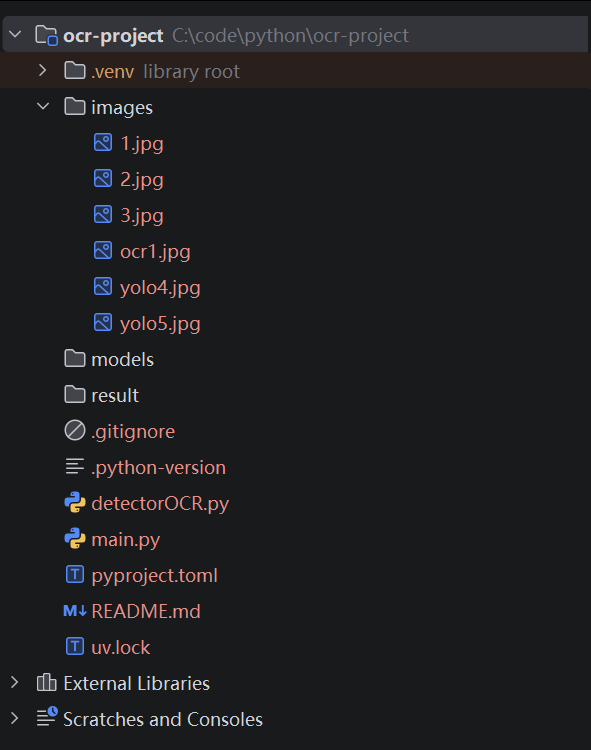
detectorOCR.py
from paddleocr import PaddleOCR
import cv2


class ORCdetector:

    def __init__(self, lang="ch"):
        """
        初始化OCR
        """
        self.ocr = PaddleOCR(lang=lang, det_limit_side_len=1920)

    def recognize(self, image_path):
        """
        OCR识别
        返回:
        [
            {
                text:"",
                confidence:"",
                box:[x1,y1,x2,y2]
            }
        ]
        """
        result = self.ocr.ocr(image_path, cls=True)
        print(result)
        print("============a==============")
        texts = []
        for res in result:
            print(res)
            # data = res
            # for item in data:
            #     text = item["rec_texts"][0]
            #     score = item["rec_scores"][0]
            #     box = item["dt_polys"][0]
            #     texts.append({
            #         "text": text,
            #         "confidence": round(float(score),3),
            #         "box": self.convert_box(box)
            #     })
        return texts

    def convert_box(self, points):
        """
        四点坐标转矩形
        """
        xs = [int(p[0]) for p in points]
        ys = [int(p[1]) for p in points]
        return [
            min(xs),
            min(ys),
            max(xs),
            max(ys)
        ]

    def draw_result(self,image_path,results,save_path):
        """
        绘制OCR框
        """
        img = cv2.imread(image_path)
        for item in results:
            x1,y1,x2,y2 = item["box"]
            cv2.rectangle(
                img,
                (x1,y1),
                (x2,y2),
                (0,255,0),
                2
            )
            cv2.putText(
                img,
                item["text"],
                (x1,y1-5),
                cv2.FONT_HERSHEY_SIMPLEX,
                0.8,
                (0,255,0),
                2
            )
        cv2.imwrite(
            save_path,
            img
        )
main.py
from detectorOCR import ORCdetector

dOcr = ORCdetector()

if __name__ == "__main__":
    print("===============================================")
    # 识别图片中的文字
    result = dOcr.recognize("./images/ocr1.jpg")
    for item in result:
        print(item)
    # dOcr.draw_result(
    #     "./images/1.jpg",
    #     result,
    #     "./result/ocr_result.png"
    # )
总结
主要 环境安装比较麻烦~,目前这个只是一个小用例,因为还要涉及图片底色如何进行训练





 扫一扫
扫一扫


 5万+
5万+

 被折叠的 条评论
为什么被折叠?
被折叠的 条评论
为什么被折叠?
 到【灌水乐园】发言





