


一、数据权限概述
菜单权限用于控制前端组件显示与后端接口访问,数据权限用于控制同一张表中不同用户能够查看的数据行,实现不同部门用户仅可查看本部门数据的需求。
二、五种数据权限及对应 SQL 语句
-
全部数据权限 不拼接任何 SQL 条件,查询所有数据。
-
自定数据权限
sql
AND (d.dept_id IN (SELECT dept_id FROM sys_role_dept WHERE role_id = 当前角色ID))
- 本部门数据权限
sql
AND (d.dept_id = 当前用户部门ID)
- 本部门及以下数据权限
sql
AND (d.dept_id IN (SELECT dept_id FROM sys_dept WHERE dept_id = 当前用户部门ID OR find_in_set(当前用户部门ID, ancestors)))
- 仅本人数据权限
sql
AND (u.user_id = 当前登录用户ID)
三、数据权限执行流程
- Controller 接收请求并调用 Service 方法
- Service 方法添加 @DataScope 注解
- DataScopeAspect 切面通过 @Before 拦截方法
- 根据当前用户角色与部门信息,生成 SQL 片段存入 params.dataScope
- Mapper XML 中通过 ${params.dataScope} 注入过滤条件
- 执行 SQL 并返回权限过滤后的数据
四、数据库建表语句
sql
CREATE TABLE `sys_device` (
  `id` bigint NOT NULL AUTO_INCREMENT COMMENT '记录ID',
  `device_code` varchar(64) NOT NULL COMMENT '设备编号',
  `temperature` decimal(5,2) DEFAULT NULL COMMENT '温度',
  `dept_id` bigint NOT NULL COMMENT '部门ID',
  `del_flag` char(1) DEFAULT '0' COMMENT '删除标志(0存在 2删除)',
  `create_by` varchar(64) DEFAULT NULL COMMENT '创建者',
  `create_time` datetime DEFAULT NULL COMMENT '创建时间',
  `update_by` varchar(64) DEFAULT NULL COMMENT '更新者',
  `update_time` datetime DEFAULT NULL COMMENT '更新时间',
  `remark` varchar(500) DEFAULT NULL COMMENT '备注',
  PRIMARY KEY (`id`)
) ENGINE=InnoDB DEFAULT CHARSET=utf8mb4 COMMENT='车间设备表';
五、测试数据
sql
INSERT INTO `sys_device` (`device_code`, `temperature`, `dept_id`, `remark`) VALUES
('YaoShunYu_001', 45.00, 105, '测试部门设备'),
('YaoShunYu_002', 46.00, 105, '测试部门设备'),
('YaoShunYu_003', 36.00, 106, '财务部门设备'),
('YaoShunYu_004', 37.00, 106, '财务部门设备');
六、实体类
java
运行
package com.ruoyi.system.domain;

import com.ruoyi.common.core.domain.BaseEntity;

public class SysDevice extends BaseEntity {
    private static final long serialVersionUID = 1L;

    private Long id;
    private String deviceCode;
    private Double temperature;
    private Long deptId;

    public Long getId() {
        return id;
    }

    public void setId(Long id) {
        this.id = id;
    }

    public String getDeviceCode() {
        return deviceCode;
    }

    public void setDeviceCode(String deviceCode) {
        this.deviceCode = deviceCode;
    }

    public Double getTemperature() {
        return temperature;
    }

    public void setTemperature(Double temperature) {
        this.temperature = temperature;
    }

    public Long getDeptId() {
        return deptId;
    }

    public void setDeptId(Long deptId) {
        this.deptId = deptId;
    }
}
七、Mapper 接口
java
运行
package com.ruoyi.system.mapper;

import com.ruoyi.system.domain.SysDevice;
import org.apache.ibatis.annotations.Mapper;
import java.util.List;

@Mapper
public interface SysDeviceMapper {
    List<SysDevice> selectDeviceList(SysDevice device);
}
八、Mapper XML 文件
xml
<?xml version="1.0" encoding="UTF-8"?>
<!DOCTYPE mapper PUBLIC "-//mybatis.org//DTD Mapper 3.0//EN" "http://mybatis.org/dtd/mybatis-3-mapper.dtd">
<mapper namespace="com.ruoyi.system.mapper.SysDeviceMapper">
    <resultMap type="SysDevice" id="SysDeviceResult">
        <result property="id" column="id"/>
        <result property="deviceCode" column="device_code"/>
        <result property="temperature" column="temperature"/>
        <result property="deptId" column="dept_id"/>
    </resultMap>

    <select id="selectDeviceList" parameterType="SysDevice" resultMap="SysDeviceResult">
        select id, device_code, temperature, dept_id
        from sys_device
        where del_flag = '0'
        ${params.dataScope}
    </select>
</mapper>
九、Service 接口
java
运行
package com.ruoyi.system.service;

import com.ruoyi.system.domain.SysDevice;
import java.util.List;

public interface ISysDeviceService {
    List<SysDevice> selectDeviceList(SysDevice device);
}
十、Service 实现类
java
运行
package com.ruoyi.system.service.impl;

import com.ruoyi.common.annotation.DataScope;
import com.ruoyi.system.domain.SysDevice;
import com.ruoyi.system.mapper.SysDeviceMapper;
import com.ruoyi.system.service.ISysDeviceService;
import org.springframework.beans.factory.annotation.Autowired;
import org.springframework.stereotype.Service;
import java.util.List;

@Service
public class SysDeviceServiceImpl implements ISysDeviceService {

    @Autowired
    private SysDeviceMapper deviceMapper;

    @Override
    @DataScope(deptAlias = "d", userAlias = "u")
    public List<SysDevice> selectDeviceList(SysDevice device) {
        return deviceMapper.selectDeviceList(device);
    }
}
十一、Controller
java
运行
package com.ruoyi.web.controller.system;

import com.ruoyi.common.core.controller.BaseController;
import com.ruoyi.common.core.page.TableDataInfo;
import com.ruoyi.system.domain.SysDevice;
import com.ruoyi.system.service.ISysDeviceService;
import org.springframework.beans.factory.annotation.Autowired;
import org.springframework.security.access.prepost.PreAuthorize;
import org.springframework.web.bind.annotation.GetMapping;
import org.springframework.web.bind.annotation.RequestMapping;
import org.springframework.web.bind.annotation.RestController;
import java.util.List;

@RestController
@RequestMapping("/system/device")
public class SysDeviceController extends BaseController {

    @Autowired
    private ISysDeviceService deviceService;

    @PreAuthorize("@ss.hasPermi('system:device:list')")
    @GetMapping("/list")
    public TableDataInfo list(SysDevice device) {
        startPage();
        List<SysDevice> list = deviceService.selectDeviceList(device);
        return getDataTable(list);
    }
}
十二。截图展示
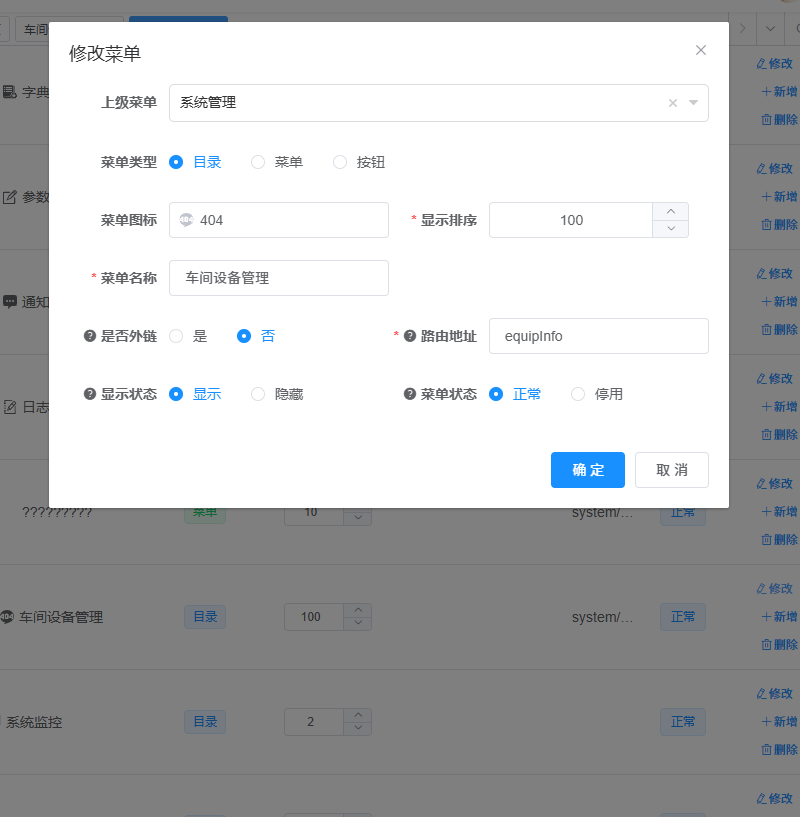
权限设置
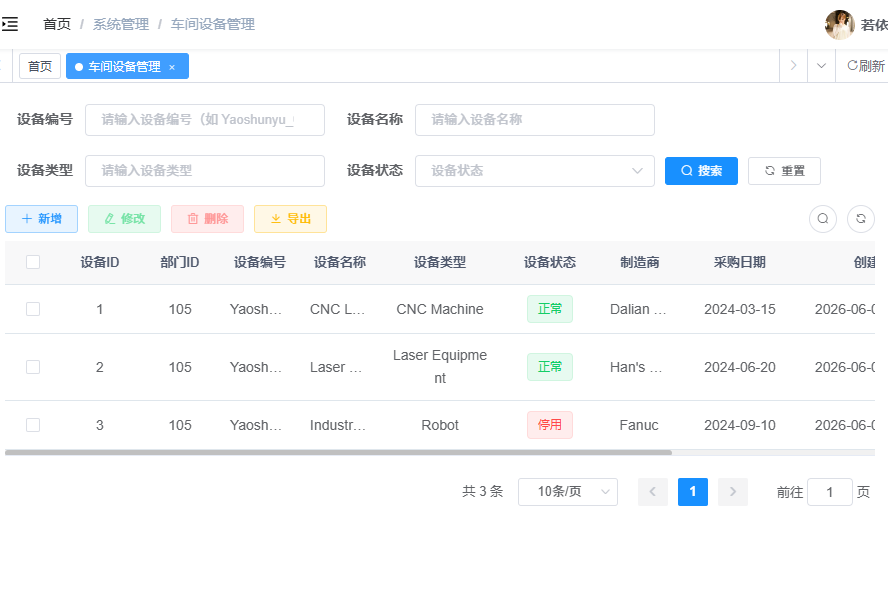
登录ry用户拥有的权限
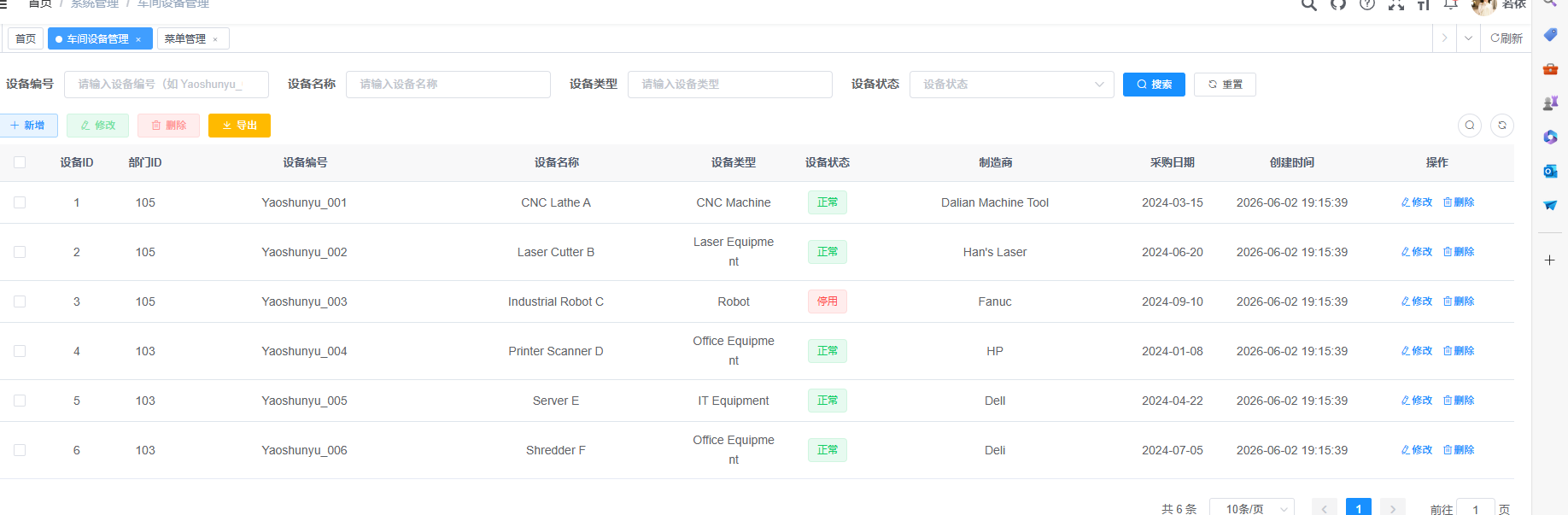
admin用户所能查看的权限
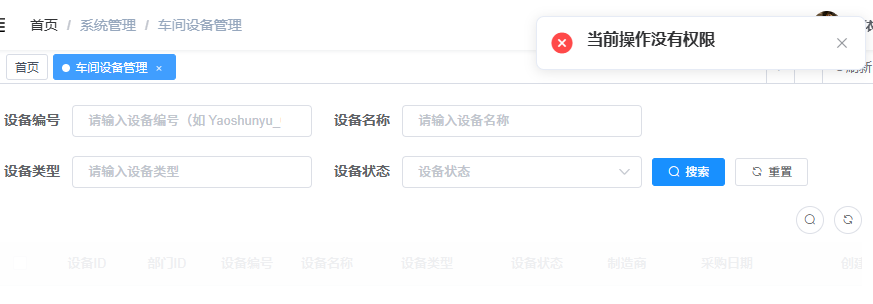
无权限用户无法查看
十三、总结
若依数据权限基于 AOP + 注解 + 动态 SQL 实现,核心是通过 @DataScope 注解与 DataScopeAspect 切面动态拼接 SQL 语句,实现行级数据过滤。车间设备模块通过继承 BaseEntity、添加注解、配置 XML 中的 ${params.dataScope},完成了基于部门的数据权限控制,不同部门用户可自动查看对应权限的数据。





 扫一扫
扫一扫


 309
309

 被折叠的 条评论
为什么被折叠?
被折叠的 条评论
为什么被折叠?
 到【灌水乐园】发言





