


环境
Win11,WSL2,Ubuntu24.04
一、相关文档
在线服务
二、前置安装
虚拟环境
隔离 Python 环境
Hermes 通过 HTTP 连接 OpenViking,因此无需把 OpenViking 安装到 Hermes 的 Python 环境中。请在独立的虚拟环境或容器中运行 OpenViking 服务。不要在 已有 Hermes 的环境中使用 --force-reinstall 安装或升级 OpenViking:Hermes 版本可能会固定与 OpenViking 已支持、已修复安全问题的版本不同的依赖。如果确实要将 两个应用放在同一环境中,请在同一次依赖求解中安装它们,并在启动任一服务前运行 python -m pip check。
安装虚拟环境命令
venv
python3 -m venv ~/.venvs/openviking
source ~/.venvs/openviking/bin/activate
pip install openviking
安装pipx
sudo apt install pipx && pipx ensurepath
pip show pipx
pipx install openviking
安装uv(建议)
curl -LsSf https://astral.sh/uv/install.sh | sh
uv --version
uv tool install openviking (推荐)全局 CLI 工具安装,相当于pipx,
uv pip install openviking 项目级依赖安装(安装到当前激活的项目虚拟环境中)用 uv venv + uv pip 替代 venv+pip
conda,anaconda
...
三、安装openviking
本地安装
uadmin@UD26:~$ uv tool install openviking
...
Installed 4 executables: openviking, openviking-server, ov, vikingbot
四、配置openviking
配置准备
#初始化(配置文件)
openviking-server init
#配置检查
openviking-server doctor
启动服务
openviking-server(我直接执行的这个)
没初始化的化,他会先调用初始化
火山引擎(火山方舟)为例
说明:在线的openviking服务
vlm模型默认选的是:doubao-seed-2-0-lite,
embedding模型选的是:doubao-embedding-vision
应该是使用Agent Plan或Coding Plan的API Key会便宜很多
openviking-server操作选择
uadmin@UD26:~$ openviking-server
No OpenViking configuration found.
Run interactive setup now? [Y/n]: Y

╭─────────────────────────────────────────────────────────╮
│  OpenViking Setup                                       │
│  Context database for AI agents — data in, context out  │
╰─────────────────────────────────────────────────────────╯
  Data will be stored under /home/uadmin/.openviking/data unless you edit ov.conf later.


  Choose setup mode:  ↑/↓ move · enter select

  ❯ Step-by-step setup  (pick embedding & VLM separately — cloud, local, or mixed)
    Recommended local setup  (all-Ollama, sized to your RAM, one confirm)
    Manual  (edit ov.conf directly)

----------------------------------------------------------------------------------------

  ❯ Step-by-step setup

───────────────────────────────────────────────────────────────────────────────── Step 1/2 · Embedding — powers semantic search ─────────────────────────────────────────────────────────────────────────────────

  Embedding setup:  ↑/↓ move · enter select · ← back

  ❯ Cloud API  (VolcEngine, BytePlus, OpenAI)
    Local via Ollama  (no API key, runs on this machine)
    Lightweight CPU embedding  (llama.cpp, ~24 MB, no Ollama needed)

----------------------------------------------------------------------------------------

  Embedding setup:  ↑/↓ move · enter select · ← back

  ❯ Cloud API

  Embedding provider:  ↑/↓ move · enter select · ← back

  ❯ VolcEngine (火山引擎)
    BytePlus
    OpenAI
    Other (manual)

----------------------------------------------------------------------------------------

 ❯ VolcEngine (火山引擎)

  Embedding configuration
  API Key:

----------------------------------------------------------------------------------------

  Embedding configuration
  API Key: ark-898***********************************352a
  Model [doubao-embedding-vision-251215]:

----------------------------------------------------------------------------------------

Dimension: 1024 (auto-filled for doubao-embedding-vision-251215)

  ✓ Embedding: volcengine · doubao-embedding-vision-251215 (1024d)

───────────────────────────────────────────────────────────────────────────── Step 2/2 · VLM — parses documents & extracts memories ─────────────────────────────────────────────────────────────────────────────

  VLM provider:  ↑/↓ move · enter select · ← back

  ❯ VolcEngine (火山引擎)  (API)
    BytePlus  (API)
    OpenAI  (API)
    OpenAI Codex  (Subscription)
    Kimi  (Subscription API Key)
    GLM  (Subscription API Key)
    Custom (OpenAI-compatible)  (Any OpenAI-compatible endpoint)
    Local via Ollama  (no API key, runs on this machine)
    Skip for now  (embedding only — add a VLM later)

----------------------------------------------------------------------------------------

  ❯ VolcEngine (火山引擎)

  VolcEngine VLM configuration
  Reuse the embedding API key for the VLM? [Y/n]:

----------------------------------------------------------------------------------------

 Reuse the embedding API key for the VLM? [Y/n]: Y
  Model [doubao-seed-2-0-code-preview-260215]:

----------------------------------------------------------------------------------------

  Model [doubao-seed-2-0-code-preview-260215]: doubao-seed-2-0-lite-260428

  ✓ VLM: volcengine · doubao-seed-2-0-lite-260428

─────────────────────────────────────────────────────────────────────────────────────────── Query planner (optional) ────────────────────────────────────────────────────────────────────────────────────────────
  A small local model that plans retrieval before search — skips
  lookups for small talk and emits focused queries otherwise, saving tokens.
  Enable a lightweight local query planner via Ollama? [y/N]:
轻量查询规划器,默认使用意图分析模型,ov_intent_analysis_sft:v7_q8
----------------------------------------------------------------------------------------

  Enable a lightweight local query planner via Ollama? [y/N]: y

  Checking Ollama... not installed # 可自行通过ollama list验证。
  Install Ollama now? [Y/n]:
可以先在WSL里安Ollama,后续可以改成使用WSL外Windows主机上的Ollama
----------------------------------------------------------------------------------------

  Install Ollama now? [Y/n]: Y

>>> Installing ollama to /usr/local
[sudo] password for uadmin:

----------------------------------------------------------------------------------------

[sudo] password for uadmin:
ERROR: This version requires zstd for extraction. Please install zstd and try again:
  - Debian/Ubuntu: sudo apt-get install zstd
  - RHEL/CentOS/Fedora: sudo dnf install zstd
  - Arch: sudo pacman -S zstd
  Installation failed.
  Try manually: https://ollama.com/download
  Continue without Ollama? (config will be written but the model won't be pulled) [y/N]:
安装失败也没空关系,他会把配置配上,但不会拉模型,需要手动pull下。
----------------------------------------------------------------------------------------

  Continue without Ollama? (config will be written but the model won't be pulled) [y/N]: y

  Query planner model:  ↑/↓ move · enter select

  ❯ ov_intent_analysis_sft v7_q8  ~0.8B, recommended
    ov_intent_analysis_sft v4_q8  ~0.8B

----------------------------------------------------------------------------------------

  ❯ ov_intent_analysis_sft v7_q8

───────────────────────────────────────────────────────────────────────────────────────────────── Server & auth ─────────────────────────────────────────────────────────────────────────────────────────────────
  Local: only this machine can reach the server (no auth, dev mode).
  Remote: bind to 0.0.0.0 for Docker / LAN access — requires API-key auth.

  Bind server host to:  ↑/↓ move · enter select

  ❯ Local (127.0.0.1)  (default, safer — no auth needed)
    Remote (0.0.0.0)  (Docker / remote access — root API key required)

----------------------------------------------------------------------------------------

  ❯ Local (127.0.0.1)
  Port [1933]:
日后需要验证时在改
----------------------------------------------------------------------------------------

  Port [1933]:

──────────────────────────────────────────────────────────────────────────────────────────────────── Summary ────────────────────────────────────────────────────────────────────────────────────────────────────
    Embedding:     volcengine · doubao-embedding-vision-251215 (1024d)
    VLM:           volcengine · doubao-seed-2-0-lite-260428
    Query planner: litellm · ollama/guoxuter/ov_intent_analysis_sft:v7_q8
    Server:        127.0.0.1:1933 · auth dev (no auth)
    Workspace:  configured (hidden)
    Config:     default config location

  Save configuration? [Y/n]:

----------------------------------------------------------------------------------------

  Save configuration? [Y/n]: Y
  OK Configuration written to the default config location

  Next steps:
    Start the server:  openviking-server
    Validate setup:    openviking-server doctor

  Validate the setup now? (runs `openviking-server doctor`) [Y/n]:

这时生成了配置文件:~/.openviking/ov.conf

----------------------------------------------------------------------------------------

  Validate the setup now? (runs `openviking-server doctor`) [Y/n]: Y

OpenViking Doctor

  Config:        PASS  /home/uadmin/.openviking/ov.conf
  Python:        PASS  3.11.15 (>= 3.10 required)
  Native Engine: PASS  variant=x86_avx2
  AGFS:          PASS  AGFS SDK 0.1.7
  Embedding:     FAIL  volcengine/doubao-embedding-vision-251215 api_base=https://ark.cn-beijing.volces.com/api/v3 dimension=1024 (probe failed: Volcengine embedding failed: Error code: 404 - {'error': {'code': 'ModelNotOpen', 'message': 'Your account 2102587980 has not activated the model doubao-embedding-vision-251215. Please activate the model service in the Ark Console. Request id: 0217847604875489209c58391d56dc4f2d7714e68ed22bf72d1c1', 'param': '', 'type': 'Not Found'}}, request_id: ToB-direct,OpenViking_Service,openviking-service_cn-beijing)
                 Fix: Check the embedding provider service, model name, API key, and api_base
  VLM:           PASS  volcengine/doubao-seed-2-0-lite-260428
  Ollama:        PASS  running at localhost:11434
  VikingBot:     PASS  VikingBot aligned with dev OpenViking auth
  Disk:          PASS  948.4 GB free in /home/uadmin/.openviking/data

  1 check(s) failed. See above for fix suggestions.

  Start the server now? [y/N]:
这里建议选N,手动启动,因为会输出日志。
----------------------------------------------------------------------------------------
可以在Windows主机上拉模型
ollama pull guoxuter/ov_intent_analysis_sft:v7_q8

去火山方舟控制台,左侧菜单开通管理,选择语言模型(vlm使用)、向量模型(embedding使用),开通服务。

(修改vml模型:Doubao-Seed-2.0-pro-260215,Model ID为:doubao-seed-2-0-lite-260428)

开新窗口检查,openviking-server doctor

----------------------------------------------------------------------------------------

  Start the server now? [y/N]: y
Ollama is running at localhost:11434
OpenViking HTTP Server is running on 127.0.0.1:1933
2026-07-23 08:06:42.178 | INFO     | openviking.telemetry.tracer:init_tracer_from_server_config:233 - [TRACER] disabled in server.observability.traces
[07/23/26 08:06:42] INFO     StreamableHTTP session manager started

----------------------------------------------------------------------------------------
openviking-server doctor
uadmin@UD26:~$ openviking-server doctor

OpenViking Doctor

  Config:        PASS  /home/uadmin/.openviking/ov.conf
  Python:        PASS  3.11.15 (>= 3.10 required)
  Native Engine: PASS  variant=x86_avx2
  AGFS:          PASS  AGFS SDK 0.1.7
  Embedding:     PASS  volcengine/doubao-embedding-vision-251215 api_base=https://ark.cn-beijing.volces.com/api/v3 dimension=1024 probe ok (dimension=1024)
  VLM:           PASS  volcengine/doubao-seed-2-0-lite-260428
  Ollama:        PASS  running at localhost:11434
  VikingBot:     PASS  VikingBot aligned with dev OpenViking auth
  Disk:          PASS  948.4 GB free in /home/uadmin/.openviking/data

  All checks passed.
openviking-server操作日志
uadmin@UD26:~$ openviking-server
No OpenViking configuration found.
Run interactive setup now? [Y/n]: Y

╭─────────────────────────────────────────────────────────╮
│  OpenViking Setup                                       │
│  Context database for AI agents — data in, context out  │
╰─────────────────────────────────────────────────────────╯
  Data will be stored under /home/uadmin/.openviking/data unless you edit ov.conf later.


  Choose setup mode:  ↑/↓ move · enter select

  ❯ Step-by-step setup

───────────────────────────────────────────────────────────────────────────────── Step 1/2 · Embedding — powers semantic search ─────────────────────────────────────────────────────────────────────────────────

  Embedding setup:  ↑/↓ move · enter select · ← back

  ❯ Cloud API

  Embedding provider:  ↑/↓ move · enter select · ← back

  ❯ VolcEngine (火山引擎)

  Embedding configuration
  API Key: ark-898***********************************352a
  Model [doubao-embedding-vision-251215]:
  Dimension: 1024 (auto-filled for doubao-embedding-vision-251215)

  ✓ Embedding: volcengine · doubao-embedding-vision-251215 (1024d)

───────────────────────────────────────────────────────────────────────────── Step 2/2 · VLM — parses documents & extracts memories ─────────────────────────────────────────────────────────────────────────────

  VLM provider:  ↑/↓ move · enter select · ← back

  ❯ VolcEngine (火山引擎)

  VolcEngine VLM configuration
  Reuse the embedding API key for the VLM? [Y/n]: Y
  Model [doubao-seed-2-0-code-preview-260215]: doubao-seed-2-0-lite-260428

  ✓ VLM: volcengine · doubao-seed-2-0-lite-260428

─────────────────────────────────────────────────────────────────────────────────────────── Query planner (optional) ────────────────────────────────────────────────────────────────────────────────────────────
  A small local model that plans retrieval before search — skips
  lookups for small talk and emits focused queries otherwise, saving tokens.
  Enable a lightweight local query planner via Ollama? [y/N]: y

  Checking Ollama... not installed
  Install Ollama now? [Y/n]: Y

>>> Installing ollama to /usr/local
[sudo] password for uadmin:
ERROR: This version requires zstd for extraction. Please install zstd and try again:
  - Debian/Ubuntu: sudo apt-get install zstd
  - RHEL/CentOS/Fedora: sudo dnf install zstd
  - Arch: sudo pacman -S zstd
  Installation failed.
  Try manually: https://ollama.com/download
  Continue without Ollama? (config will be written but the model won't be pulled) [y/N]: y

  Query planner model:  ↑/↓ move · enter select

  ❯ ov_intent_analysis_sft v7_q8

───────────────────────────────────────────────────────────────────────────────────────────────── Server & auth ─────────────────────────────────────────────────────────────────────────────────────────────────
  Local: only this machine can reach the server (no auth, dev mode).
  Remote: bind to 0.0.0.0 for Docker / LAN access — requires API-key auth.

  Bind server host to:  ↑/↓ move · enter select

  ❯ Local (127.0.0.1)
  Port [1933]:

──────────────────────────────────────────────────────────────────────────────────────────────────── Summary ────────────────────────────────────────────────────────────────────────────────────────────────────
    Embedding:     volcengine · doubao-embedding-vision-251215 (1024d)
    VLM:           volcengine · doubao-seed-2-0-lite-260428
    Query planner: litellm · ollama/guoxuter/ov_intent_analysis_sft:v7_q8
    Server:        127.0.0.1:1933 · auth dev (no auth)
    Workspace:  configured (hidden)
    Config:     default config location

  Save configuration? [Y/n]: Y
  OK Configuration written to the default config location

  Next steps:
    Start the server:  openviking-server
    Validate setup:    openviking-server doctor

  Validate the setup now? (runs `openviking-server doctor`) [Y/n]: Y

OpenViking Doctor

  Config:        PASS  /home/uadmin/.openviking/ov.conf
  Python:        PASS  3.11.15 (>= 3.10 required)
  Native Engine: PASS  variant=x86_avx2
  AGFS:          PASS  AGFS SDK 0.1.7
  Embedding:     FAIL  volcengine/doubao-embedding-vision-251215 api_base=https://ark.cn-beijing.volces.com/api/v3 dimension=1024 (probe failed: Volcengine embedding failed: Error code: 404 - {'error': {'code': 'ModelNotOpen', 'message': 'Your account 2102587980 has not activated the model doubao-embedding-vision-251215. Please activate the model service in the Ark Console. Request id: 0217847604875489209c58391d56dc4f2d7714e68ed22bf72d1c1', 'param': '', 'type': 'Not Found'}}, request_id: ToB-direct,OpenViking_Service,openviking-service_cn-beijing)
                 Fix: Check the embedding provider service, model name, API key, and api_base
  VLM:           PASS  volcengine/doubao-seed-2-0-lite-260428
  Ollama:        PASS  running at localhost:11434
  VikingBot:     PASS  VikingBot aligned with dev OpenViking auth
  Disk:          PASS  948.4 GB free in /home/uadmin/.openviking/data

  1 check(s) failed. See above for fix suggestions.

  Start the server now? [y/N]: y
Ollama is running at localhost:11434
OpenViking HTTP Server is running on 127.0.0.1:1933
2026-07-23 08:06:42.178 | INFO     | openviking.telemetry.tracer:init_tracer_from_server_config:233 - [TRACER] disabled in server.observability.traces
[07/23/26 08:06:42] INFO     StreamableHTTP session manager started                                                                                                                streamable_http_manager.py:131
[07/23/26 08:07:14] WARNING  Run time of job "PersistCollection._register_index_manage_job (trigger: date[2026-07-23 08:07:12 CST], next run at: 2026-07-23 08:07:12 CST)" was missed by              base.py:126
                             0:00:02.720525
配置文件
~/.openviking/ov.conf
{
"storage": {
"workspace": "/home/uadmin/.openviking/data"
},
"embedding": {
"dense": {
"provider": "volcengine",
"model": "doubao-embedding-vision-251215",
"api_key": "ark-89842fa8-d4ee-47bd-89f5-bf9973012345-67890",
"api_base": "https://ark.cn-beijing.volces.com/api/v3",
"dimension": 1024
}
},
"vlm": {
"provider": "volcengine",
"model": "doubao-seed-2-0-lite-260428",
"api_base": "https://ark.cn-beijing.volces.com/api/v3",
"temperature": 0.0,
"max_retries": 2,
"api_key": "ark-89842fa8-d4ee-47bd-89f5-bf9973012345-67890"
},
"query_planner": {
"provider": "litellm",
"model": "ollama/guoxuter/ov_intent_analysis_sft:v7_q8",
"api_key": "no-key",
"api_base": "http://localhost:11434",
"temperature": 0.0,
"timeout": 60,
"extra_request_body": {
"think": false
}
},
"server": {
"host": "127.0.0.1",
"port": 1933
}
}
健康检查
uadmin@UD26:~$ curl http://127.0.0.1:1933/health
{"status":"ok","healthy":true,"version":"0.4.10","auth_mode":"dev"}
数据目录
~/.openviking/data
五、OpenViking CLI(ov命令)
这是OpenViking 的客户端工具
文档
远程自定义
只有 root key 的配置需要 --account 和 --user。

本地自定义
本地默认 URL:http://127.0.0.1:1933
本地无鉴权服务通常不需要 API Key。
ov命令之前的提示
uadmin@UD26:~$ ov find "测试标记"
OPENVIKING LANGUAGE
Current: English

? Choose language
  ↑/↓ choose · Enter select · Esc back · Ctrl+C exit

  › English
    简体中文

语言已切换为简体中文。
ov find 测试标记

╭─ 配置错误 ───────────────────────────────────────────────────────────╮
│ 未检测到 ovcli.conf。请先运行 ov config 创建配置,再使用服务器命令。 │
╰──────────────────────────────────────────────────────────────────────╯

下一步:
  ov config  创建配置
可以通过ov config命令配置(稍微麻烦),也可以手动配置~/.openviking/ovcli.conf文件(快捷)
设置语言
uadmin@UD26:~$ ov language zh-CN
语言已切换为简体中文。
uadmin@UD26:~$ ov language en
Language set to English.
这个命令会创建
~/.openviking/ovcli.settings.conf
ov config配置
ov config
uadmin@UD26:~$ ov config

 ██████╗ ██████╗ ███████╗███╗   ██╗██╗   ██╗ ██╗ ██╗  ██╗ ██╗ ███╗   ██╗ ██████╗
██╔═══██╗██╔══██╗██╔════╝████╗  ██║██║   ██║ ██║ ██║ ██╔╝ ██║ ████╗  ██║██╔════╝
██║   ██║██████╔╝█████╗  ██╔██╗ ██║██║   ██║ ██║ █████╔╝  ██║ ██╔██╗ ██║██║  ███╗
██║   ██║██╔═══╝ ██╔══╝  ██║╚██╗██║╚██╗ ██╔╝ ██║ ██╔═██╗  ██║ ██║╚██╗██║██║   ██║
╚██████╔╝██║     ███████╗██║ ╚████║ ╚████╔╝  ██║ ██║  ██╗ ██║ ██║ ╚████║╚██████╔╝
 ╚═════╝ ╚═╝     ╚══════╝╚═╝  ╚═══╝  ╚═══╝   ╚═╝ ╚═╝  ╚═╝ ╚═╝ ╚═╝  ╚═══╝ ╚═════╝


╭──────────────────────────── AI Agent 上下文数据库 ────────────────────────────╮
│                                                                               │
│              ⢻⣶⣄                                                              │
│              ⠈⣿⣿⣟⢦⡀                                                           │
│               ⣿⣿⣿⡌⢻⣦⡀                                                         │
│               ⣿⣿⣿⣧ ⠹⣿⣦⡀        当前配置: none                                │
│              ⢀⣿⣿⣿⣿  ⢹⣿⣷⡀       状态: 未配置                                  │
│              ⣼⣿⣿⣿⡟  ⠈⣿⣿⣷       VLM: 未知                                      │
│            ⢀⣼⣿⣿⣿⣿⣁⣀⣤⣤⣿⣿⣿⡄  ⡀   Embedding: 未知                                │
│           ⢀⣾⡿⠿⠛⢛⣿⣿⣿⣿⣿⣿⣿⣿⡇⢀⣼⠃   已保存配置: 0                                 │
│              ⢀⣰⣿⣿⣿⣿⣿⠿⠟⠛⠋⣡⣿⠇    配置目录: ~/.openviking                       │
│    ⠠⣶⣾⣿⣿⣿⣶⣤⣀ ⠾⠟⠛⠉⠉   ⣀⣤⣾⡿⠃                                                    │
│      ⠙⢿⣿⣿⣿⣿⣿⣿⣷⣶⣶⣶⣶⣶⣿⣿⣿⡿⠟⠁                                                     │
│        ⠈⠛⠿⣿⣿⣿⣿⣿⣿⣿⣿⣿⠿⠛⠉                                                        │
│             ⠈⠉⠉⠉⠁                                                             │
╰──────────────────────────────────────────────────────────── v0.4.11.dev0 ─────╯

◆ 你想配置什么?

? 选择操作
  ↑/↓ 选择 · Enter 确认 · Esc 返回 · Ctrl+C 退出

  › 添加配置
    切换配置
    编辑配置
    删除配置
    用户管理

选择:添加配置
----------------------------------------------------------------------------------------

◆ 创建新的 OpenViking 配置。

? CLI 要连接到哪里?
  ↑/↓ 选择 · Enter 确认 · Esc 返回 · Ctrl+C 退出

  › OpenViking 服务(火山引擎云)
    自定义

选择:自定义
----------------------------------------------------------------------------------------

? 配置名称(可选)
  Enter 继续 · Esc 返回 · Ctrl+C 退出

  留空将自动生成名称。

  >

回车默认
----------------------------------------------------------------------------------------

? 服务器 URL
  Enter 继续 · Esc 返回 · Ctrl+C 退出
  默认值: http://127.0.0.1:1933

  >

回车默认
----------------------------------------------------------------------------------------

? API Key 类型
  ↑/↓ 选择 · Enter 确认 · Esc 返回 · Ctrl+C 退出

  本地服务可不填;如果启用了认证,请填写。

  › 无密钥 / 本地开发
    User API Key
    Root API Key

回车默认
----------------------------------------------------------------------------------------

? 账户 ID
  Enter 继续 · Esc 返回 · Ctrl+C 退出

  本地无密钥身份。
  默认值: default

  >

回车默认
----------------------------------------------------------------------------------------

? 保存本地配置名称
  ↑/↓ 选择 · Enter 确认 · Esc 返回 · Ctrl+C 退出

  选择这个本地 CLI 配置的名称。
  保存为 ovcli.conf.<name>;当前配置为 ovcli.conf。

  › 设置自定义本地名称
    使用生成名称(custom-d01089)
    返回

选择:使用生成名称(custom-d01089)
----------------------------------------------------------------------------------------

? 保存配置?
  ↑/↓ 选择 · Enter 确认 · Esc 返回 · Ctrl+C 退出

  › 保存并设为当前配置
    仅保存
    取消

回车默认
----------------------------------------------------------------------------------------

✓ 已保存配置 'custom-d01089',并设为当前配置。
保存到: /home/uadmin/.openviking/ovcli.conf.custom-d01089
当前配置: /home/uadmin/.openviking/ovcli.conf
下一步: 运行 ov --help 查看可用命令。
配置文件ovcli.conf
~/.openviking/ovcli.conf
{
  "account": "default",
  "user": "default"
}
手动配置ovcli.conf
创建并配置文件~/.openviking/ovcli.conf
api_key没有可以不写。
{
  "url": "http://127.0.0.1:1933",
  "api_key": "你的服务端密钥",
  "account": "default",
  "user": "default"
}
ov命令测试
ov find "测试标记"
uadmin@UD26:~$ ov find "测试标记"
cmd: ov find --uri= -n 10 "测试标记"
10 results
Ranked by relevance · limit 10 final results

1. memory · Level 2 · score 0.439
   viking://user/default/peers/hermes/memories/preferences/user/开发环境配置.md
   - 开发环境为 WSL2 Ubuntu 24.04 - 当前测试标记为 openviking-20260723

2. memory · Level 2 · score 0.427
   viking://user/default/peers/hermes/memories/preferences/mem_210444957cc5.md
   开发环境是 WSL2 Ubuntu 24.04,测试标记为 openviking-20260723

3. memory · Level 2 · score 0.348
   viking://user/default/memories/cases/viking记忆保存与搜索验证.md
   # viking记忆保存与搜索验证 ## Task Signature
   用户保存开发环境相关事实后,执行语义搜索验证记忆可被正确检索,再浏览viking根目录确认仓库结构...
...
命令帮助
ov --help
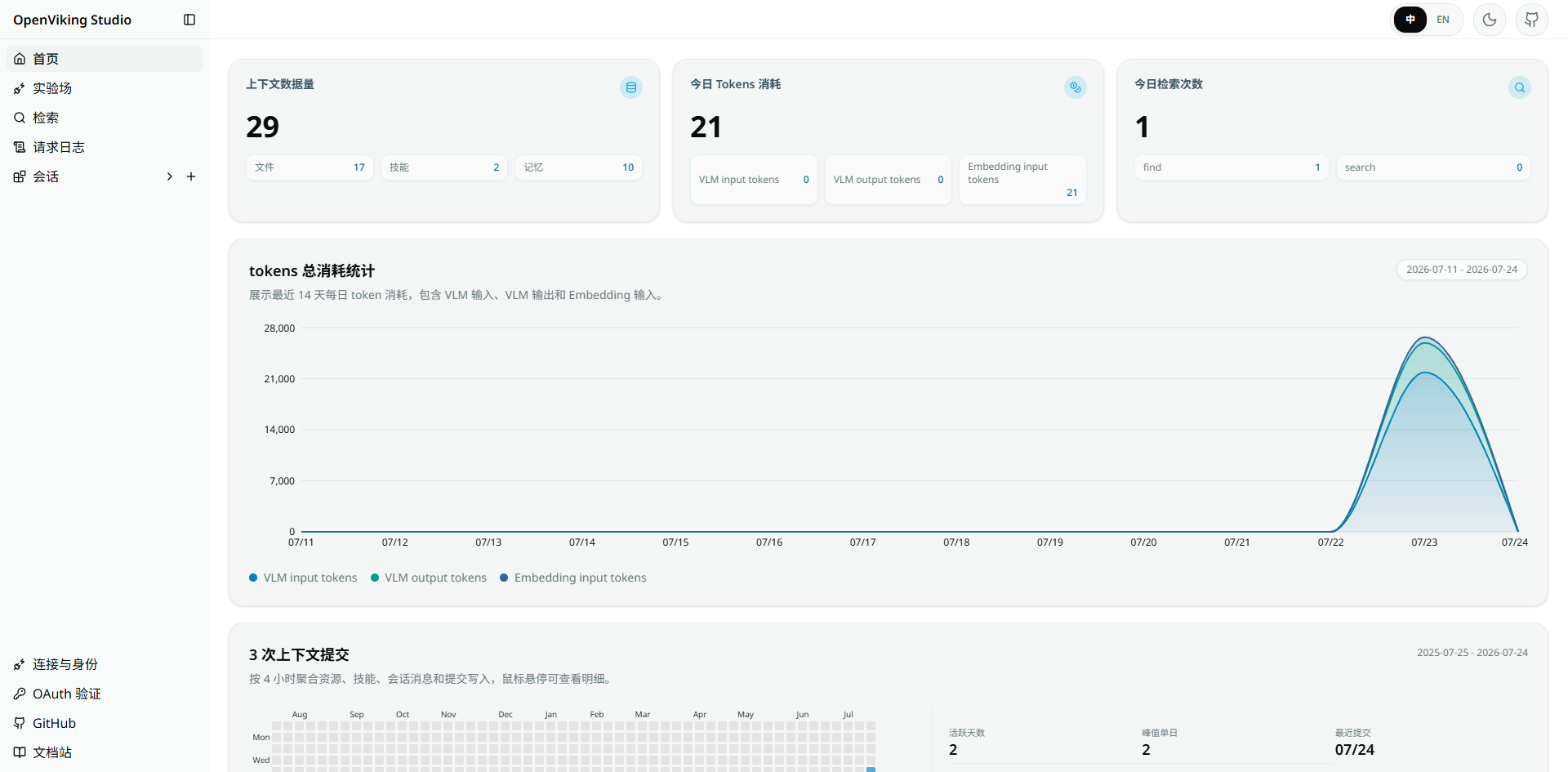
六、浏览器控制台Web Studio





 扫一扫
扫一扫


 被折叠的 条评论
为什么被折叠?
被折叠的 条评论
为什么被折叠?
 到【灌水乐园】发言





