


在上一篇博客里,我们学习了Beamer-LaTeX的分列显示方法。接下来我们来看下一种场景。有时候我们需要显示一些能够传递特殊信息的条目。举个例子,一个带有标题和颜色背景的信息方块可以阐述一个重要的科学事实。在Beamer中,我们可以很容易实现这个效果。接下来我们来看“块”的实现。
1 Beamer中创建一个简单的块
把一些比较重要的内容放进一个块里通常会非常有用。在Beamer中,我们可以把一段文本或图片从页面中独立出来,通过一个block环境来实现:
% Block environment
\documentclass{beamer}

% Theme choice
\usetheme{Madrid}

\begin{document}

\begin{frame}{Block environment}{Madrid theme}

\begin{block}{Block title}
    It can be useful to treat some content differently by putting it into a block. This can be done by using blocks!
\end{block}

\end{frame}

\end{document}
我们首先使用Madrid主题,在页面内添加一个block环境,并给块标题命名为Block title。得到的效果如下图所示:
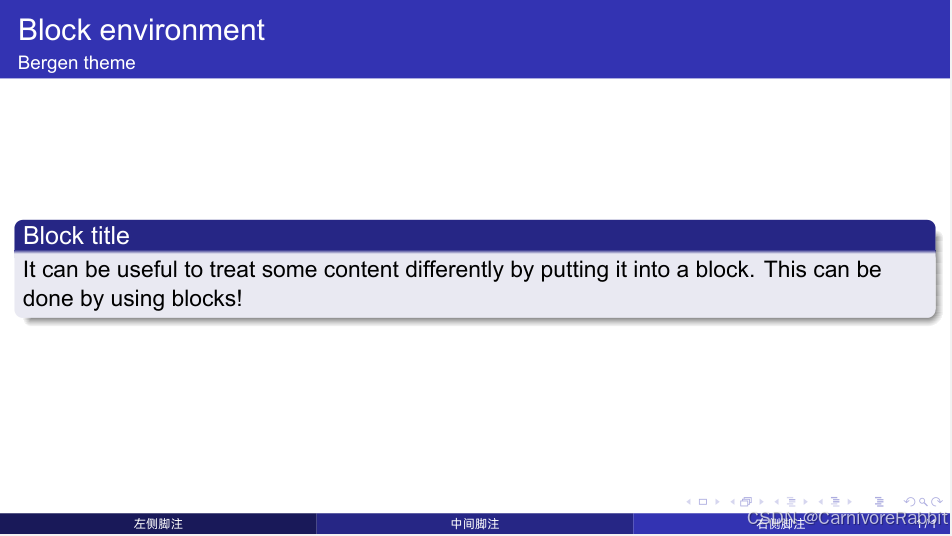
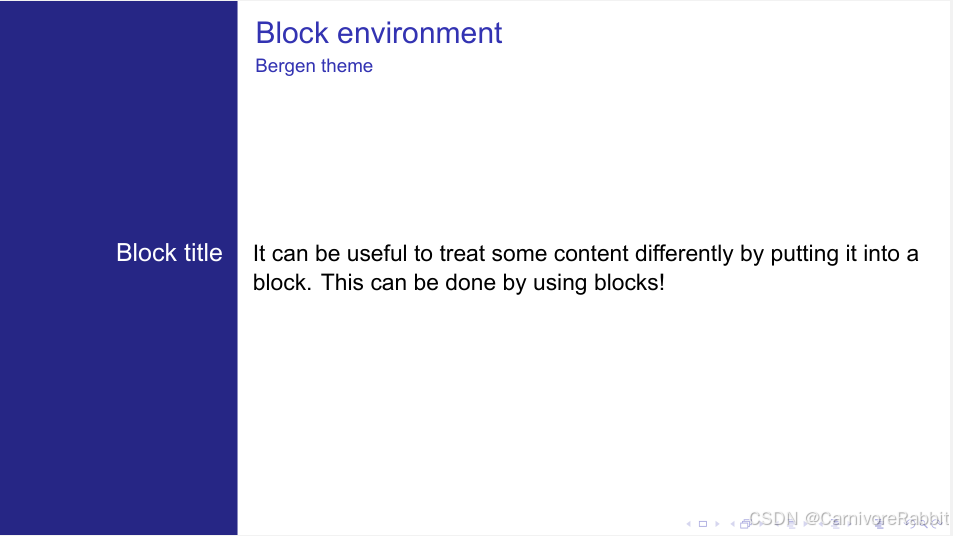
需要注意的是块的风格样式取决于使用的模板主题和颜色主题。让我们把上述代码放到主题Bergen中使用。效果如下:
2 Beamer中主要的块样式风格
有三种基础的块样式:标准/一般 块,警告 块, 以及示例 块。另外还有诸如定理块、定义块、证明块、推论块、举例块等等。
下表总结了不同的块:
| 块的内容类型 | 块名 | 语法 |
|---|---|---|
| Generic/Standard | block | \begin{block}...\end{block} |
| Highlighted Alert | alertblock | \begin{alertblock}...\end{alertblock} |
| Examples1 | exampleblock | \begin{exmapleblock}...\end{exampleblock} |
| Theorems | theorem | \begin{theorem}...\end{theorem} |
| Definition | definition | \begin{definition}...\end{definition} |
| Proofs | proof | \begin{proof}...\end{proof} |
| Lemmas | lemma | \begin{lemma}...\end{lemma} |
| Corollaries | corollary | \begin{corollary}...\end{corollary} |
| Examples2 | example | \begin{example}...\end{example} |
以下是一个使用了不同块的示例:
% Different styles of blocks
\documentclass{beamer}

% Theme choice
\usetheme{Copenhagen}

\begin{document}

% Frame 1
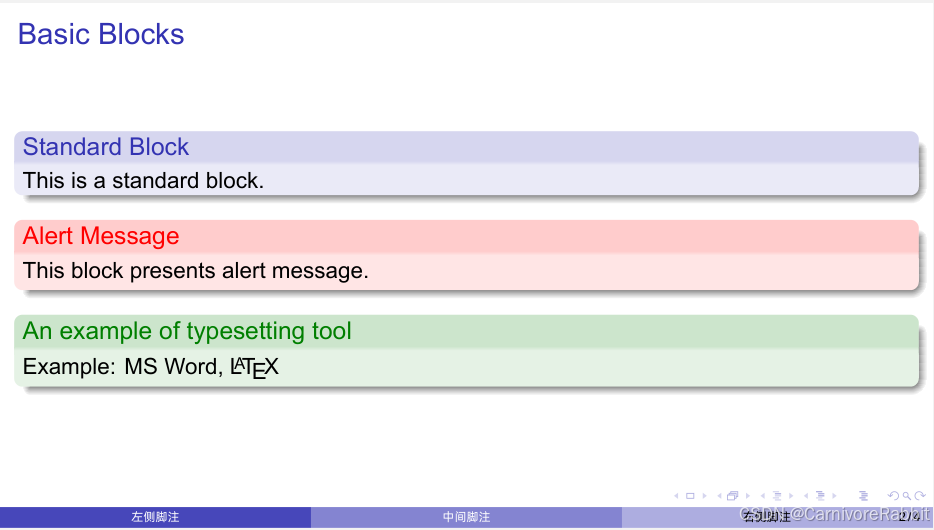
\begin{frame}{Basic Blocks}
    \begin{block}{Standard Block}
        This is a standard block.
    \end{block}

    \begin{alertblock}{Alert Message}
        This block presents alert message.
    \end{alertblock}

    \begin{exampleblock}{An example of typesetting tool}
        Example: MS Word, \LaTeX{}
    \end{exampleblock}
\end{frame}

% Frame 2
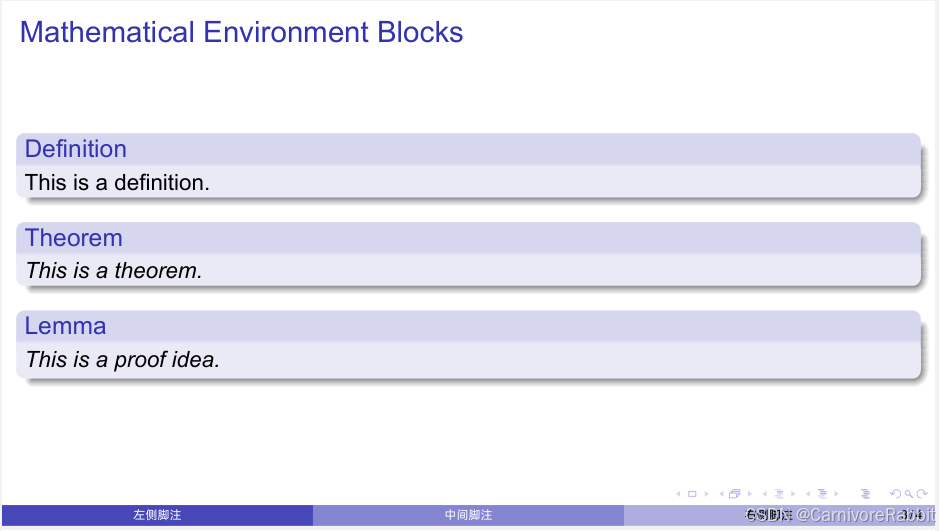
\begin{frame}{Mathematical Environment Blocks}
    \begin{definition}
        This is a definition.
    \end{definition}

    \begin{theorem}
        This is a theorem.
    \end{theorem}

    \begin{lemma}
        This is a proof idea.
    \end{lemma}
\end{frame}

% Frame 3
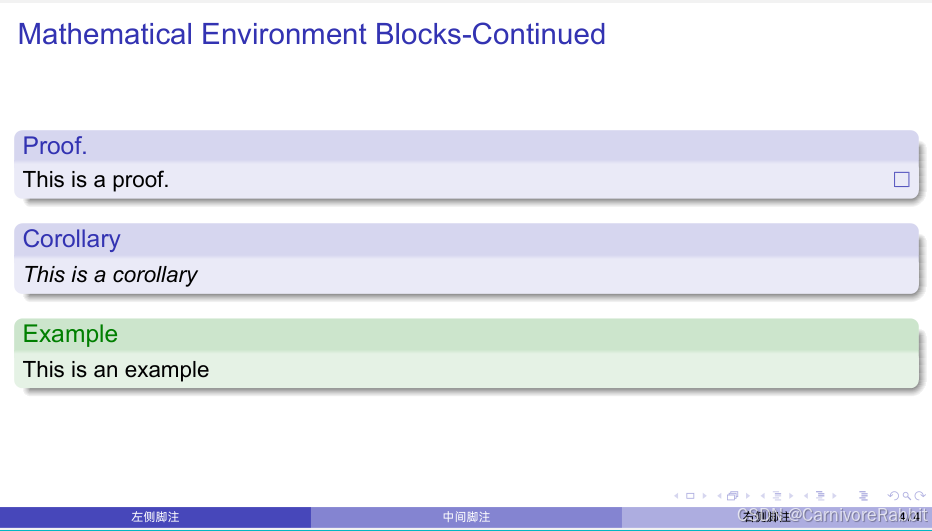
\begin{frame}{Mathematical Environment Blocks-Continued}
    \begin{proof}
        This is a proof.
    \end{proof}

    \begin{corollary}
        This is a corollary
    \end{corollary}

    \begin{example}
        This is an example
    \end{example}
\end{frame}

\end{document}
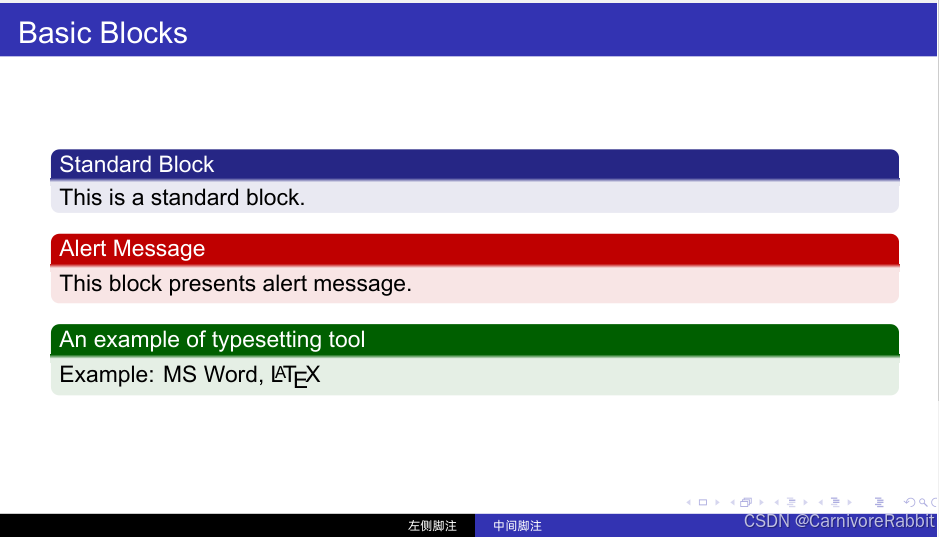
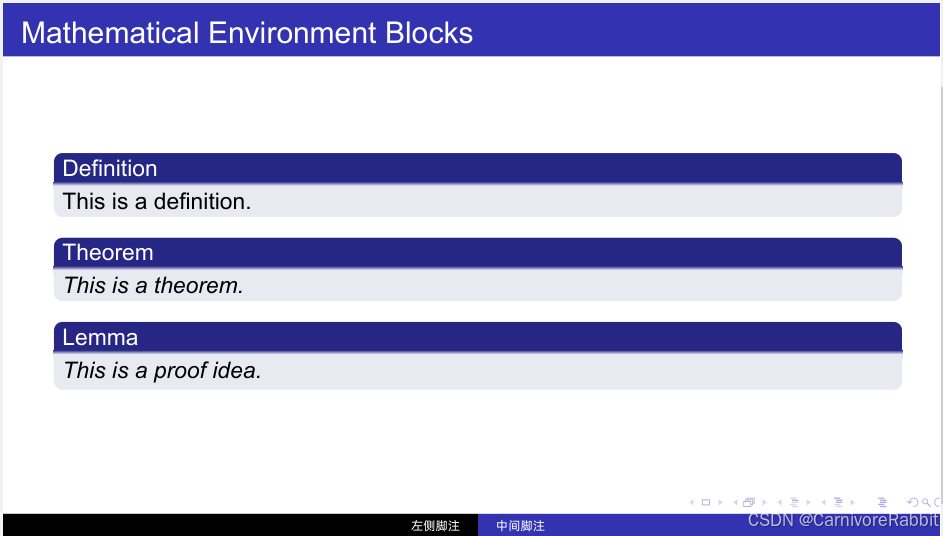
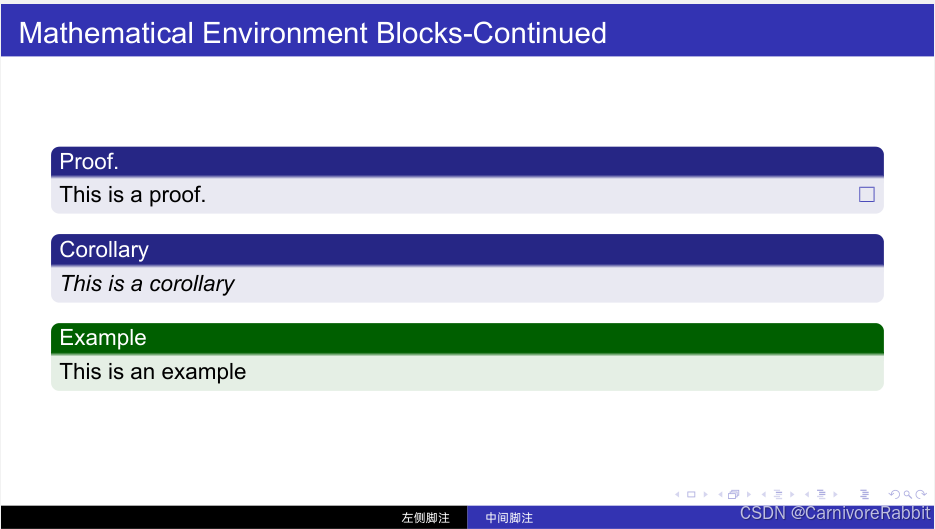
而如果用Boadilla主题替换当前的哥本哈根主题,我们就能得到以下这样看上去风格不太一样的块:
3 德式块环境
以下这部分原教程讲的是德式块环境,也很好理解,beamer的作者是Till Tantau,是位德国人(这位作者同时还是TikZ的创建者,并且是一个文档狂魔,文档的细节量惊人)。小白觉得这块内容其实咱们中国人不太能用得上。但考虑到教程的完整性还是放出来大家一起看一看。
接下来是Beamer中的德式块环境:Problem, Loesung, Definition, Satz, Beweis, Folgerung, Lemma, Fakt, Beispiel, Beispiele.
% German block environment
\documentclass{beamer}

% Theme choice
\usetheme{AnnArbor}

\begin{document}

\begin{frame}[fragile]{Basic Blocks}
    \begin{Problem}
        This block can be used for problems description.
    \end{Problem}

    \begin{Loesung}
        This block can be used for presenting a solution.
    \end{Loesung}

    \begin{Definition}
        This block is equivalent to \verb|Definition| block
    \end{Definition}
\end{frame}

\begin{frame}[fragile]{Mathematical Environment Blocks}
    \begin{Satz}
        This is equivalent to \verb|theorem| block
    \end{Satz}

    \begin{Beweis}
        This is equivalent to \verb|proof| block
    \end{Beweis}

    \begin{Folgerung}
        This is equivalent to \verb|lemma| block
    \end{Folgerung}
\end{frame}

\begin{frame}[fragile]{Mathematical Environment Blocks-Continued}
    \begin{Lemma}
        This is equivalent to \verb|lemma| block
    \end{Lemma}

    \begin{Fakt}
        This is equivalent to \verb|fact| block
    \end{Fakt}

    \begin{Beispiel}
        This is equivalent to \verb|Example| block
    \end{Beispiel}

     \begin{Beispiele}
        This is equivalent to \verb|Examples| block
    \end{Beispiele}
\end{frame}

\end{document}
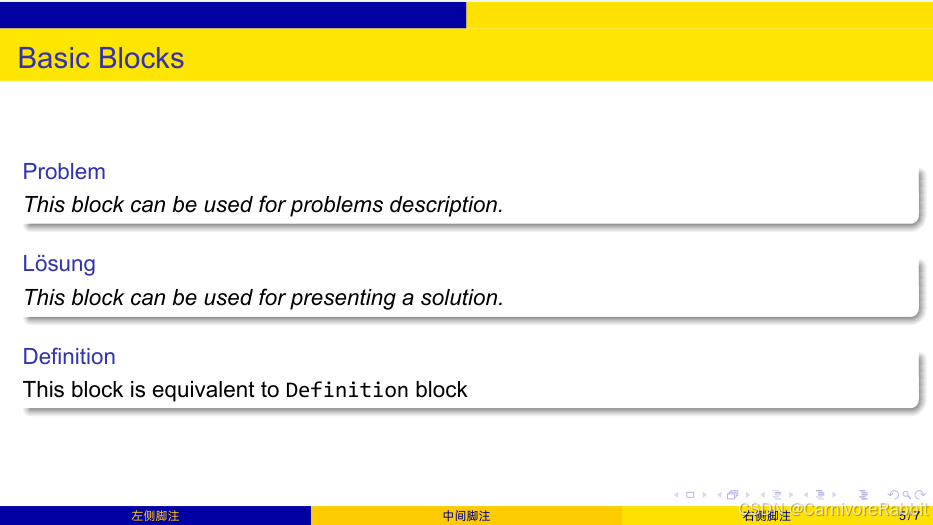
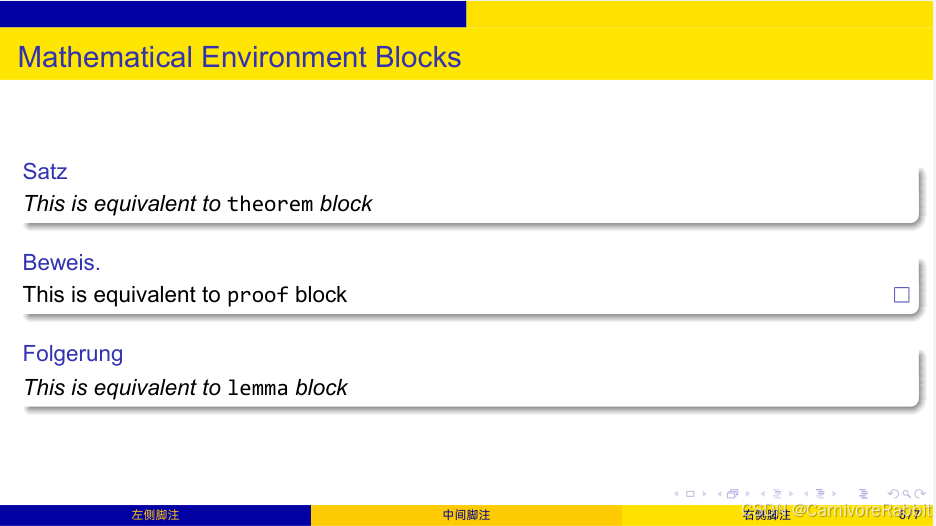
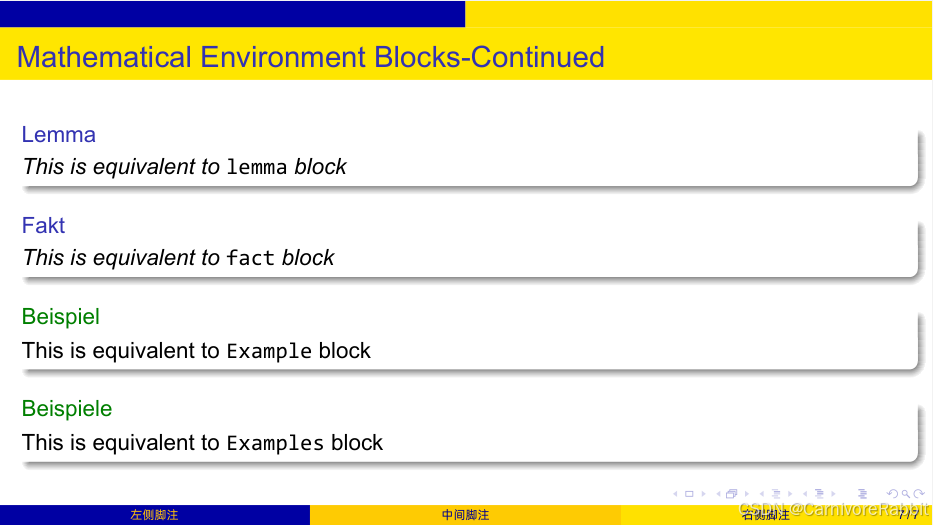
这里有一点需要注意,在frame环境中,添加了[fragile]选项,允许在页面中使用verbatim环境(该环境通常用来排版代码)。
4 自定义和基础块
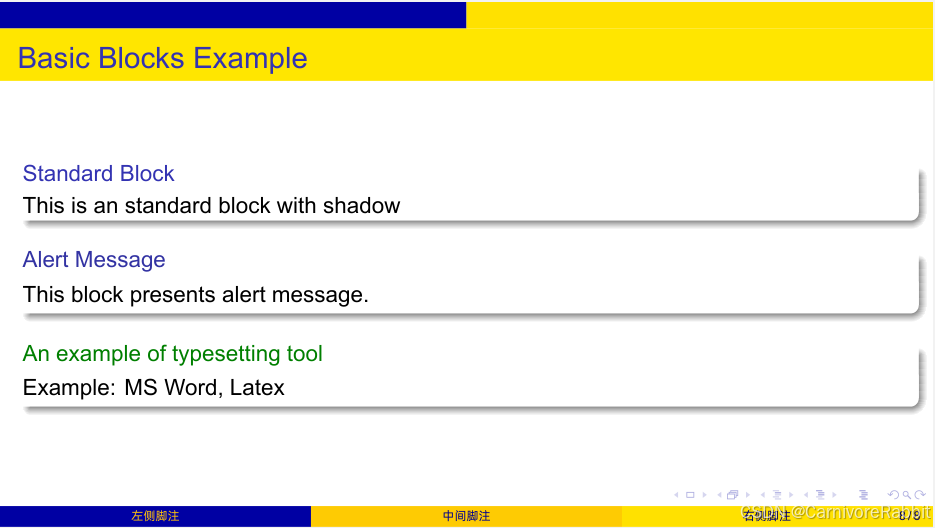
我们可以改变块的形状,通过尝试以下的命令:\setbeamertemplate{blocks}[Options]。这里有一些预定义的选项:
[default]:默认的样式把block的标题打在线上;[rounded]:令block块的角成为圆角;[shadow=true]:如果阴影值设定为true,那么块就将产生阴影。
以下是一个用来说明的示例:
% Customize blocks
\documentclass{beamer}


% Default style
%\setbeamertemplate{blocks}[default]

% Shadow mode of blocks
\setbeamertemplate{blocks}[rounded][shadow=true]

\begin{document}

\begin{frame}{Basic Blocks Example}

\begin{block}{Standard Block}
    This is an standard block with shadow
\end{block}

\begin{alertblock}{Alert Message}
    This block presents alert message.
\end{alertblock}

\begin{exampleblock}{An example of typesetting tool}
    Example: MS Word, Latex
\end{exampleblock}

\end{frame}

\end{document}
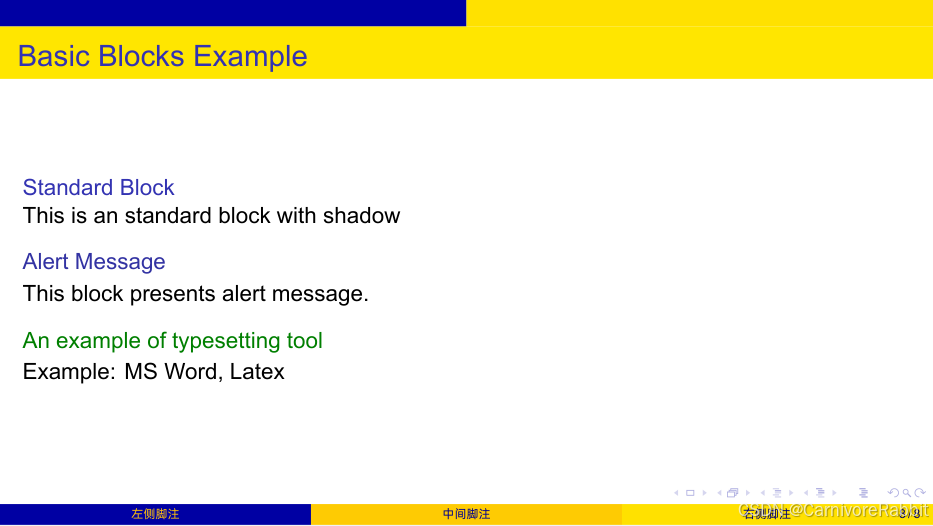
5 改变块的颜色
前面我们提过,块的样式依赖于主题。在接下来的内容中,我们学习如何在不改变主题的情况下改变块的颜色。
在每个block中(例如alertblock),我们分为两个部分:标题部分和块体。对每个部分,我们可以改变它的背景颜色以及前景颜色。这些选项可以通过命令\setbeamercolor来指定。
在接下来的示例中,我们改变了标准块、警告块和示例块的颜色:
最终的效果应该如下:
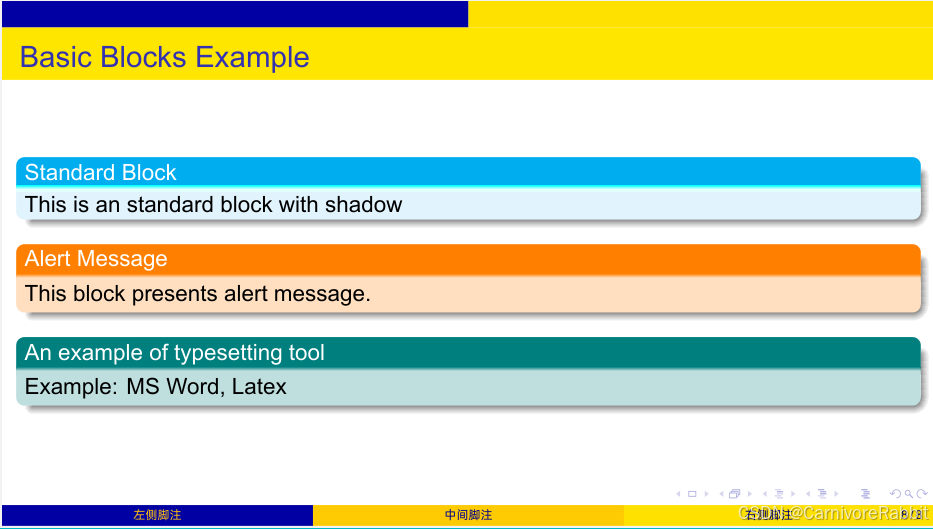
- 首先是改变标准块的颜色
% Change standard block colors

% 1- Block title (background and text)
\setbeamercolor{block title}{bg=cyan, fg=white}

% 2- Block body (background)
\setbeamercolor{block body}{bg=cyan!10}
- 接下来是改变警告块的颜色
% Change alert block colors

% 1- Block title (background and text)
\setbeamercolor{block title alerted}{fg=white, bg=orange}

% 2- Block body (background)
\setbeamercolor{block body alerted}{bg=orange!25}
- 最后是改变示例块的颜色
% Change example block colors

% 1- Block title (background and text)
\setbeamercolor{block title example}{fg=white, bg=teal}

% 2- Block body (background)
\setbeamercolor{block body example}{bg=teal!25}
完整代码如下:
% Change color of Beamer blocks
\documentclass{beamer}

% Change example block colors

% 1- Block title (background and text)
\setbeamercolor{block title example}{fg=white, bg=teal}

% 2- Block body (background and text)
\setbeamercolor{block body example}{ bg=teal!25}

% Change alert block colors

% 1- Block title (background and text)
\setbeamercolor{block title alerted}{fg=white, bg=orange}

% 2- Block body (background and text)
\setbeamercolor{block body alerted}{ bg=orange!25}

% Change standard block colors

% 1- Block title (background and text)
\setbeamercolor{block title}{bg=cyan, fg=white}

% 2- Block body (background)
\setbeamercolor{block body}{bg=cyan!10}

\begin{document}

\begin{frame}{Basic Blocks Example}

\begin{block}{Standard block}
    Observation through sound or listening can tell us about our surrounding environment.
\end{block}

\begin{alertblock}{Alert block}
    A-weighting mirrors the range of hearing, with frequencies of 20 Hz to 20,000 Hz.
\end{alertblock}

\begin{exampleblock}{Example block}
    Recommendations for leisure noise in 2018 were conditional and based on the equivalent sound pressure level during an average 24 hour period in a year without weights for nighttime noise.
\end{exampleblock}

\end{frame}

\end{document}
总结
- Beamaer提供不同种的块来高亮想法和呈现结果。其中包括标准块、警告块和示例块;
- 对于数学类ppt来说,我们也有定理块、推论块、证明块、引理块以及更多!
- 我们能通过
\setbeamercolor命令来改变块的标题及块体颜色; - 我们还可以通过
\setbeamertemplate命令来改变块的样式:包括圆角和阴影。







 扫一扫
扫一扫


【5】&spm=1001.2101.3001.5002&articleId=149150695&d=1&t=3&u=b3d3a36e95424ea8855c02869b6bd89e)
 4万+
4万+

 被折叠的 条评论
为什么被折叠?
被折叠的 条评论
为什么被折叠?
 到【灌水乐园】发言





