



 本文介绍了解决Android Studio中因Gradle编译导致的内存溢出错误的方法。通过修改gradle.properties文件中的JVM参数,可以有效地提高分配给Gradle的内存限制,从而避免出现OutOfMemoryError异常。
android Studio 采用Grale编译,项目比较多出现了
Error:java.lang.OutOfMemoryError: Java heap space . Please assign more memory to Gradle in the project's gradle.properties file. For example, the following line, in the gradle.properties file, sets the maximum
Java heap size to 1,024 MB
根据提示找到项目中的gradle.properties
将这行取消注释 或者添加上
org.gradle.jvmargs=-Xmx2048m -XX:MaxPermSize=512m -XX:+HeapDumpOnOutOfMemoryError -Dfile.encoding=UTF-8
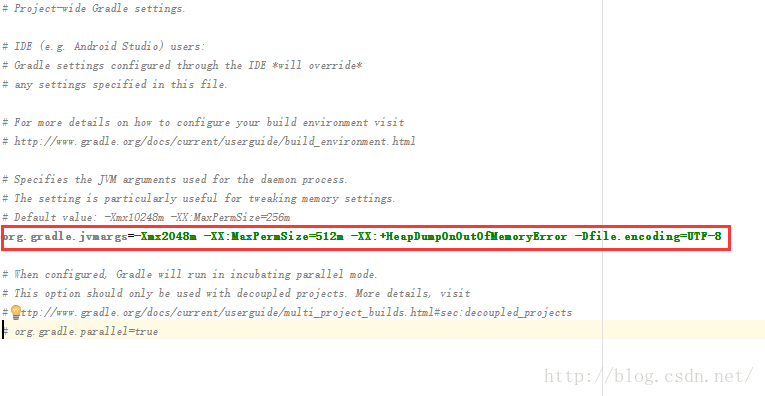
试试重新编译项目,有没有搞定,是不是很简单
更多参考:
http://www.mkyong.com/eclipse/eclipse-java-lang-outofmemoryerror-java-heap-space/
http://outofmemory.cn/c/java-outOfMemoryError





 扫一扫
扫一扫


 131
131

 被折叠的 条评论
为什么被折叠?
被折叠的 条评论
为什么被折叠?
 到【灌水乐园】发言





