



 本文介绍如何使用SmartInstallMaker将Unity发布的PC平台exe文件和Data目录打包成单一的Setup.exe安装程序,包括下载、常规设置、文件设置、设置图标、保存配置和执行编译等步骤。
文章目录
一. 前言
Unity发布发布PC平台exe的时候,是生成一个Data目录和一个exe文件,如下:
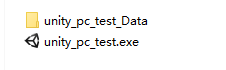
而一般软件发布的时候,是只有一个Setup.exe这样子的安装程序,可以使用Smart Install Maker这个软件来制作这个Setup.exe程序。
二. Smart Install Maker下载
三. Smart Install Maker的使用
1. 常规设置
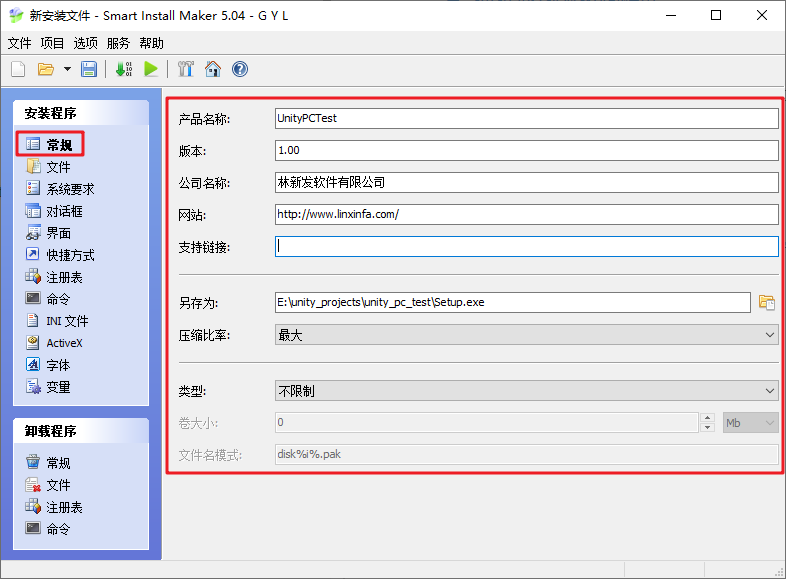
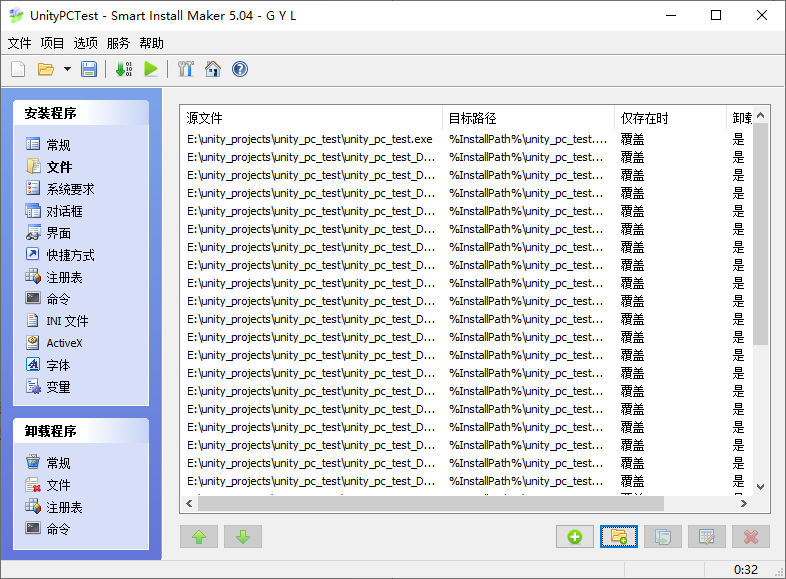
2. 文件设置
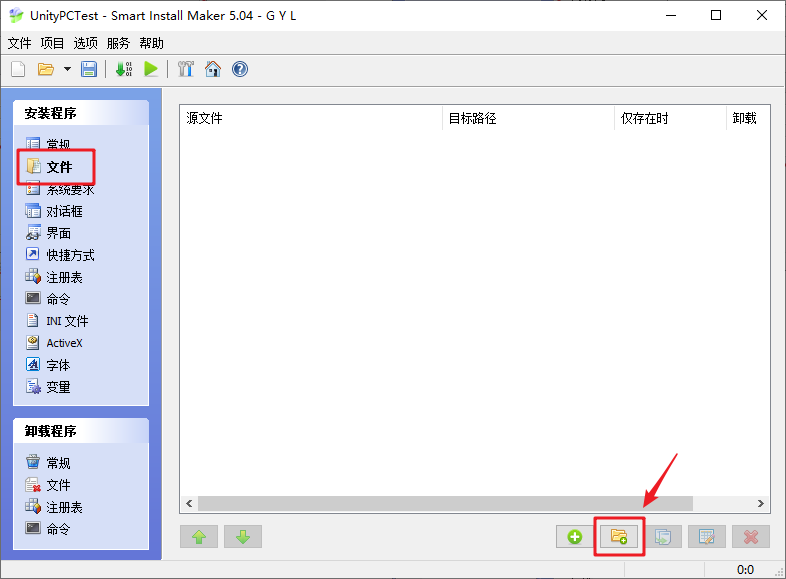
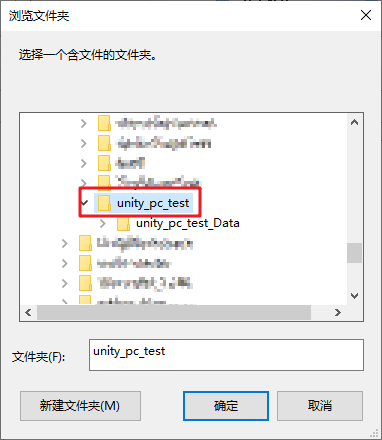
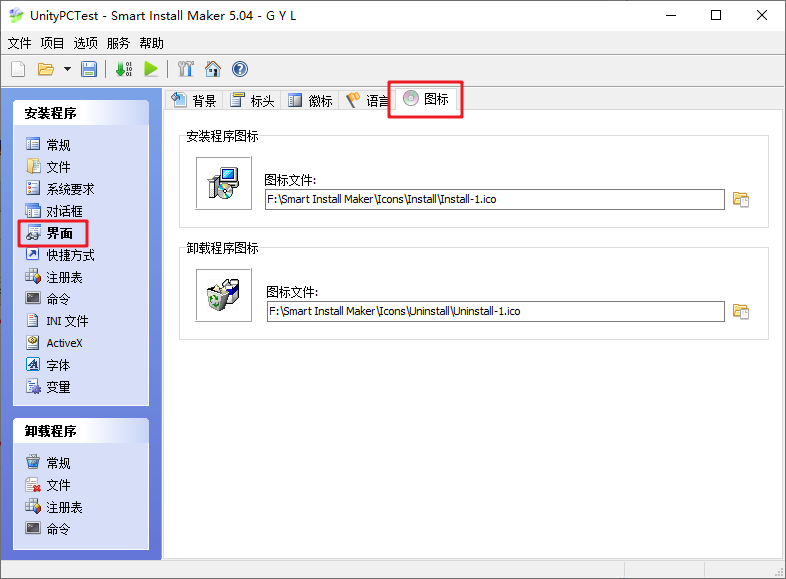
3. 设置图标
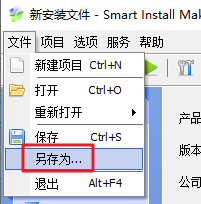
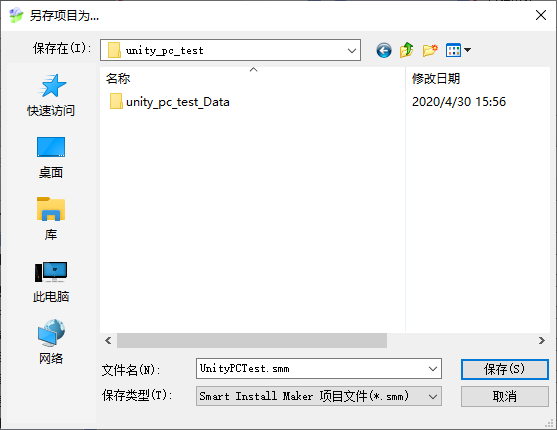
4. 保存smm文件
设置好之后,建议保存smm文件,方便下次读取
5. 开始执行
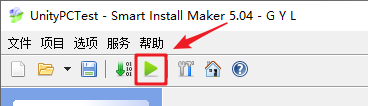
成功后,即可得到一个Setup.exe安装程序
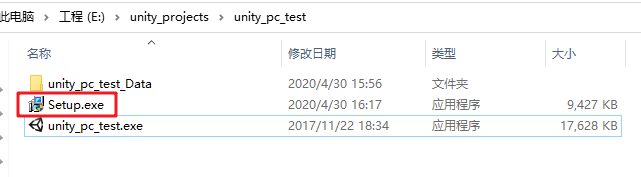
我们只需要把这个Setup.exe发布出去即可。
四. 命令行
Smart Install Maker提供了简单的命令行功能。
/build FileName
Compile the project. FileName - the name of the project.

/open FileName
Open the project in the editor. FileName - the name of the project.

Example:
sim.exe /build C:\Projects\My_Setup.smm

sim.exe /open C:\Projects\My_Setup.smm


 扫一扫
扫一扫


 被折叠的 条评论
为什么被折叠?
被折叠的 条评论
为什么被折叠?
 到【灌水乐园】发言


