



最近在研究OpenGL这个库,进而学习学习关于计算机图形学相关的知识。本文主要介绍的是关于在Mac m系列下的环境搭建问题。其他的例如win或者Linux环境的搭建,请参考对应的文章。
环境
笔者的环境是Macbook m2的pc环境
以及clion的开发IDE
安装GLFW和GLEW环境
通常macbook环境中是自带glfw的,但是为了防止有丢失的问题。可以参考下下面的安装命令进行重新安装:
brew install glfw
brew install glew
由于笔这边已经安装好了,就不做演示了
查看GLFW和GLEW的安装路径
使用如下的命令进行查看
brew info glfw
brew info glew
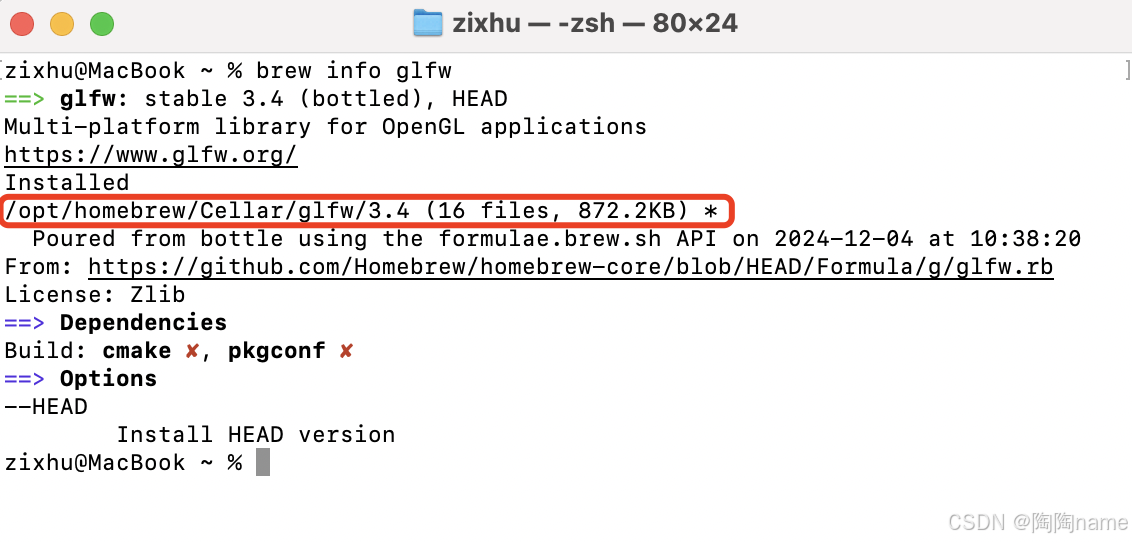
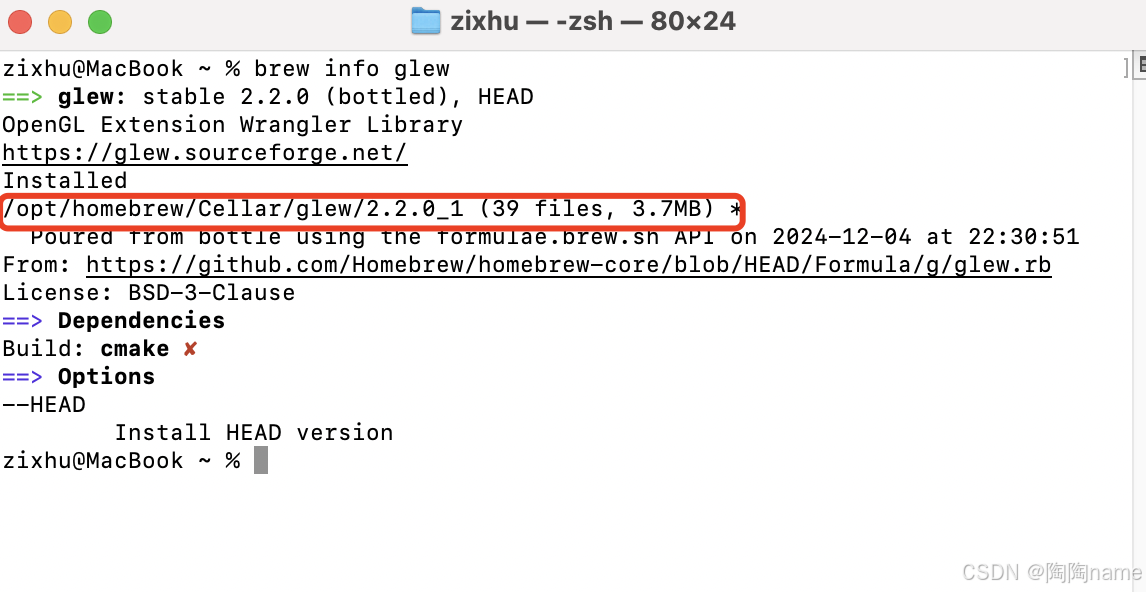
值得注意的是这里可以看到他们是存在opt/homebrew的目录下的,而不是usr/local目录下的
配置Clion
新创建一个项目,这里就叫做openGL好了
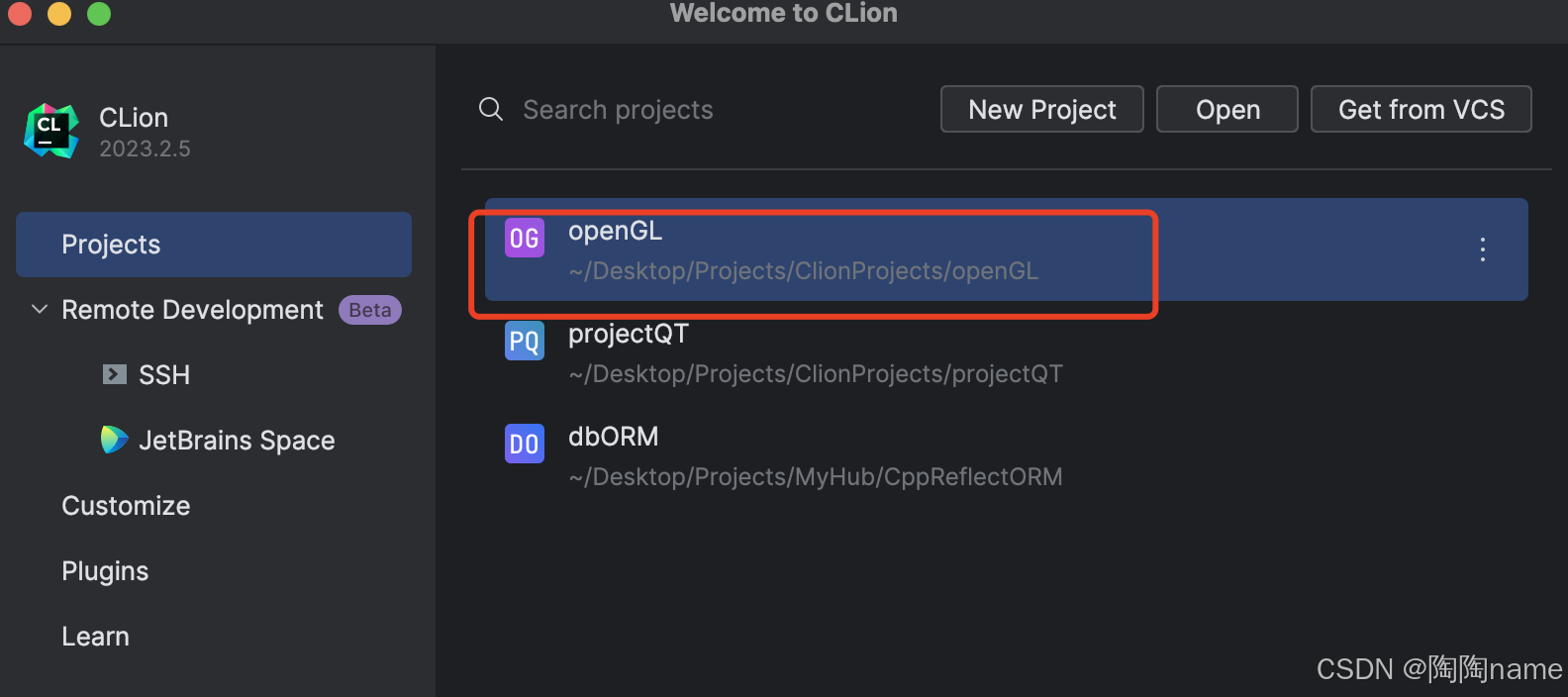
创建好了项目以后,就是需要进行CMakeLists.txt的配置了
具体的配置内容如下所示:
cmake_minimum_required(VERSION 3.26)
project(openGL)

# 使用 C++20 标准
set(CMAKE_CXX_STANDARD 20)

# 创建可执行文件
add_executable(openGL main.cpp)

# 手动指定 GLEW 和 GLFW 的头文件路径
include_directories(
        /opt/homebrew/Cellar/glew/2.2.0_1/include/GL
        /opt/homebrew/Cellar/glfw/3.4/include/GLFW
)

# 手动指定 GLEW 和 GLFW 的库路径
link_directories(
        /opt/homebrew/Cellar/glew/2.2.0_1/lib
        /opt/homebrew/Cellar/glfw/3.4/lib
)

# 链接库
target_link_libraries(openGL
        /opt/homebrew/Cellar/glew/2.2.0_1/lib/libGLEW.2.2.dylib
        /opt/homebrew/Cellar/glfw/3.4/lib/libglfw.3.dylib
)

# macOS 下链接 OpenGL 和 GLUT 框架
if (APPLE)
    target_link_libraries(openGL "-framework OpenGL")
    target_link_libraries(openGL "-framework GLUT")
endif()

# 可选:检查并输出找到的库路径
message(STATUS "GLEW include dirs: /opt/homebrew/Cellar/glew/2.2.0_1/include/GL")
message(STATUS "GLEW libraries: /opt/homebrew/Cellar/glew/2.2.0_1/lib/libGLEW.2.2.dylib")
message(STATUS "GLFW include dirs: /opt/homebrew/Cellar/glfw/3.4/include/GLFW")
message(STATUS "GLFW libraries: /opt/homebrew/Cellar/glfw/3.4/lib/libglfw.3.dylib")
上面的配置环境可以当作参考,不同的可能就是其中的glew以及glfw的版本不同,读者可以进行相应的修改就可以了。
测试环境
下面准备了一个绘制三角形的代码,把代码copy到main.cpp中即可了:
#include <iostream>
#include <glew.h>
#include <glfw3.h>

using namespace std;

void key_callback(GLFWwindow* window, int key, int scancode, int action, int mode)
{
    //If you press ESC and set windowShouldClose to True, the outer loop will close the application
    if(key==GLFW_KEY_ESCAPE && action == GLFW_PRESS)
        glfwSetWindowShouldClose(window, GL_TRUE);
    std::cout<<"ESC"<<mode;
}

int main()
{
    if(!glfwInit())
        return -1;
    //Create window and context
    GLFWwindow* window = glfwCreateWindow(640, 480, "hello world", NULL, NULL);
    if(!window)
    {
        //Create failure will return NULL
        glfwTerminate();
    }
    glfwMakeContextCurrent(window);

    glfwSetKeyCallback(window, key_callback); //Register callback function
    while(!glfwWindowShouldClose(window))
    {
        glfwPollEvents();

        glClearColor(0.2, 0.3, 0.3, 1);
        glClear(GL_COLOR_BUFFER_BIT);

        glBegin(GL_TRIANGLES);
        glColor3f(1, 0, 0); //Red
        glVertex3f(0, 1, 1);

        glColor3f(0, 1, 0); //Green
        glVertex3f(-1, -1, 0);

        glColor3f(0, 0, 1); //Blue
        glVertex3f(1, -1, 0);
        //End a drawing step
        glEnd();

        glBegin(GL_POLYGON);
        //Draw another trapezoid, you need to pay attention to the stroke order
        glColor3f(0.5, 0.5, 0.5); //Grey
        glVertex2d(0.5, 0.5);
        glVertex2d(1, 1);
        glVertex2d(1, 0);
        glVertex2d(0.5, 0);
        glEnd();


        /******Exchange buffer, update the content on the window******/
        glfwSwapBuffers(window);
    }
    glfwTerminate();
    return 0;
}
最终的执行结果,你可以看到如下的图形:
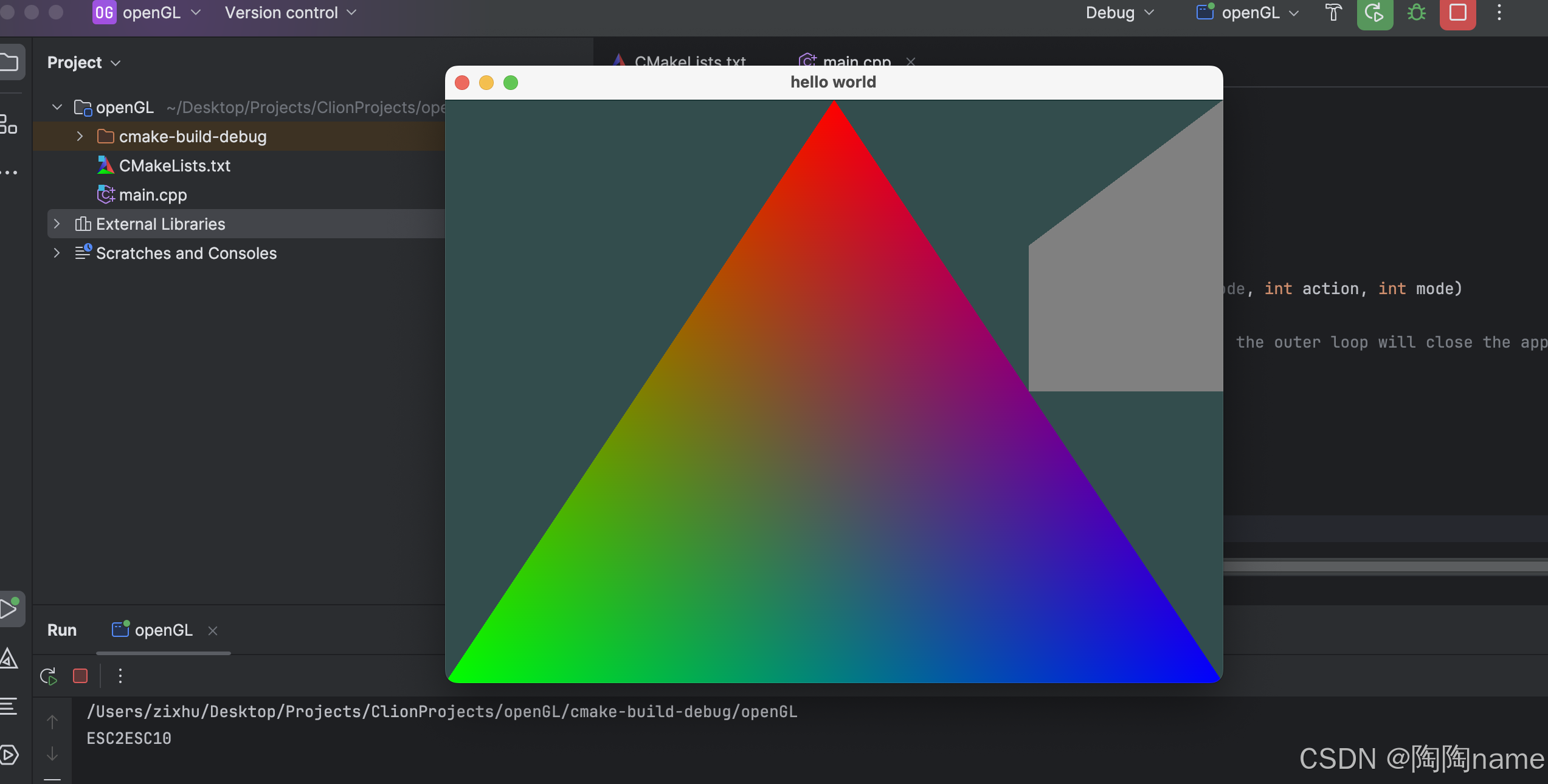
如果出现了上述的图形的话,则表明咱们配置的环境是没有问题的。
好了,咱们今天的分享就到这里了。





 扫一扫
扫一扫


 2885
2885

 被折叠的 条评论
为什么被折叠?
被折叠的 条评论
为什么被折叠?
 到【灌水乐园】发言





