



 本文详细介绍了Nginx的安装过程,包括必要的依赖库安装,如zlib、openssl和pcre,以及如何通过源码编译隐藏Nginx版本信息。同时,提供了Nginx的一些基础命令,如配置测试、重启、关闭和服务状态检查。
目录
简介
最主流的web服务器之一,目前强势压apache,并发高,响应快,390,腾讯,阿里等都在用,nb,感谢俄罗斯大佬。
Nginx优点
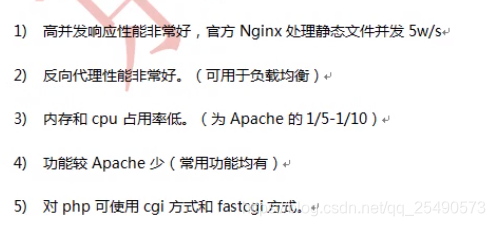
安装
nginx下载地址:http://nginx.org/en/download.html
查看zlib是否安装:dpkg -l | grep zlib 安装命令:sudo apt-get install zlib1g-dev
安装openssl:sudo apt-get install openssl libssl-dev
安装pcre:sudo apt-get install libpcre3 libpcre3-dev
安装pcre库支持rewrite,也可以安装源码,安装源码时需要制定pcre路径为解压源码的路径,而不是编译后的路径,否则会报错
隐藏Nginx版本信息:cd nginx-1.4.7
sed -i -e 's/1.4.7//g' -e 's/nginx\//WS/g' -e 's/"NGINX"/"WS"/g' src/core/nginx.h
或者如下操作:
1,修改src/core/nginx.h(Nginx内部名称的)
    #define NGINX_VERSION "1.12.0"
    #define NGINX_VER "nginx/" NGINX_VERSION

2,修改src/http/ngx_http_header_filter_module.c(HTTP ResponseHeader)
    static u_char ngx_http_server_string[] = "Server: nginx" CRLF

3,修改src/http/ngx_http_special_response.c(修改错误页的底部Footer)
    static u_char ngx_http_error_tail[] = 下的nginx信息
预编译命令:
useradd www ;./configure --user=www --group=www --prefix=/usr/local/nginx --with-http_stub_status_module --with-http_ssl_module
确定用户 组 访问状态  s加密等  注意修改路径
安装 :make&&make install
检查配置命令:/usr/local/nginx/sbin/nginx -t 会提示: xxxx...is successful
启动命令:/usr/local/nginx/sbin/nginx 默认端口80
用浏览器访问本机地址:http://192.168.0.127 显示下图,说明安装ok
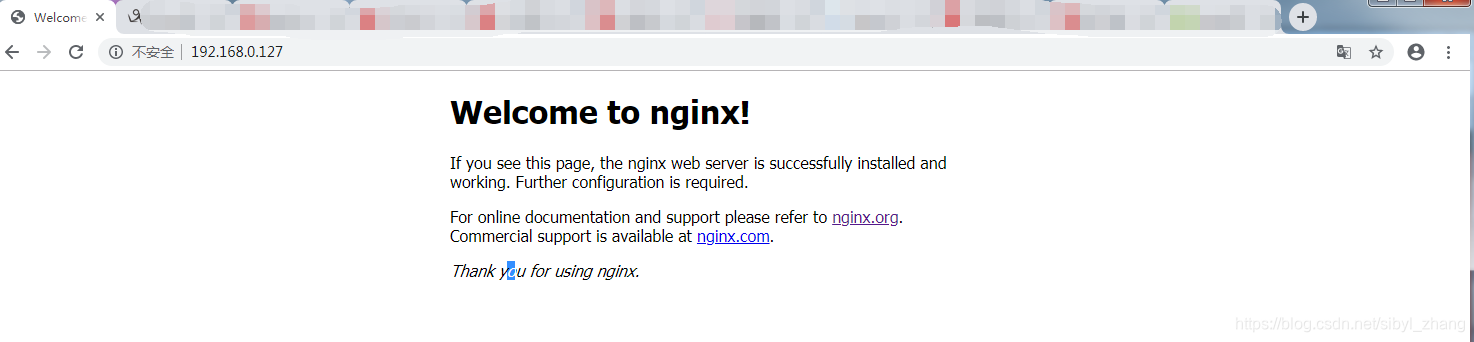
如果不ok,返回服务器,关闭防火墙
查看防火墙状态ufw status inactive状态是防火墙关闭状态 active是开启状态
ufw enable开启防火墙 ufw disable关闭防火墙
重新连接,成功
一些基础命令
测试配置:/usr/local/nginx/sbin/nginx -t
重启命令:/usr/local/nginx/sbin/nginx -s reload
pid关闭命令:kill -9 xxxx
名字关闭:pkill -9 nginx
查看版本:/usr/local/nginx/sbin/nginx -v
查看安装config:/usr/local/nginx/sbin/nginx -V


 扫一扫
扫一扫


基础&spm=1001.2101.3001.5002&articleId=102701183&d=1&t=3&u=fd387582dd2b41a8851336f7d5f831e7)
 3414
3414

 被折叠的 条评论
为什么被折叠?
被折叠的 条评论
为什么被折叠?
 到【灌水乐园】发言


