


一、环境准备
1.需要安装 gcc 的环境
yum install gcc-c++

2.第三方的开发包PCRE
PCRE(Perl Compatible Regular Expressions)是一个 Perl 库,包括 perl 兼容的正则表达式库。nginx 的 http 模块使用 pcre 来解析正则表达式,所以需要在 linux 上安装 pcre 库。
注意:pcre-devel 是使用 pcre 开发的一个二次开发库,nginx 也需要此库。
yum install -y pcre pcre-devel

3.linux 上安装 zlib 库
zlib 库提供了很多种压缩和解压缩的方式,nginx 使用 zlib 对 http 包的内容进行 gzip,所以需要在 linux 上安装 zlib 库。
yum install -y zlib zlib-devel

4.linux 上安装 OpenSSL
OpenSSL 是一个强大的安全套接字层密码库,囊括主要的密码算法、常用的密钥和证书封装管理功能及 SSL 协议,并提供丰富的应用程序供测试或其它目的使用。nginx 不仅支持 http 协议,还支持 https(即在 ssl 协议上传输 http),所以需要在 linux安装 openssl 库。
yum install -y openssl openssl-devel

二、Nginx下载
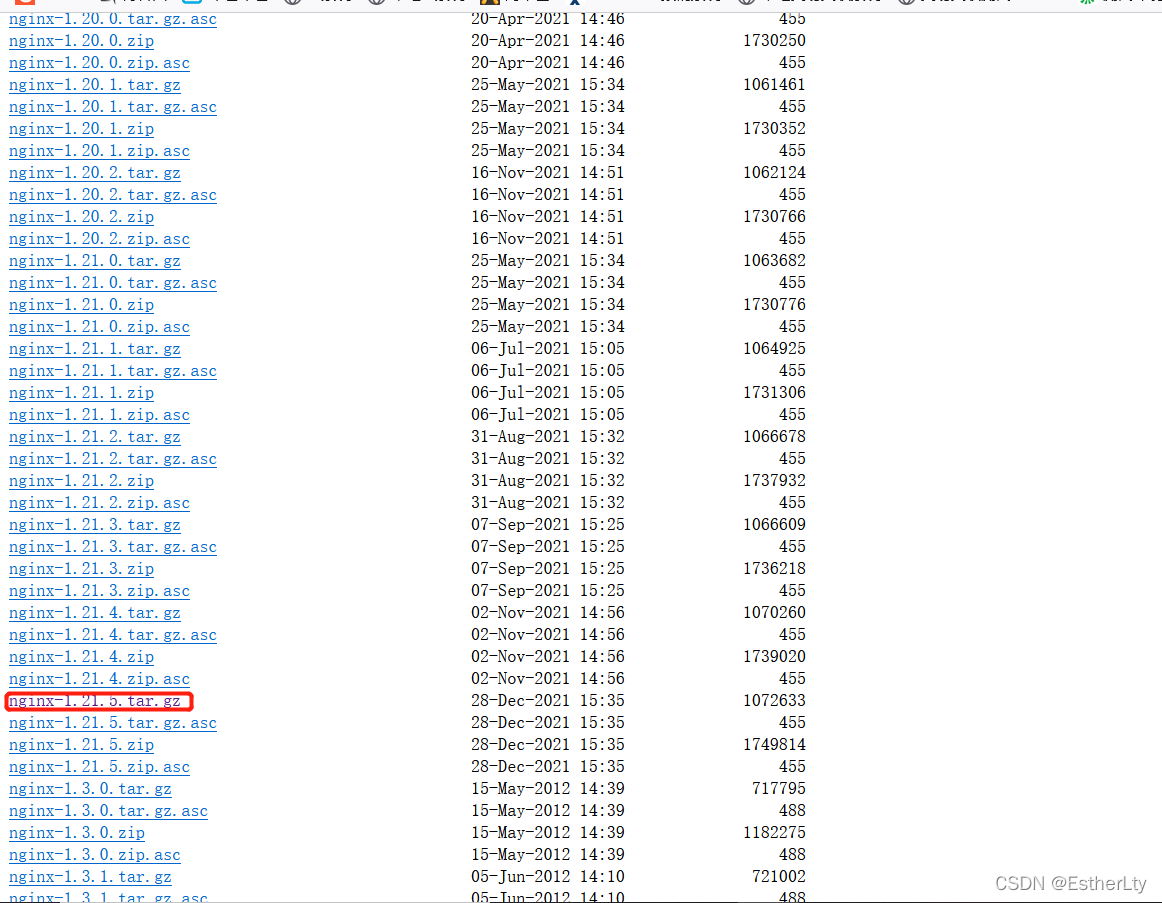
Linux版本官方网站下载:http://nginx.org/download/
三、Nginx安装
1.把 nginx 的源码包nginx-1.21.5.tar.gz上传到 linux 系统
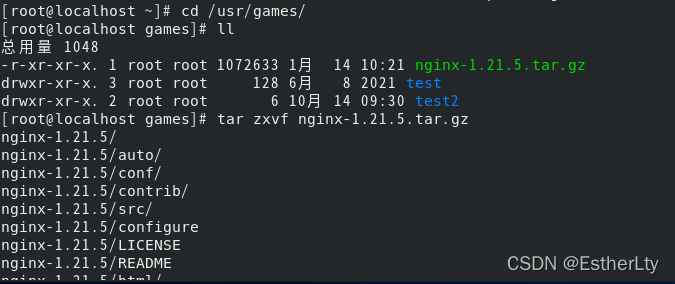
用winscp或者Xshell将nginx-1.21.5.tar.gz上传
2.解压缩
tar zxvf nginx-1.21.5.tar.gz
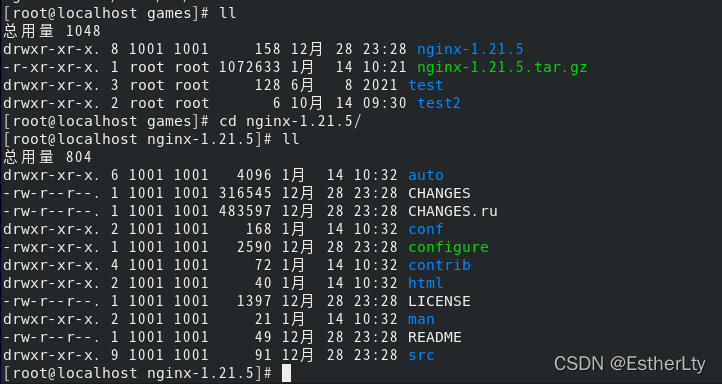
3.进入nginx-1.21.5目录 使用 ./configure 命令创建makeFile 文件,默认安装在/usr/local/nginx/下。如果需要指定安装目录使用命令./configure --prefix=安装目录
./configure 或 ./configure --prefix=/app/nginx
注意: 如果需要开始https支持,这里请不要直接执行./configure,即不要直接执行该脚本,而是在该脚本后面加上SSL模块执行如下命令./configure --with-http_ssl_module 。
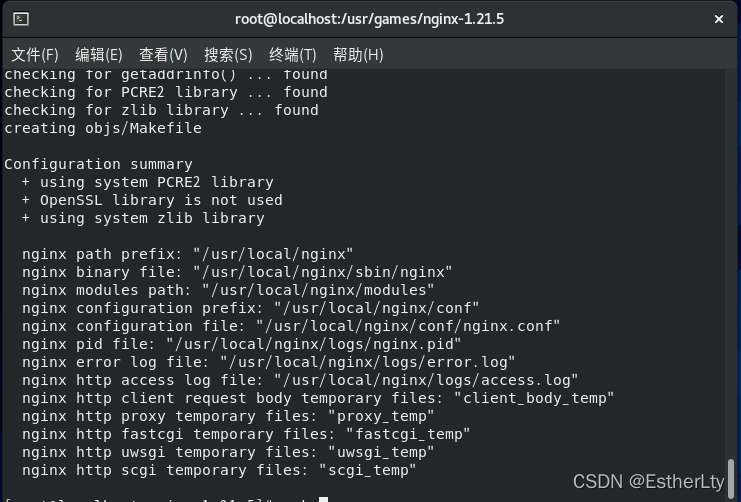
Makefile是一种配置文件, Makefile 一个工程中的源文件不计数,其按类型、功能、模块分别放在若干个目录中,makefile定义了一系列的规则来指定,哪些文件需要先编译,哪些文件需要后编译,哪些文件需要重新编译,甚至于进行更复杂的功能操作,因为 makefile就像一个Shell脚本一样,其中也可以执行操作系统的命令。
configure参数:
./configure
--prefix=/usr                                                        指向安装目录
--sbin-path=/usr/sbin/nginx                                 指向(执行)程序文件(nginx)
--conf-path=/etc/nginx/nginx.conf                       指向配置文件
--error-log-path=/var/log/nginx/error.log              指向log
--http-log-path=/var/log/nginx/access.log            指向http-log
--pid-path=/var/run/nginx/nginx.pid                     指向pid
--lock-path=/var/lock/nginx.lock                         (安装文件锁定,防止安装文件被别人利用,或自己误操作。)
--user=nginx
--group=nginx
--with-http_ssl_module                                             启用ngx_http_ssl_module支持(使支持https请求,需已安装openssl)
--with-http_flv_module                       	                    启用ngx_http_flv_module支持(提供寻求内存使用基于时间的偏移量文件)
--with-http_stub_status_module                               启用ngx_http_stub_status_module支持(获取nginx自上次启动以来的工作状态)
--with-http_gzip_static_module                                 启用ngx_http_gzip_static_module支持(在线实时压缩输出数据流)
--http-client-body-temp-path=/var/tmp/nginx/client/  设定http客户端请求临时文件路径
--http-proxy-temp-path=/var/tmp/nginx/proxy/          设定http代理临时文件路径
--http-fastcgi-temp-path=/var/tmp/nginx/fcgi/           设定http fastcgi临时文件路径
--http-uwsgi-temp-path=/var/tmp/nginx/uwsgi         设定http uwsgi临时文件路径
--http-scgi-temp-path=/var/tmp/nginx/scgi               设定http scgi临时文件路径
--with-pcre 												     启用pcre库
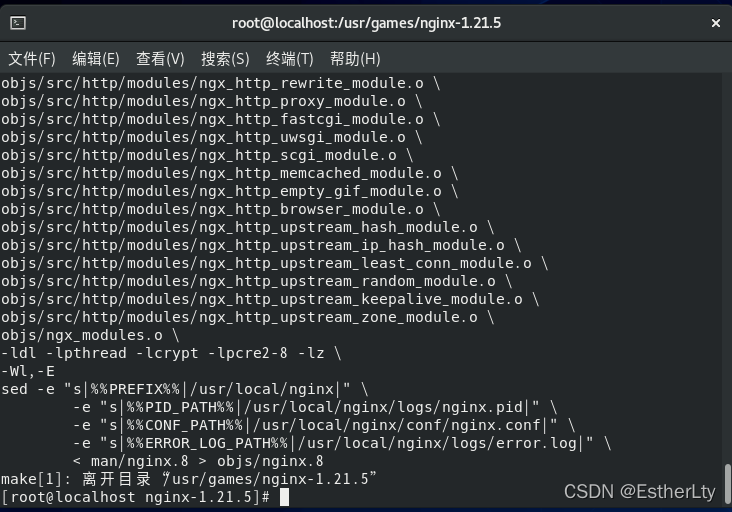
4.编译Nginx
make
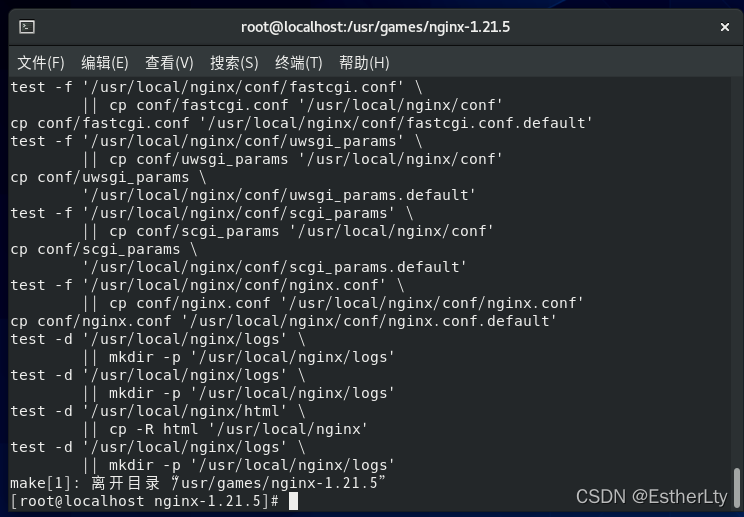
5.安装Nginx
make install
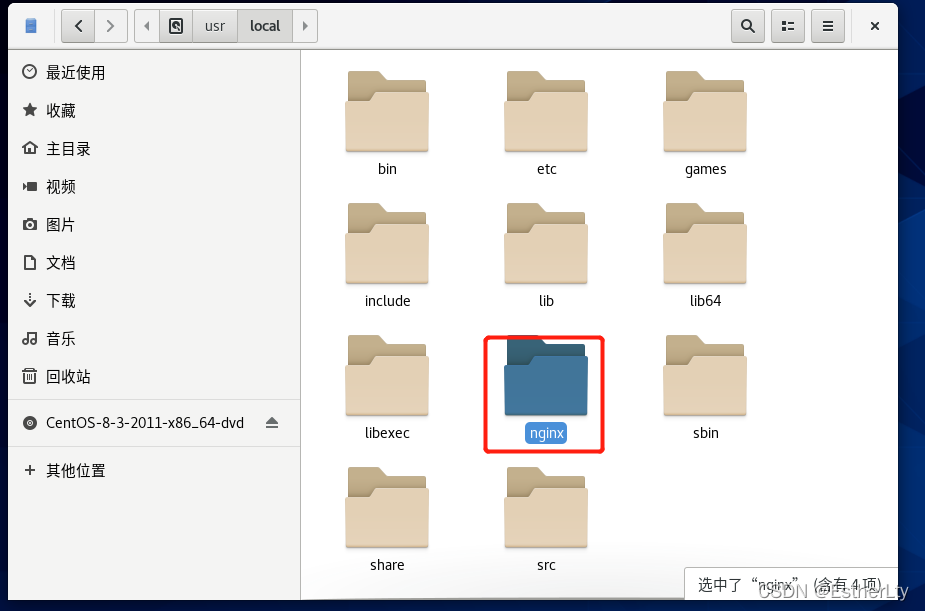
这时候进入/usr/local目录,就会发现多了nginx目录
三、启动Nginx
1.进入到Nginx目录下的sbin目录
cd /usr/local/nginx/sbin/
2. 输入命令启动Nginx
./nginx
3.启动后查看进程
ps aux|grep nginx

其他命令:
关闭 nginx:
./nginx -s stop 或者 ./nginx -s quit

重启 nginx:
./nginx -s reload
四、访问Nginx
1.查看虚拟机IP
ifconfig
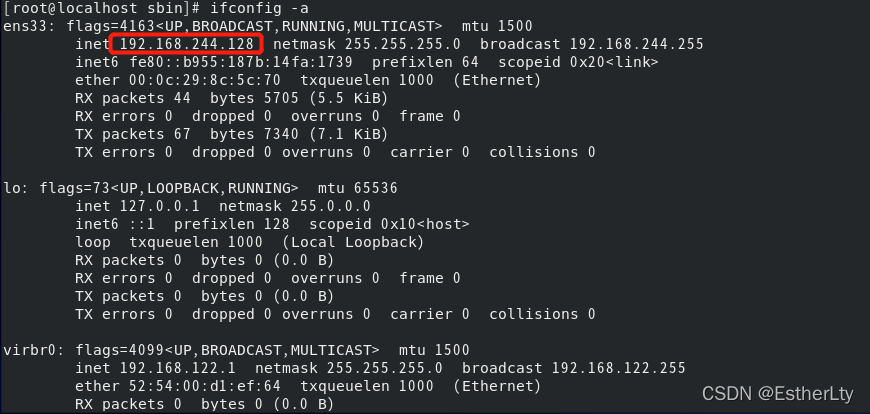
注意: 因为我使用的linux系统版本是CentOS7,服务器的80端口是打不开的。所以可以在服务器中执行如下命令来验证firewall-cmd --query-port=80/tcp。

开启80端口:
firewall-cmd --add-port=80/tcp --permanent
#重启防火墙
systemctl restart firewalld

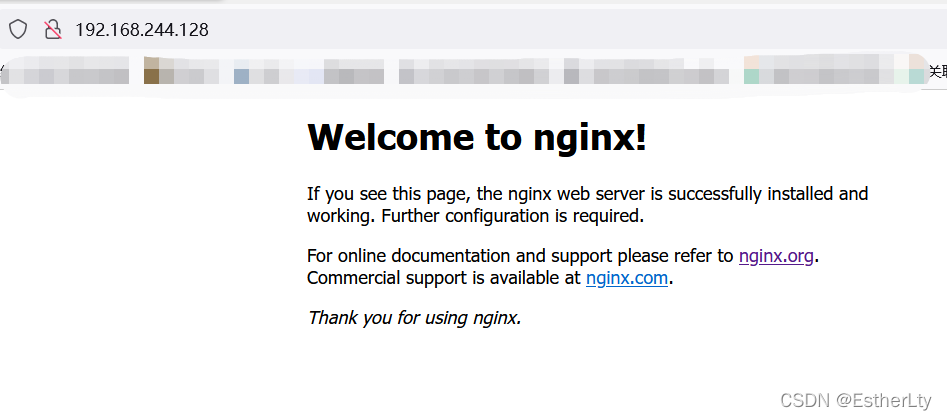
2.地址栏输入虚拟机的IP即可访问(默认为80端口)。

 9824
9824


 扫一扫
扫一扫


 被折叠的 条评论
为什么被折叠?
被折叠的 条评论
为什么被折叠?
 到【灌水乐园】发言


