


 博客记录了npm相关操作,包括解决node - sass安装报错的配置,设置淘宝镜像源,执行npm install进行安装,以及使用npm run dev启动项目,最后给出项目访问地址http://127.0.0.1:8090。
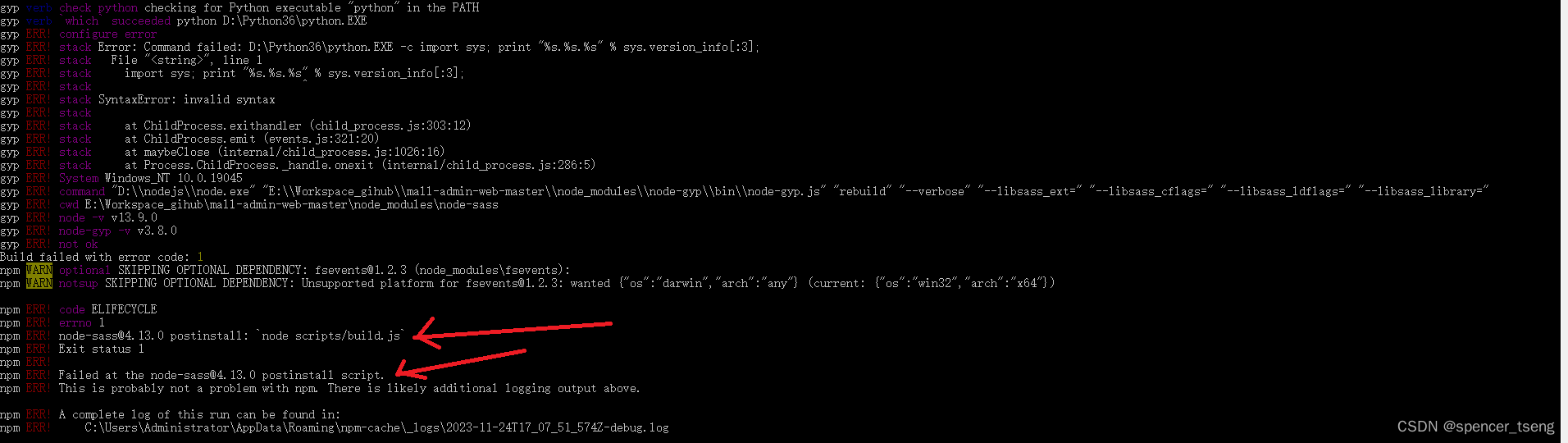
npm ERR! node-sass@4.13.0 postinstall: `node scripts/build.js`
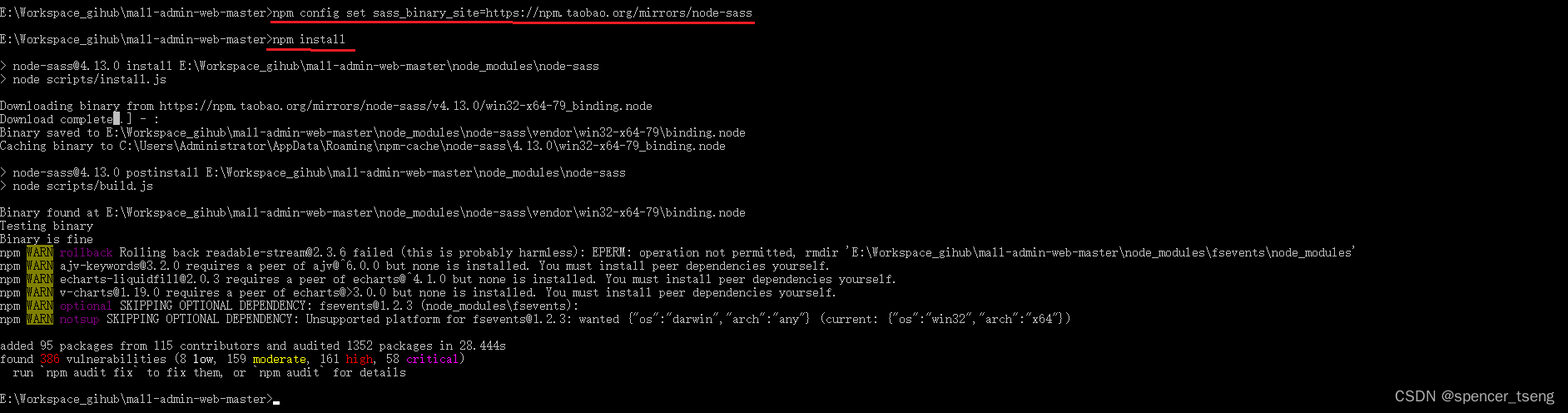
npm config set sass_binary_site=https://npm.taobao.org/mirrors/node-sass
npm install
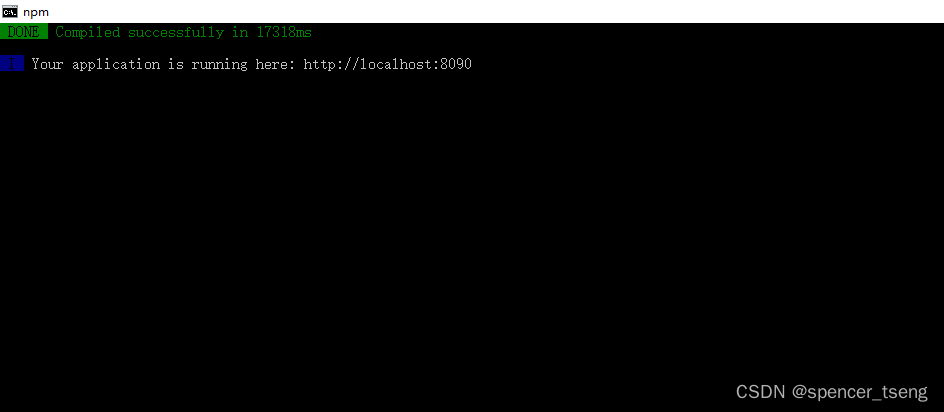
npm run dev
Microsoft Windows [版本 10.0.19045.2965]
(c) Microsoft Corporation。保留所有权利。

C:\Users\Administrator>e:

E:\>
E:\>CD E:\Workspace_zwf\mall


E:\Workspace_zwf\mall>npm install

> node-sass@4.13.0 install E:\Workspace_zwf\mall\node_modules\node-sass
> node scripts/install.js

Downloading binary from https://github.com/sass/node-sass/releases/download/v4.13.0/win32-x64-79_binding.node
Cannot download "https://github.com/sass/node-sass/releases/download/v4.13.0/win32-x64-79_binding.node":

connect ECONNREFUSED 185.199.108.133:443

Hint: If github.com is not accessible in your location
      try setting a proxy via HTTP_PROXY, e.g.

      export HTTP_PROXY=http://example.com:1234

or configure npm proxy via

      npm config set proxy http://example.com:8080

> uglifyjs-webpack-plugin@0.4.6 postinstall E:\Workspace_zwf\mall\node_modules\webpack\node_modules\uglifyjs-webpack-plugin
> node lib/post_install.js


> node-sass@4.13.0 postinstall E:\Workspace_zwf\mall\node_modules\node-sass
> node scripts/build.js

Building: D:\nodejs\node.exe E:\Workspace_zwf\mall\node_modules\node-gyp\bin\node-gyp.js rebuild --verbose --libsass_ext= --libsass_cflags= --libsass_ldflags= --libsass_library=
gyp info it worked if it ends with ok
gyp verb cli [
gyp verb cli   'D:\\nodejs\\node.exe',
gyp verb cli   'E:\\Workspace_gihub\\mall-admin-web-master\\node_modules\\node-gyp\\bin\\node-gyp.js',
gyp verb cli   'rebuild',
gyp verb cli   '--verbose',
gyp verb cli   '--libsass_ext=',
gyp verb cli   '--libsass_cflags=',
gyp verb cli   '--libsass_ldflags=',
gyp verb cli   '--libsass_library='
gyp verb cli ]
gyp info using node-gyp@3.8.0
gyp info using node@13.9.0 | win32 | x64
gyp verb command rebuild []
gyp verb command clean []
gyp verb clean removing "build" directory
gyp verb command configure []
gyp verb check python checking for Python executable "python2" in the PATH
gyp verb `which` failed Error: not found: python2
gyp verb `which` failed     at getNotFoundError (E:\Workspace_zwf\mall\node_modules\which\which.js:13:12)
gyp verb `which` failed     at F (E:\Workspace_zwf\mall\node_modules\which\which.js:68:19)
gyp verb `which` failed     at E (E:\Workspace_zwf\mall\node_modules\which\which.js:80:29)
gyp verb `which` failed     at E:\Workspace_zwf\mall\node_modules\which\which.js:89:16
gyp verb `which` failed     at E:\Workspace_zwf\mall\node_modules\isexe\index.js:42:5
gyp verb `which` failed     at E:\Workspace_zwf\mall\node_modules\isexe\windows.js:36:5
gyp verb `which` failed     at FSReqCallback.oncomplete (fs.js:170:21)
gyp verb `which` failed  python2 Error: not found: python2
gyp verb `which` failed     at getNotFoundError (E:\Workspace_zwf\mall\node_modules\which\which.js:13:12)
gyp verb `which` failed     at F (E:\Workspace_zwf\mall\node_modules\which\which.js:68:19)
gyp verb `which` failed     at E (E:\Workspace_zwf\mall\node_modules\which\which.js:80:29)
gyp verb `which` failed     at E:\Workspace_zwf\mall\node_modules\which\which.js:89:16
gyp verb `which` failed     at E:\Workspace_zwf\mall\node_modules\isexe\index.js:42:5
gyp verb `which` failed     at E:\Workspace_zwf\mall\node_modules\isexe\windows.js:36:5
gyp verb `which` failed     at FSReqCallback.oncomplete (fs.js:170:21) {
gyp verb `which` failed   stack: 'Error: not found: python2\n' +
gyp verb `which` failed     '    at getNotFoundError (E:\\Workspace_gihub\\mall-admin-web-master\\node_modules\\which\\which.js:13:12)\n' +
gyp verb `which` failed     '    at F (E:\\Workspace_gihub\\mall-admin-web-master\\node_modules\\which\\which.js:68:19)\n' +
gyp verb `which` failed     '    at E (E:\\Workspace_gihub\\mall-admin-web-master\\node_modules\\which\\which.js:80:29)\n' +
gyp verb `which` failed     '    at E:\\Workspace_gihub\\mall-admin-web-master\\node_modules\\which\\which.js:89:16\n' +
gyp verb `which` failed     '    at E:\\Workspace_gihub\\mall-admin-web-master\\node_modules\\isexe\\index.js:42:5\n' +
gyp verb `which` failed     '    at E:\\Workspace_gihub\\mall-admin-web-master\\node_modules\\isexe\\windows.js:36:5\n' +
gyp verb `which` failed     '    at FSReqCallback.oncomplete (fs.js:170:21)',
gyp verb `which` failed   code: 'ENOENT'
gyp verb `which` failed }
gyp verb check python checking for Python executable "python" in the PATH
gyp verb `which` succeeded python D:\Python36\python.EXE
gyp ERR! configure error
gyp ERR! stack Error: Command failed: D:\Python36\python.EXE -c import sys; print "%s.%s.%s" % sys.version_info[:3];
gyp ERR! stack   File "<string>", line 1
gyp ERR! stack     import sys; print "%s.%s.%s" % sys.version_info[:3];
gyp ERR! stack                                ^
gyp ERR! stack SyntaxError: invalid syntax
gyp ERR! stack
gyp ERR! stack     at ChildProcess.exithandler (child_process.js:303:12)
gyp ERR! stack     at ChildProcess.emit (events.js:321:20)
gyp ERR! stack     at maybeClose (internal/child_process.js:1026:16)
gyp ERR! stack     at Process.ChildProcess._handle.onexit (internal/child_process.js:286:5)
gyp ERR! System Windows_NT 10.0.19045
gyp ERR! command "D:\\nodejs\\node.exe" "E:\\Workspace_zwf\\mall\\node_modules\\node-gyp\\bin\\node-gyp.js" "rebuild" "--verbose" "--libsass_ext=" "--libsass_cflags=" "--libsass_ldflags=" "--libsass_library="
gyp ERR! cwd E:\Workspace_zwf\mall\node_modules\node-sass
gyp ERR! node -v v13.9.0
gyp ERR! node-gyp -v v3.8.0
gyp ERR! not ok
Build failed with error code: 1
npm WARN optional SKIPPING OPTIONAL DEPENDENCY: fsevents@1.2.3 (node_modules\fsevents):
npm WARN notsup SKIPPING OPTIONAL DEPENDENCY: Unsupported platform for fsevents@1.2.3: wanted {"os":"darwin","arch":"any"} (current: {"os":"win32","arch":"x64"})

npm ERR! code ELIFECYCLE
npm ERR! errno 1
npm ERR! node-sass@4.13.0 postinstall: `node scripts/build.js`
npm ERR! Exit status 1
npm ERR!
npm ERR! Failed at the node-sass@4.13.0 postinstall script.
npm ERR! This is probably not a problem with npm. There is likely additional logging output above.

npm ERR! A complete log of this run can be found in:
npm ERR!     C:\Users\Administrator\AppData\Roaming\npm-cache\_logs\2023-11-24T17_07_51_574Z-debug.log


E:\Workspace_zwf\mall>npm config set sass_binary_site=https://npm.taobao.org/mirrors/node-sass


E:\Workspace_zwf\mall>npm install
E:\Workspace_zwf\mall>npm run dev
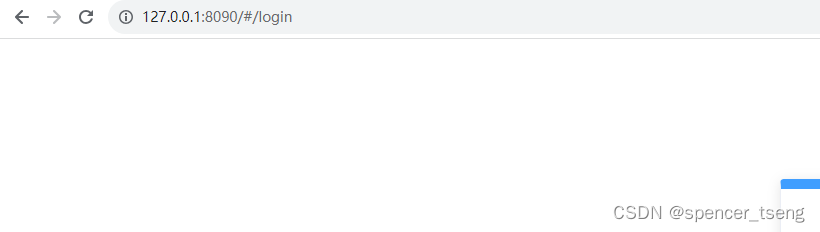
http://127.0.0.1:8090





 扫一扫
扫一扫


 7055
7055

 被折叠的 条评论
为什么被折叠?
被折叠的 条评论
为什么被折叠?
 到【灌水乐园】发言





