



 该文介绍了如何下载并安装Qt5.9.1,接着演示了创建一个基于qwidget的项目步骤,然后展示了sample_2_1.pro项目文件的内容,包括QT模块设置、目标程序名和编译选项。此外,还提及了信号槽机制在Widget类中的应用。
一、安装
下载地址
Index of /archive/qt/5.9/5.9.1
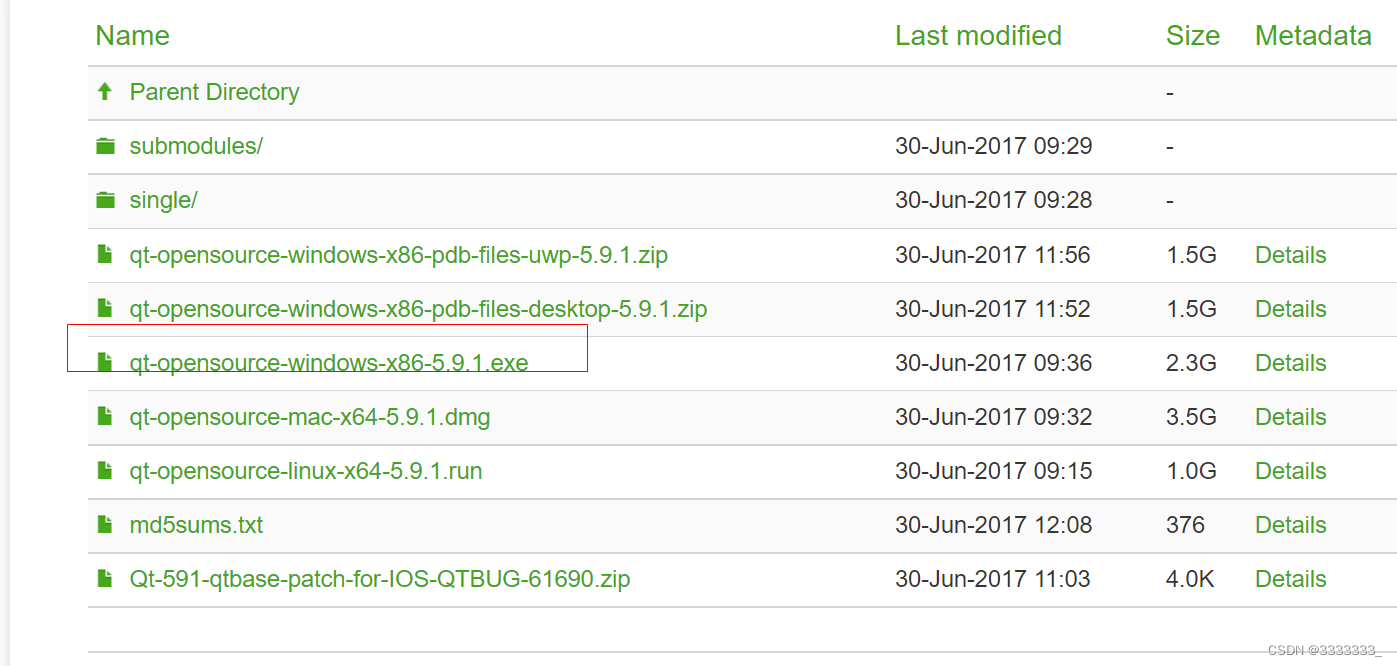
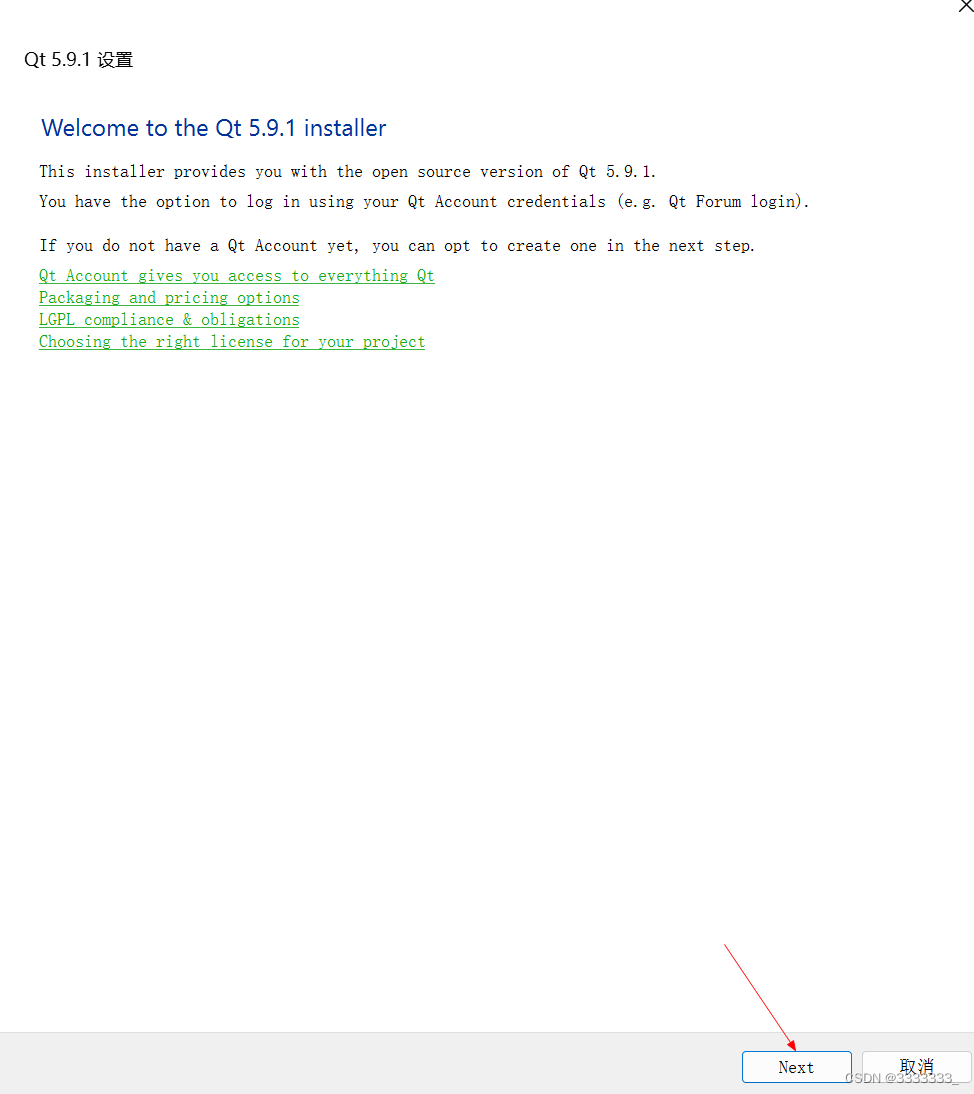
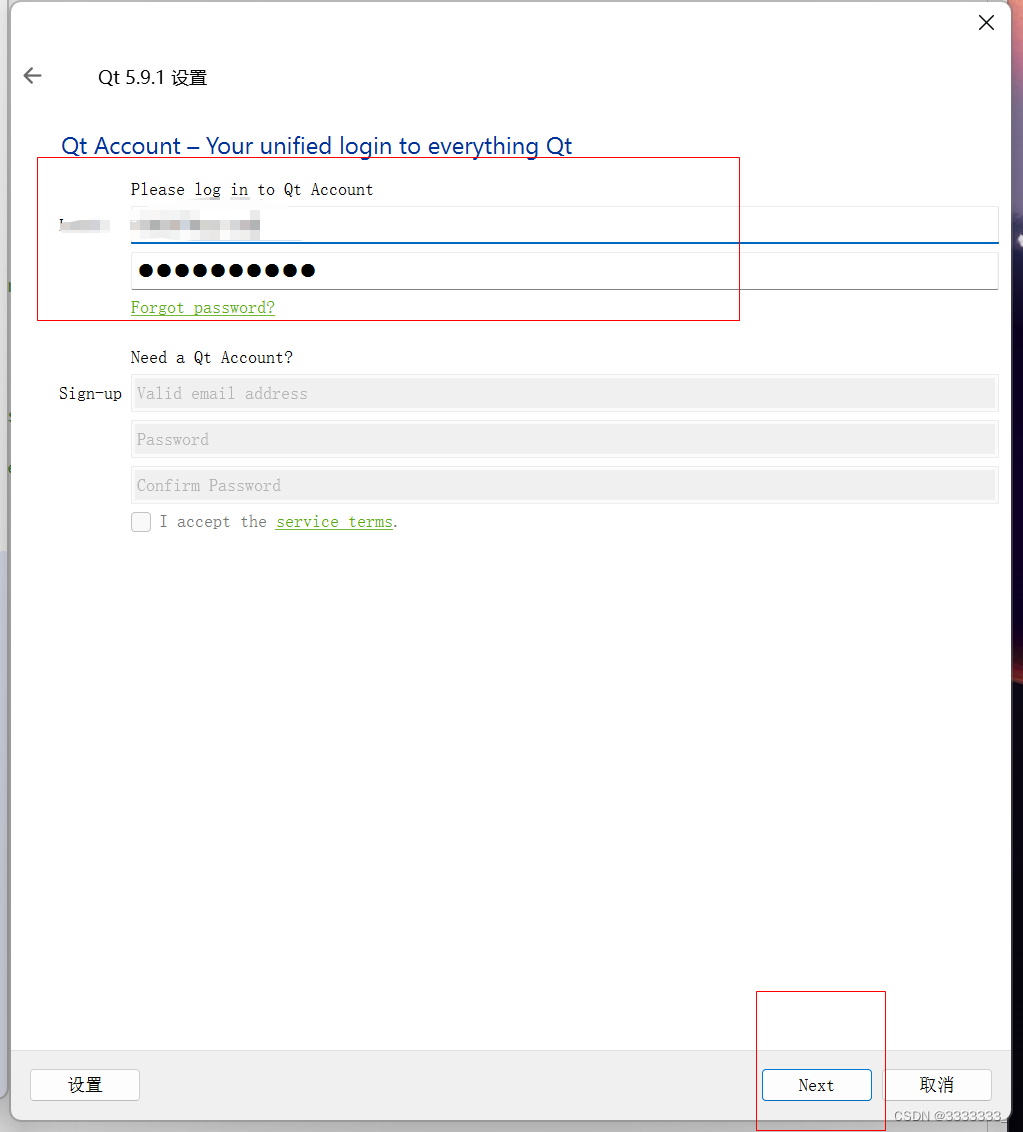
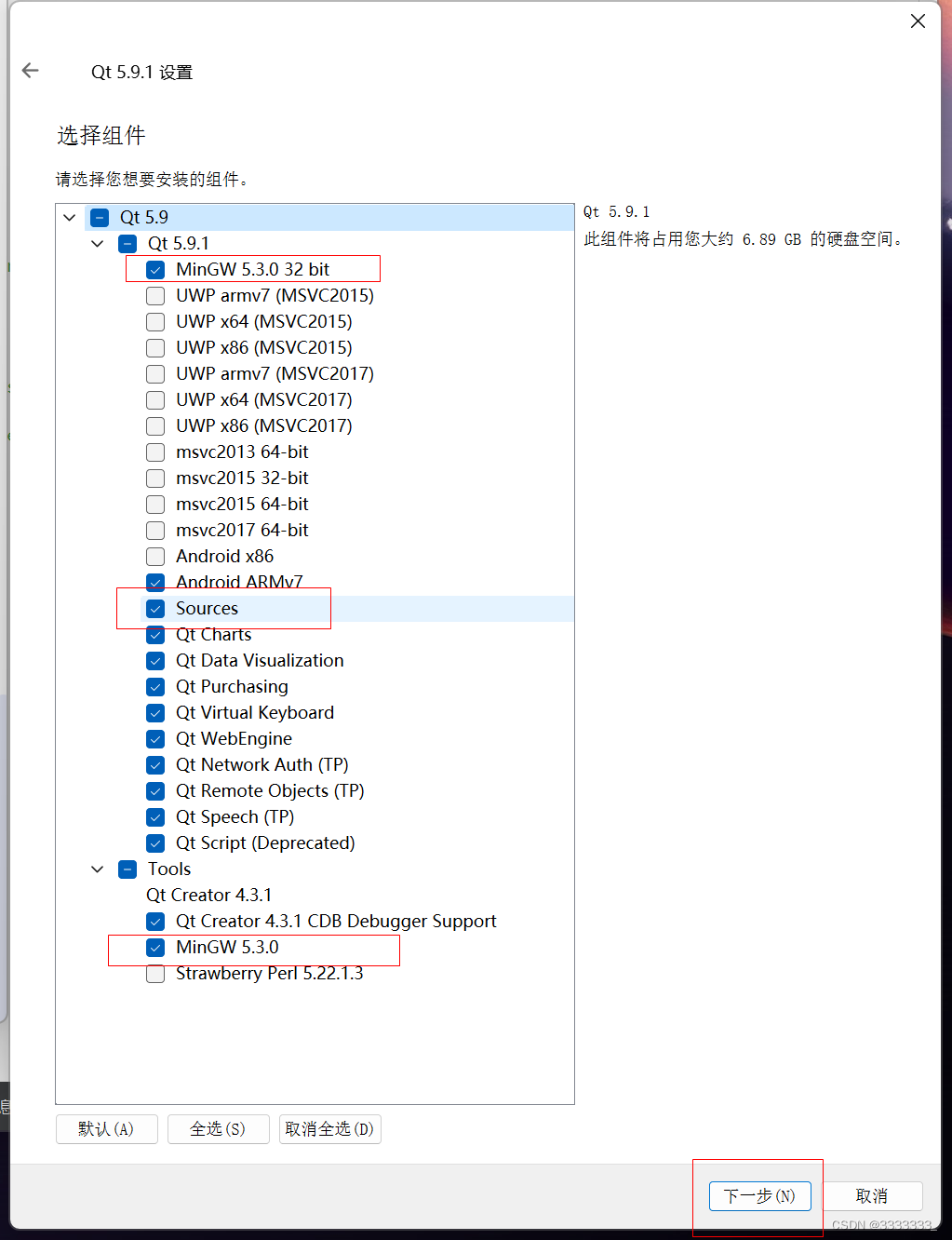
二、创建项目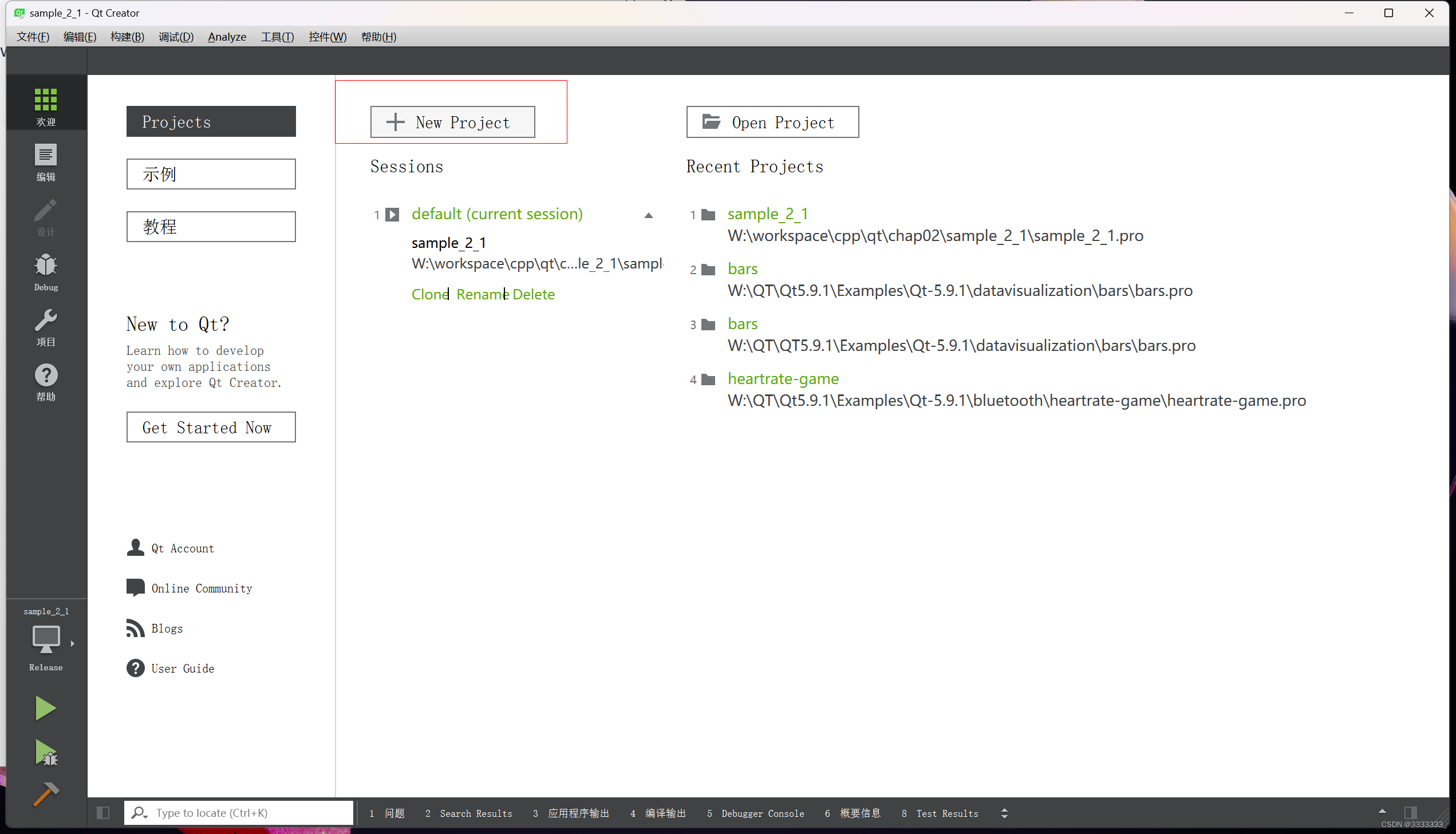
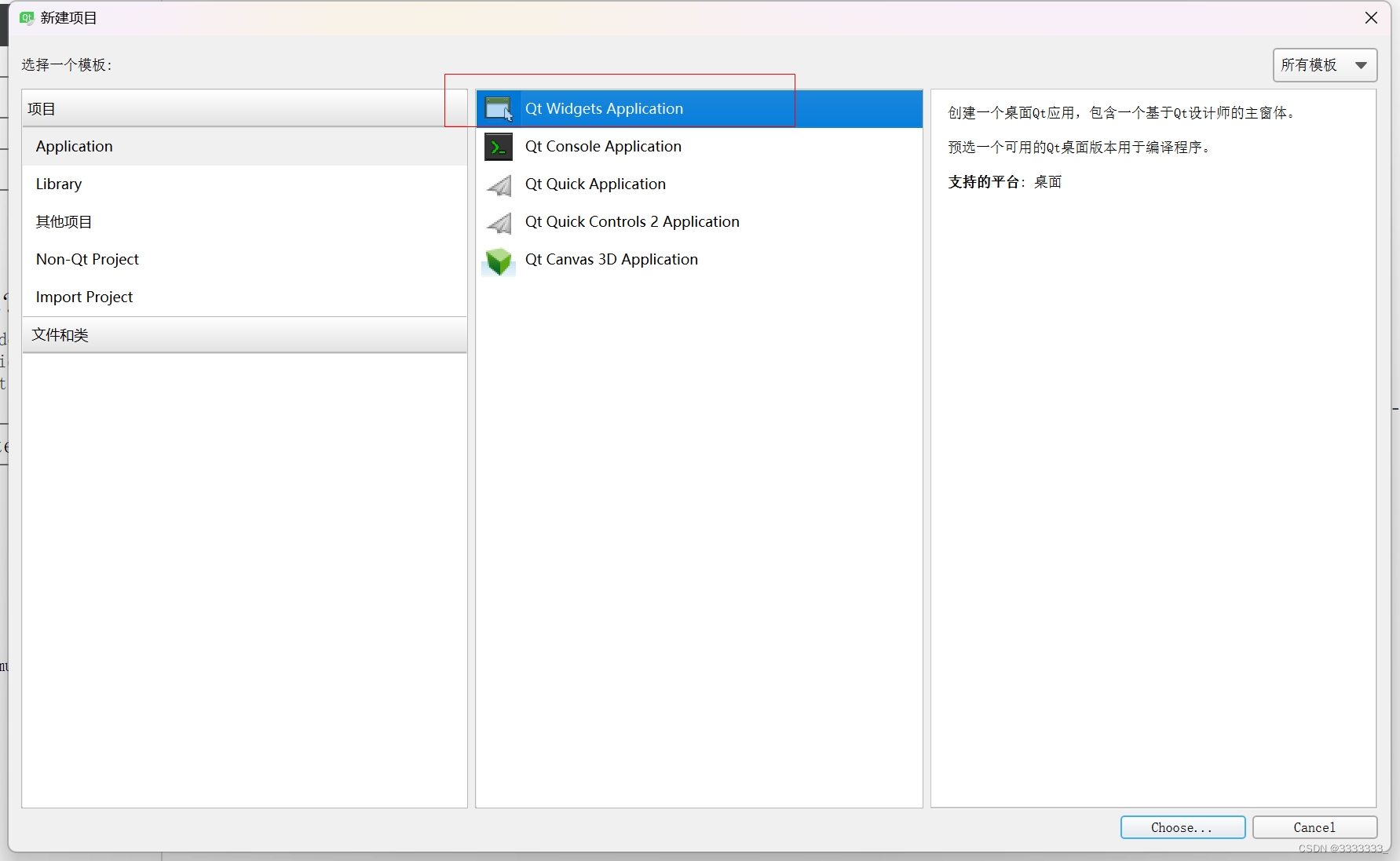
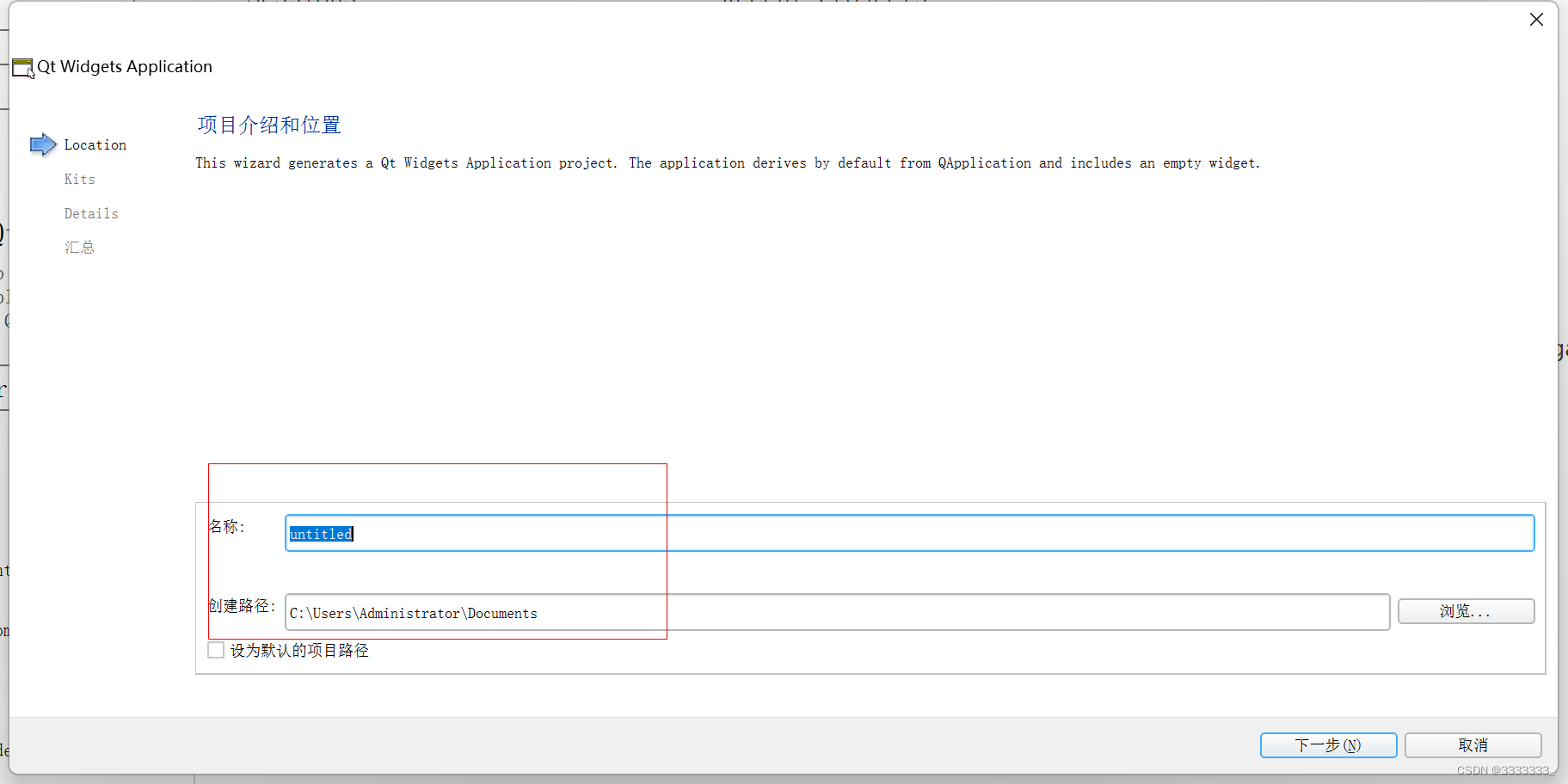
后面就是下一步了
选择qwidget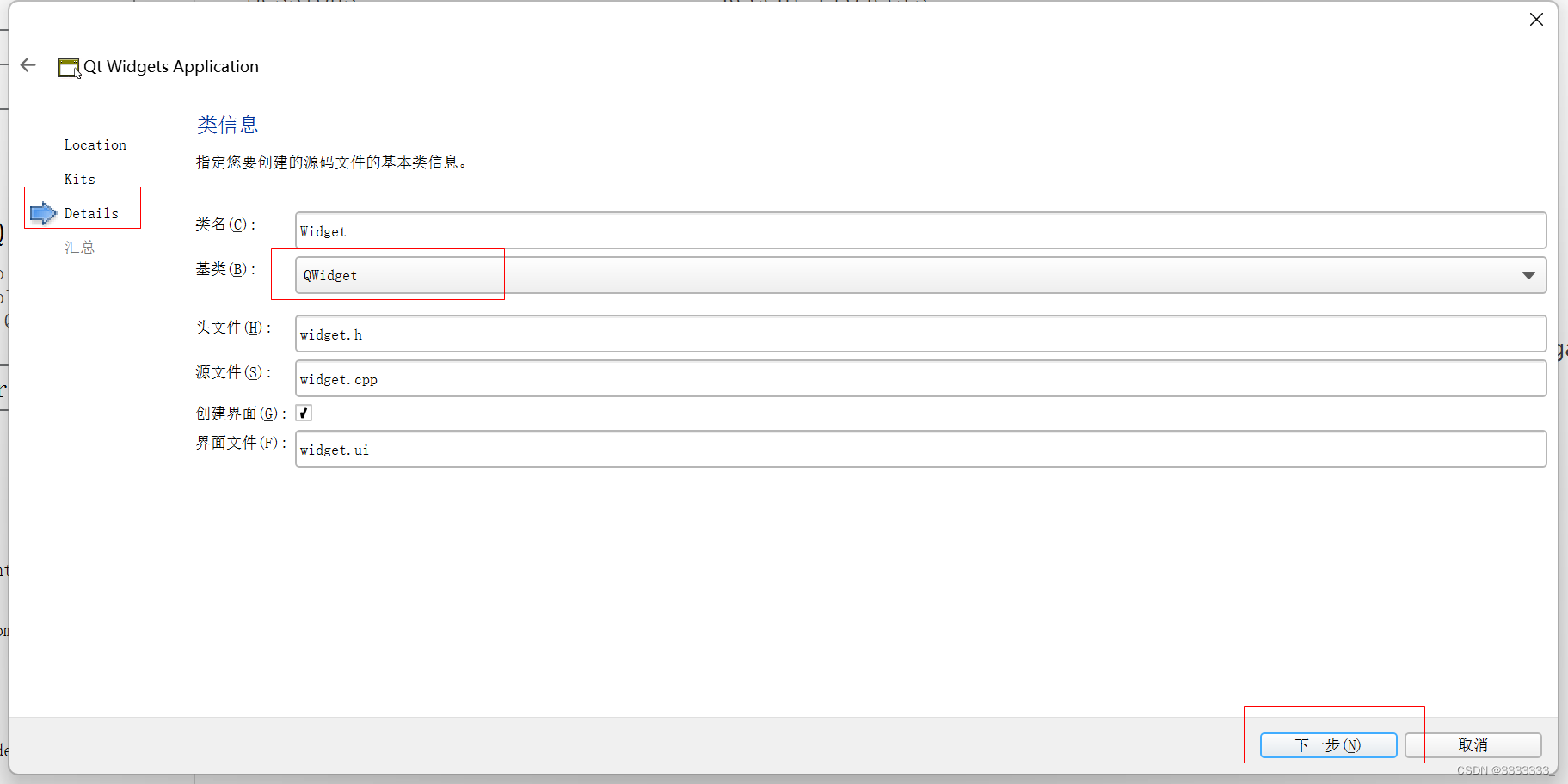
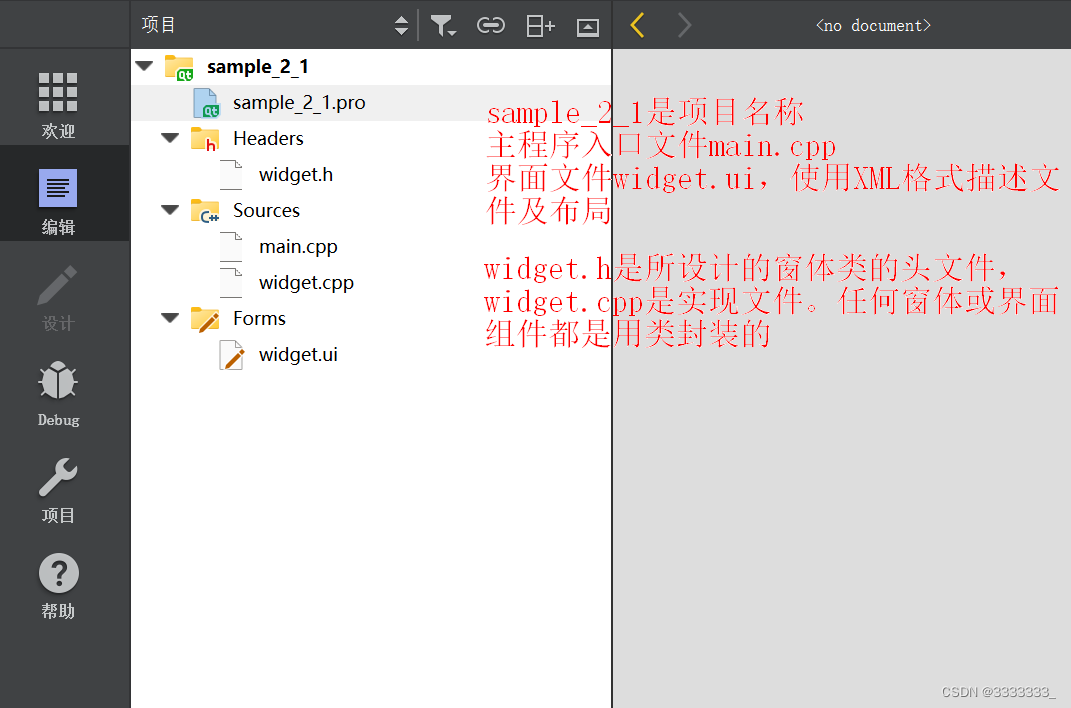
三、代码
sample_2_1.pro
#-------------------------------------------------
#
# Project created by QtCreator 2022-12-10T20:59:38
#
#-------------------------------------------------


QT       += core gui #包含的模块
# 大于Qt4版本 才包含widget模块
greaterThan(QT_MAJOR_VERSION, 4): QT += widgets


TARGET = sample_2_1  #引用程序名  生成的.exe程序名称
TEMPLATE = app # 模板类型 引用程序模板


# The following define makes your compiler emit warnings if you use
# any feature of Qt which as been marked as deprecated (the exact warnings
# depend on your compiler). Please consult the documentation of the
# deprecated API in order to know how to port your code away from it.
# 定义编译选项。 QT_DEPRECATED_WARNINGS
# 表示当Qt的某些功能被标记为过时的,那么编译器会发出警告
DEFINES += QT_DEPRECATED_WARNINGS


# You can also make your code fail to compile if you use deprecated APIs.
# In order to do so, uncomment the following line.
# You can also select to disable deprecated APIs only up to a certain version of Qt.
#DEFINES += QT_DISABLE_DEPRECATED_BEFORE=0x060000    # disables all the APIs deprecated before Qt 6.0.0


SOURCES += \
        main.cpp \
        widget.cpp


HEADERS += \
        widget.h


FORMS += \
        widget.ui
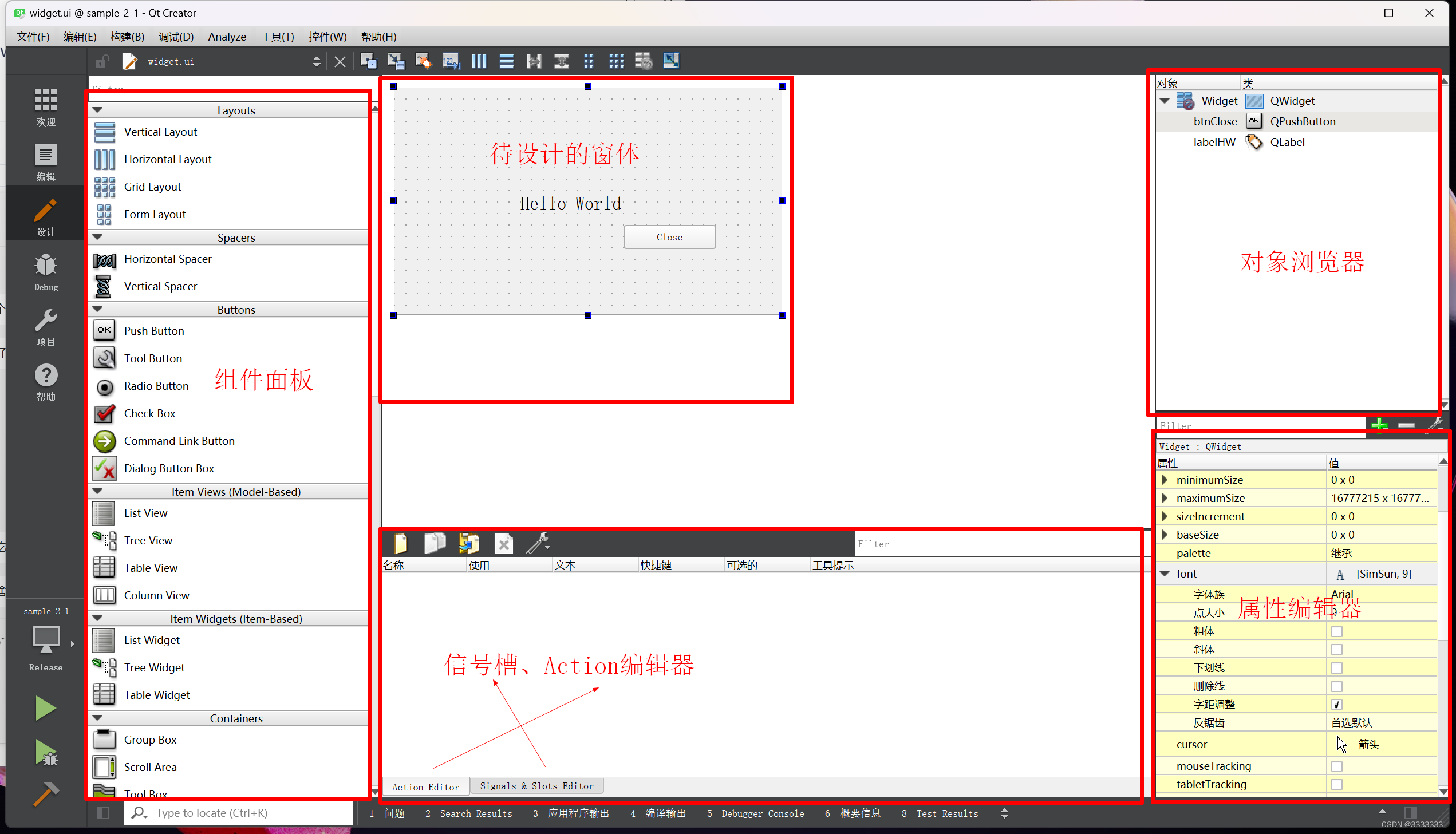
信号槽是 信号&槽
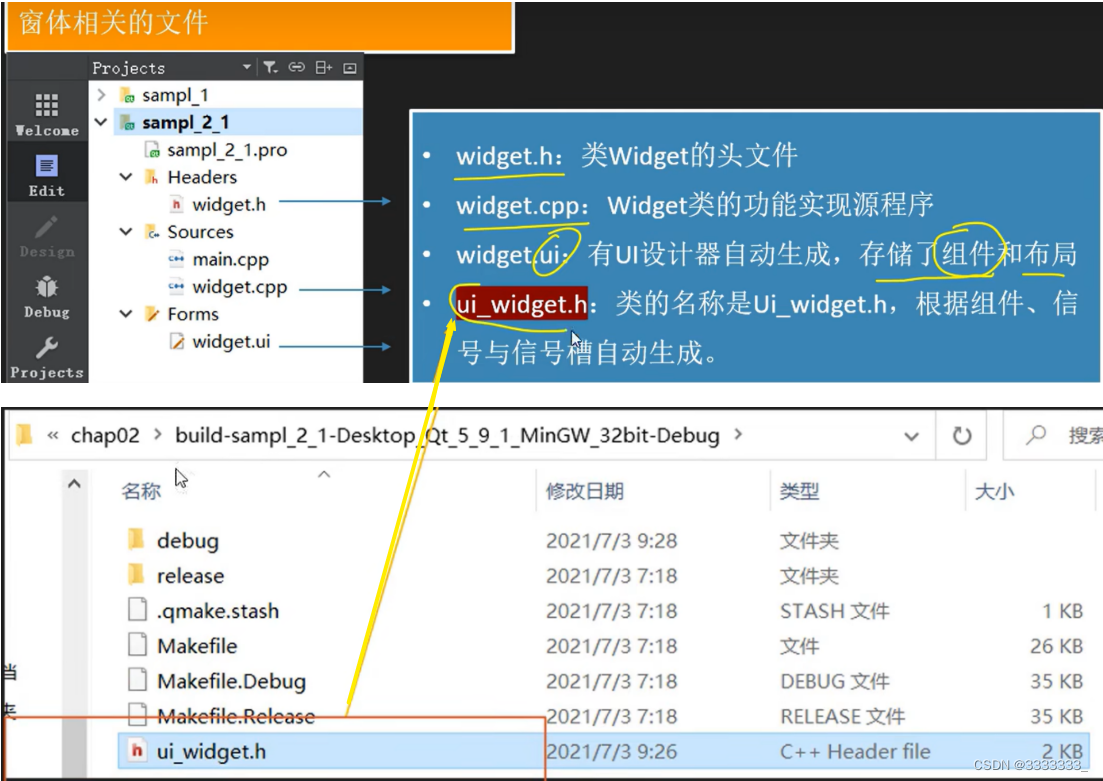
widget.h
#ifndef WIDGET_H
#define WIDGET_H


#include <QWidget>


namespace Ui { //命名空间
class Widget;  //ui_widget.h文件里定义的类,外部声明
}


class Widget : public QWidget
{
    Q_OBJECT  //宏,使用QT信号与槽机制必须添加


public:
    explicit Widget(QWidget *parent = 0);
    ~Widget();


private:
    Ui::Widget *ui; //Ui::Widget类型的一个指针,指向可视化的界面
};


#endif // WIDGET_H


 扫一扫
扫一扫


 3773
3773

 被折叠的 条评论
为什么被折叠?
被折叠的 条评论
为什么被折叠?
 到【灌水乐园】发言


