



 本文介绍如何在OpenServer中配置Web单点登录(SSO)。主要步骤包括:打开文档文件,在Internet Protocols->DWA下选择多个服务器(SSO),在https会话部分选择SSO配置。设置完成后,在服务器控制台运行Tell http restart命令。
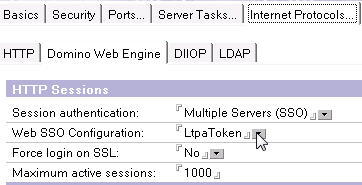
Open Server doc file, under Internet Protocols->DWA, select Multiple Servers (SSO) in http sessions section.
Select SSO Configurations from Create Web... 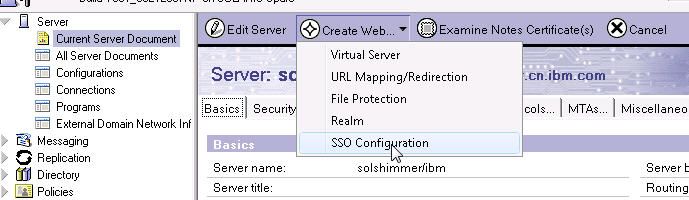
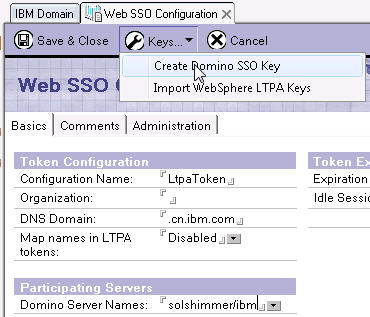
Open Server doc, select the key to Web SSO configuration field, ok.
Run "Tell http restart" on server console.





 扫一扫
扫一扫


 7586
7586

 被折叠的 条评论
为什么被折叠?
被折叠的 条评论
为什么被折叠?
 到【灌水乐园】发言





