Six bays and a 12th Gen Core i3 are the easy part of a ZimaCube 2 build. The expensive part is the drives: at current prices, six 8TB to 16TB NAS hard drives cost two and a half to nearly five times what the enclosure does, and the wrong capacity or the wrong RAID level burns that money for years. This guide treats the ZimaCube 2 the way a first-time builder should, as the chassis for a storage plan, and does the drive math before the checkout.
It covers which of the three ZimaCube 2 models to buy (Standard, Pro, Creator Pack), what the independent ZimaCube 2 reviews actually measured for power, noise and throughput, how to size a 6-bay NAS in usable terabytes rather than raw ones, RAID 5 versus RAID 6 on six drives, and which 2TB, 6TB, 8TB, 12TB, 16TB and 20TB-plus drives sit on IceWhale’s own compatibility list. The NVMe bay, the second RAM slot and the 10GbE question each get a step of their own, and the guide finishes with three priced bills of materials for a complete build. If a small single-board NAS is closer to the need, the ZimaBoard 2 setup guide covers the smaller sibling.
Specs, compatibility list and Amazon US prices checked October 2026 against ZimaOS 1.7.

The picks come first, with the reasoning and the drive math in the steps after them.
ZimaCube 2 quick picks
The verdict first. The enclosure pick and the drive picks are separate decisions, so both are listed.
| Pick | Product | Why | Approx. price |
|---|---|---|---|
| Best overall NAS | ZimaCube 2 Standard (i3-1215U) | Six SATA bays, four NVMe slots, two PCIe slots and Thunderbolt 4 for the lowest ZimaCube 2 price | around $899, check live price |
| Best for 10GbE and fast NVMe | ZimaCube 2 Pro (i5-1235U) | Built-in 10GbE, 16GB RAM, and a 7th bay rated at 3200 MB/s instead of 800 MB/s | around $1,425, check live price |
| Best for local AI | ZimaCube 2 Creator Pack | 64GB RAM, 1TB system SSD and an NVIDIA RTX PRO 2000 (16GB) preinstalled | around $2,435, check live price |
| Best value drive | WD Red Pro 12TB | CMR, 7200 RPM, five-year warranty, within a couple of dollars per TB of the cheapest WD Red drives checked | around $540, check live price |
| Best high-capacity drive | WD Red Pro 16TB | 550TB/year rating, five-year warranty, 1015 URE rating for safer rebuilds | around $715, check live price |

The Standard is the right starting point for most first builds. It gets the same chassis, the same six bays, the same two PCIe slots and the same Thunderbolt 4 ports as the Pro, and the gap between them is mostly networking, RAM, NVMe bandwidth and CPU. Networking and RAM can be added later; the CPU and the 7th bay’s speed cannot, and Steps 6 and 7 price the cheapest upgrades.
How this guide was built
No ZimaCube 2 passed through this lab, so nothing here is presented as a first-hand benchmark. Specifications come from IceWhale’s product page and spec table. Real-world numbers come from independent reviews, each credited where it is used: the ServeTheHome ZimaCube 2 Pro review, the NASCompares and TechRadar reviews of the Standard, and two video reviews of the Standard: Elevated Systems, which ran timed RAID builds and transfer tests, and Christian Lempa, who measured power in a Proxmox build. Where two sources disagreed (RAM type is the notable one), the conflict and its resolution are stated.
Every drive recommendation was checked three ways: the Western Digital datasheet for recording technology (CMR only), workload rating and URE rating; IceWhale’s published ZimaCube disk compatibility list; and the live Amazon US listing for price and stock. The capacity and cost tables are computed from those prices, and every derived number (usable TB, $ per usable TB, rebuild floor, kWh) shows its formula so it can be rechecked when prices move.
ZimaCube 2 Standard vs Pro vs Creator Pack
All three models share the chassis, the six SATA bays, the four-slot NVMe bay, two Thunderbolt 4 ports, two 2.5GbE ports and the PCIe layout. The differences:
| Spec | ZimaCube 2 Standard | ZimaCube 2 Pro | Creator Pack |
|---|---|---|---|
| CPU | Core i3-1215U, 6 cores / 8 threads, up to 4.4 GHz | Core i5-1235U, 10 cores / 12 threads, up to 4.4 GHz | Core i5-1235U |
| iGPU | Intel UHD (64 EU), Quick Sync | Intel Iris Xe (80 EU), Quick Sync | Iris Xe + NVIDIA RTX PRO 2000 16GB |
| RAM (ships / max) | 8GB DDR5-4800, one SO-DIMM / 64GB | 16GB, two SO-DIMMs / 64GB | 64GB / 64GB |
| System SSD | 256GB NVMe | 256GB NVMe | 1TB NVMe |
| 7th bay (4x M.2) | about 800 MB/s | about 3200 MB/s | about 3200 MB/s |
| Network | 2x 2.5GbE (Intel i226) | 2x 2.5GbE + 1x 10GbE (Marvell AQC113) | 2x 2.5GbE + 1x 10GbE |
| PCIe | 1x PCIe 4.0 x4 (x16 physical) + 1x PCIe 3.0 x2 (x8 physical), low-profile cards, GPU under 75W | ||
| Other I/O | 2x Thunderbolt 4 (40Gbps), 4x USB-A 5Gbps, 1x USB-C 5Gbps, HDMI 2.0, DP 1.4, 3.5mm audio | ||
| Power supply | External 19V 13A, 247W | ||
| Amazon price | around $899 | around $1,425 | around $2,435 |
The Pro costs about $525 more on Amazon. A 10GbE PCIe card and a second 8GB SO-DIMM close most of that gap on the Standard for about $250, a little under half the money, which is why the Standard is the default pick here. Two things money cannot add to the Standard: the Pro’s 10-core i5 (the CPU is soldered) and its faster 7th bay, which uses a different PCIe switch on the tray (ASMedia ASM2824 instead of the Standard’s ASM2806). Buy the Pro if NVMe pool speed matters: video scratch space, VM disks, or a 10GbE share that has to saturate the link from flash.

The Creator Pack is a Pro with 64GB of RAM, a 1TB system drive and a low-profile NVIDIA RTX PRO 2000 (16GB VRAM) already fitted. It makes sense only if the NAS will also run local models or GPU image generation. For storage and media work the GPU is idle silicon, and Quick Sync on the Intel iGPU already handles Jellyfin transcoding (and Plex, with a Plex Pass).

Whichever model you pick, the same chassis details decide how the build goes together.
ZimaCube 2 Standard: the hardware that matters for a build
Who it is for: a first NAS for media, photo libraries, backups and a dozen Docker apps, with room to add 10GbE or a GPU later. Skip it if the plan needs NVMe pool speed above 800 MB/s from day one (buy the Pro), or if the only goal is the cheapest possible storage box, where a 4-bay Intel N-series unit costs less.

Four details from the teardowns change how the box should be filled:
- The SATA bays hang off an ASMedia ASM1166 controller (ServeTheHome and Elevated Systems both identified it). That is a PCIe Gen3 x2 link shared by all six bays, about 2 GB/s, just above the roughly 1.6 GB/s six fast hard drives can stream and a ceiling for six SATA SSDs. It also means SATA only: SAS drives will not work.
- The 7th bay on the Standard runs each M.2 slot at PCIe Gen3 x1 behind an ASMedia ASM2806 switch, and IceWhale rates the bay at about 800 MB/s shared. The Pro’s tray uses an ASMedia ASM2824 switch with a PCIe Gen3 x4 uplink (3200 MB/s). Along with the soldered CPU, this is a difference that cannot be upgraded later.
- The RAM is socketed, not soldered. IceWhale’s own spec table lists LPDDR5, but every teardown (ServeTheHome, TechRadar, NASCompares, Elevated Systems) found standard DDR5 SO-DIMMs (ServeTheHome lists DDR5-4800). The Standard ships with one 8GB stick, so it runs single channel until a second stick goes in.
- There is a spare M.2 slot on the motherboard in addition to the system SSD’s slot. The Pro uses that slot for its 10GbE controller, which is the clue to how cheaply the Standard can gain 10GbE.

The physical design draws the same complaints in every review. The drive trays need four screws per drive and have no locks, the magnetic front grille has no pull tab, and the rear DC barrel plug has no retention clip (ServeTheHome flagged that one). None of it affects the data, but a full six-drive build means 24 screws, so budget half an hour for trays alone. Warranty is one year worldwide (two years in the EU), which is short next to UGREEN’s three years on the DXP6800 Pro.
The software is the other honest caveat. ZimaOS is easy to run, but reviewers found gaps a mature NAS OS does not have: no fan control in the UI, thin security tooling and no native two-factor login (NASCompares), and several App Store apps that failed to install or launch on first try (Elevated Systems). Because the hardware is a standard x86 box, TrueNAS or Unraid can replace it, and IceWhale lists both as compatible operating systems on the product page.
What the ZimaCube 2 reviews measured
These are the real-world numbers those reviews published, gathered in one table. Power figures are at the wall.
| Measurement | Result | Unit and source |
|---|---|---|
| Idle power, no data drives | 25 to 27 W | Pro, ServeTheHome |
| Idle power, SSDs installed | 33 to 36 W | Standard, NASCompares |
| Power with HDDs, light activity | about 60 W | Standard, NASCompares |
| Power with HDDs, heavy load | 73 to 74 W | Standard, NASCompares |
| Idle, 5 HDDs + 2 NVMe + 10GbE card, Proxmox VMs running | 50 to 55 W | Standard, Christian Lempa video (unit supplied by IceWhale) |
| Noise, idle with HDDs | 39 to 40 dBA | Standard, NASCompares |
| Noise, fans pushed, HDDs under heavy load | 42 to 44 dBA, nearing 50 dBA | Standard, NASCompares |
| Noise, full load (3 transcodes, 6 drives), 43 to 44 dB room | about 38 dB | Standard, Elevated Systems |
| 2.5GbE sequential, HDD RAID 5 | 261 MB/s read and write | Standard, Elevated Systems |
| Thunderbolt 4 direct to a Mac, HDD RAID 5 | 826 MB/s write, 1,742 MB/s read | Standard, Elevated Systems |
| USB4 / Thunderbolt direct, six SATA SSDs | 1,700 to 2,000 MB/s read, 768 to 800 MB/s write | Standard, NASCompares |
| RAID 5 initial build, 4x 4TB | about 18 hours | Standard, Elevated Systems |
| RAID 5 expansion, 4 to 6 drives (4TB) | about 16 hours, 12TB to 20TB usable | Standard, Elevated Systems |
| Jellyfin with Quick Sync, 3 streams incl. 4K HEVC 10-bit | under 80% CPU | Standard, Elevated Systems |
Two numbers in that table drive the rest of this guide. The first is 60 W with spinning drives: the drives, not the CPU, dominate the power bill, and the last section turns that into dollars a year. The second is the 18-hour RAID 5 build on 4TB drives. Rebuild time scales with drive size, and on 16TB drives it becomes the argument for RAID 6.

Those transfer figures only pay off once the capacity plan is right, and that is where the build starts.
Step 1: Work out how many TB you actually need
The common mistake is sizing by raw capacity (“six 8TB drives is 48TB”) and discovering the pool shows 29 TiB. Three conversions sit between the number on the drive label and the number in the file manager, and a good plan applies all three.
Start with today’s data and project it forward. A usable planning formula is need = current data x (1 + yearly growth)years x 1.25, where the 1.25 keeps the pool below 80% full (Btrfs and ZFS both slow down and fragment as they approach full). For a household with 6 TB today growing 30% a year, planned for four years: 6 x 1.34 x 1.25 = 21.4 TB of usable space.
Typical starting points, as a sanity check against that formula:
| Use case | Typical data today | Usable TB to plan for (4 years, 30%/yr) |
|---|---|---|
| Phone photo and video backup for a family of four | 1 to 3 TB | 4 to 11 TB |
| Laptop and desktop backups (versioned) | 2 to 4 TB | 7 to 14 TB |
| Plex or Jellyfin library, 1080p remuxes (about 25 GB each) | 5 to 10 TB | 18 to 36 TB |
| 4K UHD remux library (about 60 GB each) | 15 to 30 TB | 54 to 107 TB |
| Video editing archive (4K ProRes projects) | 10 to 20 TB | 36 to 71 TB |
Then the unit conversion. Drive makers sell decimal terabytes (1012 bytes); TrueNAS and Windows report binary tebibytes (240 bytes), which are about 10% larger, so the number on screen is about 9% smaller (macOS Finder uses decimal TB). A pool with 40 TB usable shows as 36.4 TiB. Nothing is missing; it is the same bytes counted in a bigger unit.
The last conversion is the RAID layout, which is Step 2.
Step 2: Pick the best RAID level for a 6-bay NAS
ZimaOS builds pools with Btrfs and offers JBOD, RAID 0, 1, 5, 6 and 10 in the storage manager. ZFS exists underneath but is command-line only on ZimaOS, and TrueNAS (supported on this hardware) is the route for a ZFS pool managed from a GUI. The capacity math is the same either way:
| Layout (6 drives) | Usable capacity | Drives that can fail | Fits when |
|---|---|---|---|
| RAID 5 / RAIDZ1 | 5 of 6 drives (83%) | 1 | Drives of 8TB or less, a backup copy exists elsewhere |
| RAID 6 / RAIDZ2 | 4 of 6 drives (67%) | any 2 | Drives of 12TB and up, or the NAS holds the only copy |
| RAID 10 / 3 mirrors | 3 of 6 drives (50%) | 1 per mirror pair | VM disks and databases that need random IOPS |
| RAID 0 / JBOD | 6 of 6 drives (100%) | 0 | Scratch data only, never the primary copy |
The RAID 5 versus RAID 6 decision comes down to what happens during a rebuild. When one drive dies in a six-drive RAID 5, the controller has to read the five survivors end to end to rebuild the sixth, and a second failure or an unreadable sector during that window loses the array. Two numbers quantify that window:
- Rebuild time. The theoretical floor is drive capacity divided by sustained speed: 4TB at 180 MB/s is 6.2 hours, 16TB at 259 MB/s is 17.2 hours. The one timed ZimaOS array build (4x 4TB, about 18 hours) ran at roughly 2.9 times that floor. Scaled the same way, a 16TB rebuild is two days or more of degraded running.
- Unrecoverable read errors. WD rates Red Plus at fewer than 1 error per 1014 bits read and Red Pro at 1 per 1015. A RAID 5 rebuild of six 8TB drives reads 40 TB, which is 3.2 x 1014 bits: more than three times the Red Plus specification. Real drives beat their spec sheet by a wide margin, but that spec is the manufacturer’s worst-case promise, and it is why RAID 6 is the default above 8TB.
One ZimaOS behaviour makes the layout choice easier: Elevated Systems grew a 4-drive RAID 5 to 6 drives in place, with no reboot, in about 16 hours. A build can start with four drives and add two when prices or needs change. Note that the free ZimaOS tier caps a system at four disks and three users; the ZimaCube 2 ships with ZimaOS Plus preinstalled, which removes both limits.
RAID covers a dead drive. It does nothing for a deleted folder, a ransomware run or a house fire, so the pool still needs a second copy on another device and a third off-site. ZimaOS includes a backup tool built around that 3-2-1 pattern, with cloud targets such as Google Drive, Dropbox and OneDrive, although NASCompares found its scheduling options thinner than mature NAS operating systems.

The trays are hot-swappable, which is what makes the in-place growth described above practical: two drives slide in without powering down.

Every one of those trays needs a drive, so the next decision is capacity.
Step 3: Choose the drive size with the 6-bay capacity table
This is the table the product pages leave out. Each row is six identical drives. Usable figures are decimal TB, with the TiB the OS will display in brackets. Cost columns use the Amazon US prices checked for this guide and divide the six-drive total by usable capacity, which is the only $/TB that matters once parity is paid for.
| Six drives | Drive used for pricing | Raw | RAID 5 usable | RAID 6 usable | 6-drive cost | $ per usable TB, RAID 5 | $ per usable TB, RAID 6 |
|---|---|---|---|---|---|---|---|
| 6x 2TB | WD Red Plus 2TB (WD20EFPX) | 12 TB | 10 TB (9.1 TiB) | 8 TB (7.3 TiB) | no new stock on Amazon US | n/a | n/a |
| 6x 6TB | WD Red Plus 6TB (WD60EFPX) | 36 TB | 30 TB (27.3 TiB) | 24 TB (21.8 TiB) | about $1,800 | $60 | $75 |
| 6x 8TB | WD Red Pro 8TB (WD8005FFBX) | 48 TB | 40 TB (36.4 TiB) | 32 TB (29.1 TiB) | no new stock on Amazon US | n/a | n/a |
| 6x 10TB | WD Red Plus 10TB (WD100EFGX) | 60 TB | 50 TB (45.5 TiB) | 40 TB (36.4 TiB) | about $2,760 | $55 | $69 |
| 6x 12TB | WD Red Pro 12TB (WD122KFBX) | 72 TB | 60 TB (54.6 TiB) | 48 TB (43.7 TiB) | about $3,240 | $54 | $68 |
| 6x 16TB | WD Red Pro 16TB (WD161KFGX) | 96 TB | 80 TB (72.8 TiB) | 64 TB (58.2 TiB) | about $4,290 | $54 | $67 |
| 6x 20TB | WD Red Pro 20TB (WD202KFGX) | 120 TB | 100 TB (90.9 TiB) | 80 TB (72.8 TiB) | about $5,445 | $54 | $68 |
Formulas: RAID 5 usable = 5 x drive size, RAID 6 usable = 4 x drive size, TiB = TB x 0.9095, cost per usable TB = six-drive price divided by usable TB. Prices are Amazon US on the day of checking and move weekly, so treat the cost columns as a ratio between rows rather than a quote.

Three conclusions fall out of the numbers:
- Skip drives under 10TB for a six-bay build. The 6TB row costs the most per usable terabyte of the drives in stock, and six 6TB drives in RAID 6 give 24 TB, barely above the 21.4 TB the example household in Step 1 needs in four years. The 2TB and 8TB rows have no new stock on Amazon US right now anyway. Small drives only make sense to reuse drives already owned.
- From 10TB up, price per usable TB is flat right now. The 10TB, 12TB, 16TB and 20TB rows all land between $54 and $55 per usable TB in RAID 5 and $67 to $69 in RAID 6, so choose capacity by need, not by $/TB. Six WD Red Pro 12TB drives in RAID 6 give 48 TB (43.7 TiB) with two-drive fault tolerance, a sensible middle for a first build.
- Buy four large drives instead of six small ones when the budget is tight. Four 12TB drives in RAID 5 give 36 TB now, and the in-place expansion lets two more drives join later. That is a better position than six 6TB drives that can never grow past their size without replacing all of them.
Step 4: Buy drives from the ZimaCube 2 compatibility list
IceWhale publishes a tested-drive list, and it contains a trap most buyers never see: the Seagate IronWolf 4TB is marked not compatible, the IronWolf Pro 4TB is “depends”, and the 10TB, 14TB and 20TB IronWolf and IronWolf Pro drives are “depends, recommended for use only in ZimaCube 2”. The Western Digital line is the safe choice: the list marks every WD Red Plus capacity from 2TB to 14TB and every WD Red Pro from 2TB to 24TB compatible, as is the Seagate Exos X20 20TB. It names specific model numbers, though (WD120EFBX for the 12TB Red Plus, WD121KFBX for the 12TB Red Pro), and several drives on Amazon today are not named on the list yet, such as the WD122KFBX Red Pro 12TB, an air-filled 512MB model on a different platform from the listed helium WD121KFBX. The exact-match picks below are the 6TB WD60EFPX, the 8TB WD8005FFBX (out of stock on Amazon US right now) and the 16TB WD161KFGX. The 20TB on Amazon today is the WD202KFGX, a newer revision of the listed WD201KFGX. WD Ultrastar HC520 drives work only with the 3.3V pin 3 masked.
Two more rules, both from the datasheets. Buy CMR drives only: plain WD Red (without “Plus”) is SMR, and SMR drives turn RAID rebuilds into multi-day ordeals (the CMR vs SMR explainer shows why). And match the tier to the workload: Red Plus is rated for 180 TB a year in systems up to 8 bays with a three-year warranty; Red Pro is rated for 550 TB a year with a five-year warranty and the 1015 URE rating that matters for large-drive rebuilds.
| Capacity | Drive for ZimaCube 2 | Compatibility list | Tier and warranty | Approx. price |
|---|---|---|---|---|
| 2TB | WD Red Plus 2TB | Yes (listed as WD20EFZX) | Red Plus, 3 years | no new stock on Amazon US right now |
| 6TB | WD Red Plus 6TB (the Red Plus 4TB has almost no new US stock) | Yes (exact model, WD60EFPX) | Red Plus, 3 years | around $300, check live price |
| 8TB | WD Red Pro 8TB (the Red Plus 8TB has almost no new stock) | Yes (exact model, WD8005FFBX) | Red Pro, 5 years | no new stock on Amazon US right now |
| 12TB | WD Red Pro 12TB (the Red Plus 12TB is out of stock or above $600 from third parties) | WD121KFBX listed; the WD122KFBX on Amazon is not named yet | Red Pro, 5 years | around $540, check live price |
| 16TB | WD Red Pro 16TB | Yes (exact model) | Red Pro, 5 years | around $715, check live price |
| 20TB | WD Red Pro 20TB | Yes (listed as WD201KFGX) | Red Pro, 5 years | around $905, check live price |
Seagate IronWolf Pro drives are often cheaper per terabyte at 16TB and above (the 16TB and 20TB were both about $36 per TB when checked), but IceWhale lists the 10TB, 14TB and 20TB IronWolf models only as “depends” and does not list the 16TB at all, so they are a gamble on this chassis rather than a recommendation. If a Seagate drive is already on hand, the Exos X20 20TB is the one Seagate model the list marks as compatible. For every capacity and brand side by side, the NAS hard drive price-per-terabyte guide tracks the wider market.

The Red Pro 12TB is the drive to fill the ZimaCube 2 with for home use. The Red Plus 12TB held this spot until its Amazon stock ran out, and the Red Pro now sells for less than the remaining third-party Red Plus listings while adding the five-year warranty and the 1015 URE rating. The WD122KFBX is an air-filled 7200 RPM drive with a 267 MB/s internal transfer rate, and its 6.1 W idle draw is the one trade-off: six of them idle at about 37 W, against about 22 W for six helium Red Pro 16TB drives.
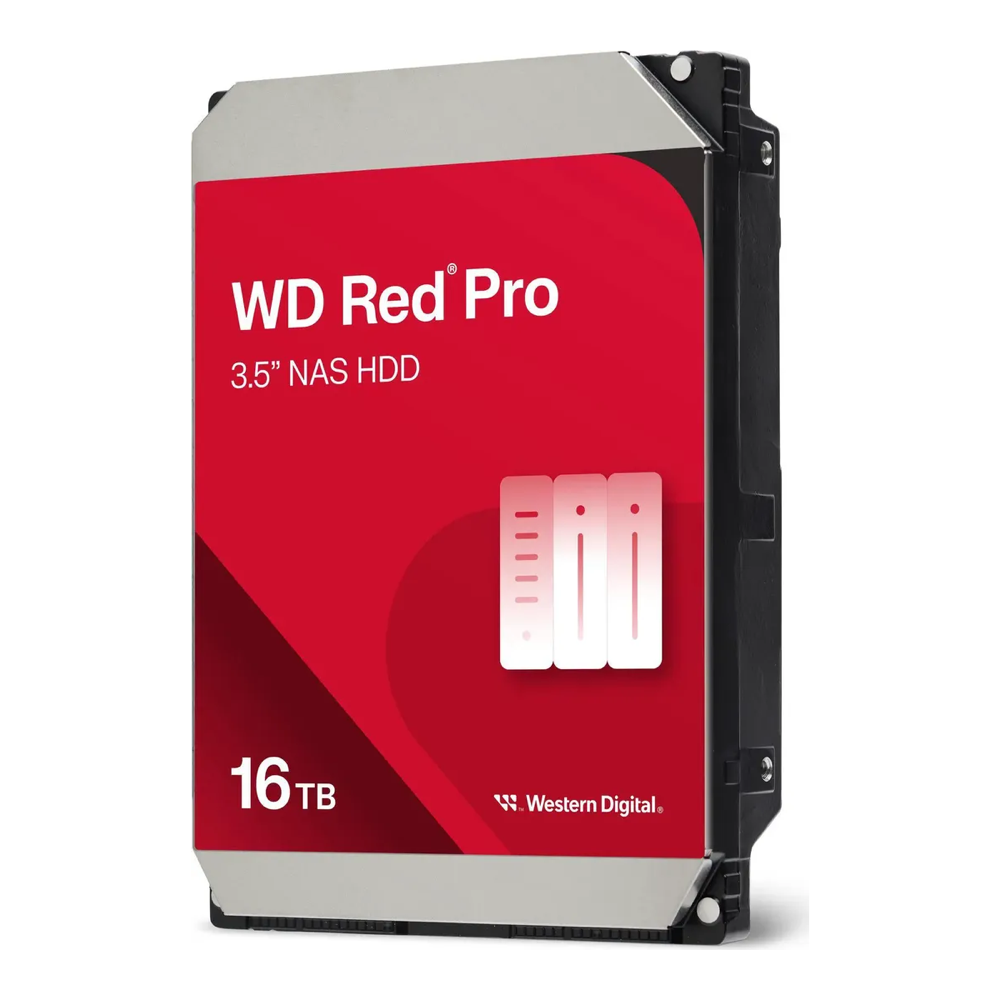
The Red Pro 16TB is the pick for a NAS that holds the only copy of irreplaceable data, or for 4K libraries that need the capacity. Helium keeps it at 3.6 W idle and 20 dBA idle, against 34 dBA for the air-filled 12TB, which matters in a chassis that already measures 39 to 40 dBA with hard drives in it. Stock on this listing moves fast, so check availability before planning around six of them.
Step 5: Fill the 7th bay and the spare M.2 slot
The 7th bay is where the Standard and Pro differ most. On the Standard each of the four M.2 slots links at PCIe Gen3 x1 behind a switch, and IceWhale rates the whole bay at about 800 MB/s shared, so drive speed barely matters (reviewers saw about 1.5 to 1.9 GB/s pool reads over Thunderbolt, still below the Pro’s rated bay). A 7,000 MB/s Gen4 drive and a 3,400 MB/s Gen3 drive perform alike in that bay. Buy on price per terabyte and endurance, not on the sequential number on the box.
ZimaOS does not use NVMe as a cache in front of a hard drive pool (Elevated Systems confirmed it), so the NVMe drives form their own pool. The useful layout is two drives in RAID 1 as the home for Docker app data, databases, the photo library thumbnails and VM disks. That matters more than it sounds, because ZimaOS puts app data on the 256GB system SSD by default. Point apps at the NVMe pool instead and the system drive stays small and replaceable.
| Role | SSD | Endurance (TBW) | Why | Approx. price |
|---|---|---|---|---|
| App and Docker pool (value) | WD_BLACK SN7100 2TB | 1,200 | TLC NAND, 5-year warranty, lowest entry price of the TLC options checked | around $340, check live price |
| App pool, larger | WD_BLACK SN7100 4TB | 2,400 | Same drive at twice the capacity and endurance, lowest cost per TB checked | around $610, check live price |
| 24/7 write-heavy pool | WD Red SN700 1TB or 2TB | 2,000 / 2,500 | NAS-rated, on the ZimaCube compatibility list, two to more than three times the SN7100’s endurance per TB | around $500 / $600 |
The SN700 is the NAS-branded pick but is currently priced well above the faster Gen4 SN7100, so the SN7100 is the better buy unless the pool takes constant writes (surveillance recording, a busy database). The spare M.2 slot on the motherboard (PCIe Gen3 x2, per Elevated Systems) takes either drive; it is a separate link from the 7th bay, which makes it the right home for a single larger app drive if the bay is reserved for a flash pool later.

Fast flash in the sled is wasted if the box is short on memory, which is the next upgrade.
Step 6: Add the second RAM stick
The Standard ships with one 8GB DDR5 SO-DIMM and a free slot. One stick means single-channel memory, which halves the memory bandwidth the CPU and the Intel UHD graphics share (TechRadar called this out, and Elevated Systems recommends budgeting for a matched pair). For a box running a few containers and Jellyfin, a second 8GB stick is the cheapest upgrade with a measurable effect.
| Target | Buy | Result | Approx. price |
|---|---|---|---|
| 16GB, dual channel | Samsung 8GB DDR5-5600 SO-DIMM | 2x 8GB matched capacity; runs at the platform’s DDR5-4800 | around $149, ships later, check date |
| 16GB, dual channel (alternative) | Crucial 8GB DDR5-5600 SO-DIMM | Same result from Crucial | around $215, check live price |
| 32GB for VMs | Crucial 32GB kit (2x 16GB) DDR5-5600 | Replaces the stock stick; spare 8GB goes in a drawer | around $580, check live price |
| 64GB maximum | Crucial 64GB kit (2x 32GB) DDR5-4800 | The platform ceiling, for Proxmox or local AI | around $1,100, check live price |
These prices are far above 2024 levels; the 2026 RAM and storage price spike explains why. A 16GB NAS is plenty for storage, media and a dozen containers, so the second 8GB stick is the upgrade to make now and the 32GB kit can wait. The memory is non-ECC laptop DDR5, which is the one thing this platform cannot change: builds that need ECC belong on a server board or a Ryzen-based NAS.

Memory sorted, the remaining bottleneck is the network link.
Step 7: Choose between 2.5GbE, 10GbE and Thunderbolt 4
The two 2.5GbE ports measured 261 MB/s sequential against an HDD RAID 5 (Elevated Systems). That is enough to stream several 4K remuxes at once and to run nightly backups, and it is all a home network with a 1GbE or 2.5GbE switch can deliver anyway. Stay on 2.5GbE unless one of the other two paths below applies.

10GbE for a whole network. A six-drive hard drive array can stream several hundred MB/s, which a 10GbE link carries and 2.5GbE caps. The cheapest route on the Standard is a TP-Link TX401 10GbE PCIe card (PCIe 3.0 x4, ships with a low-profile bracket, around $60) in the PCIe 4.0 x4 slot. A 10GbE PCIe card in the Standard ran without issues in the Christian Lempa build, adding an estimated 4 to 5 W. For two ports, the Intel X550-T2 is the step up (around $150). Either card needs a 10GbE switch port and a 10GbE client to be worth installing.
Thunderbolt 4 for one workstation. A Mac or PC plugged straight into a Thunderbolt port measured 1,742 MB/s reads and 826 MB/s writes from the HDD RAID 5, with no switch to buy. For a single editing machine this beats 10GbE on both speed and cost, and it leaves both PCIe slots free.
One slot constraint to plan around: a dual-slot low-profile GPU in the x16 slot covers the x8 slot below it (ServeTheHome notes the box takes two single-slot cards or one dual-slot card). A build that wants a GPU and 10GbE therefore needs the Pro’s onboard 10GbE, a Thunderbolt 10GbE adapter, or a single-slot GPU. There is a fourth route: the spare motherboard M.2 slot is where the Pro mounts its AQC113 10GbE controller, and Elevated Systems suggests an AQC113-based M.2 10GbE adapter in that slot on the Standard. No review has published a test of that setup yet, so treat it as promising rather than proven. The PCIe slots have no auxiliary power, so any GPU must run from the slot’s 75 W: the PNY RTX 2000 Ada 16GB low-profile (70 W, around $770) is the card that matches the Creator Pack’s class.

Every PCIe card in this chassis gets no dedicated airflow beyond the CPU cooler’s fan, so ServeTheHome’s advice applies: pick cards with their own fan, and skip passive datacenter GPUs such as the T4 or L4.

With the drives, RAM and network chosen, the parts can be added up.
Three complete ZimaCube 2 builds, priced
Each build uses the Amazon prices checked for this guide. Usable capacity is decimal TB.
| Build | Parts | Usable storage | Approx. total |
|---|---|---|---|
| Starter, grow later | ZimaCube 2 Standard + 4x WD Red Pro 12TB in RAID 5 | 36 TB now, 60 TB after adding two drives | about $3,059 |
| Family media and backups | ZimaCube 2 Standard + 6x WD Red Pro 12TB in RAID 6 + 8GB SO-DIMM + WD_BLACK SN7100 2TB for apps | 48 TB (43.7 TiB), two-drive fault tolerance, 2 TB flash | about $4,622 |
| Creator with 10GbE | ZimaCube 2 Standard + 6x WD Red Pro 16TB in RAID 6 + 2x SN7100 2TB in RAID 1 + 8GB SO-DIMM + TP-Link TX401 | 64 TB (58.2 TiB) + 2 TB mirrored flash | about $6,067 |
The drives are about 70% of every build’s cost, which is the ServeTheHome observation in numbers: at 2026 prices the NAS itself is the small line item. That changes the Standard versus Pro maths for the third build. Its upgrades (RAM and a 10GbE card) cost about $208, and the Pro would add about $525 while also bringing a faster CPU and the 3200 MB/s NVMe bay. On a $6,100 build that $317 difference is about 5%, so a creator build that will lean on the NVMe pool is the one case where the Pro is the better buy.

After the hardware is in, the ZimaOS side is quick: the static IP guide for ZimaOS pins the NAS address before shares and apps depend on it, the CasaOS and ZimaOS CLI cheat sheet covers the command line, and the ZimaOS remote access hardening guide closes the ports that should not face the internet. Anyone who would rather run ZFS should read the TrueNAS SCALE ZFS storage server build first, since the same six bays work under TrueNAS.
ZimaCube 2 vs UGREEN DXP6800 Pro and other 6-bay NAS
The ZimaCube 2 is not the only 6-bay NAS in its price band, and the closest rival uses the same processor. UGREEN’s DXP6800 Plus pairs the i3-1215U with a 10GbE port for about $40 more than the ZimaCube 2 Standard on Amazon. Specs below are from the maker’s product page or the live Amazon listing. IceWhale’s own store lists the three ZimaCube 2 models at $799, $1,299 and $2,499, so the Standard and Pro run $100 to $125 higher on Amazon, while the Creator Pack is currently about $60 cheaper there.
| NAS | CPU | Network | M.2 slots | PCIe / Thunderbolt | Approx. price |
|---|---|---|---|---|---|
| ZimaCube 2 Standard | Core i3-1215U | 2x 2.5GbE | 4 (7th bay) + 1 spare onboard | 2 slots / 2x TB4 | around $899 |
| UGREEN DXP6800 Plus | Core i3-1215U | 1x 10GbE + 1x 2.5GbE | 2 | 1 slot / none listed | around $939 |
| UGREEN DXP6800 Pro | Core i5-1235U | 2x 10GbE | 2 | 1 slot / 2x TB4 | around $1,100 |
| TerraMaster F6-425 Pro | Core i3-1315U | 2x 10GbE | 3 | no slot listed / 2x TB4 | around $850 |
| ZimaCube 2 Pro | Core i5-1235U | 2x 2.5GbE + 1x 10GbE | 4 (7th bay, 3200 MB/s) | 2 slots / 2x TB4 | around $1,425 |
Read the table by what each box does best. The UGREEN and TerraMaster units win on 10GbE per dollar: if the plan is a plain file and media server on a 10GbE network, the DXP6800 Plus or the F6-425 Pro gets there with no add-in card. The ZimaCube 2 wins on expansion: it is the only one here with four NVMe slots in a front sled, two PCIe slots (a NIC plus an HBA or another single-slot card, or one dual-slot GPU), and official support for TrueNAS, Unraid or OpenMediaVault in place of the bundled OS (reviewers also ran Proxmox on it). The DXP6800 Pro is the value alternative to the ZimaCube 2 Pro, at about $325 less for dual 10GbE, with half the NVMe slots, one PCIe slot and 8GB of RAM instead of 16GB. For a 4-bay or 8-bay comparison, the best NAS for Plex, Jellyfin and self-hosting covers the UGREEN DXP4800 Plus and DXP8800 Plus, and the DIY NAS on a mini PC guide covers the roll-your-own route.
What a full ZimaCube 2 costs to run for a year
A NAS runs 8,760 hours a year, so a few watts compound. The table converts the measured wall-power figures into yearly energy and cost at three electricity prices, using kWh per year = watts x 8,760 / 1,000.
| State | Wall power | Per year | At $0.15/kWh | At $0.25/kWh | At $0.35/kWh | Measured by |
|---|---|---|---|---|---|---|
| No data drives, idle | 26 W | 228 kWh | $34 | $57 | $80 | ServeTheHome, Pro |
| SSD pool, idle | 35 W | 307 kWh | $46 | $77 | $107 | NASCompares |
| Six HDDs, light use | 60 W | 526 kWh | $79 | $131 | $184 | NASCompares |
| HDDs, heavy load all day | 74 W | 648 kWh | $97 | $162 | $227 | NASCompares |
A realistic 24/7 home ZimaCube 2 with six hard drives sits near the 60 W row: about 526 kWh and $79 to $184 a year depending on the local rate. The drives set most of that number. By WD’s datasheets, six air-filled Red Pro 12TB (WD122KFBX) drives idle at 36.6 W combined, and six helium Red Pro 16TB drives at 21.6 W. The 15 W gap is 131 kWh a year, which is $20 to $46 a year back from choosing the helium drive, before counting its extra 4 TB per bay.
The last line item on the bill is a UPS. A RAID 6 array that loses power mid-write risks exactly the kind of parity inconsistency the layout exists to prevent, and 60 to 75 W is a light load for a 1500 VA unit. The CyberPower CP1500PFCLCD (pure sine wave, 1500 VA / 1000 W, around $234) carries that load with a wide margin; the UPS guide for homelab and NAS builds covers runtime maths and alternatives. Add it to whichever build above fits, and the ZimaCube 2 is a complete, protected storage system rather than a box of drives.