Releases: asciinema/asciinema-player
Release list
3.17.0

This is a mostly bug fix release:
- fixed marker timeline positions vs
idleTimeLimitoption (fixes #326) - fixed terminal size override via
cols/rowsoptions (regressed in 3.16.0) - fixed a visual glitch with step-back in certain situations
This release also brings an experimental segmented recording loading (similar to HLS segmenting). It's not documented yet, I'll test the behavior and API on asciinema.org first before I commit to it fully.
3.16.0
This is a significant release, with a new keystroke overlay and major improvements to recording playback.
Notable changes:
- New optional keystroke overlay, toggled with the
kkey - New
cursorModeoption:"blinking","steady"or"hidden" - TypeScript definitions included in the npm package
- More reliable loading, playback, seeking, stepping and looping
- Recording load failures are now emitted via the
errorevent - Audio loading failures no longer prevent recording playback
- Improved rendering of Powerline and box-drawing symbols
- Improved accessibility of control bar buttons
- Standalone bundle is now compatible with LibreJS
Keystroke overlay
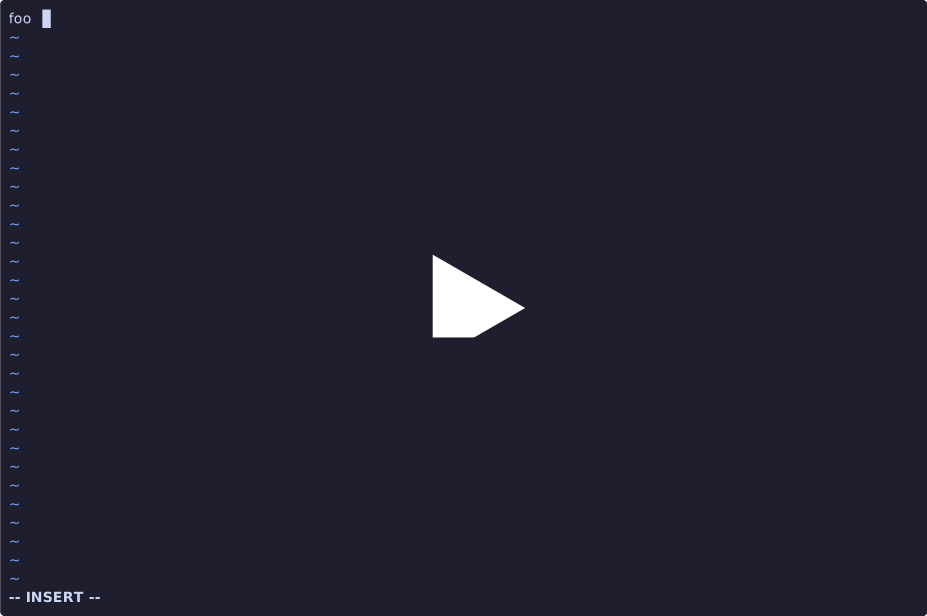
The new keystrokeOverlay option displays keys pressed during a recording:
AsciinemaPlayer.create("/demo.cast", document.getElementById("demo"), {
  keystrokeOverlay: true
});
Recent keystrokes are shown in the lower-right corner. Consecutive text input is grouped, while repeated special keys use a counter, such as Ret × 3.
The overlay is disabled by default and can be toggled during playback with the k key. It requires a recording containing input events (asciinema rec --capture-input ...).
Demo:
Cursor mode
The new cursorMode option controls cursor visibility:
AsciinemaPlayer.create("/demo.cast", document.getElementById("demo"), {
  cursorMode: "steady"
});
Supported modes are "blinking" (the default), "steady" and "hidden".
Playback improvements
The recording playback engine has been significantly reworked. This fixes several edge cases involving reverse stepping, marker pauses, looping, seeking, posters and audio playback.
Missing or invalid audio now falls back to terminal-only playback. Fatal recording load errors are emitted through the new error event.
getCurrentTime() and getDuration() now return their values directly, as documented.
TypeScript support
The npm package now includes TypeScript definitions for the player API, options, recording sources, parsers and events.
3.15.1
Patch release, fixing theme color normalization (introduced in 3.15.0), which caused broken background color rendering for colors defined using short form (#fff).
3.15.0
This one adds preliminary support for adaptive/harmonious 256-color palette (see https://gist.github.com/jake-stewart/0a8ea46159a7da2c808e5be2177e1783).
3.14.15
A π release!
- fixed alignment of Black Large Circle symbol (U+2B24)
- improved the look of the info overlay ("STREAM ENDED/OFFLINE" one)
- 4 KB smaller JS bundle
3.14.0
This is a significant release, with major refactoring to the terminal renderer.
Notable changes:
- Faster, better terminal renderer (see below)
- New
boldIsBrightoption (see below) - Better CSS isolation from the host page, preventing style collisions/interference (#302)
- Major improvements to the test suite (better coverage, more stable runs)
New terminal renderer
The terminal renderer is now 2x faster, resulting in reduced (typically zero) frame skips, and lower CPU and memory usage. In practice, the playback is smoother (up to 60 FPS, since there's no fixed frame rate) even for the most demanding animations.
There are 4 changes in this new implementation that contribute to better performance:
- background and block symbol (standard ASCII blocks, sextant glyphs, block mosaics) rendering has been moved from DOM text nodes to
<canvas>, - serialization/deserialization overhead for Rust-to-JS data transfer has been minimized by using direct WASM memory access (via DataView and typed arrays),
- the algorithm for grouping text spans based on their attributes (color, italic, bold, etc) has been improved, largely enabled by moving background rendering from the DOM text layer,
- text nodes in DOM are now updated via direct DOM manipulation, while previously it went through Solid.js machinery.
Other than improving performance, moving block symbol rendering to a crisp, pixelated canvas resulted in perfect alignment of block chars with the background. No more visual glitches for ANSI art!
Last but not least, 4 Powerline symbols (2 arrows, 2 triangles) and the smooth mosaic character set are now rendered as SVG instead of relying on fonts, giving them better alignment and making those glyphs look consistent across browsers/platforms.
Check out these cool demos to see the new renderer in action:
https://asciinema.org/a/648882 - Amiga themed Terminal Multiplexer
https://asciinema.org/a/370006 - Impossible Flappy
https://asciinema.org/a/150828 - term81 - voxel
https://asciinema.org/a/150843 - term81 - tunnel
https://asciinema.org/a/141032 - cbeams
https://asciinema.org/a/423181 - Tetris
https://asciinema.org/a/335029 - Gorched
New boldIsBright option
Since the early days, the player assumed the classic (legacy) logic of "when text has the bold attribute it should be rendered in high-intensity/bright variant of its color", e.g., bold + color 2 was rendered as bold + color 10. This logic was often used by terminal emulators in the past, and many of them provided a setting for enabling/disabling this behavior.
With this version, the "bold makes it bright" is disabled by default (boldIsBright: false), but it can be enabled by setting boldIsBright: true when initializing the player. Whether you should use it or not depends on your terminal and its corresponding setting. Many modern terminal emulators don't enable this behavior by default, so when in doubt, just leave it off.
3.13.5

3.13.4
3.13.3
3.13.2
Notable changes:
- Modernized default terminal font family
- Improved support for Nerd Fonts
- Improved alignment of special symbols (box drawing, NF symbols, etc)
- Moved background rendering to a separate layer to prevent unwanted icon/symbol cutoffs
Nerd Font symbols (Powerline, Devicons, Font Awesome, Octicons, Pomicons, Codicons, ...) (https://github.com/ryanoasis/nerd-fonts/wiki/Glyph-Sets-and-Code-Points) are now properly rendered as long as the Symbols Nerd Font is loaded on the web page.
You can add Symbols Nerd Font by downloading NerdFontsSymbolsOnly.zip from Nerd Font releases page, then adding this @font-face declaration to your CSS:
@font-face {
    font-family: "Symbols Nerd Font";
    src: local(SymbolsNerdFont-Regular), url("/fonts/SymbolsNerdFont-Regular.woff2") format("woff2");
}