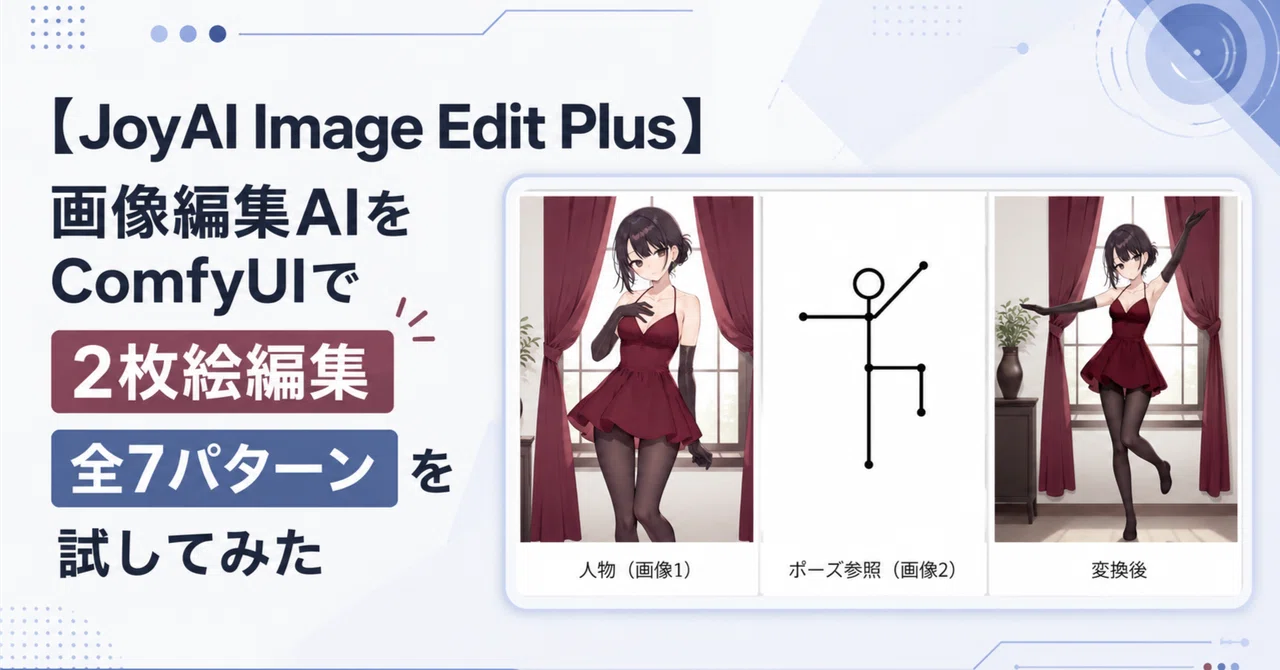
【JoyAI Image Edit Plus】画像編集AIをComfyUIで2枚絵編集 全7パターンを試してみた

こんにちは、かみもとです!
前回に引き続き、画像編集モデルの JoyAI Image Edit Plus をローカルのComfyUIで動かして、色々な編集を試してみました!
今回は元画像を2枚入力して画像を合成してみるテストです。
各項目は、次の順番で掲載しています。
実際に使用したプロンプト
元画像・参照画像・変換後画像を並べた比較画像
変換後画像の拡大版
画像についての考察
実行環境
OS: Windows11 Pro
CPU: Core i3 12100F
MEM: DDR4 48GB
GPU: RTX4070 12GB
2画像合成
人物画像と別の参照画像を同時に入力するテストです。
背景、服、バッグ、ポーズなど、画像2の役割をプロンプトで明示して合成しました。
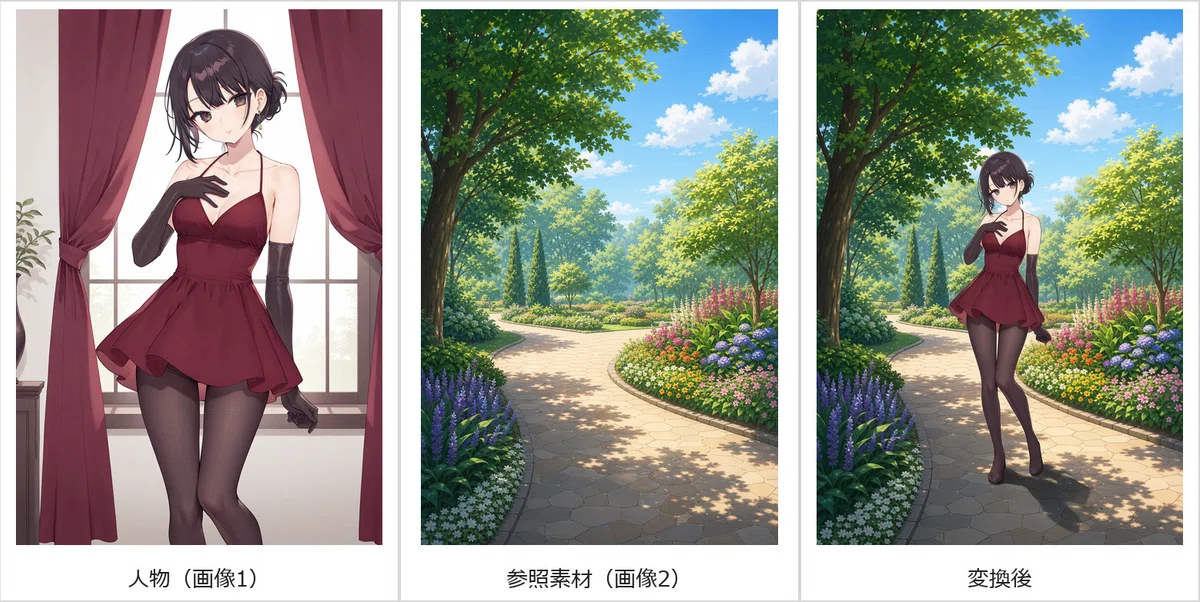
13. 人物と公園背景を合成する
プロンプト
Use image 1 only as the character reference and image 2 only as the environment reference. Place the exact character from image 1 standing naturally on the botanical park path from image 2. Preserve her identity, face, hairstyle, burgundy outfit, body proportions, and anime rendering style. Replace the original background completely. Match the character scale, perspective, contact shadow, and daylight to image 2. Do not add extra people or objects.(画像1を人物参照のみとして、画像2を環境参照のみとして使用します。画像1の正確なキャラクターを、画像2の植物公園の小道の上に自然に立たせます。彼女の身元、顔、髪型、バーガンディの服装、体型比率、アニメのレンダリングスタイルを保持してください。元の背景を完全に置き換えます。キャラクターのスケール、遠近感、接地の影、日光を画像2に合わせます。余分な人物や物体を追加しないでください。)
比較結果(元画像・参照画像・変換後)
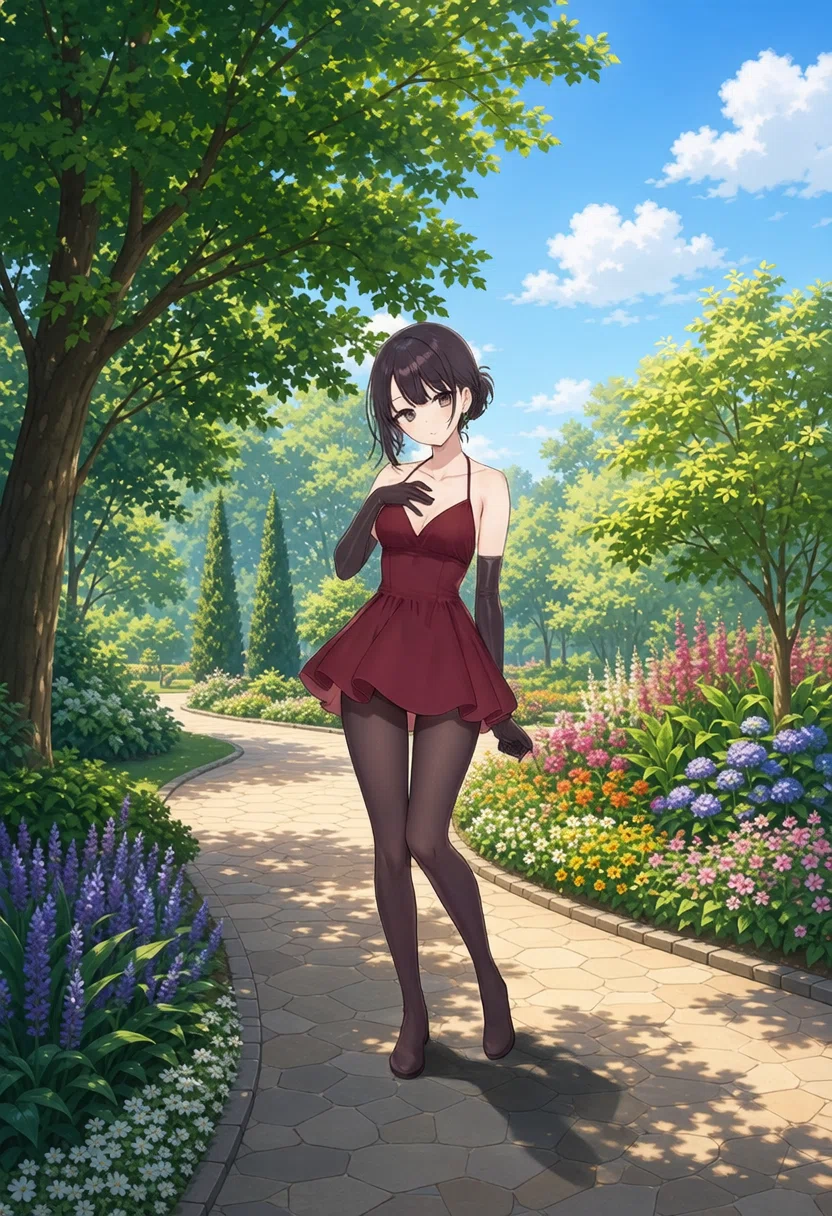
変換後画像
考察
うまく合成できていますよね!形はともかく、人物の影も追記されています。拡大すると顔が若干潰れていますが、解像度の影響でしょうね。
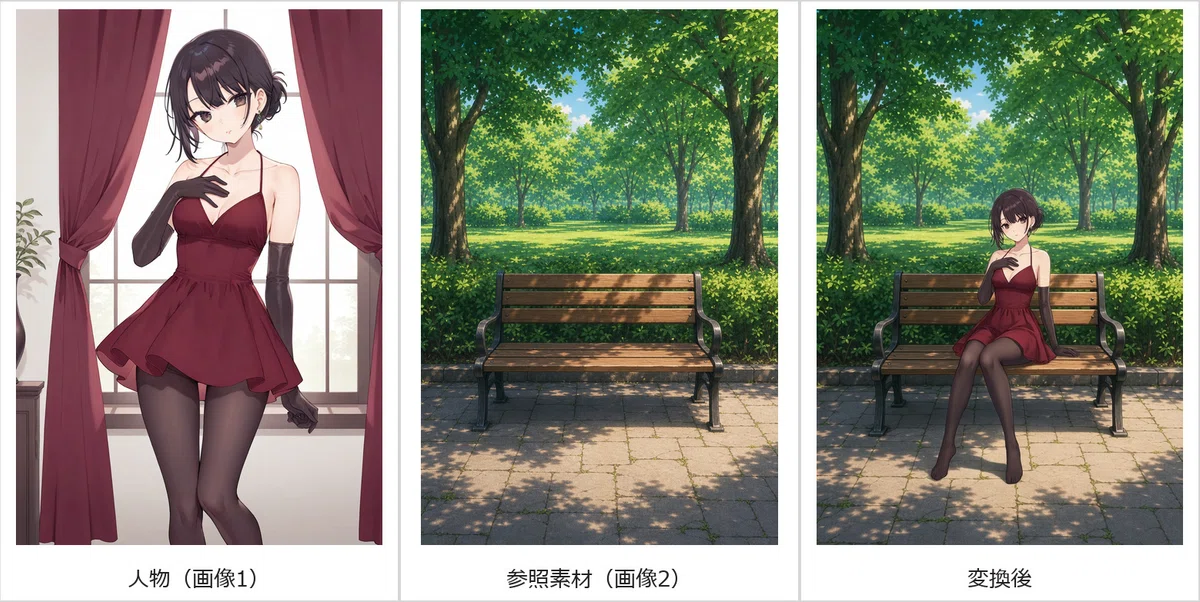
1. 背景へ合成して人物を座らせる
プロンプト
Use image 1 as the character reference and image 2 as the environment and bench reference. Place the exact character from image 1 sitting naturally on the wooden bench in image 2, with her hips on the seat, knees bent, feet toward the ground, and hands relaxed. Preserve her identity, face, hairstyle, burgundy outfit, body proportions, and anime style. Replace the original background completely and match the perspective, scale, daylight, and contact shadows. Do not add extra people.(画像1を人物参照として、画像2を環境およびベンチの参照として使用します。画像1の正確なキャラクターを画像2の木製ベンチに自然に座らせ、座面に腰を下ろし、膝を曲げ、足を地面に向け、手をリラックスさせます。彼女の身元、顔、髪型、バーガンディの服装、体型比率、アニメスタイルを保持してください。元の背景を完全に置き換え、遠近感、スケール、日光、接地の影を合わせます。余分な人物を追加しないでください。)
比較結果(元画像・参照画像・変換後)
変換後画像
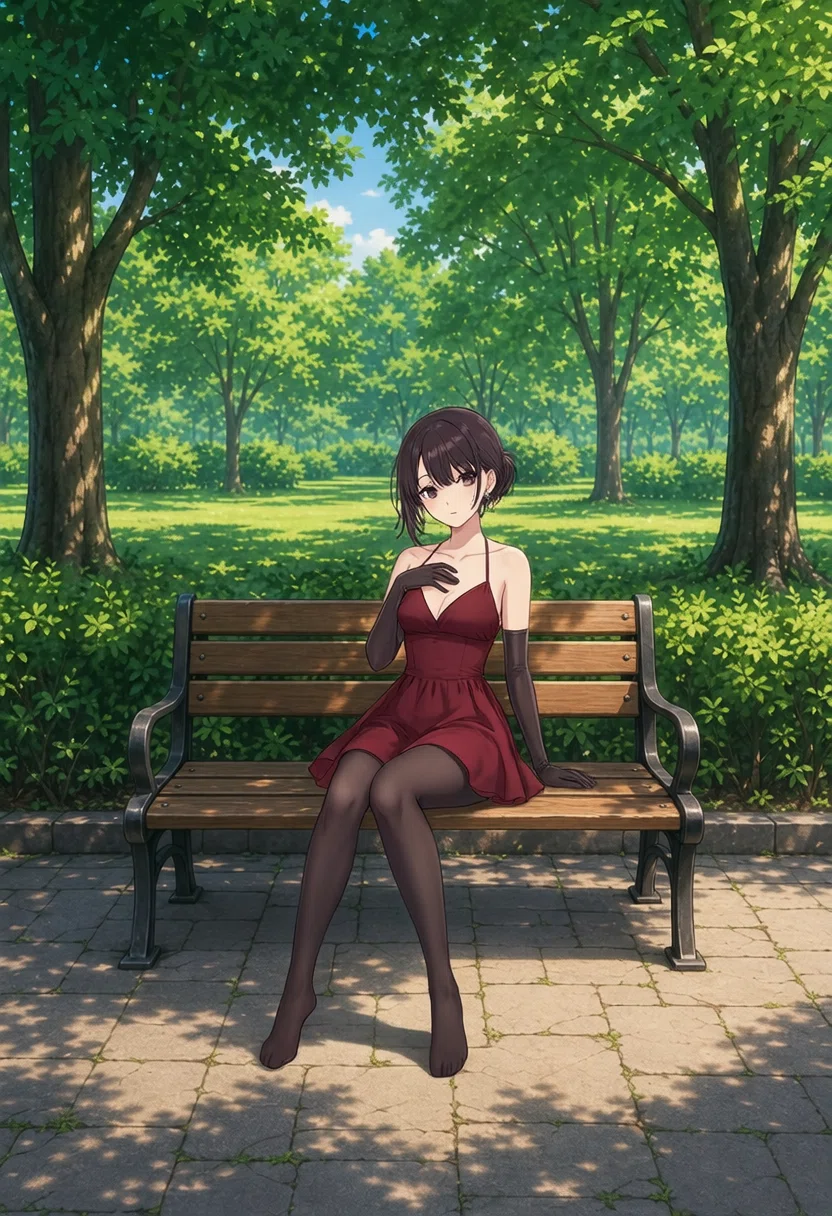
考察
キャラクター・服装の一貫性を保持したまま、椅子に座らせていますね。結構優秀。人物の影も追記されています。すごい。
引き絵のせいか、顔が若干潰れているのがマイナス。
2. 背景へ合成して夕方にする
プロンプト
Use image 1 only as the character reference and image 2 only as the environment and lighting reference. Place the exact character from image 1 naturally on the riverside promenade from image 2. Replace the original background completely and make the unified scene clearly sunset and early evening. Cast warm orange-pink sunset light and long soft shadows on the character so she belongs in the scene. Preserve her identity, face, hairstyle, burgundy outfit, proportions, and anime style. Do not add extra people.(画像1を人物参照のみとして、画像2を環境および照明の参照のみとして使用します。画像1の正確なキャラクターを画像2のリバーサイド遊歩道に自然に配置します。元の背景を完全に置き換え、統一されたシーンを明確に夕方から日没直後にします。温かみのあるオレンジピンクの夕日と長く柔らかい影をキャラクターに落とし、彼女がシーンに馴染むようにします。彼女の身元、顔、髪型、バーガンディの服装、体型比率、アニメスタイルを保持してください。余分な人物を追加しないでください。)
比較結果(元画像・参照画像・変換後)
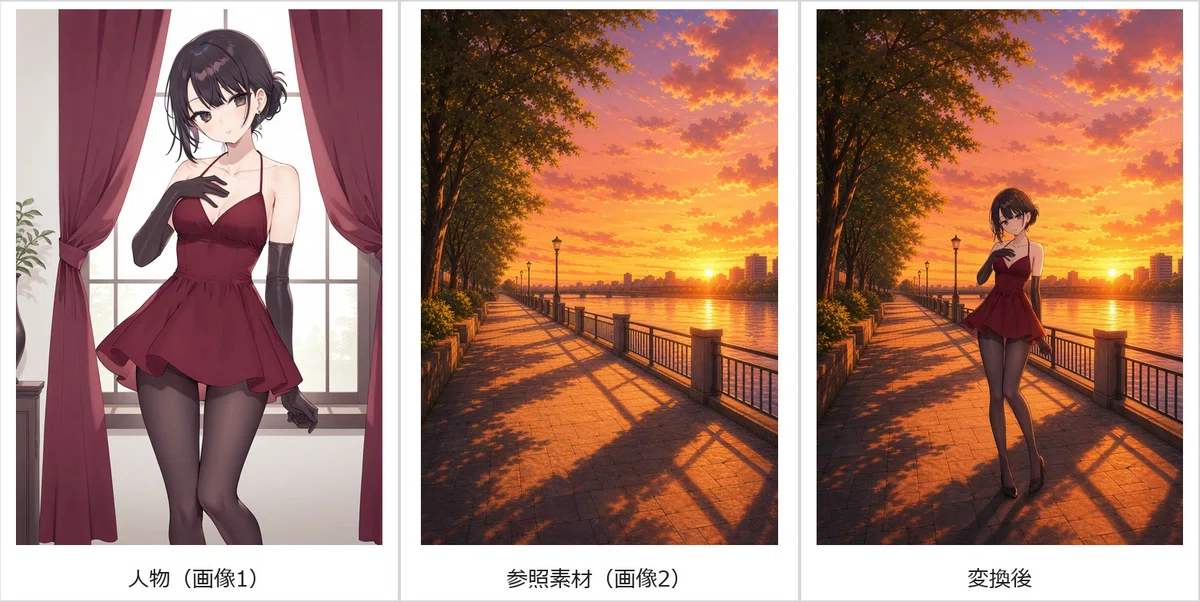
変換後画像
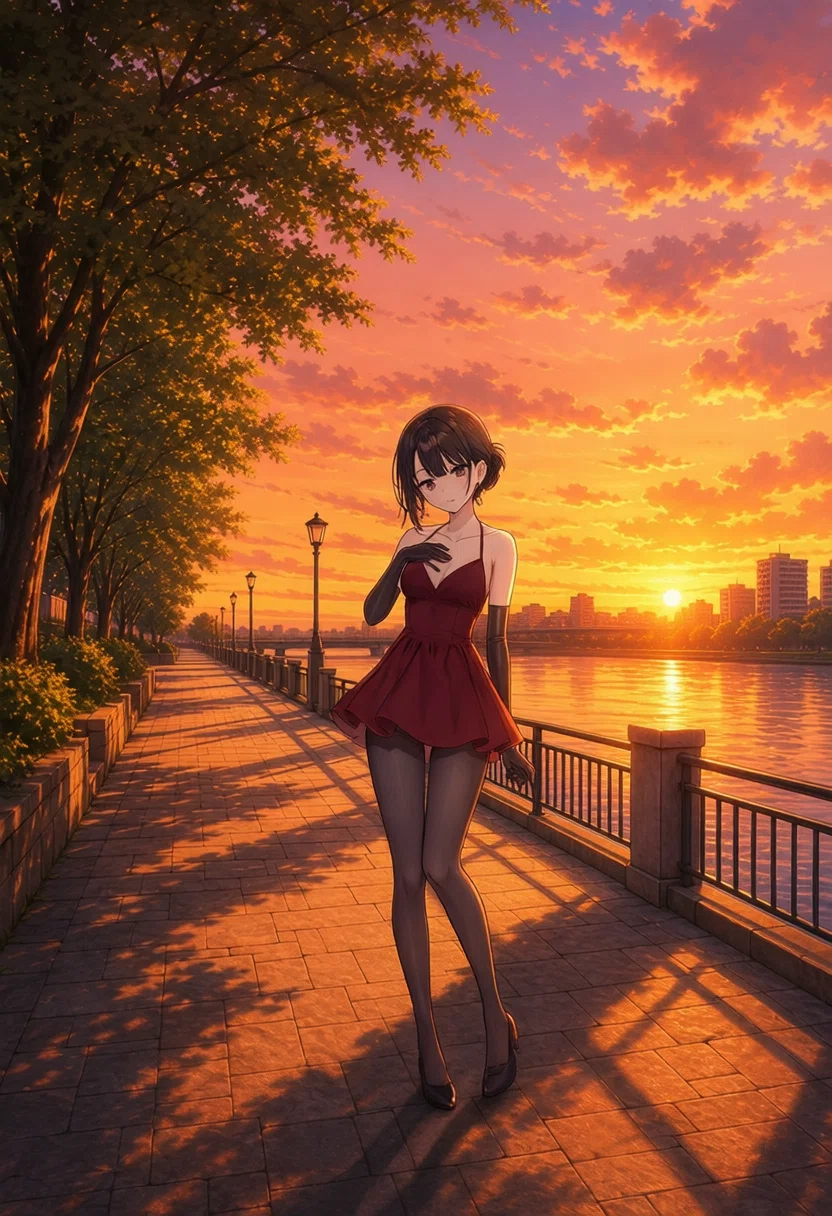
考察
元絵を昼間の画像にしておけばよかったですが、人物が夕暮れの陽に照らされている感じも出せています。当然、人物の影も追加されています。
3. 背景へ遠景の人物として合成する
プロンプト
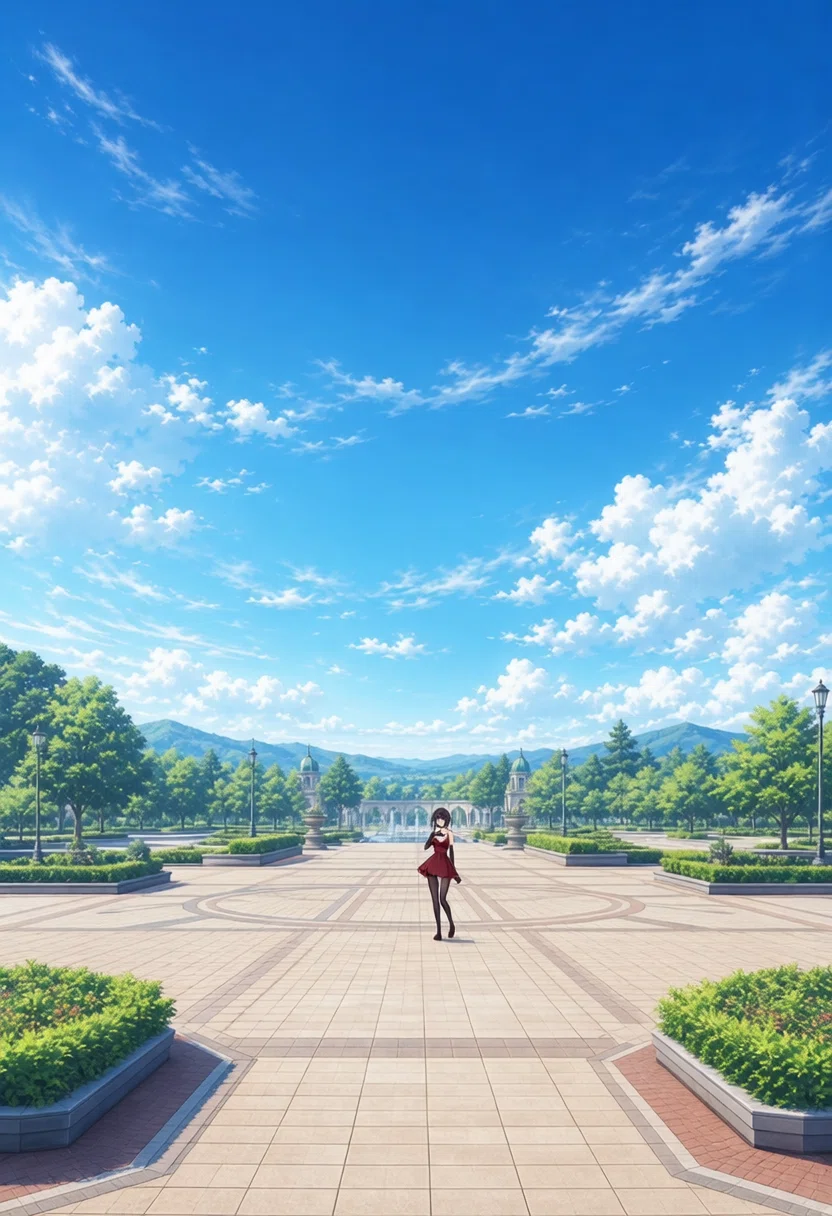
Use image 1 as the character reference and image 2 as the environment and camera-composition reference. Show the exact character from image 1 as a small full-body figure far away near the center of the broad plaza in image 2, photographed from a long distance in a wide establishing shot with abundant surroundings and deep perspective. Preserve her recognizable identity, black hairstyle, burgundy outfit, proportions, and anime style. Replace the original background completely, match daylight and shadows, and do not add extra people.(画像1を人物参照として、画像2を環境およびカメラ構図の参照として使用します。画像1の正確なキャラクターを、広い周囲環境と深い遠近感を持つ引きの全景ショットとして遠くから撮影された、画像2の広い広場の中心近くにある小さな全身の姿として見せます。彼女だと認識できる身元、黒髪の髪型、バーガンディの服装、体型比率、アニメスタイルを保持してください。元の背景を完全に置き換え、日光と影を合わせ、余分な人物を追加しないでください。)
比較結果(元画像・参照画像・変換後)
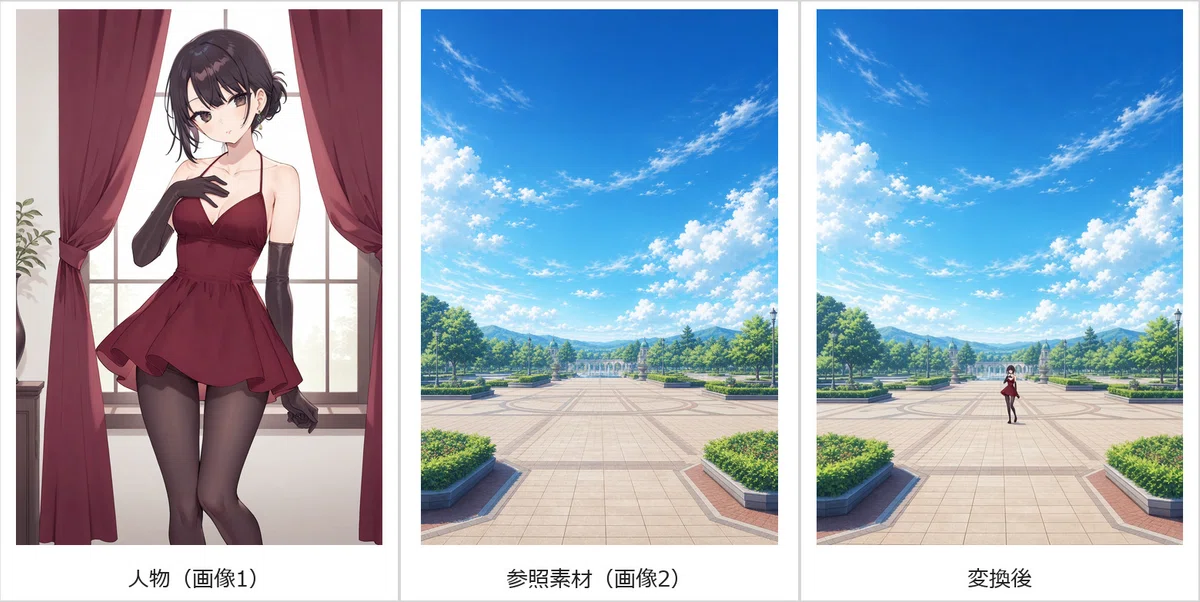
変換後画像
考察
もはや本人か分からないですが、ぱっと見は元絵キャラクターを遠景として合成できています。すごいですね。ありそうなシーン。
4. 人物と服を合成する
プロンプト
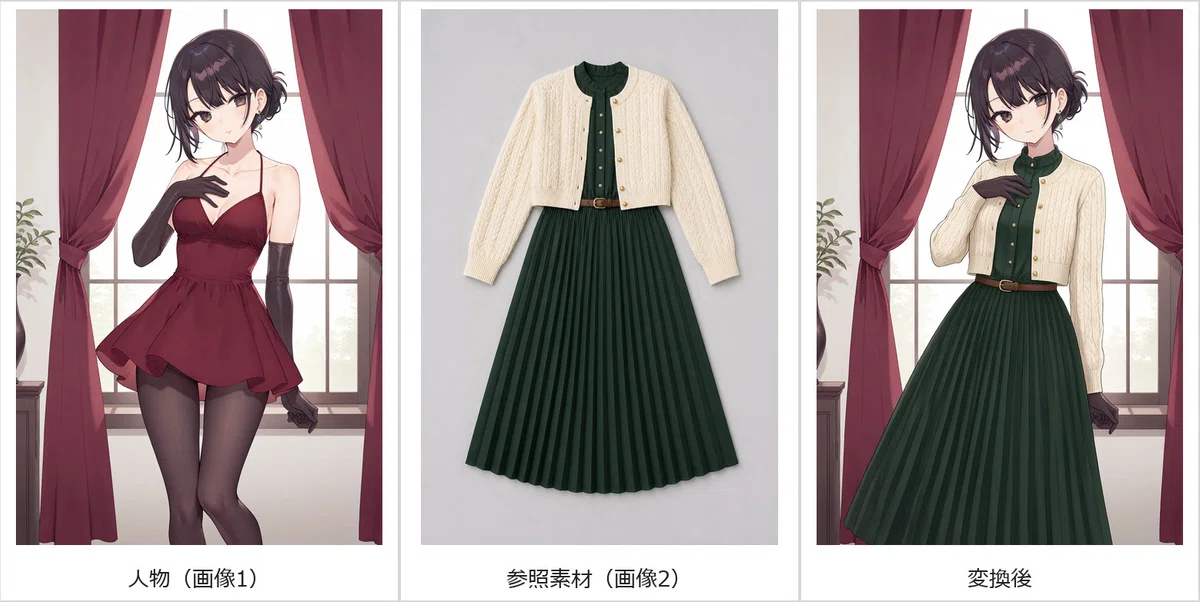
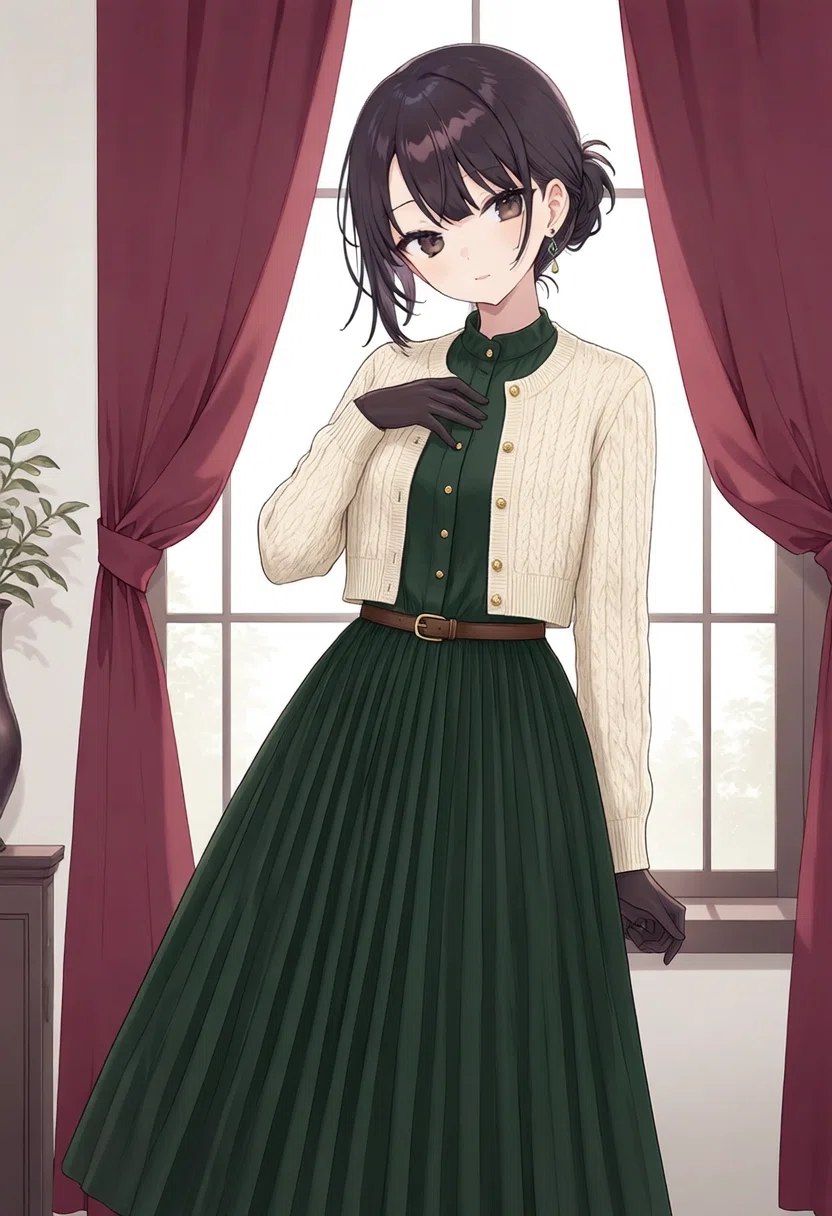
Use image 1 as the character, identity, pose, and composition reference. Use image 2 only as the clothing reference. Dress the exact character from image 1 in the complete outfit from image 2: the cropped cream cable-knit cardigan, dark forest-green pleated midi dress, narrow brown belt, and small gold buttons. Remove and replace the original burgundy dress and gloves. Preserve her exact face, hairstyle, body, pose, original background, lighting, and anime style. Do not copy the flat-lay background.(画像1を人物、身元、ポーズ、構図の参照として使用します。画像2は服装の参照のみとして使用します。画像1の正確なキャラクターに、画像2の完全な服装を着せます:クロップド丈のクリーム色のケーブルニットカーディガン、ダークフォレストグリーンのプリーツミディドレス、細い茶色のベルト、小さな金のボタン。元のバーガンディのドレスと手袋を取り外して置き換えます。彼女の正確な顔、髪型、体、ポーズ、元の背景、照明、アニメスタイルを保持してください。置画(平置き)の背景をコピーしないでください。)
比較結果(元画像・参照画像・変換後)
変換後画像
考察
服を着せるのも上手いもんですね。画風も元絵に合わせてくれています。ポーズも維持。着せ替え人形にできます。
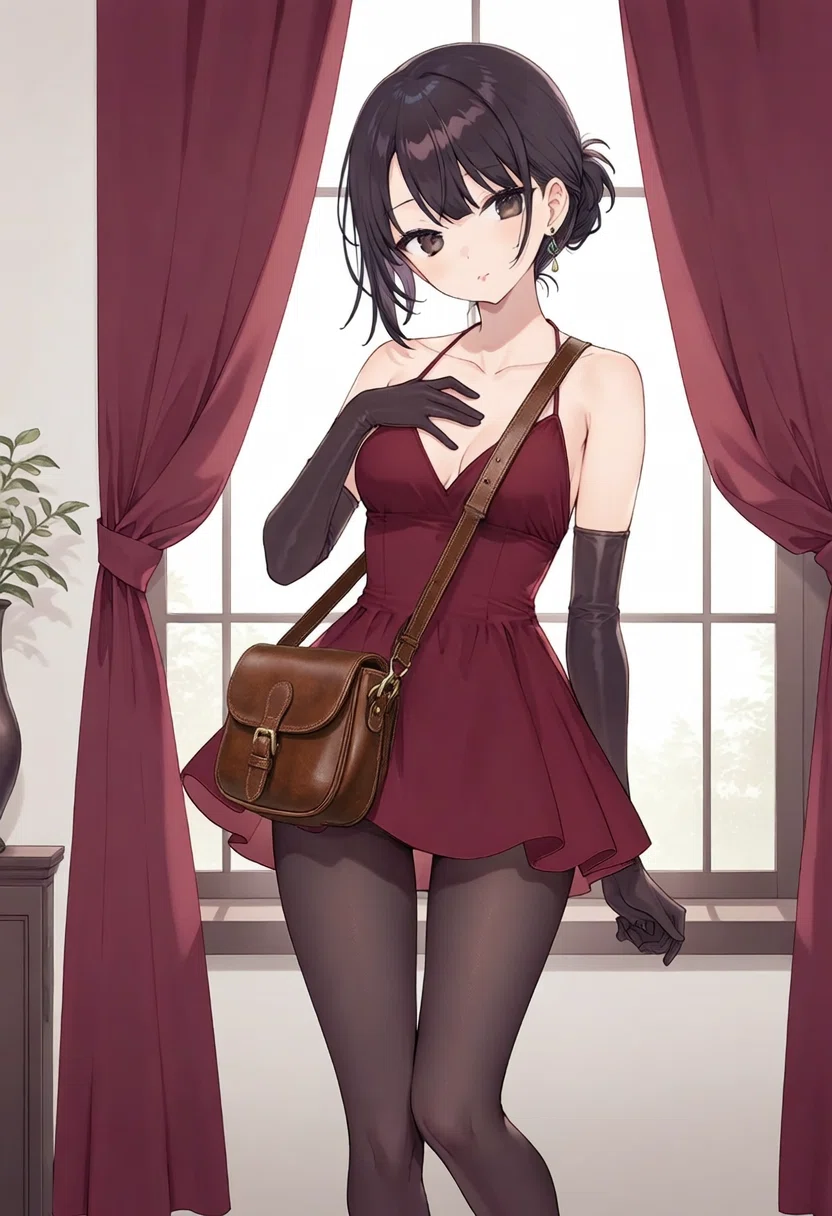
5. 人物とバッグを合成して持たせる
プロンプト
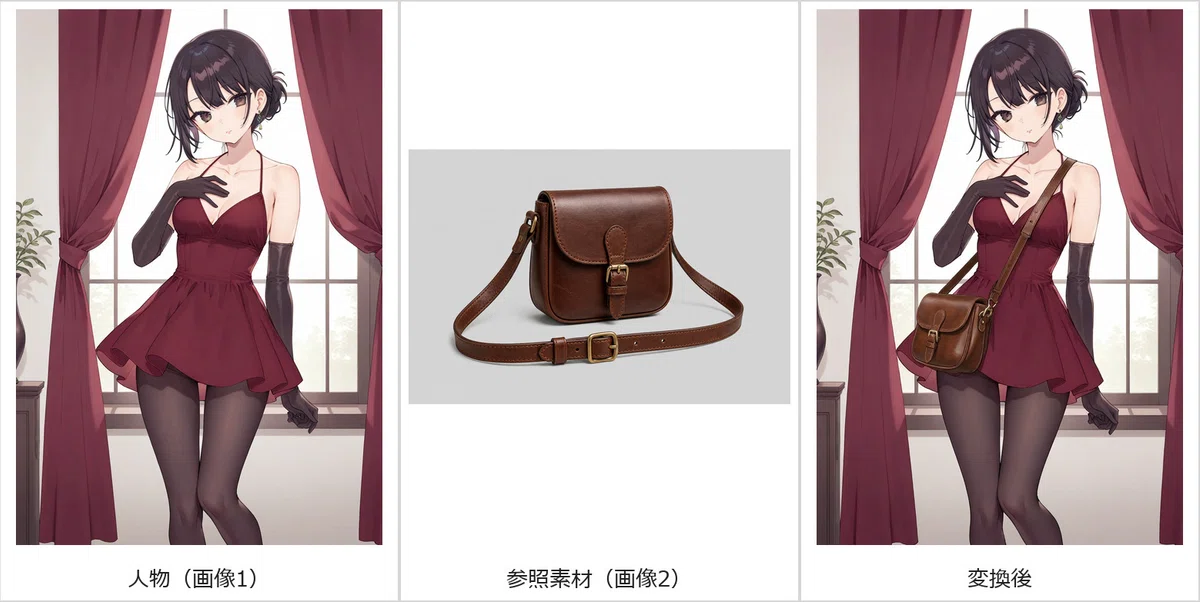
Use image 1 as the character and scene reference. Use image 2 only as the bag reference. Give the exact character from image 1 the chestnut-brown leather crossbody satchel from image 2. The strap should cross her torso naturally, the satchel should rest at her hip, and one hand should visibly hold the strap. Preserve her identity, face, hairstyle, burgundy outfit, body proportions, background, lighting, and anime style. Include exactly one bag and do not copy the studio background.(画像1を人物およびシーンの参照として使用します。画像2はバッグの参照のみとして使用します。画像1の正確なキャラクターに、画像2のチェスナットブラウンのレザー製斜め掛けサッチェルバッグを持たせます。ストラップが自然に胴体を交差し、サッチェルが腰の位置に収まり、片手が目に見える形でストラップを掴むようにします。彼女の身元、顔、髪型、バーガンディの服装、体型比率、背景、照明、アニメスタイルを保持してください。バッグは正確に1つだけ含め、スタジオの背景をコピーしないでください。)
比較結果(元画像・参照画像・変換後)
変換後画像
考察
これにはびっくり。バッグを肩からかけるのをうまく再現できています。ポーズも変えず、ここまでうまく合成できるとは思いませんでした。
6. 棒人間のポーズを真似させる
プロンプト
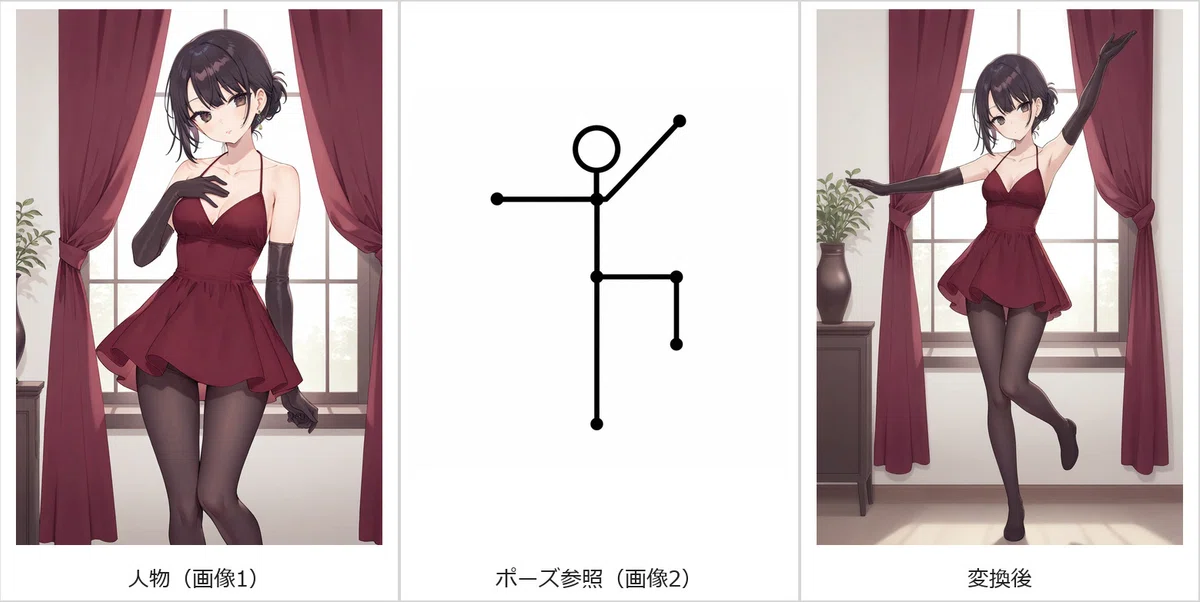
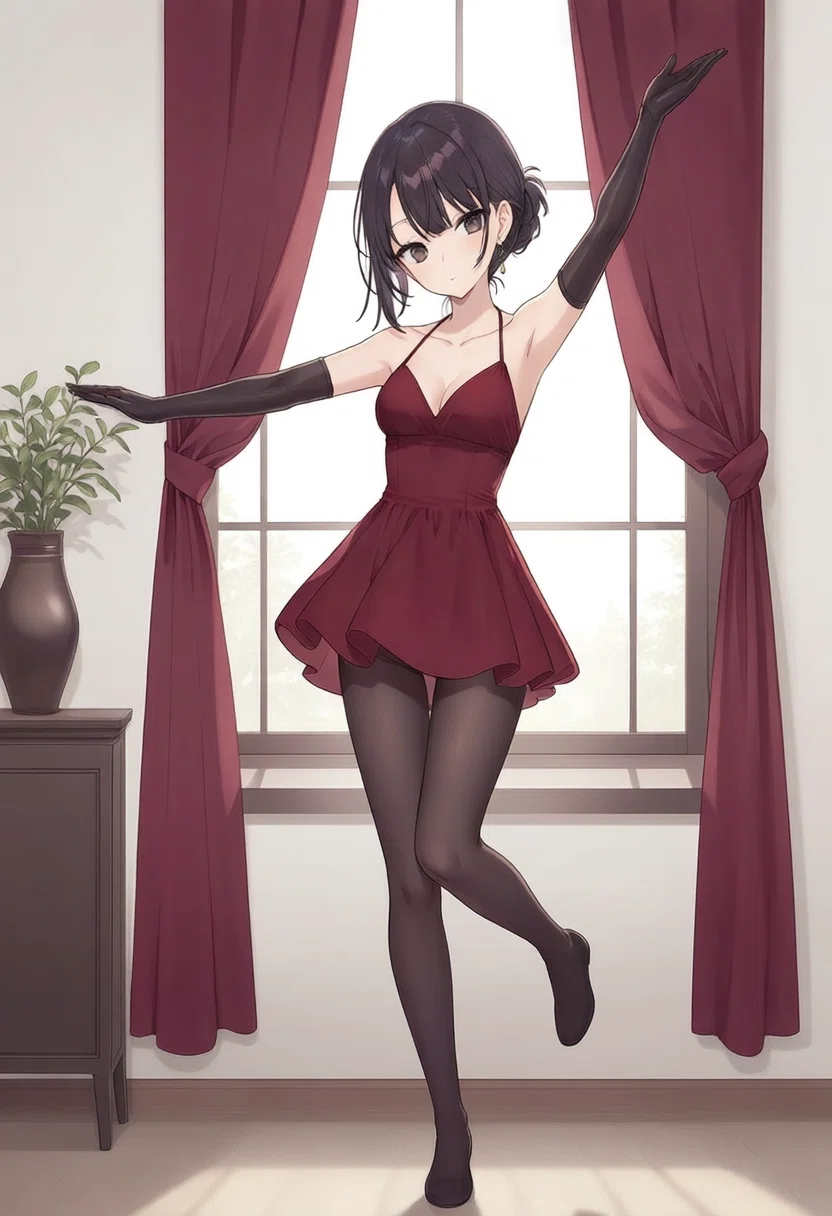
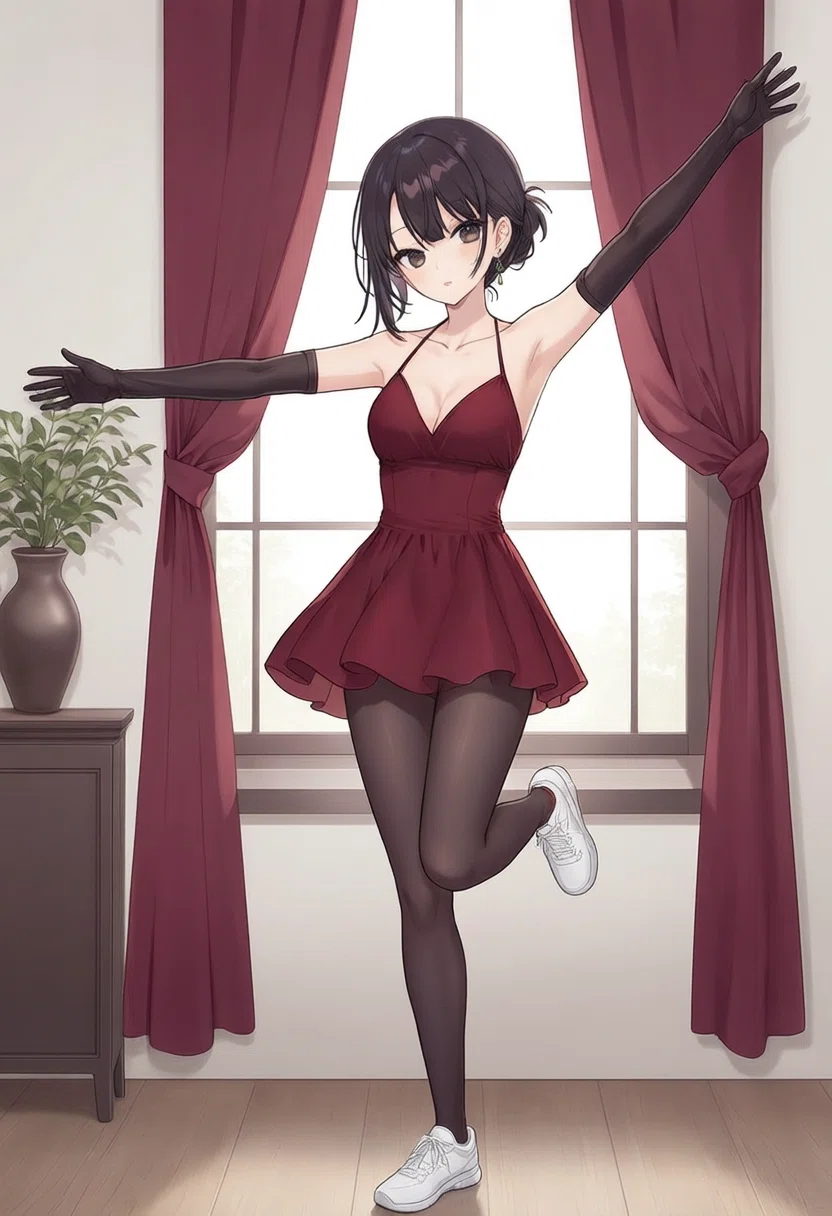
Use image 1 for the character's exact identity, face, hairstyle, body, burgundy outfit, and anime rendering style. Use image 2 only as a pose reference. Repose the character to match the stick figure clearly: stand on the left leg, lift the right knee forward to hip height bent 90 degrees, extend the left arm horizontally to the side, raise the right arm diagonally upward, keep the torso upright, and face forward. Render one complete full-body anime character with both feet and both hands visible. Ignore the stick-figure colors and drawing style. Keep a simple unobtrusive background and do not add another person.(画像1をキャラクターの正確な身元、顔、髪型、体、バーガンディの服装、アニメレンダリングスタイルに使用します。画像2はポーズの参照のみとして使用します。棒人間と明確に一致するようにキャラクターのポーズを変更します:左脚で立ち、右膝を腰の高さまで前に持ち上げて90度に曲げ、左腕を水平に横へ伸ばし、右腕を斜め上に上げ、胴体を直立させ、前を向きます。両足と両手が見える状態で、完全な全身のアニメキャラクターを1人レンダリングします。棒人間の色や描き方は無視してください。シンプルで主張しすぎない背景を保ち、他の人物を追加しないでください。)
比較結果(元画像・参照画像・変換後)
変換後画像
考察
ControlNetみたいに棒人間でポーズを再現してみました。さすがに左足を直角に曲げたりはしませんが、女性らしい足の曲げ方になっていますね。なんのポーズなのかわかりませんが上手くいっています。
7. 普通の人間をポーズ参照にする
普通の人間をポーズ参照にする画像は、ChatGPTのImagegenで作成しました。
プロンプト
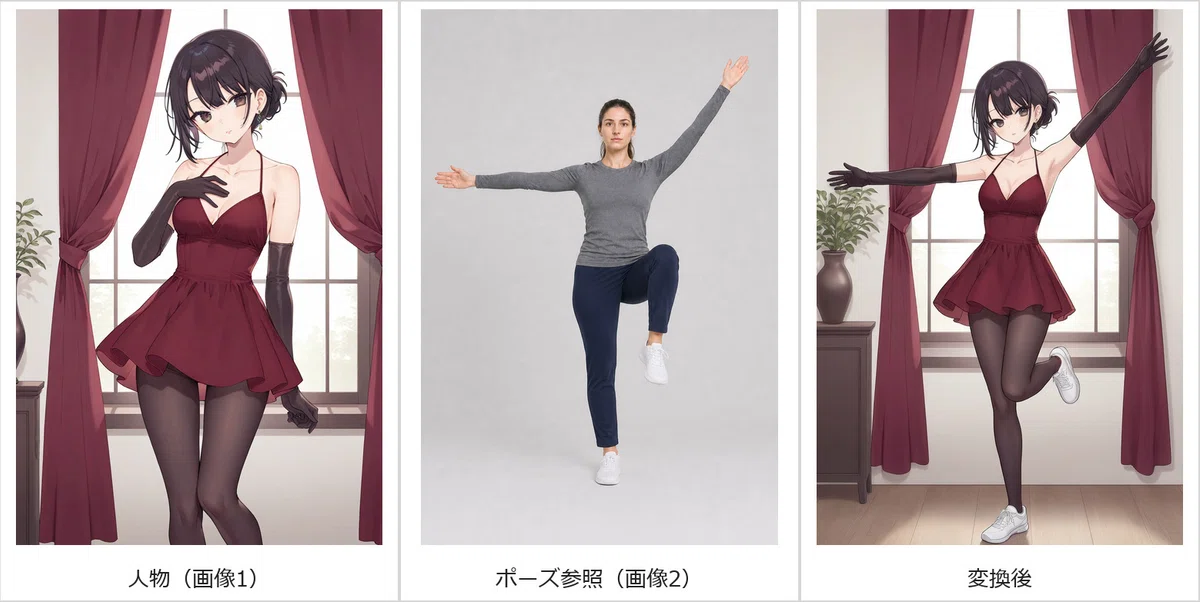
Image 1 is the only source for the visible character, identity, face, hairstyle, body, burgundy outfit, anime rendering style, composition, and background. Image 2 is a pose-only motion reference and must not appear as another person. Transfer only the joint positions and limb directions from image 2 to the woman in image 1: stand on the left leg, lift the right knee forward to hip height bent 90 degrees, extend the left arm horizontally, raise the right arm diagonally upward, keep the torso upright, and face forward. The output must contain exactly one person, the anime woman from image 1. Do not copy the face, hair, skin, clothing, shoes, body identity, photorealistic style, gray background, or any other visible appearance from image 2. Do not add a second person, duplicate, overlay, pose guide, or reference figure. Preserve the original background from image 1 and render the character as one coherent full-body anime figure with both hands and both feet visible.(画像1は、見えるキャラクター、身元、顔、髪型、体、バーガンディの服装、アニメのレンダリングスタイル、構図、背景の唯一のソースです。画像2はポーズ専用のモーション参照であり、別の人物として現れてはなりません。画像2から画像1の女性へ関節位置と四肢の方向のみを転送します:左脚で立ち、右膝を腰の高さまで前に持ち上げて90度に曲げ、左腕を水平に伸ばし、右腕を斜め上に上げ、胴体を直立させ、前を向きます。出力には、画像1のアニメ女性という正確に1人の人物のみが含まれていなければなりません。画像2から顔、髪、肌、衣服、靴、体の特徴、実写スタイル、グレーの背景、またはその他の目に見える外見をコピーしないでください。2人目の人物、複製、オーバーレイ、ポーズガイド、または参照フィギュアを追加しないでください。画像1の元の背景を保持し、両手と両足が見える1つの整合性のある全身アニメフィギュアとしてキャラクターをレンダリングします。)
比較結果(元画像・参照画像・変換後)
変換後画像
考察
人物ポーズも再現できますね。足に関しては棒人間と同じ直角になりませんが、女性らしいポーズで良いと思います。
生成速度・メモリ使用量
生成速度平均:301.5秒(約5分)
VRAM:11,060MB
メインメモリ:23,911MB
2枚絵合成でもメインメモリ溢れが発生しており、生成速度については1枚絵の倍くらいかかっていますね。リアルタイムで編集するには不向きですが、自動で合成・編集する利便性は十分あります。
まとめ
前回のJoyAI Image Edit Plusの1枚絵編集に続き、今回は2枚絵の編集にトライしました。結構精度良く合成ができていると思います!
服装・小物の合成も自然で、色々と応用が効きそうです。画像編集AIは実写系に強いモデル多いのですが、今回のように2D絵でも十分編集できることが分かりました。
次回は赤枠で指示する画像編集をトライしたいと思います!
最後まで読んでいただき、ありがとうございました!
もし今回の検証が「参考になった」と感じていただけたら、スキを押していただけると今後の励みになります!
今後もローカル画像生成、音声生成、LLMなど、実際に動かして分かったことをまとめていきますので、フォローもぜひよろしくお願いします!
いいなと思ったら応援しよう!
 若輩者ですが、サポートいただけると、もっとがんばって記事作成します!