CodePenでesm.shでお手軽にReact Three Fiberを使用してみるテスト3 3Dモデルアニメーション表示

前回からのつづきです。 esm.shを使用したCodePenのコードで、React Three Fiberによる3Dモデルアニメーションの表示を行ってみました。 3DモデルアニメーションはglTFファイル形式のものを使用しています。
概要
コードは全てglTFファイル形式による3Dモデルアニメーションを動かすものですが、Test01からTest03までのコードと、Test04からTest09までのコードでは、アニメーションを再生させるコードの書き方が異なっています。 これは、Test04からTest09のコードは3Dモデルのアニメーションを切り替える処理のコードを書いた後に、そのアニメーション切り替えコードを元に作成しているからです。 Test01からTest03までのコードではそういう要素は全くないので、また違う書き方となっています。 ちなみどちらが一般的な書き方なのかは自分もよくわかりませんw。 いつものテキトーな、動けばよかろうなのだァァァァッ!! 、精神でいかせてもらってますw
参考:import文そのままになりますが、使用したライブラリ等のバージョンは以下になります
呼び出す機能が変わっている部分はありますが、基本的には前回からバージョンの変更などはないです。
Test01からTest03までのコードでは
import ReactDOM from 'https://esm.sh/react-dom@18.2.0'
import React, { Suspense } from 'https://esm.sh/react@18.2.0'
import { GLTFLoader } from 'https://esm.sh/three@0.163.0/examples/jsm/loaders/GLTFLoader'
import { Canvas, useFrame, useLoader } from 'https://esm.sh/@react-three/fiber@8.16.1'
import { Html, useProgress } from 'https://esm.sh/@react-three/drei@9.105.4'
import * as THREE from 'https://esm.sh/three@0.163.0'
Test04からTest09までのコードでは
import ReactDOM from 'https://esm.sh/react-dom@18.2.0'
import React, { useRef, useEffect, Suspense } from 'https://esm.sh/react@18.2.0'
import { Canvas, useFrame } from 'https://esm.sh/@react-three/fiber@8.16.1'
import { Html, useProgress, useGLTF, useAnimations } from 'https://esm.sh/@react-three/drei@9.105.4'
となります。
また、3Dアニメーションの実行のために以下のサイトを参考にさせていただきました。
■Test01からTest03までのコードで参考にさせていただいたサイト
・How to extract and play animation in react-three-fiber
・reactjs - react-three-fiberでアニメーションを抽出して再生する方法(現在サイトはなくなってしまっているようです)
■Test04からTest09までのコードで参考にさせていただいたサイト
上記の参考サイトに加えて以下を参考にさせていただきました
・How to Perform Inplace Animations in React Three Fiber
・【React】react-three-fibarで3D表現をする(Mixamoを使ったアニメーションモデル)
・Controlling Multiple Character Animations In React Three Fiber
このnoteのそれぞれのコードの下にある参考サイトとして引用している自分noteは、参考にした自作CodeSandboxコードへのリンクをまとめただけのものです。 それらCodeSandboxコードはこのnoteのコード作成時に参考にしましたが、重いのでコードへの直接のリンクはやめておきました。
以下作成したコードのリストとなります。 各コードにて、タイトル文字によるリンクはコード付きCodePenへのリンク、サムネイル画像によるリンクはコードなしのコード実行結果の全画面表示へのリンク、となります。
あと、JavaScriptのコードをそのまま載せているので、冗長な感じでこのnoteエントリけっこう長いです、ご注意ください。
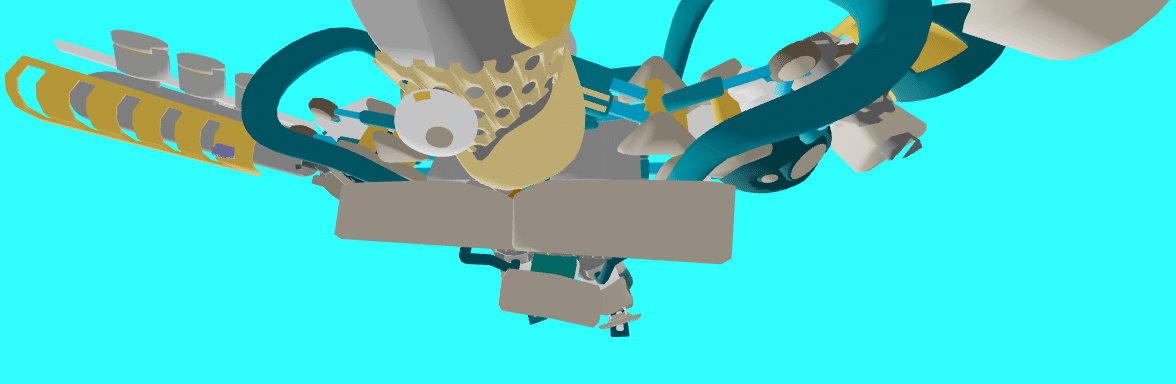
React Three Fiber 8.16.1 glTF Animation Test01
React Three Fiber 8.16.1 glTF Animation Test01
HTML
<div id="root"></div>CSS
* {
  box-sizing: border-box;
}

html,
body,
#root {
  width: 100%;
  height: 100%;
  margin: 0;
  padding: 0;
}

body {
  background: #30ffff;
}
JS(JavaScript)
import ReactDOM from 'https://esm.sh/react-dom@18.2.0'
import React, { Suspense } from 'https://esm.sh/react@18.2.0'
import { GLTFLoader } from 'https://esm.sh/three@0.163.0/examples/jsm/loaders/GLTFLoader'
import { Canvas, useFrame, useLoader } from 'https://esm.sh/@react-three/fiber@8.16.1'
import { Html, useProgress } from 'https://esm.sh/@react-three/drei@9.105.4'
import * as THREE from 'https://esm.sh/three@0.163.0'

const Loader = () => {
  const { progress } = useProgress()
  return (
    <Html center>
      {progress} % loaded
    </Html>
  )
}

const Model = (props) => {
  const gltf = useLoader(
    GLTFLoader,
    'https://raw.githack.com/KhronosGroup/glTF-Sample-Models/master/2.0/BrainStem/glTF-Binary/BrainStem.glb'
  )

  let mixer
  if (gltf.animations.length) {
    mixer = new THREE.AnimationMixer(gltf.scene)
    gltf.animations.forEach((clip) => {
      const action = mixer.clipAction(clip)
      action.play()
    })
  }


  useFrame((state, delta) => {
    mixer?.update(delta)
    //gltf.scene.rotation.x += 0.01
    gltf.scene.rotation.x = state.mouse.y * -2.5
    gltf.scene.rotation.y = state.mouse.x * 7.5
    //gltf.scene.rotation.z = (state.mouse.x + state.mouse.y) / 2  * 5
  }, [])

  gltf.scene.traverse((child) => {
    if (child.isMesh) {
      child.castShadow = true
      child.receiveShadow = true
      child.material.side = THREE.FrontSide
    }
  })

  return (
    <>
      <primitive object={gltf.scene} position={props.position} scale={props.scale} />
    </>
  )
}

const App = () => {

  return (

    <Canvas>

    <ambientLight intensity={Math.PI / 2} />
    <spotLight position={[10, 10, 10]} angle={0.15} penumbra={1} decay={0} intensity={Math.PI} />
    <pointLight position={[-10, -10, -10]} decay={0} intensity={Math.PI} />

    <Suspense fallback={<Loader />}>
      <Model position={[0, -2, 0]} scale={3} />
    </Suspense>

    </Canvas>

  )

}

ReactDOM.render(
  <App/>,
  document.getElementById("root")
);
前に自分で作成した以下のサイトの記録を参考にして作成してみました
CodeSandboxでReact Three Fiber実験その4 glTF 3Dモデルアニメーション表示 > React Three Fiber Practice25 glTF Model Animation01
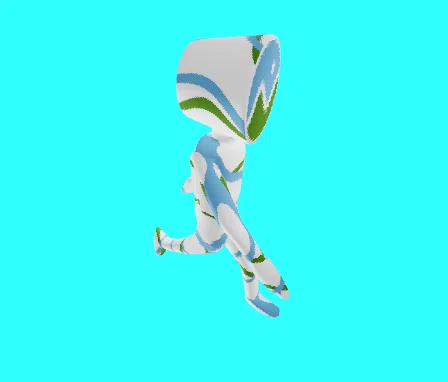
React Three Fiber 8.16.1 glTF Animation Test02
React Three Fiber 8.16.1 glTF Animation Test02
HTML Test01と同じです
CSS Test01と同じです
JS(JavaScript)
import ReactDOM from 'https://esm.sh/react-dom@18.2.0'
import React, { Suspense } from 'https://esm.sh/react@18.2.0'
import { GLTFLoader } from 'https://esm.sh/three@0.163.0/examples/jsm/loaders/GLTFLoader'
import { Canvas, useFrame, useLoader } from 'https://esm.sh/@react-three/fiber@8.16.1'
import { Html, useProgress } from 'https://esm.sh/@react-three/drei@9.105.4'
import * as THREE from 'https://esm.sh/three@0.163.0'

const Loader = () => {
  const { progress } = useProgress()
  return (
    <Html center>
      {progress} % loaded
    </Html>
  )
}

const Model = (props) => {
  const gltf = useLoader(
    GLTFLoader,
    'https://raw.githack.com/KhronosGroup/glTF-Sample-Models/master/2.0/CesiumMan/glTF-Binary/CesiumMan.glb'
  )

  let mixer
  if (gltf.animations.length) {
    mixer = new THREE.AnimationMixer(gltf.scene)
    gltf.animations.forEach((clip) => {
      const action = mixer.clipAction(clip)
      action.play()
    })
  }


  useFrame((state, delta) => {
    mixer?.update(delta)
    //gltf.scene.rotation.x += 0.01
    gltf.scene.rotation.x = state.mouse.y * -2.5
    gltf.scene.rotation.y = state.mouse.x * 7.5
    //gltf.scene.rotation.z = (state.mouse.x + state.mouse.y) / 2  * 5
  }, [])

  gltf.scene.traverse((child) => {
    if (child.isMesh) {
      child.castShadow = true
      child.receiveShadow = true
      child.material.side = THREE.FrontSide
    }
  })

  return (
    <>
      <primitive object={gltf.scene} position={props.position} scale={props.scale} />
    </>
  )
}

const App = () => {

  return (

    <Canvas>

    <ambientLight intensity={Math.PI / 2} />
    <spotLight position={[10, 10, 10]} angle={0.15} penumbra={1} decay={0} intensity={Math.PI} />
    <pointLight position={[-10, -10, -10]} decay={0} intensity={Math.PI} />

    <Suspense fallback={<Loader />}>
      <Model position={[0, -2, 0]} scale={3} />
    </Suspense>

    </Canvas>

  )

}

ReactDOM.render(
  <App/>,
  document.getElementById("root")
);
前に自分で作成した以下のサイトの記録を参考にして作成してみました
CodeSandboxでReact Three Fiber実験その4 glTF 3Dモデルアニメーション表示 > React Three Fiber Practice26 glTF Model Animation02
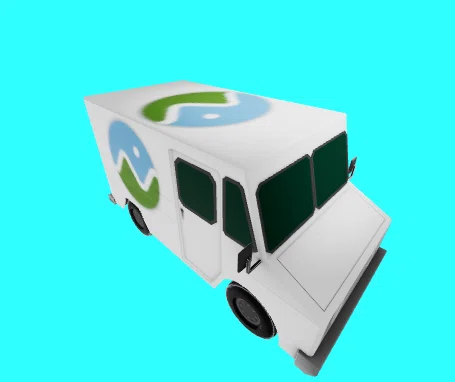
React Three Fiber 8.16.1 glTF Animation Test03
React Three Fiber 8.16.1 glTF Animation Test03
HTML Test01と同じです
CSS Test01と同じです
JS(JavaScript)
import ReactDOM from 'https://esm.sh/react-dom@18.2.0'
import React, { Suspense } from 'https://esm.sh/react@18.2.0'
import { GLTFLoader } from 'https://esm.sh/three@0.163.0/examples/jsm/loaders/GLTFLoader'
import { Canvas, useFrame, useLoader } from 'https://esm.sh/@react-three/fiber@8.16.1'
import { Html, useProgress } from 'https://esm.sh/@react-three/drei@9.105.4'
import * as THREE from 'https://esm.sh/three@0.163.0'

const Loader = () => {
  const { progress } = useProgress()
  return (
    <Html center>
      {progress} % loaded
    </Html>
  )
}

const Model = (props) => {
  const gltf = useLoader(
    GLTFLoader,
    'https://raw.githack.com/KhronosGroup/glTF-Sample-Models/master/2.0/CesiumMilkTruck/glTF-Binary/CesiumMilkTruck.glb'
  )

  let mixer
  if (gltf.animations.length) {
    mixer = new THREE.AnimationMixer(gltf.scene)
    gltf.animations.forEach((clip) => {
      const action = mixer.clipAction(clip)
      action.play()
    })
  }


  useFrame((state, delta) => {
    mixer?.update(delta)
    //gltf.scene.rotation.x += 0.01
    gltf.scene.rotation.x = state.mouse.y * -2.5
    gltf.scene.rotation.y = state.mouse.x * 7.5
    //gltf.scene.rotation.z = (state.mouse.x + state.mouse.y) / 2  * 5
  }, [])

  gltf.scene.traverse((child) => {
    if (child.isMesh) {
      child.castShadow = true
      child.receiveShadow = true
      child.material.side = THREE.FrontSide
    }
  })

  return (
    <>
      <primitive object={gltf.scene} position={props.position} scale={props.scale} />
    </>
  )
}

const App = () => {

  return (

    <Canvas>

    <ambientLight intensity={Math.PI / 2} />
    <spotLight position={[10, 10, 10]} angle={0.15} penumbra={1} decay={0} intensity={Math.PI} />
    <pointLight position={[-10, -10, -10]} decay={0} intensity={Math.PI} />

    <Suspense fallback={<Loader />}>
      <Model position={[0, -1, 0]} scale={1} />
    </Suspense>

    </Canvas>

  )

}

ReactDOM.render(
  <App/>,
  document.getElementById("root")
);
前に自分で作成した以下のサイトの記録を参考にして作成してみました
CodeSandboxでReact Three Fiber実験その4 glTF 3Dモデルアニメーション表示 > React Three Fiber Practice27 glTF Model Animation03
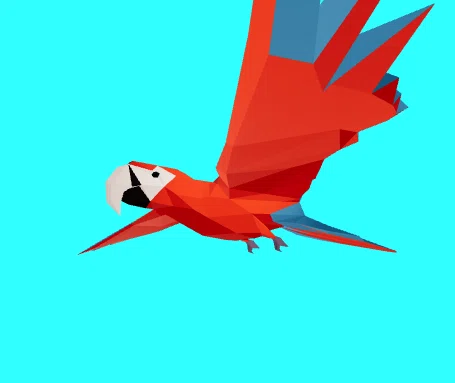
React Three Fiber 8.16.1 glTF Animation Test04
React Three Fiber 8.16.1 glTF Animation Test04
HTML Test01と同じです
CSS Test01と同じです
JS(JavaScript)
import ReactDOM from 'https://esm.sh/react-dom@18.2.0'
import React, { useRef, useEffect, Suspense } from 'https://esm.sh/react@18.2.0'
import { Canvas, useFrame } from 'https://esm.sh/@react-three/fiber@8.16.1'
import { Html, useProgress, useGLTF, useAnimations } from 'https://esm.sh/@react-three/drei@9.105.4'

const ModelPath = 'https://cdn.jsdelivr.net/gh/mrdoob/three.js@r110/examples/models/gltf/Parrot.glb'

const Loader = () => {
  const { progress } = useProgress()
  return (
    <Html center>
      {progress} % loaded
    </Html>
  )
}

const Model = (props) => {
  const group = useRef()

  const gltf = useGLTF(ModelPath)

  const { actions } = useAnimations(gltf.animations, group)

  useEffect(() => {
    //console.log(actions) // find out the name of your action
    actions['parrot_A_'].play()
  })

  useFrame((state) => {
    //gltf.scene.rotation.x += 0.01
    gltf.scene.rotation.x = state.mouse.y * -2.5
    gltf.scene.rotation.y = state.mouse.x * 7.5
    //gltf.scene.rotation.z = (state.mouse.x + state.mouse.y) / 2  * 5
  }, [])

  return (
    <>
      <group ref={group} dispose={null}>
        <group scale={props.scale}>
          <primitive object={gltf.scene} position={props.position} rotation={props.rotation} scale={props.scale} />
        </group>
      </group>
    </>
  )


}

const App = () => {

  return (

    <Canvas>

    <ambientLight intensity={Math.PI / 2} />
    <spotLight position={[10, 10, 10]} angle={0.15} penumbra={1} decay={0} intensity={Math.PI} />
    <pointLight position={[-10, -10, -10]} decay={0} intensity={Math.PI} />

    <Suspense fallback={<Loader />}>
      <Model position={[0, -1.5, 0]} rotation={[0, 0, 0]} scale={0.3} />
    </Suspense>

    </Canvas>

  )

}

ReactDOM.render(
  <App/>,
  document.getElementById("root")
);
前に自分で作成した以下のサイトの記録を参考にして作成してみました
CodeSandboxでReact Three Fiber実験その5 glTF 3Dモデルアニメーション切り替え表示 > React Three Fiber Practice32 glTF Model Animation04
React Three Fiber 8.16.1 glTF Animation Test05
React Three Fiber 8.16.1 glTF Animation Test05
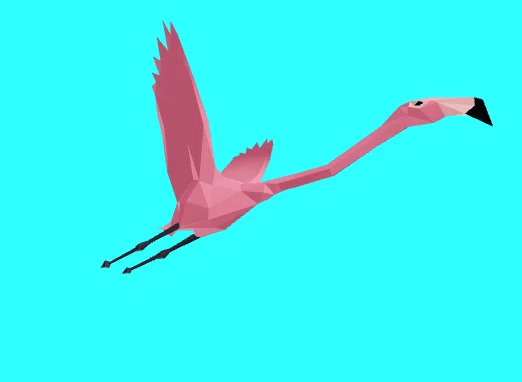
HTML Test01と同じです
CSS Test01と同じです
JS(JavaScript)
import ReactDOM from 'https://esm.sh/react-dom@18.2.0'
import React, { useRef, useEffect, Suspense } from 'https://esm.sh/react@18.2.0'
import { Canvas, useFrame } from 'https://esm.sh/@react-three/fiber@8.16.1'
import { Html, useProgress, useGLTF, useAnimations } from 'https://esm.sh/@react-three/drei@9.105.4'

const ModelPath = 'https://cdn.jsdelivr.net/gh/mrdoob/three.js@r110/examples/models/gltf/Flamingo.glb'

const Loader = () => {
  const { progress } = useProgress()
  return (
    <Html center>
      {progress} % loaded
    </Html>
  )
}

const Model = (props) => {
  const group = useRef()

  const gltf = useGLTF(ModelPath)

  const { actions } = useAnimations(gltf.animations, group)

  useEffect(() => {
    //console.log(actions) // find out the name of your action
    actions['flamingo_flyA_'].play()
  })

  useFrame((state) => {
    //gltf.scene.rotation.x += 0.01
    gltf.scene.rotation.x = state.mouse.y * -2.5
    gltf.scene.rotation.y = state.mouse.x * 7.5
    //gltf.scene.rotation.z = (state.mouse.x + state.mouse.y) / 2  * 5
  }, [])

  return (
    <>
      <group ref={group} dispose={null}>
        <group scale={props.scale}>
          <primitive object={gltf.scene} position={props.position} rotation={props.rotation} scale={props.scale} />
        </group>
      </group>
    </>
  )


}

const App = () => {

  return (

    <Canvas>

    <ambientLight intensity={Math.PI / 2} />
    <spotLight position={[10, 10, 10]} angle={0.15} penumbra={1} decay={0} intensity={Math.PI} />
    <pointLight position={[-10, -10, -10]} decay={0} intensity={Math.PI} />

    <Suspense fallback={<Loader />}>
      <Model position={[0, -1, 0]} rotation={[0, 0, 0]} scale={0.2} />
    </Suspense>

    </Canvas>

  )

}

ReactDOM.render(
  <App/>,
  document.getElementById("root")
);
前に自分で作成した以下のサイトの記録を参考にして作成してみました
CodeSandboxでReact Three Fiber実験その5 glTF 3Dモデルアニメーション切り替え表示 > React Three Fiber Practice33 glTF Model Animation05
React Three Fiber 8.16.1 glTF Animation Test06
React Three Fiber 8.16.1 glTF Animation Test06
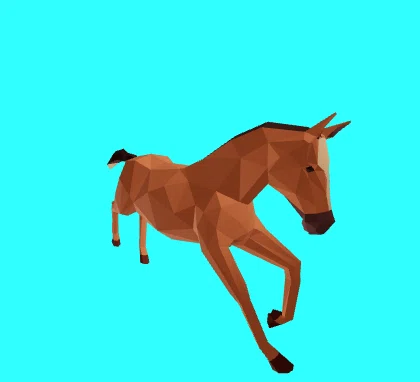
HTML Test01と同じです
CSS Test01と同じです
JS(JavaScript)
import ReactDOM from 'https://esm.sh/react-dom@18.2.0'
import React, { useRef, useEffect, Suspense } from 'https://esm.sh/react@18.2.0'
import { Canvas, useFrame } from 'https://esm.sh/@react-three/fiber@8.16.1'
import { Html, useProgress, useGLTF, useAnimations } from 'https://esm.sh/@react-three/drei@9.105.4'

const ModelPath = 'https://cdn.jsdelivr.net/gh/mrdoob/three.js@r110/examples/models/gltf/Horse.glb'

const Loader = () => {
  const { progress } = useProgress()
  return (
    <Html center>
      {progress} % loaded
    </Html>
  )
}

const Model = (props) => {
  const group = useRef()

  const gltf = useGLTF(ModelPath)

  const { actions } = useAnimations(gltf.animations, group)

  useEffect(() => {
    //console.log(actions) // find out the name of your action
    actions['horse_A_'].play()
  })

  useFrame((state) => {
    //gltf.scene.rotation.x += 0.01
    gltf.scene.rotation.x = state.mouse.y * -2.5
    gltf.scene.rotation.y = state.mouse.x * 7.5
    //gltf.scene.rotation.z = (state.mouse.x + state.mouse.y) / 2  * 5
  }, [])

  return (
    <>
      <group ref={group} dispose={null}>
        <group scale={props.scale}>
          <primitive object={gltf.scene} position={props.position} rotation={props.rotation} scale={props.scale} />
        </group>
      </group>
    </>
  )


}

const App = () => {

  return (

    <Canvas>

    <ambientLight intensity={Math.PI / 2} />
    <spotLight position={[10, 10, 10]} angle={0.15} penumbra={1} decay={0} intensity={Math.PI} />
    <pointLight position={[-10, -10, -10]} decay={0} intensity={Math.PI} />

    <Suspense fallback={<Loader />}>
      <Model position={[0, -15, 0]} rotation={[0, 0, 0]} scale={0.14} />
    </Suspense>

    </Canvas>

  )

}

ReactDOM.render(
  <App/>,
  document.getElementById("root")
);
前に自分で作成した以下のサイトの記録を参考にして作成してみました
CodeSandboxでReact Three Fiber実験その5 glTF 3Dモデルアニメーション切り替え表示 > React Three Fiber Practice34 glTF Model Animation06
React Three Fiber 8.16.1 glTF Animation Test07
React Three Fiber 8.16.1 glTF Animation Test07
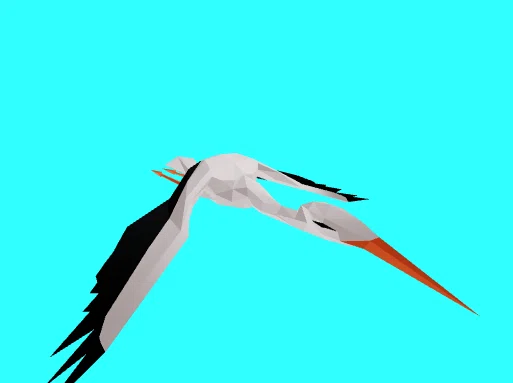
HTML Test01と同じです
CSS Test01と同じです
JS(JavaScript)
import ReactDOM from 'https://esm.sh/react-dom@18.2.0'
import React, { useRef, useEffect, Suspense } from 'https://esm.sh/react@18.2.0'
import { Canvas, useFrame } from 'https://esm.sh/@react-three/fiber@8.16.1'
import { Html, useProgress, useGLTF, useAnimations } from 'https://esm.sh/@react-three/drei@9.105.4'

const ModelPath = 'https://cdn.jsdelivr.net/gh/mrdoob/three.js@r110/examples/models/gltf/Stork.glb'

const Loader = () => {
  const { progress } = useProgress()
  return (
    <Html center>
      {progress} % loaded
    </Html>
  )
}

const Model = (props) => {
  const group = useRef()

  const gltf = useGLTF(ModelPath)

  const { actions } = useAnimations(gltf.animations, group)

  useEffect(() => {
    //console.log(actions) // find out the name of your action
    actions['storkFly_B_'].play()
  })

  useFrame((state) => {
    //gltf.scene.rotation.x += 0.01
    gltf.scene.rotation.x = state.mouse.y * -2.5
    gltf.scene.rotation.y = state.mouse.x * 7.5
    //gltf.scene.rotation.z = (state.mouse.x + state.mouse.y) / 2  * 5
  }, [])

  return (
    <>
      <group ref={group} dispose={null}>
        <group scale={props.scale}>
          <primitive object={gltf.scene} position={props.position} rotation={props.rotation} scale={props.scale} />
        </group>
      </group>
    </>
  )


}

const App = () => {

  return (

    <Canvas>

    <ambientLight intensity={Math.PI / 2} />
    <spotLight position={[10, 10, 10]} angle={0.15} penumbra={1} decay={0} intensity={Math.PI} />
    <pointLight position={[-10, -10, -10]} decay={0} intensity={Math.PI} />

    <Suspense fallback={<Loader />}>
      <Model position={[0, 0, 0]} rotation={[0, 0, 0]} scale={0.20} />
    </Suspense>

    </Canvas>

  )

}

ReactDOM.render(
  <App/>,
  document.getElementById("root")
);
前に自分で作成した以下のサイトの記録を参考にして作成してみました
CodeSandboxでReact Three Fiber実験その5 glTF 3Dモデルアニメーション切り替え表示 > React Three Fiber Practice35 glTF Model Animation07
React Three Fiber 8.16.1 glTF Animation Test08
React Three Fiber 8.16.1 glTF Animation Test08
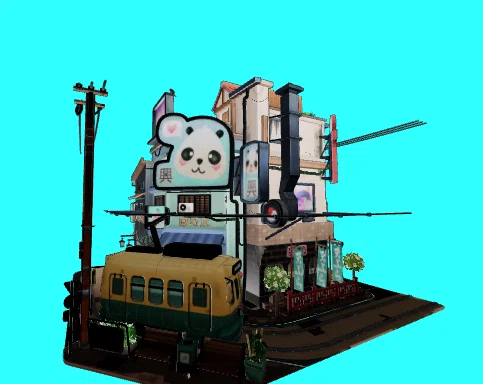
HTML Test01と同じです
CSS Test01と同じです
JS(JavaScript)
import ReactDOM from 'https://esm.sh/react-dom@18.2.0'
import React, { useRef, useEffect, Suspense } from 'https://esm.sh/react@18.2.0'
import { Canvas, useFrame } from 'https://esm.sh/@react-three/fiber@8.16.1'
import { Html, useProgress, useGLTF, useAnimations } from 'https://esm.sh/@react-three/drei@9.105.4'

const ModelPath = 'https://rawcdn.githack.com/mrdoob/three.js/36f9f34752a985359e2556c68a52234436cefdfa/examples/models/gltf/LittlestTokyo.glb'

const Loader = () => {
  const { progress } = useProgress()
  return (
    <Html center>
      {progress} % loaded
    </Html>
  )
}

const Model = (props) => {
  const group = useRef()

  const gltf = useGLTF(ModelPath)

  const { actions } = useAnimations(gltf.animations, group)

  useEffect(() => {
    //console.log(actions) // find out the name of your action
    actions['Take 001'].play()
  })

  useFrame((state) => {
    //gltf.scene.rotation.x += 0.01
    gltf.scene.rotation.x = state.mouse.y * -2.5
    gltf.scene.rotation.y = state.mouse.x * 7.5
    //gltf.scene.rotation.z = (state.mouse.x + state.mouse.y) / 2  * 5
  }, [])

  return (
    <>
      <group ref={group} dispose={null}>
        <group scale={props.scale}>
          <primitive object={gltf.scene} position={props.position} rotation={props.rotation} scale={props.scale} />
        </group>
      </group>
    </>
  )


}

const App = () => {

  return (

    <Canvas>

    <ambientLight intensity={Math.PI / 2} />
    <spotLight position={[10, 10, 10]} angle={0.15} penumbra={1} decay={0} intensity={Math.PI} />
    <pointLight position={[-10, -10, -10]} decay={0} intensity={Math.PI} />

    <Suspense fallback={<Loader />}>
      <Model position={[0, 0, 0]} rotation={[0, 0, 0]} scale={0.09} />
    </Suspense>

    </Canvas>

  )

}

ReactDOM.render(
  <App/>,
  document.getElementById("root")
);
前に自分で作成した以下のサイトの記録を参考にして作成してみました
CodeSandboxでReact Three Fiber実験その5 glTF 3Dモデルアニメーション切り替え表示 > React Three Fiber Practice36 glTF Model Animation08
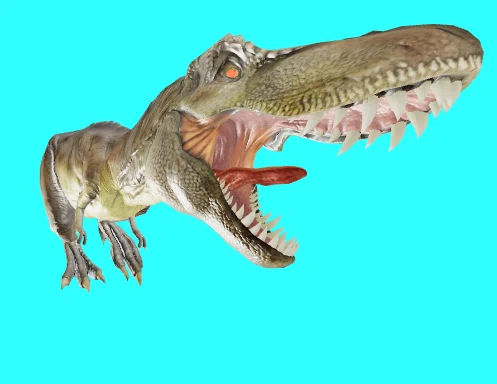
React Three Fiber 8.16.1 glTF Animation Test09
React Three Fiber 8.16.1 glTF Animation Test09
HTML Test01と同じです
CSS Test01と同じです
JS(JavaScript)
import ReactDOM from 'https://esm.sh/react-dom@18.2.0'
import React, { useRef, useEffect, Suspense } from 'https://esm.sh/react@18.2.0'
import { Canvas, useFrame } from 'https://esm.sh/@react-three/fiber@8.16.1'
import { Html, useProgress, useGLTF, useAnimations } from 'https://esm.sh/@react-three/drei@9.105.4'

const ModelPath = 'https://rawcdn.githack.com/BabylonJS/Exporters/422493778d6ffbc2980e83e46eb94729bbeada0c/Maya/Samples/glTF%202.0/T-Rex/trex_running.gltf'

const Loader = () => {
  const { progress } = useProgress()
  return (
    <Html center>
      {progress} % loaded
    </Html>
  )
}

const Model = (props) => {
  const group = useRef()

  const gltf = useGLTF(ModelPath)

  const { actions } = useAnimations(gltf.animations, group)

  useEffect(() => {
    //console.log(actions) // find out the name of your action
    actions['animation_0'].play()
  })

  useFrame((state) => {
    //gltf.scene.rotation.x += 0.01
    gltf.scene.rotation.x = state.mouse.y * -2.5
    gltf.scene.rotation.y = state.mouse.x * 7.5
    //gltf.scene.rotation.z = (state.mouse.x + state.mouse.y) / 2  * 5
  }, [])

  return (
    <>
      <group ref={group} dispose={null}>
        <group scale={props.scale}>
          <primitive object={gltf.scene} position={props.position} rotation={props.rotation} scale={props.scale} />
        </group>
      </group>
    </>
  )


}

const App = () => {

  return (

    <Canvas>

    <ambientLight intensity={Math.PI / 2} />
    <spotLight position={[10, 10, 10]} angle={0.15} penumbra={1} decay={0} intensity={Math.PI} />
    <pointLight position={[-10, -10, -10]} decay={0} intensity={Math.PI} />

    <Suspense fallback={<Loader />}>
      <Model position={[0, -20, -10]} rotation={[0, 0, 0]} scale={0.09} />
    </Suspense>

    </Canvas>

  )

}

ReactDOM.render(
  <App/>,
  document.getElementById("root")
);
前に自分で作成した以下のサイトの記録を参考にして作成してみました
Three.js r110でglTF形式の3Dモデルアニメーションを表示するCodePenへのリンク集② > Three.js r110でglTF 3Dモデルのアニメーション表示その13