


The best Fyxer AI alternatives in 2026 depend on whose inbox it is and whether you want drafts or sent replies:
- eesel AI: for shared or business inboxes (support@, sales@). An AI agent that reads each new email in Gmail or Outlook, answers from your docs, and drafts for review or sends. 100 free credits, then from $299/month.
- Superhuman Mail: a fast email client for Gmail or Outlook with Auto Drafts on Business. From $25/month billed annually.
- Jace: an inbox agent for Gmail or Outlook that drafts, with opt-in auto-send per label. From $20/month billed yearly.
- MailMaestro: an Outlook add-in and Gmail extension with auto drafts. Pro is $12/seat/month billed annually.
- Lindy: a general AI assistant for email, meetings and scheduling. Sends wait for your approval. Team from $29.99 per active user/month.
- Shortwave: an AI-first email client for Gmail and Google Workspace only. Business from $30/seat/month.
- Gemini in Gmail or Copilot in Outlook: the built-ins, if you already pay for Google Workspace or Microsoft 365 and only want help writing and summarizing.
For reference, Fyxer itself is free for 400 credits a month, then Pro at $37/person/month billed annually ($49 monthly). It drafts replies but never sends them.
What is Fyxer AI?
Fyxer AI is an AI tool that acts like an executive assistant right inside your Gmail or Outlook. The whole point is to save you time by handling the mind-numbing admin work that clogs up your schedule. Instead of making you learn yet another app, it just works in the background of your email.
It mainly focuses on a few things:
-
AI-powered triage: It automatically sorts your emails into piles like "To Respond," "FYI," and "Marketing," so you can actually see the important stuff.
-
Reply drafting: Fyxer reads your past emails to learn how you write, then drafts replies that (in theory) sound just like you.
-
Meeting management: It can join your calls to take notes, write up summaries, and pull out action items, saving you that "what did we decide?" scramble later.
It has its good points, but it’s not perfect. Here’s a quick rundown of what people say about it.
| ✅ Fyxer Pros | ❌ Fyxer Cons |
|---|---|
| Smart triage does a good job of organizing a messy inbox. | The price (Pro from $37/person/month billed annually, $49 monthly) can be tough to swallow for smaller teams. |
| It works right inside Gmail and Outlook, so there’s no new interface to learn. | It's really built for individuals, not for collaborative team inboxes. |
| It learns your writing style to help draft personalized replies. | Connections center on Gmail, Outlook, Slack and Teams, with MCP from the Team plan up. |
| The meeting note-taker is a handy feature for cutting down on admin. | Some users have mentioned that it can be a bit buggy or inconsistent. |
Why do businesses look for Fyxer AI alternatives?
Fyxer AI is pretty good at what it does for one person, but its cracks start to show when you need something that can grow with your team and plug into all the other tools you use. Here are the main reasons businesses start shopping around.
High cost and unpredictable pricing
Fyxer's Pro plan is $37 per person per month billed annually ($49 month-to-month), and the Team plan is $64 ($99). The free plan has 400 credits a month and doesn't draft replies or sort your inbox. For a small team, that adds up fast. It's a big ask when you can't be sure you're getting your money's worth, especially if you aren't using every single feature.
This is a common headache with AI tools. Some even charge you per "resolution," which can lead to a nasty surprise on your bill at the end of the month. A much better way to go is a clear, predictable pricing model. For example, eesel AI has straightforward fixed monthly credit plans, from $299/month for 500 credits, where a ticket or chat is one credit, with no hidden fees for resolutions. Your costs stay the same month to month, so you can scale up your support without worrying about your bill blowing up, too.
Designed for individuals, not teams
Fyxer AI was designed from day one to be a personal assistant. It’s great for a founder or a solo exec, but it falls apart when you’re dealing with the beautiful chaos of a shared inbox like "support@" or "sales@". When you have a whole team trying to assign conversations, keep track of who said what, and work together, a personal assistant just gets in the way. Fyxer does now sell team plans: Team adds shared Spaces and lets you assign shared follow-ups to an owner, and Enterprise adds SSO and SCIM. Each paid seat is still one person, working their own inbox, meetings and follow-up list.
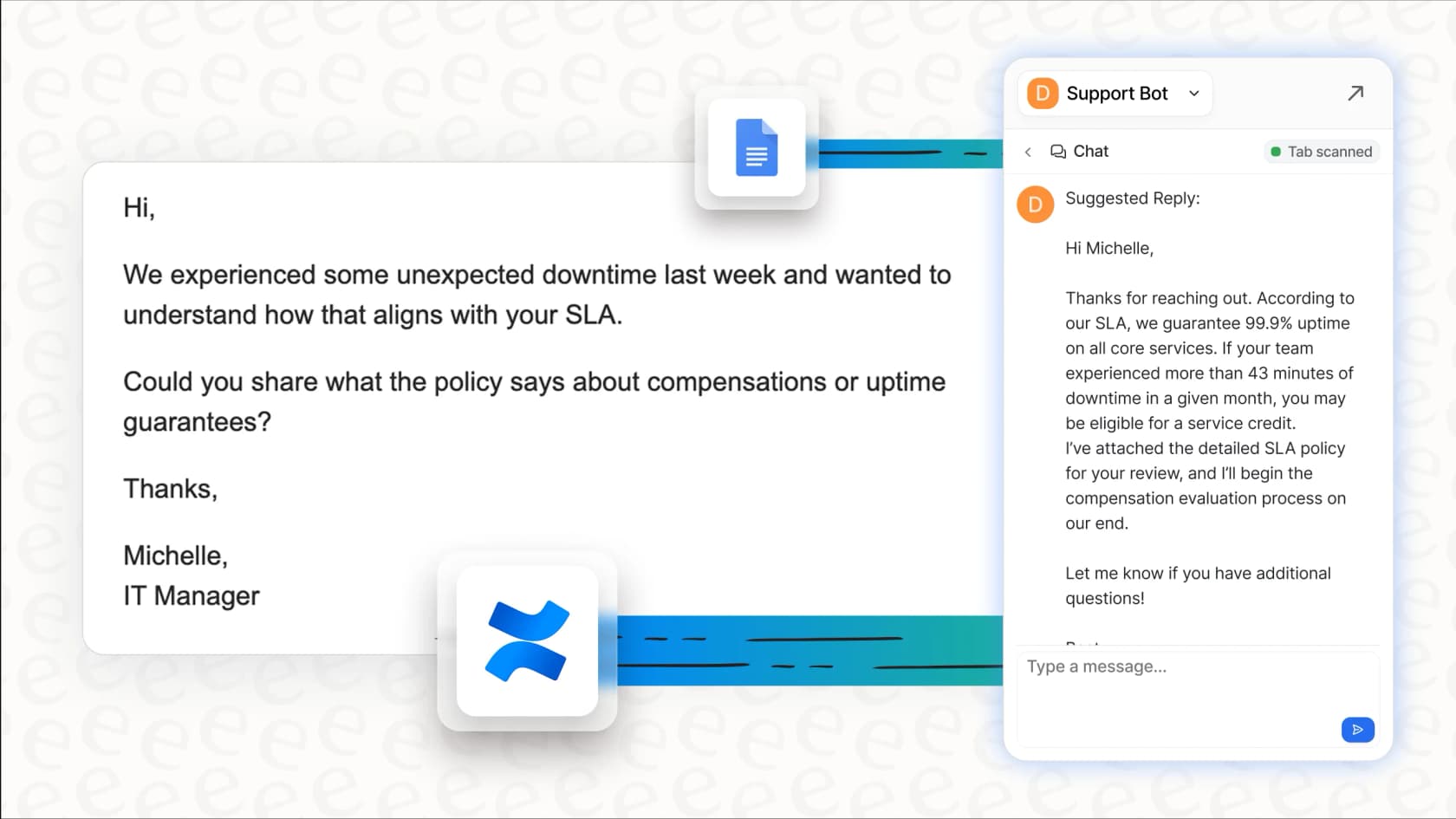
Teams need AI tools that are actually built for teamwork. This is where a platform like eesel AI makes more sense. It isn't just for one person, it’s for everyone. An AI Agent can handle the frontline questions in your help desk on its own, and the same agent in draft mode can feed your human agents the right answers in real-time, helping them work faster and more consistently.
Limited customization and control
Fyxer does a decent job of picking up on your tone, but its automation can feel like a bit of a mystery. Businesses usually need to be more hands-on. You want to tell the AI exactly which questions it should answer, what its personality should be, and what it can do besides just writing an email.
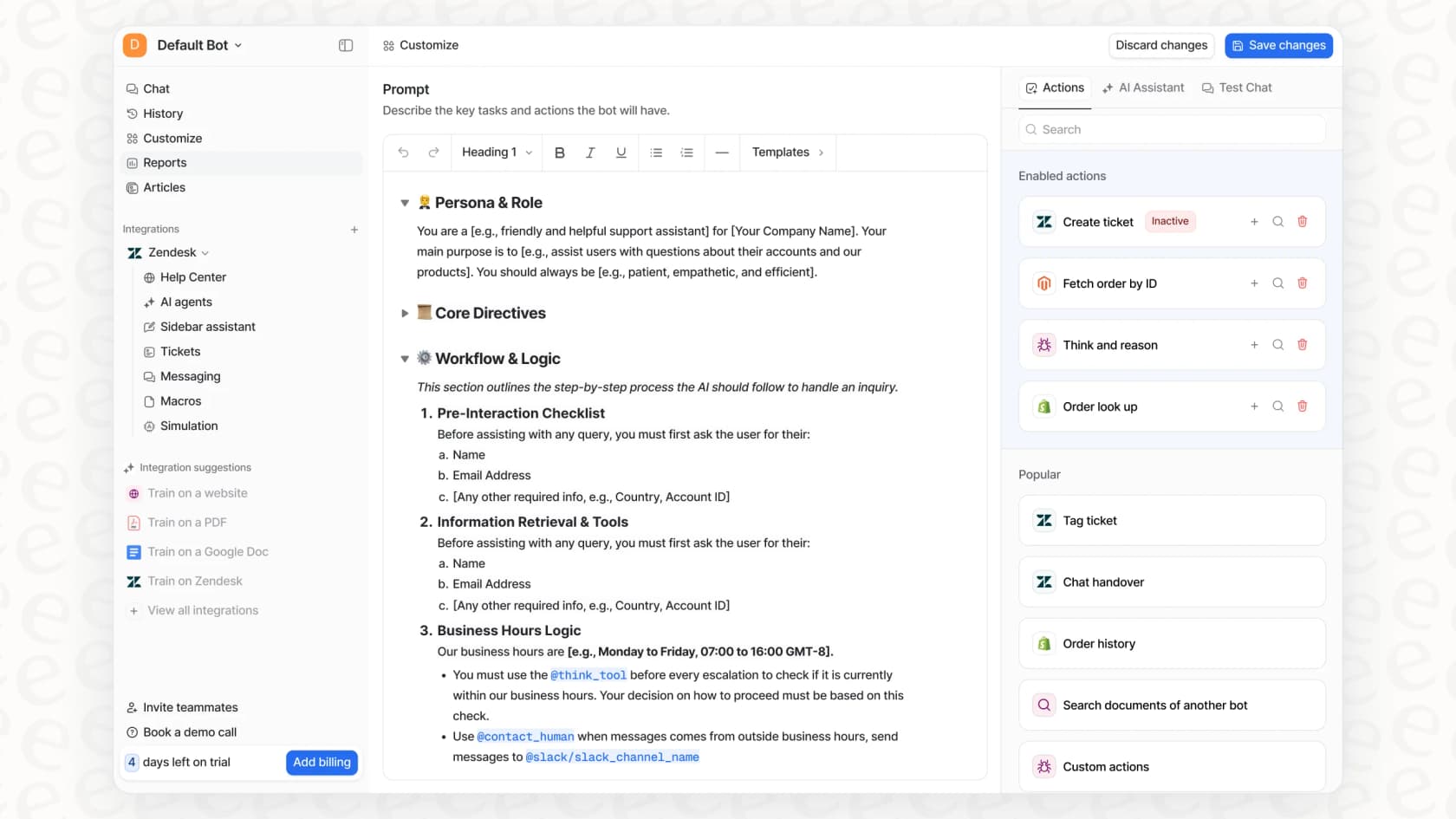
This is why having control over the AI's instructions is so important. The best eesel AI and other Fyxer AI alternatives put you in charge. With plain-English instructions, you can shape the AI's persona, limit its knowledge to certain documents so it doesn't go rogue, and set up rules for when it should step in. This way, the AI does exactly what you expect it to, handling the easy stuff and knowing when to pass a tricky question to a human.
What should you look for in a Fyxer AI alternative?
Picking the right AI assistant isn't just about ticking off features on a list. It’s about finding a tool that actually fits how your team works, connects to your knowledge sources, and doesn't break the bank. Here's a simple way to think about your options.
Deep integration with existing tools
An AI assistant is only as smart as the information you give it. If it can only read your emails, it’s missing a huge part of the story. To give truly helpful answers, it needs access to your company's entire brain: your help center articles, internal wikis, product docs, and all your past support tickets.
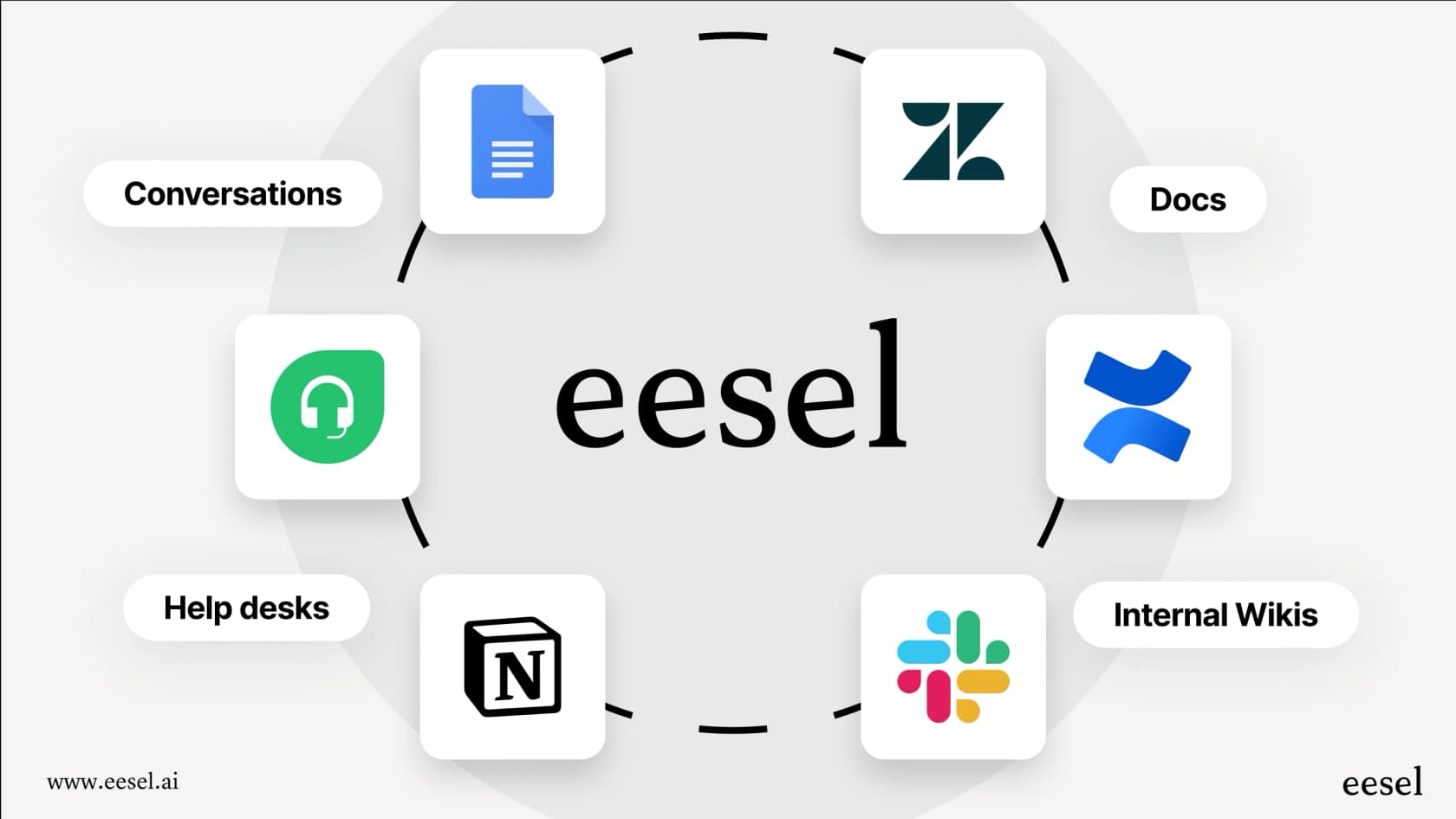
Fyxer's context comes from your email and meetings, plus integrations pulled into Spaces on the Team plan and up. Helpdesks and wikis aren't among the connections on its plan list. In contrast, a platform like eesel AI was designed to connect all your knowledge together. It has dozens of one-click integrations, so you can instantly hook it up to tools like Confluence, Google Docs, and your help desk. By learning from old tickets in Zendesk or Freshdesk, it gets a deep understanding of your customers’ common problems right out of the box.
Fast and easy implementation
Let’s be honest, no one has the time or patience for a six-month setup project. The best tools are the ones you can get up and running quickly, without having to sit through mandatory sales demos or long onboarding calls.
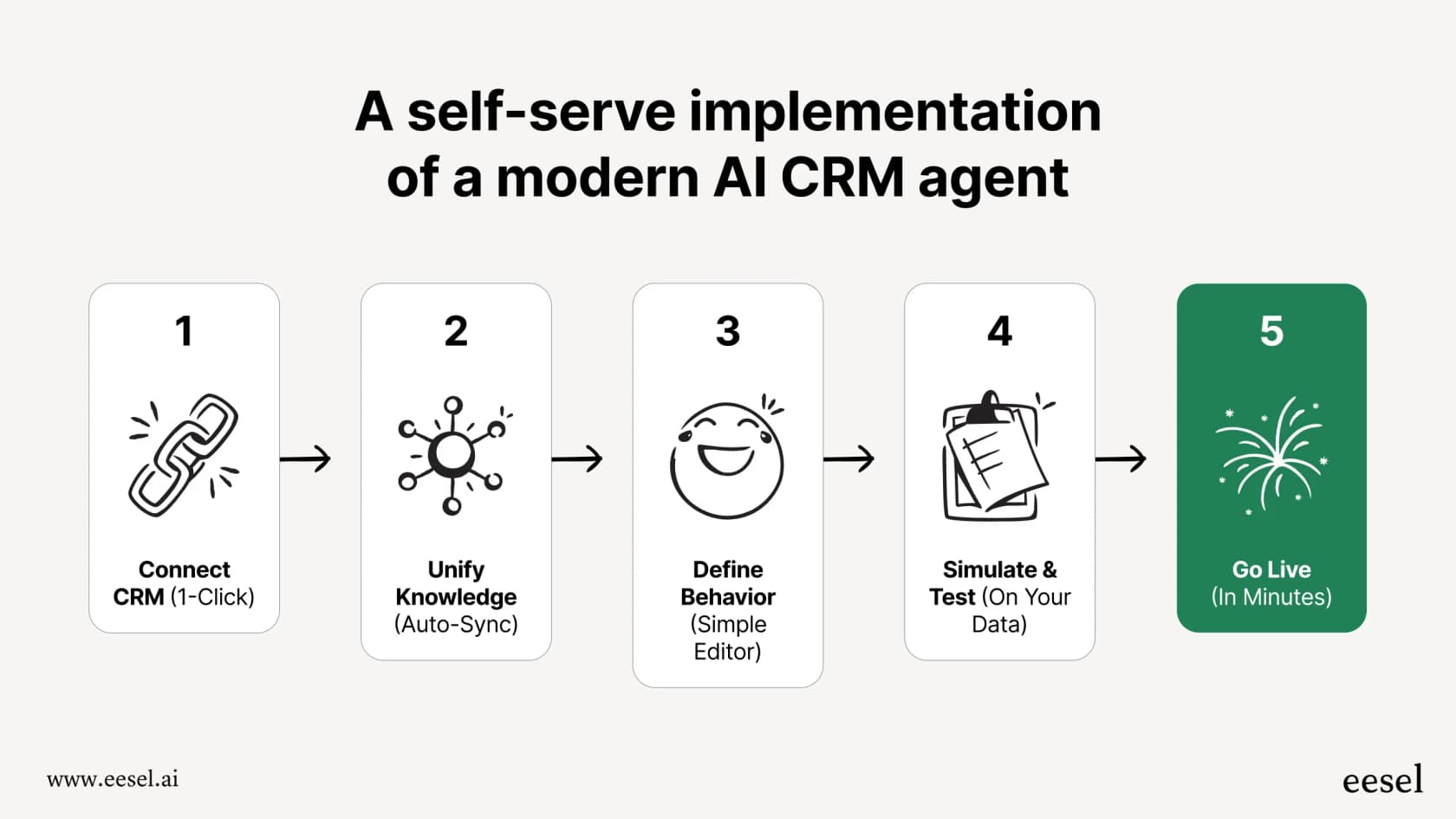
A self-serve approach changes everything. With eesel AI, you can sign up, connect your help desk in a few clicks, and start seeing how the AI performs in minutes. You don’t have to talk to a salesperson just to find out if it's a good fit. This ability to get value right away is a huge difference from competitors who hide their product behind a sales wall.
The ability to test risk-free
Bringing in any new AI tool feels like a bit of a gamble. How do you know it’s going to work well before you let it talk to your customers? The last thing you want is an AI assistant giving out wrong information and making people angry.
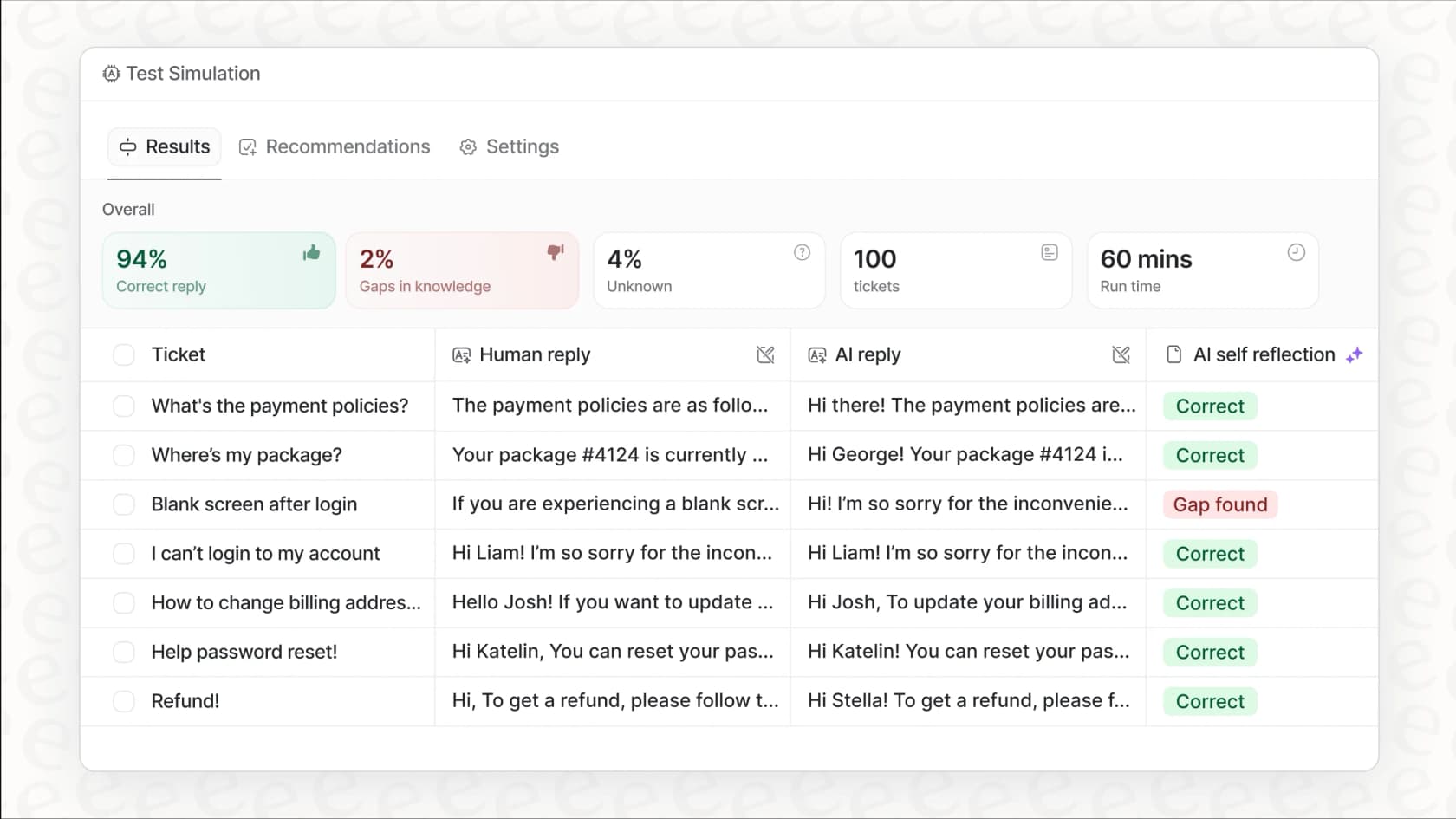
Being able to test the AI in a safe space is a must-have. This is where eesel AI's draft mode helps. Point it at your inbox or help desk with sending switched off, and it leaves a ready-to-send draft on each new email for a person to check. You see how it answers real questions, and spot holes in your knowledge base, before it sends anything on its own. Then turn on sending for the questions it handles well, and roll out gradually.
Which Fyxer AI alternative actually handles the email for you?
Fyxer drafts. It never sends. Its own pricing FAQ is plain about it: "Fyxer drafts replies in your inbox, and you decide what gets sent." That fits a founder's personal inbox. It is the wrong shape for support@ or sales@, where the goal is a reply going out, not one more draft to approve.
That is the job I'd hand to eesel AI. It is an AI email agent, not a writing assistant. Connect the Gmail integration or the Outlook integration. When a new email arrives, eesel reads the whole thread, answers from your docs, then drafts a reply for review or sends it. It also labels, archives and files mail. Each action can run on its own or wait for a person to approve. The same agent works from a forwarding inbox, a helpdesk, Slack and Teams. The setup is in AI email agent for Gmail and AI email agent for Outlook.
A unified knowledge source
eesel AI connects to your help desks, chat tools, and knowledge bases and answers from all of them. An email to support@ gets the same answer your help center gives, not a guess based on how you usually write.
Customizable workflows
You shouldn't have to put up with rigid, one-size-fits-all automation. With eesel AI, you decide which emails it answers, which it only labels, and which go to a person. Custom actions let it look up order details in your other systems or update fields in your help desk. Question Beauty runs that on a Gorgias helpdesk: eesel tags each ticket, looks up the Shopify order and replies itself, while refunds and complaints go to a person. The same jobs work on a Gmail or Outlook inbox.
Confident, risk-free deployment
Start in draft mode. eesel writes the reply into Gmail or Outlook as an unsent draft, and a person sends it. When the drafts look right, let the send action run on its own, or keep approvals on for anything sensitive. Pricing is one fixed monthly price with no per-seat fee: 100 free credits with no card, then from $299/month for 500 credits.
Which Fyxer AI alternative should you pick?
If the inbox is yours and you want drafts waiting, Superhuman, Jace or MailMaestro is the closer swap. If the inbox belongs to the team and you want the email answered, pick an agent like eesel AI.
| Tool | Best for | Works with | Drafts or sends | Starting price |
|---|---|---|---|---|
| eesel AI | Shared and business inboxes answered from docs | Gmail, Outlook, forwarding inbox, helpdesks | Drafts or sends, per-action approvals | 100 free credits; from $299/mo for 500 credits |
| Fyxer | Your own inbox and meetings | Gmail, Outlook | Drafts only | Free (400 credits); Pro $37/person/mo yearly |
| Superhuman Mail | A faster personal email client | Gmail, Outlook | Drafts (Auto Drafts on Business) | $25/member/mo yearly ($30 monthly) |
| Jace | An inbox agent on your own email | Gmail, Outlook | Drafts; opt-in auto-send per label | $20/mo yearly ($25 monthly); 7-day trial |
| MailMaestro | Cheap drafting in Outlook | Outlook add-in, Gmail extension | Drafts | Free (3 AI requests/week); Pro $12/seat/mo yearly |
| Lindy | A general assistant for email and meetings | Gmail, Outlook | Sends after your approval | $50 free credits for 7 days; Team from $29.99/active user/mo |
| Shortwave | An AI email client for Gmail | Gmail, Google Workspace | Drafts on request | Free plan; Business $30/seat/mo |
| Gemini in Gmail | Writing help you already pay for | Gmail | Drafts you send | Free basics on personal US accounts; Workspace from $7/user/mo yearly |
| Copilot in Outlook | Writing help you already pay for | Outlook | Drafts you send | Copilot Chat included with eligible Microsoft 365 plans; Microsoft 365 Copilot $30/user/mo yearly |
Fyxer AI and tools like it have shown us how useful a smart assistant can be for managing an overflowing inbox. But their weaknesses, being built for individuals, having few integrations, and offering limited control, show that a simple email assistant just isn’t enough for a growing business.
The choice you're making isn't just about picking one of the many "Fyxer AI alternatives." It’s about upgrading to a smarter platform that's built for teamwork, brings all your company knowledge together, and gives you the power to automate your support with confidence. For any business ready to move past basic inbox management, a true AI support platform is the logical next step.
Ready to see what a fully integrated and customizable AI support platform can do for you? Start your free eesel AI trial today or book a demo with our team.
Frequently asked questions
What are the main reasons businesses look for Fyxer AI alternatives?
Businesses often seek Fyxer AI alternatives due to its pricing model, which can be costly for teams, and its design as a personal assistant rather than a collaborative tool. They also look for more control over automation and deeper integrations with existing systems.
What key criteria should I use to evaluate Fyxer AI alternatives?
When evaluating Fyxer AI alternatives, prioritize deep integration capabilities with your existing knowledge sources and tools, and a transparent, predictable pricing model. Also, consider the speed of implementation and the availability of risk-free testing options.
How do Fyxer AI alternatives compare in terms of pricing?
Many Fyxer AI alternatives offer more transparent and predictable pricing models, often based on features or users rather than variable metrics like "resolutions." This helps businesses scale without unexpected costs, making budgeting simpler and more reliable.
Do Fyxer AI alternatives offer better support for team collaboration?
Yes, a significant advantage of many Fyxer AI alternatives is their focus on team collaboration, in contrast to Fyxer AI's individual-centric design. They are built to manage shared inboxes, assign conversations, and allow multiple agents to work together seamlessly.
How important are integrations when choosing Fyxer AI alternatives?
Integration depth is crucial for Fyxer AI alternatives, as an AI assistant's effectiveness depends on its access to your company's full knowledge base, including help centers, wikis, and past support tickets. Limited integrations can hinder the AI's ability to provide comprehensive and accurate answers.
Can I test out Fyxer AI alternatives to ensure they fit my needs before deployment?
Yes. The best Fyxer AI alternatives, like eesel AI, let you start with a free plan and a draft-first mode. eesel's free plan includes 100 credits with no card, and it can leave each reply as a draft for a person to check before it sends anything on its own. That way you see its answers on real emails before it talks to customers.
