

Zendesk knowledge management runs on Zendesk Knowledge (the product once called Guide), and every Suite plan includes it, starting at $55 per agent a month on Suite Team with one help center. The 2026 version is much more AI-heavy than it was: Knowledge builder drafts a starter help center from 90 days of tickets, generative search answers customers on top of your articles, and knowledge connectors pull in up to 50 outside sources such as Confluence, Google Drive and Notion on every Suite plan, with no add-on. The upkeep tools (article verification, approval workflows) sit on Enterprise, so teams below it rely on agents flagging stale articles and on the Knowledge dashboard.
What is Zendesk knowledge management?
Zendesk knowledge management is how you create, organize and serve help content inside Zendesk, so customers find answers on their own and agents find them in the ticket. It is built from three parts:
- Zendesk Knowledge (formerly Guide). The editor and admin side, where you build your knowledge base. Community forums and a customer portal come with Suite Professional.
- The help center. The public site customers see, where they search articles and browse categories.
- Zendesk AI. It drafts content, answers searches, and suggests articles to agents while they work a ticket.
The idea is that customer self-service handles the routine questions, and the same articles feed Zendesk's AI agents and your human agents. Zendesk now pitches this as a "Knowledge Graph" that connects your sources so "both AI and human agents can find and use the right information in context", in its own words on the Knowledge product page.
What can Zendesk Knowledge do in 2026?
Zendesk Knowledge covers writing, AI answers, outside content and reporting. Here is what each part does and which plan it needs.
How do you create and organize articles?
You write in a WYSIWYG editor with images and video, then sort articles into categories and sections up to two levels deep. Those basics are on Suite Team. Article labels, article templates, content and revision history, and "flag and create knowledge" (agents flag a bad article or draft a new one from a ticket) start at Suite Professional, according to Zendesk's pricing page.
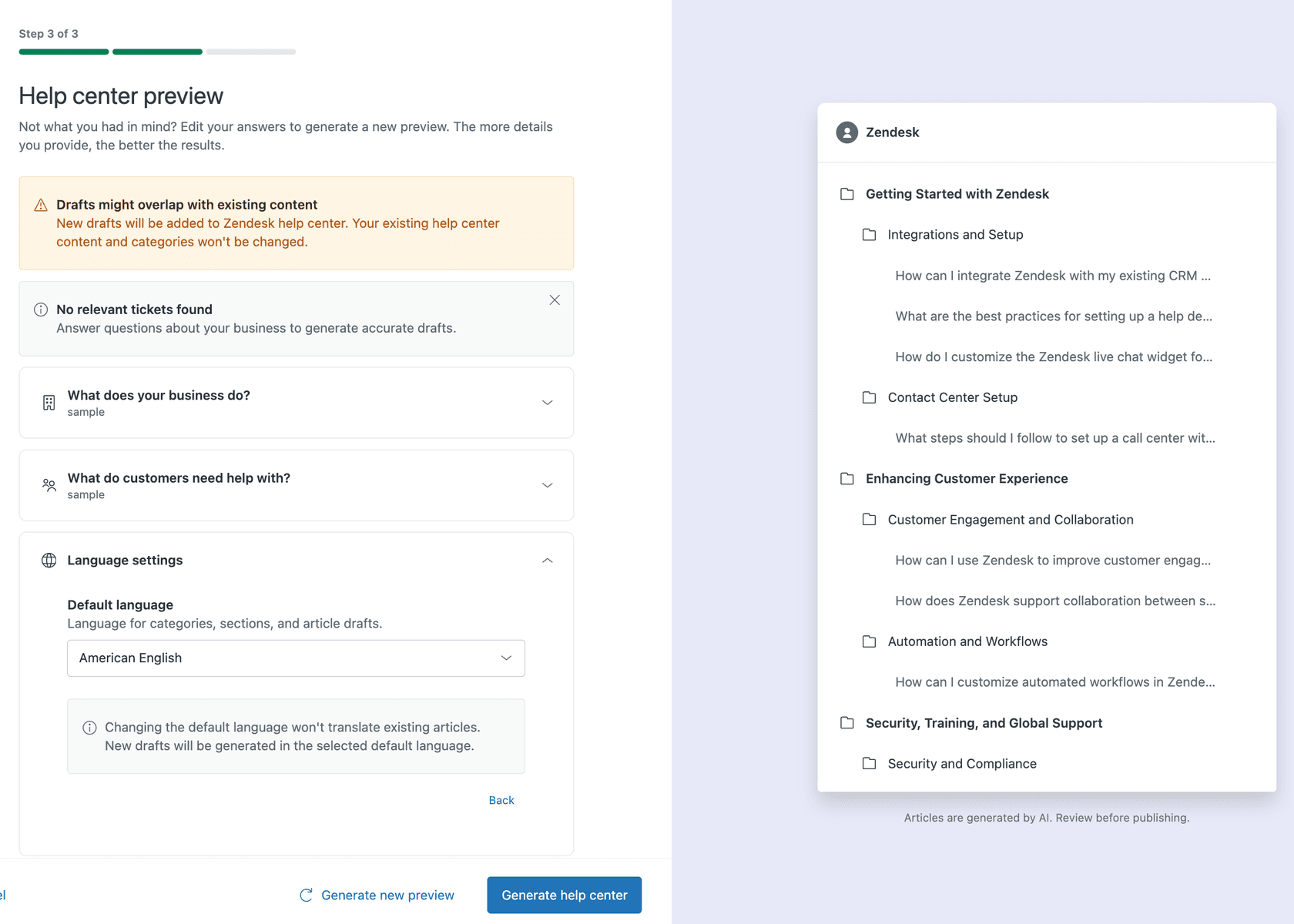
The bigger change is Knowledge builder, generally available since November 2025. Per Zendesk's announcement, it "analyzes your ticket data from the last 90 days to pinpoint the most common customer issues" and drafts up to 40 articles, which you review before publishing. Zendesk's pricing page lists it from Suite Team, while its docs say Suite Growth and up, so confirm on your plan before you count on it. One catch from the Knowledge builder docs: it builds a new help center and "does not suggest enhancements to your current structure", so it suits a team starting out more than one with 500 articles already live. My Zendesk AI knowledge base guide covers what to do once the drafts exist.
What AI does Zendesk use for knowledge?
Zendesk uses generative AI in three places: writing, customer search and the agent's ticket view.
- Writing. The editor can expand bullet points into a full article, simplify text, make it friendlier or more formal, and translate it.
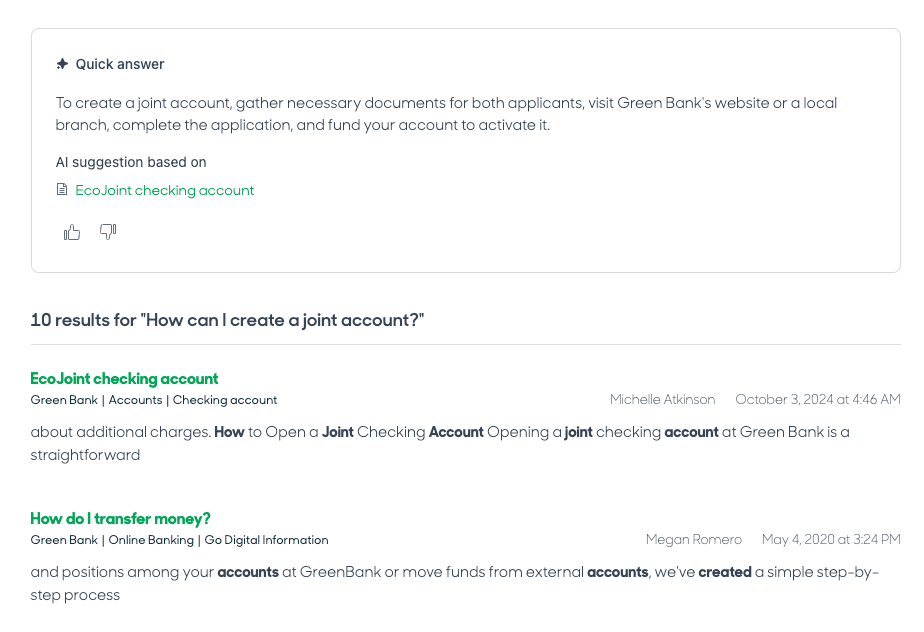
- Customer search. Generative search writes an answer above the search results from your articles. It is on by default on all Suite and Knowledge plans, with up to 100,000 eligible searches a month included, then the Generative Search Extender add-on. Follow-up questions can open the AI agent, and if that conversation solves the issue it counts as an automated resolution.
- Agents. Article recommendations appear inside tickets (Zendesk's generative replies build on the same articles), and quick answers give agents an AI answer when they search the knowledge panel.
Zendesk says its AI "continuously learns from real interactions" on its AI page, and the generative features run on OpenAI (with zero data retention) or models hosted on Azure, Amazon Bedrock or Google Cloud.
Can Zendesk use knowledge from outside the help center?
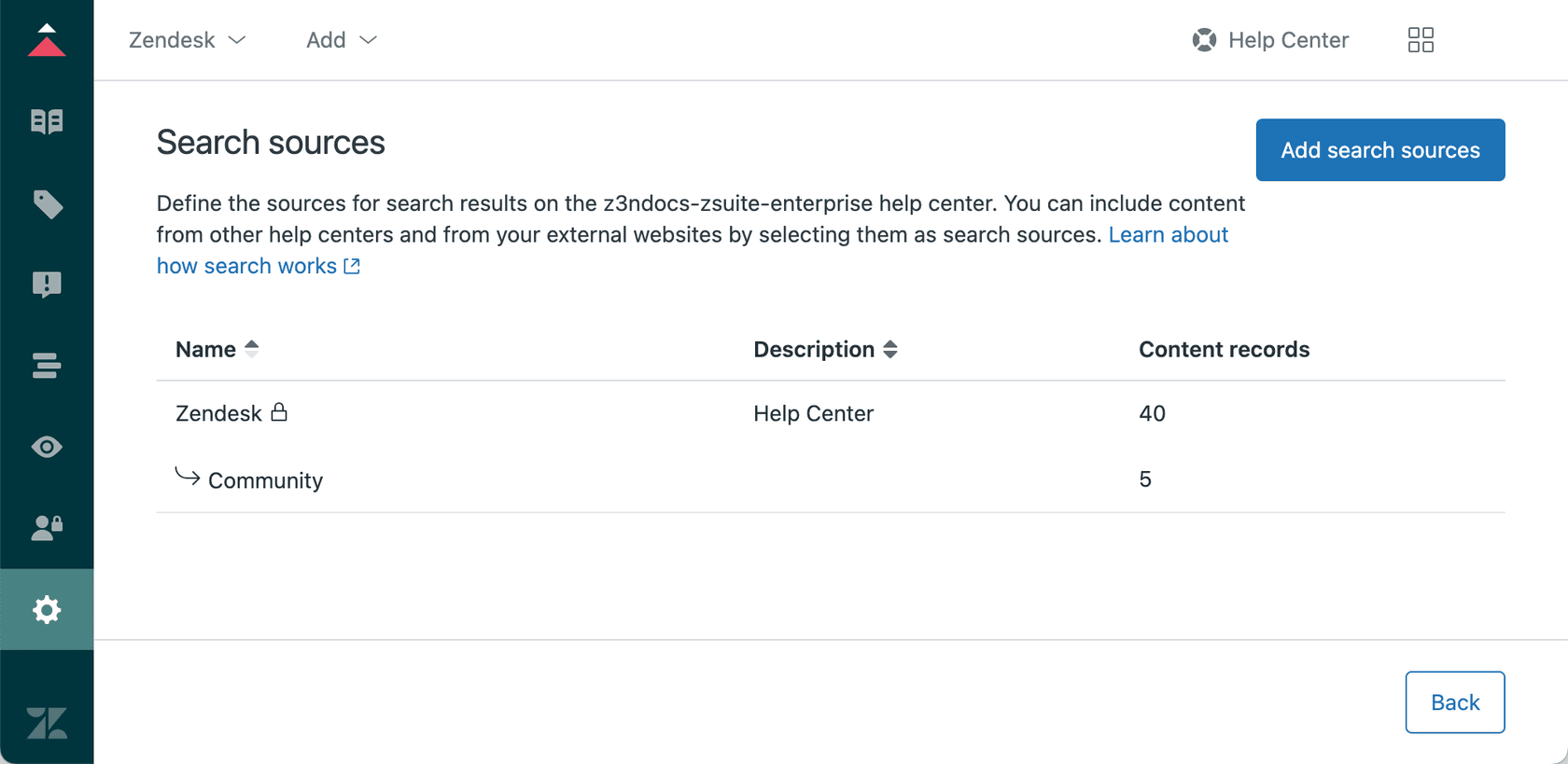
Yes. Zendesk can connect up to 50 external knowledge sources on every Suite plan, or Support with a Knowledge plan, with no add-on, according to its knowledge connectors docs. There are 38 dedicated connectors, including Confluence, Google Drive (Docs, Sheets and PDFs), Notion, SharePoint, Salesforce, Jira, Guru and Document360, plus a universal connector for any source with a REST API, CSV uploads, and a crawler for websites.
That content then shows up wherever Zendesk answers questions: help center search and generative search, quick answers for agents, AI agent replies, and Copilot's auto assist (Copilot add-on only). I go deeper on setup in my guide to Zendesk knowledge connectors.
A few limits worth knowing before you plan around it:
- You can set up only one Notion connection per Zendesk account, and Confluence personal spaces can't be connected.
- External content storage depends on the plan: 500 MB on Suite Team and Suite Professional, per the pricing page.
- PDFs max out at 20 MB each, and the number of PDFs per account goes from 100 on Team to 1,000 on Enterprise.
How do you measure knowledge base performance?
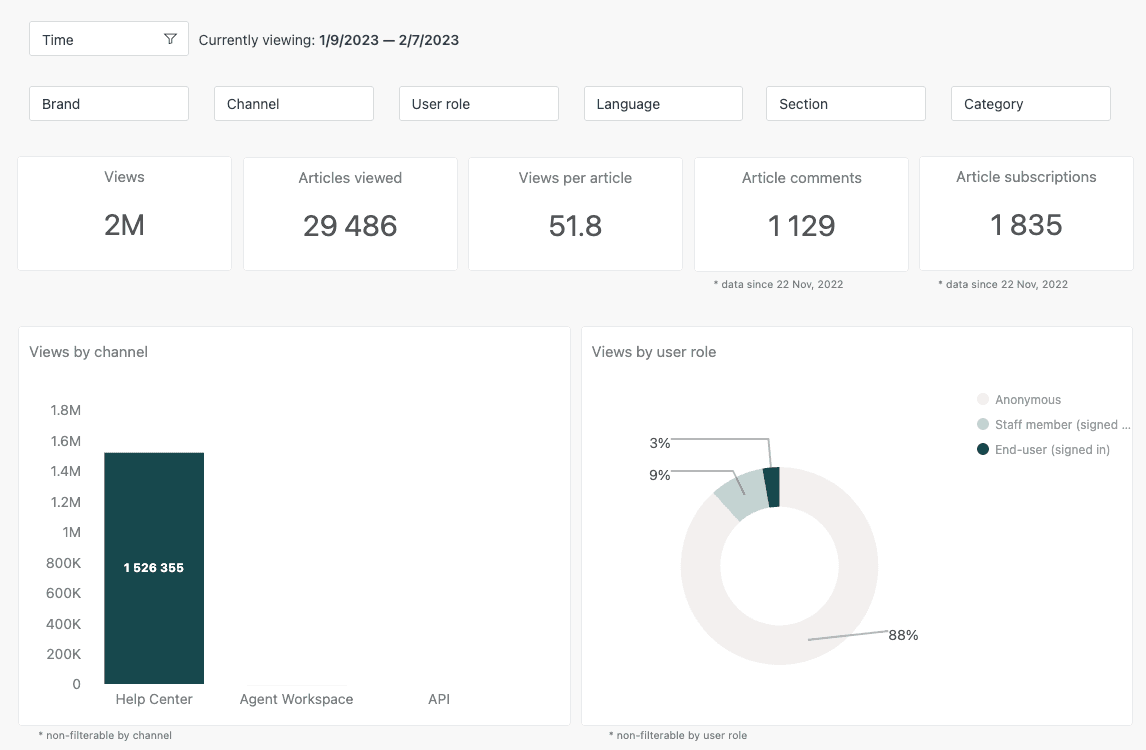
You measure it in the Knowledge dashboard in Zendesk Explore. The dashboard docs list tabs for self-service (session outcomes, and which articles still lead to tickets), the knowledge base (views, votes, comments and subscriptions), search, knowledge capture, community and quick answers. Team publishing reporting is on Enterprise only. The search tab is the one I'd open first: searches with no clicks are your list of missing articles. For more on reading these numbers, see my post on Zendesk article views.
How do you keep a Zendesk knowledge base current?
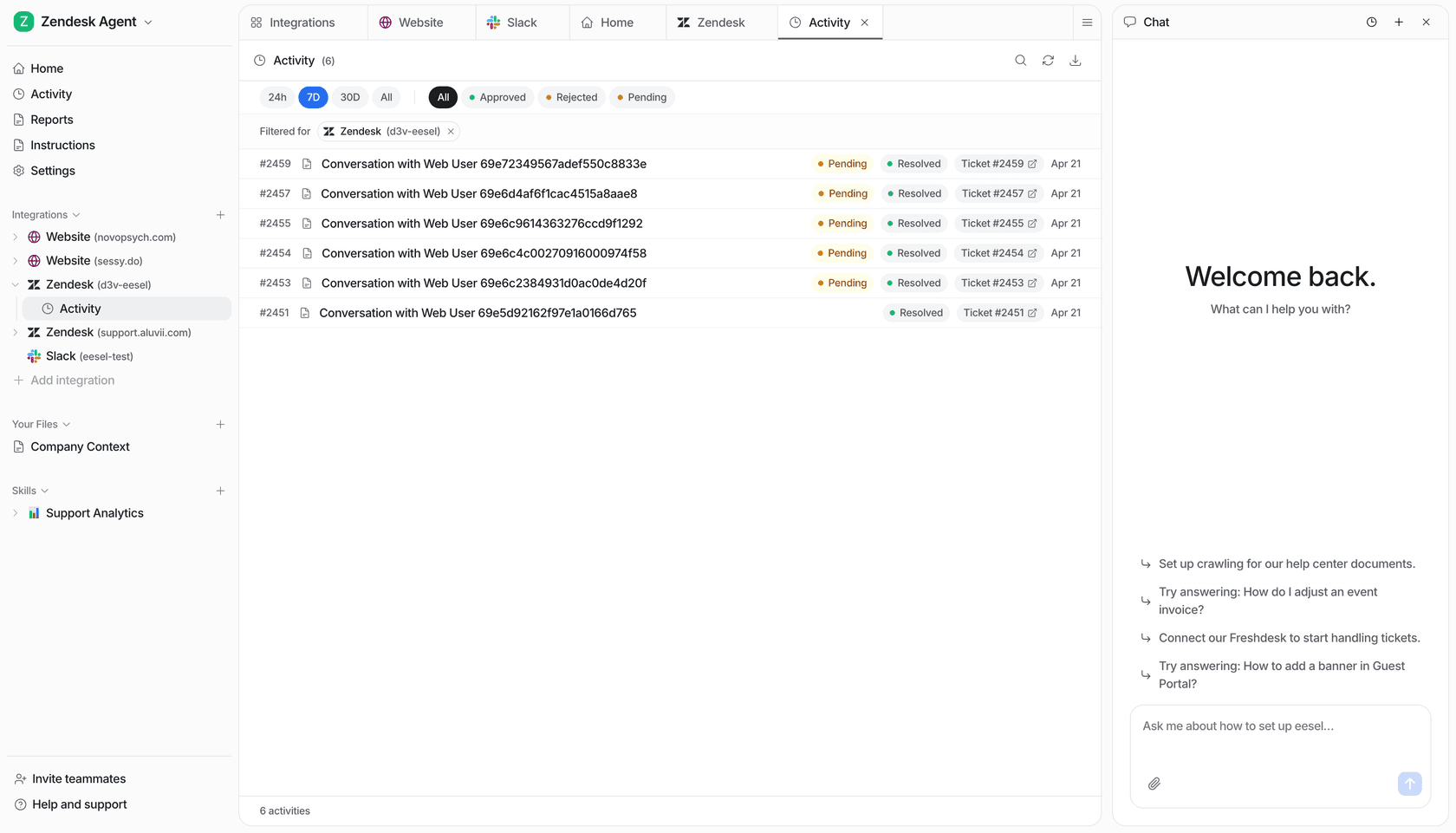
You review it on a schedule, and which tools help depends on your plan. A knowledge base goes stale every time the product ships something, and with AI answering from it, a stale article now turns into a wrong answer at scale. I see this in eesel's own numbers: for smava, eesel ran about 14,400 searches across macros and the help center in one month, and every draft it wrote leaned on whatever those articles said.
- On Suite Professional and up, agents can flag outdated articles or draft new ones from the ticket they just solved.
- Article verification needs Suite Enterprise and up, or Support with Knowledge Enterprise. Per the verification docs, you mark articles as verified or needing review and set up to 20 rules that flag them on a schedule.
- Approval workflows for publishing articles are on Suite Enterprise too.
- Admin copilot, on Suite Professional and up, helps you "identify knowledge gaps and improve your knowledge base", per the pricing page. The knowledge part of it is still labeled early access in the docs.
On Suite Team, that leaves you with the dashboard and a calendar reminder. My guide to finding knowledge gaps covers the manual version, and a second one on spotting missing articles shows how to read the search data.
How much does Zendesk knowledge management cost?
Knowledge is included in every Suite plan, from $55 per agent a month billed annually. Support plans don't include a help center, so Support-only customers buy Knowledge Professional or Knowledge Enterprise separately, and the pricing page shows no standalone price for either. These are the prices on Zendesk's pricing page as of November 2026:
| Plan | Annual price (per agent/month) | Monthly price | Help centers | Knowledge highlights |
|---|---|---|---|---|
| Support Team | $19 | $25 | None | No help center. Knowledge sold separately |
| Suite Team | $55 | $69 | 1 | Knowledge base, Knowledge builder, generative search, knowledge connectors |
| Suite Professional | $115 | $149 | Up to 5 | Adds community forums, customer portal, 40+ languages, labels, flag and create knowledge, Admin copilot |
| Suite Enterprise + Copilot | Talk to sales | Talk to sales | Not listed | Adds approval workflows, scheduled publishing and verification, sandbox |
The AI costs sit on top. Copilot is an add-on at $50 per agent a month billed annually, for Suite Professional and up. AI agents come with every plan and are billed per automated resolution: 5 per agent a month are included on Team plans and 10 on Suite Professional, then $1.50 each committed or $2.00 pay-as-you-go. My Zendesk AI pricing breakdown runs the numbers for a full team.
For comparison, eesel's pricing is one fixed monthly price sized to your ticket volume, where a ticket or a chat is one credit: 500 credits a month is $299, and you can start free with 100 credits.
Where does eesel fit with Zendesk knowledge management?
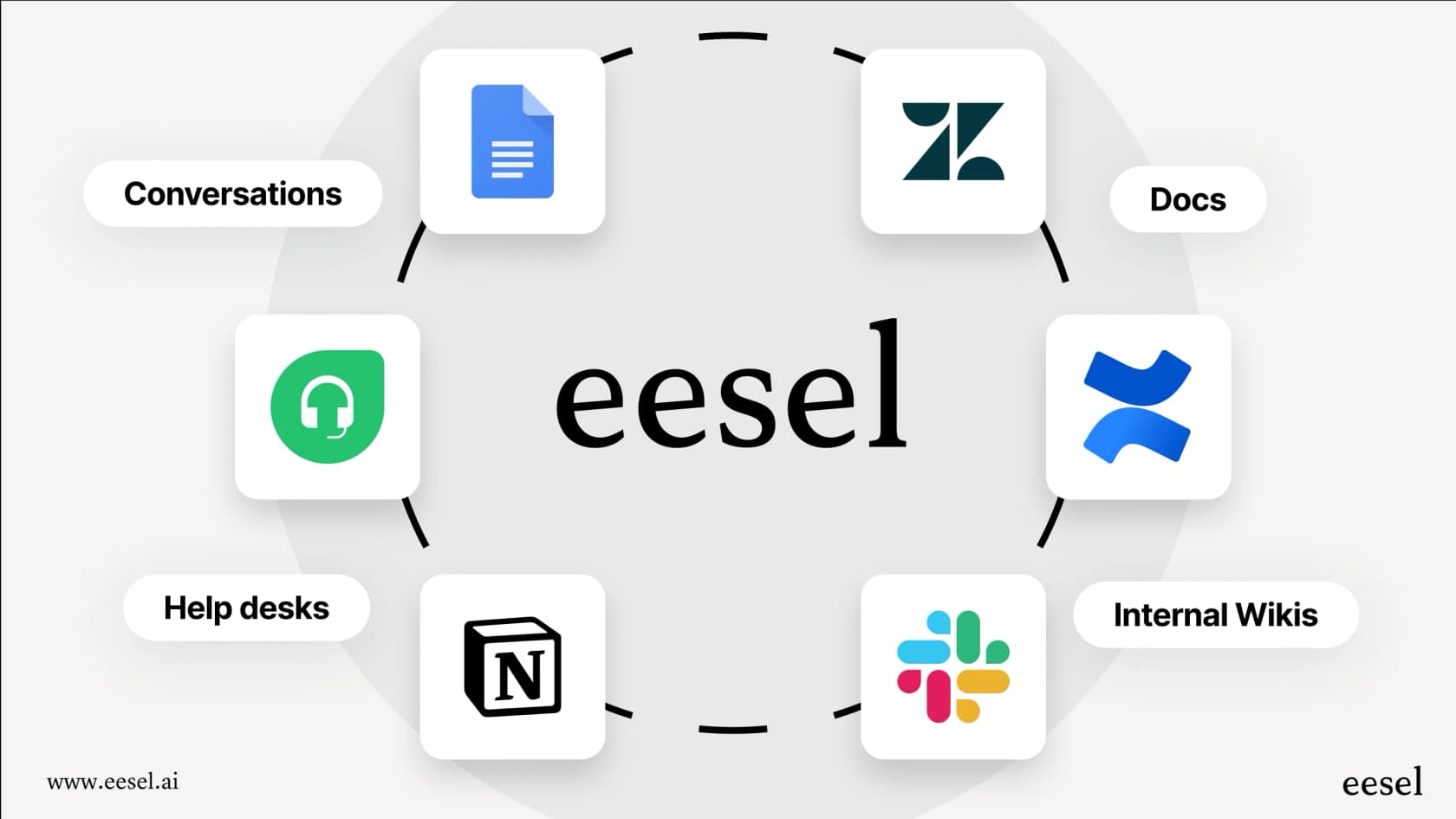
eesel fits when you want an AI teammate working inside Zendesk on top of the knowledge you already have, rather than another place to write articles. It connects to Zendesk and reads your help center, macros and past tickets, plus sources like Confluence, Google Docs and Notion, then drafts replies or answers tickets the way your team does.
The clearest example I have is smava. Between 8 August and 8 September 2026, eesel handled about 27,000 tickets for smava and its sister brand, ran about 14,400 searches across their macros and help center, and prepared about 15,300 draft replies for people to approve. Every one of those drafts was only as good as the help center underneath, which is why I'd fix your articles before buying any AI, eesel included.
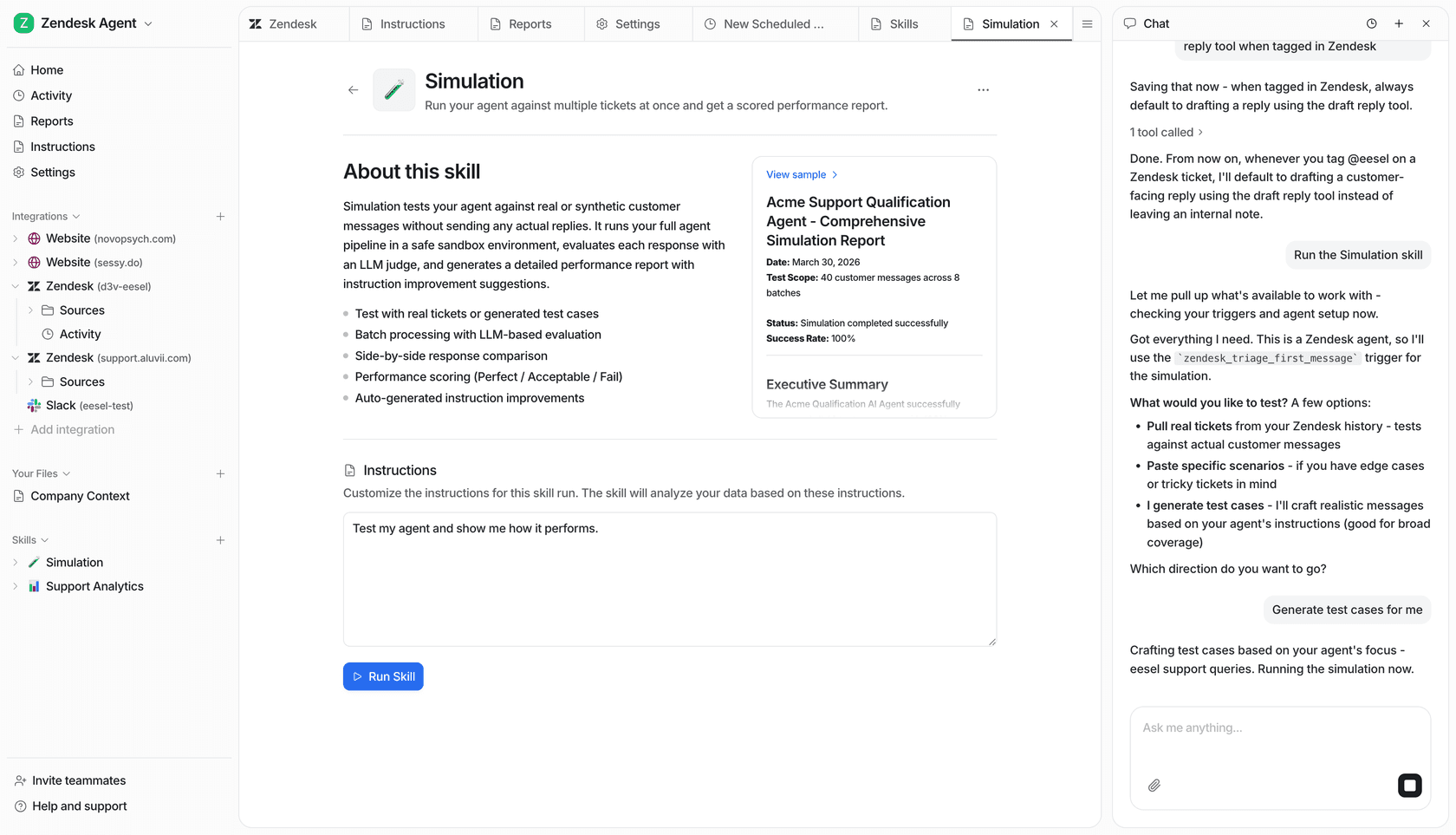
Before eesel touches a live ticket, you can run it against your past tickets in simulation mode and see how it would have answered. You change its instructions in plain language through chat, not a rules builder, and with the eesel CLI a coding agent can upload your approved articles as knowledge and test the answers before anything goes live.
Who it isn't for: if all your knowledge already lives in Zendesk and Zendesk's own AI agents resolve enough of your volume, you don't need a second AI layer. eesel earns its place when you want one teammate that works the queue across your tools and that you can test on real history first. If that sounds like your team, you can start free with 100 credits on your own Zendesk.
Frequently asked questions
What is Zendesk knowledge management?
It is how you create, organize and serve help content in Zendesk Knowledge (formerly Guide): a help center for customers, articles agents can use in tickets, and AI that answers from both. See my Zendesk knowledge base basics.
Is Zendesk Guide the same as Zendesk Knowledge?
Yes. Zendesk renamed Guide to Knowledge, and the current plans are Knowledge Professional and Knowledge Enterprise. Older Guide plans are legacy. My Zendesk Guide pricing post covers the history.
Which Zendesk plans include knowledge management?
Every Suite plan includes Knowledge, starting with Suite Team at $55 per agent a month billed annually, with one help center. Support plans include no help center, so Knowledge is bought separately there. Compare plans in my Suite plan comparison.
How much does Zendesk knowledge management cost?
Suite Team is $55 and Suite Professional $115 per agent a month billed annually, and Enterprise is quoted by sales. Copilot adds $50 per agent a month, and AI agents are billed per automated resolution. My Zendesk pricing guide has the full table.
Can Zendesk AI use content from Confluence or Google Drive?
Yes. Zendesk's knowledge connectors link up to 50 outside sources, including Confluence, Google Drive and Notion, on every Suite plan, or Support with a Knowledge plan, with no add-on, and AI agents and generative search answer from them. Details in my Zendesk knowledge connectors guide.
What is the Zendesk Knowledge builder?
It is a generative AI tool that reads the last 90 days of tickets and drafts up to 40 help center articles for you to review. It builds a new help center rather than improving an existing one. See how it fits with Zendesk AI.
How do I keep Zendesk help center articles up to date?
Use the Knowledge dashboard to spot articles that still lead to tickets, let agents flag stale articles on Suite Professional, and set verification rules on Enterprise. My guide to Zendesk knowledge gap analysis covers the manual routine.
