

A dangling pointer is a pointer that refers to a memory location that is no longer valid. Dereferencing such a pointer results in undefined behavior, which may lead to crashes, incorrect output, or memory corruption.
- Commonly created after deleting dynamically allocated memory or when an object goes out of scope.
- Can cause unpredictable program behavior if accessed after the referenced memory becomes invalid.
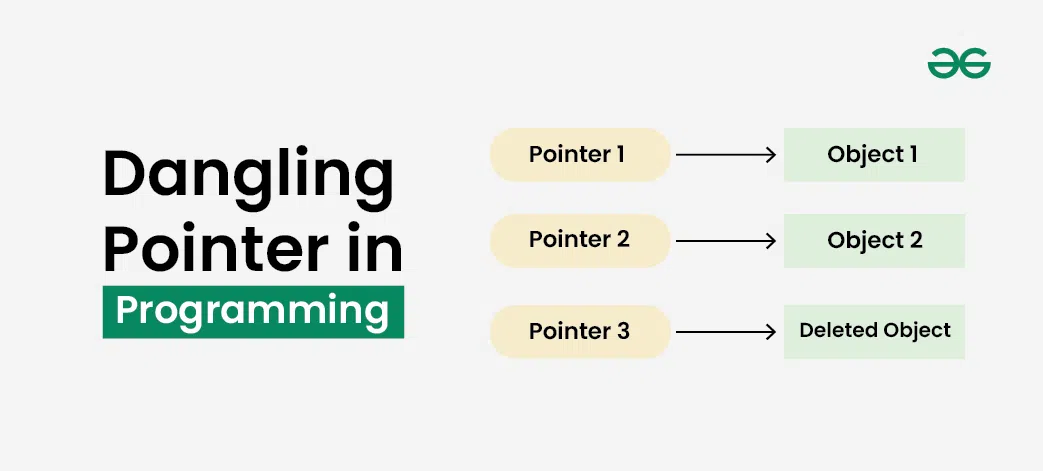
Example: The following program shows a dangling pointer created after deleting dynamically allocated memory.
#include <iostream>
using namespace std;

int main() {

    int* ptr = new int(10);

    delete ptr;

    // ptr is now dangling

    return 0;
}
Explanation: After delete, the memory allocated for the integer is released, but ptr still stores the old address. Any attempt to dereference it results in undefined behavior.
Common Causes of Dangling Pointers
Dangling pointers are commonly created in the following situations:
1. Deallocating dynamically allocated memory using delete or free().
#include <iostream>
using namespace std;

int main() {

    int* ptr = new int(20);

    delete ptr;

    cout << *ptr;

    return 0;
}
Output
Undefined BehaviorExplanation: The program accesses memory after it has been released. The result is undefined and may differ across executions
2. Returning the Address of a Local Variable from a function.
#include <iostream>
using namespace std;

int* getPointer() {

    int value = 50;

    return &value;
}

int main() {

    int* ptr = getPointer();

    cout << *ptr;

    return 0;
}
Output
Undefined BehaviorExplanation: The local variable is destroyed when the function returns, leaving the returned pointer dangling.
3. Variable Going Out of Scope
#include <iostream>
using namespace std;

int main() {

    int* ptr;

    {
        int value = 100;
        ptr = &value;
    }

    cout << *ptr;

    return 0;
}
Output
Undefined BehaviorExplanation: Although the program may print 100 on some systems, the variable has already gone out of scope. Accessing it is undefined behavior, so the output is not guaranteed.
Risks of Dangling Pointers
Dangling pointers can lead to several runtime issues:
- Cause segmentation faults or unexpected program crashes.
- Read or modify invalid memory locations.
- Corrupt program data and produce unpredictable results.
- Make debugging memory-related issues much more difficult.
Preventing Dangling Pointers
The following techniques help avoid dangling pointers in C++.
1. Assign nullptr After delete
int* ptr = new int(10);
delete ptr;
ptr = nullptr;
Setting the pointer to nullptr prevents accidental access to released memory.
2. Prefer Smart Pointers
shared_ptr<int> ptr = make_shared<int>(10);
Smart pointers automatically manage memory and greatly reduce the chances of dangling pointers.
3. Do Not Return Addresses of Local Variables
Instead of returning the address of a local variable, either:
- Return the object by value.
- Allocate memory dynamically if necessary.
4. Ensure Pointer Lifetime Does Not Exceed Object Lifetime
Always make sure that the object being pointed to remains alive for as long as the pointer is used.
Best Practices
Follow these practices to minimize dangling pointer issues:
- Reset raw pointers to nullptr after deleting them and never return pointers to local variables.
- Prefer smart pointers over raw pointers whenever possible.
- Carefully manage object lifetimes before storing their addresses.
- Validate pointers before dereferencing them whenever applicable.
