

Vector embeddings transform text into numerical representations that capture the meaning and context, enabling the system to find related information even if the exact words differ. By storing these embeddings in a vector database, the assistant can perform fast and meaningful semantic searches, allowing it to maintain context and provide smarter, more relevant responses over time. Let's build a simple chatbot that gives results to the user queries, stores them in a vector database and can be used for future references.
Step-by-Step Implementation
Let's prepare a simple chatbot:
Step 1: Install Dependencies
- sentence-transformers: pre-trained models to create embeddings for text.
- accelerate / einops: support efficient model training and inference.
!pip -q install chromadb sentence-transformers transformers accelerate einops --upgrade
Step 2: Import Libraries and Configurations
- os, time, uuid, json: standard Python used for file handling, timestamps, IDs and JSON formatting.
- dataclasses: lightweight way to create structured data containers (used for MemoryItem).
- typing: type hints for cleaner function signatures.
- torch: PyTorch backend for running transformer models.
- transformers: Transformers helps in model loading, tokenization and text generation.
- chromadb: Chromadb is used for memory storage.
- sentence-transformers: embedding generation for semantic search.
- textwrap: word-wrapping console output for readability.
import os
import time
import uuid
import json
from dataclasses import dataclass, asdict
from typing import List, Dict, Optional, Tuple

import torch
from transformers import AutoModelForCausalLM, AutoTokenizer, pipeline

import chromadb
from chromadb.config import Settings

from sentence_transformers import SentenceTransformer

import textwrap
Step 3: Model and Path Setup
We initialize the models and setup path.
- CHAT_MODEL= defines Qwen LLM as the chat assistant.
- EMBED_MODEL= embedding model for vector similarity search.
- PERSIST_DIR= folder to persist memory database locally.
CHAT_MODEL = "Qwen/Qwen2.5-0.5B-Instruct"
EMBED_MODEL = "all-MiniLM-L6-v2"
PERSIST_DIR = "/content/memory_db"

os.makedirs(PERSIST_DIR, exist_ok=True)
print("Persist dir:", PERSIST_DIR)
Output:
Persist dir: /content/memory_db
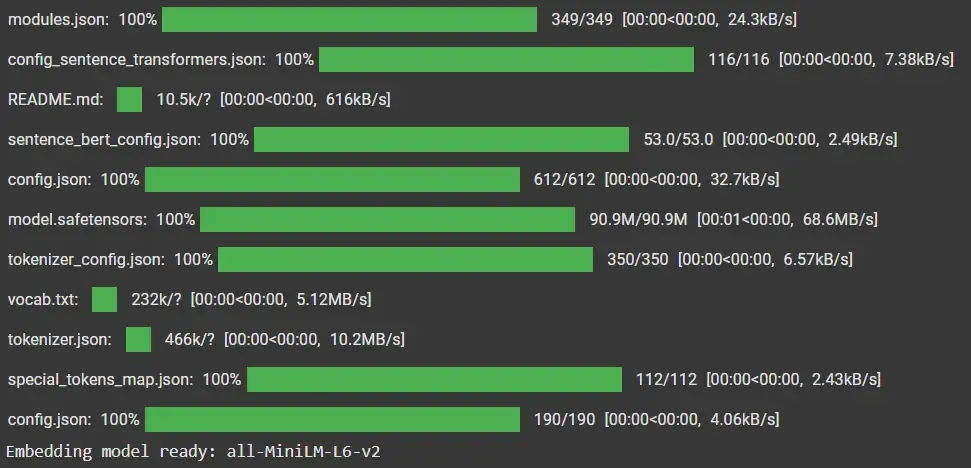
Step 4: Define Embeddings Helper
- Custom wrapper over SentenceTransformer.
- Normalizes embeddings for better similarity search.
- Returns list of vectors to feed into ChromaDB.
class SBERTEmbeddings:
    def __init__(self, model_name: str = EMBED_MODEL):
        self.model = SentenceTransformer(model_name)

    def embed_texts(self, texts: List[str]) -> List[List[float]]:
        vecs = self.model.encode(
            texts, convert_to_numpy=True, normalize_embeddings=True)
        return [v.tolist() for v in vecs]
Output:
Step 5: Initialize ChromaDB
We initialize chromaDB:
- Creates a persistent ChromaDB client.
- Defines chat_memory collection with cosine similarity search.
client = chromadb.PersistentClient(
    path=PERSIST_DIR, settings=Settings(anonymized_telemetry=False))
collection = client.get_or_create_collection(
    name="chat_memory", metadata={"hnsw:space": "cosine"})
Output:
Collection(name=chat_memory)
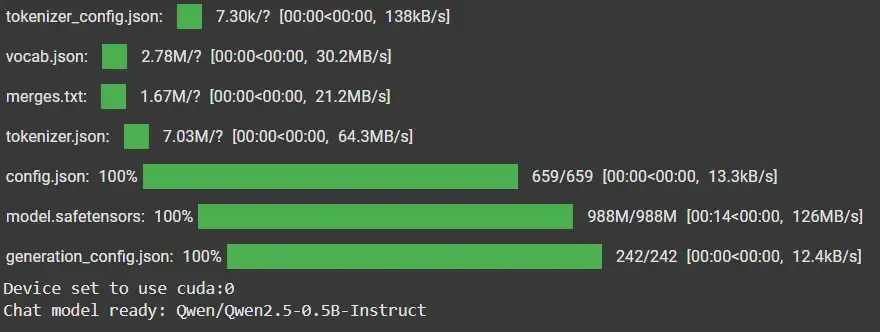
Step 6: Load Qwen Chat Model
Let's initialize the chat model:
- AutoTokenizer: prepares text input/output.
- AutoModelForCausalLM: loads Qwen LLM for dialogue generation.
- pipeline: simplifies inference with text generation.
tokenizer = AutoTokenizer.from_pretrained(CHAT_MODEL)
model = AutoModelForCausalLM.from_pretrained(
    CHAT_MODEL,
    torch_dtype=torch.float16 if torch.cuda.is_available() else torch.float32,
    device_map="auto",
)
textgen = pipeline("text-generation", model=model, tokenizer=tokenizer)
Output:
Step 7: Chat Function
- Builds a prompt using apply_chat_template.
- Generates model response with sampling parameters (temperature, top_p, top_k).
- Extracts only the new response (excludes input prompt).
def run_chat(messages: List[Dict[str, str]], max_new_tokens: int = 256, temperature: float = 0.2) -> str:
    prompt = tokenizer.apply_chat_template(
        messages, tokenize=False, add_generation_prompt=True)
    out = textgen(prompt, max_new_tokens=max_new_tokens,
                  do_sample=True, temperature=temperature, top_p=0.9, top_k=50)
    gen = out[0]["generated_text"][len(prompt):]
    return gen.strip()
Step 8: Memory Schema
Defines a structured unit of memory with role (user/assistant), content, IDs and timestamps.
@dataclass
class MemoryItem:
    id: str
    role: str
    content: str
    user_id: str
    conversation_id: str
    created_at: float
Step 9: Memory Management
Add to Memory:
- Embeds text content.
- Stores into ChromaDB with metadata and vector embeddings.
def add_to_memory(items: List[MemoryItem]):
    texts = [i.content for i in items]
    embeddings = embedder.embed_texts(texts)
    collection.add(
        ids=[i.id for i in items],
        documents=texts,
        metadatas=[asdict(i) for i in items],
        embeddings=embeddings,
    )
Retrieve from Memory:
- Converts query into embedding.
- Finds top-k nearest memories.
- Returns document text, metadata and similarity distance.
def retrieve(query: str, top_k: int = 6, where: Optional[Dict] = None):
    q_emb = embedder.embed_texts([query])[0]
    res = collection.query(
        query_embeddings=[q_emb],
        n_results=top_k,
        where=where,
        include=["documents", "metadatas", "distances"],
    )
    docs = res.get("documents", [[]])[0]
    metas = res.get("metadatas", [[]])[0]
    dists = res.get("distances", [[]])[0]
    return list(zip(docs, metas, dists))
Step 10: System Prompt
Defines assistant personality along with memory usage policy.
SYS_PROMPT = (
    "You are a concise research assistant. "
    "When helpful, cite retrieved notes inline as [memory n]. If memory seems irrelevant, say so briefly before answering."
)
Step 11: Context Builder
- Formats retrieved memories into context chunks.
- Applies character budget (1600 chars).
def build_context(retrieved, char_limit: int = 1600):
    chunks, used = [], 0
    for i, (doc, meta, dist) in enumerate(retrieved, start=1):
        s = f"[memory {i}] role={meta.get('role')} dist={dist:.3f} at {int(meta.get('created_at',0))}\n{doc.strip()}\n"
        if used + len(s) > char_limit:
            break
        chunks.append(s)
        used += len(s)
    return "\n".join(chunks) if chunks else "(no highly relevant memory found)"
Step 12: Main Answer Function
- Retrieves context.
- Builds prompt (system + user).
- Generates reply.
- Stores user query + assistant response back into memory.
def answer(user_msg: str, top_k: int = 6) -> str:
    global CONV_ID
    retrieved = retrieve(user_msg, top_k=top_k, where={"user_id": USER_ID})
    context = build_context(retrieved)
    messages = [
        {"role": "system", "content": SYS_PROMPT},
        {"role": "user", "content": f"Use the MEMORY below only if helpful. Then answer the QUESTION.\n\nMEMORY:\n{context}\n\nQUESTION: {user_msg}"},
    ]
    reply = run_chat(messages)

    add_to_memory([
        MemoryItem(str(uuid.uuid4()), "user", user_msg,
                   USER_ID, CONV_ID, now_ts()),
        MemoryItem(str(uuid.uuid4()), "assistant",
                   reply, USER_ID, CONV_ID, now_ts()),
    ])
    return reply
Step 13: Seeding Memory
Seeds some initial memory so the assistant knows our name and preferences.
seed_items = [
    MemoryItem(str(uuid.uuid4()), "user", "My name is Geek.",
               USER_ID, CONV_ID, now_ts()),
    MemoryItem(str(uuid.uuid4()), "assistant",
               "Nice to meet you, Geek!", USER_ID, CONV_ID, now_ts()),
    MemoryItem(str(uuid.uuid4()), "user",
               "I prefer examples in Python, not JavaScript.", USER_ID, CONV_ID, now_ts()),
]
add_to_memory(seed_items)
Step 14: Interactive Chat Loop
We prepare the interactive loop which:
- Keeps conversation interactive.
- Stores every turn into memory.
while True:
    user_msg = input("You: ")
    if user_msg.lower().strip() in ["exit", "quit", "stop"]:
        print("Exiting chat...")
        break
    reply = answer(user_msg)
    print("Assistant:", reply)
Output:
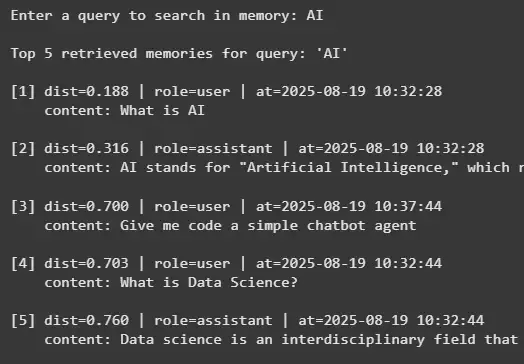
Step 15: Memory Search Utility
Lets us search past conversation memories directly.
last_query = input("Enter a query to search in memory: ")

ret = retrieve(last_query, top_k=5, where={"user_id": USER_ID})

if not ret:
    print("No relevant memory found.")
else:
    print(f"\nTop {len(ret)} retrieved memories for query: '{last_query}'\n")
    for i, (doc, meta, dist) in enumerate(ret, start=1):
        ts = time.strftime("%Y-%m-%d %H:%M:%S",
                           time.localtime(meta.get("created_at", 0)))
        print(f"[{i}] dist={dist:.3f} | role={meta['role']} | at={ts}")
        print(f"    content: {doc}\n")
Output:
Step 16: Inspect the Database
We can inspect the database:
- Count stored items.
- Run filtered semantic queries.
- Peek into stored documents and metadata.
print("Total items in collection:", collection.count())

ret_filter = collection.query(
    query_texts=["preferences about languages"],
    n_results=3,
    where={"user_id": USER_ID},
    include=["documents", "metadatas"],
)
print("Filtered query docs:", ret_filter.get("documents", [[]])[0])

peek = collection.peek(5)
print("\nPeek IDs:", peek.get("ids"))
print("Peek metadatas (first 2):", json.dumps(
    peek.get("metadatas")[:2], indent=2))

import os
print("\nPersisted files:")
for root, dirs, files in os.walk(PERSIST_DIR):
    for f in files:
        print(os.path.join(root, f))
Output:
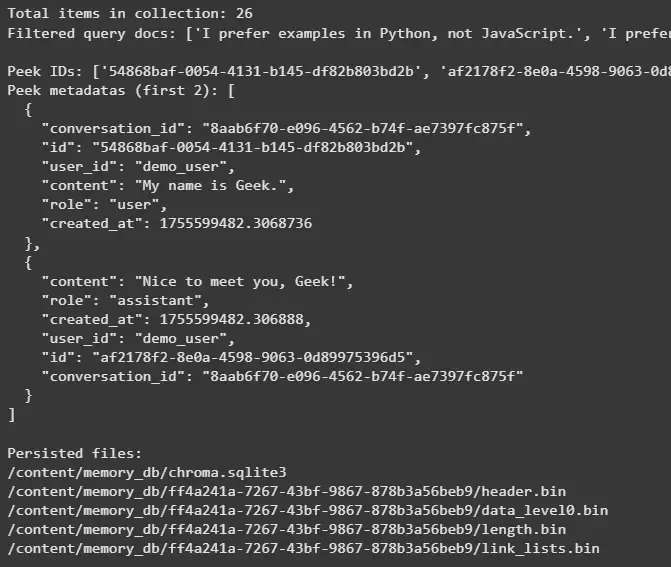
Note: The output attached are in the embedding format.
Step 17: Persistence Check
- Reopens database from disk.
- Confirms memory persistence.
client2 = chromadb.PersistentClient(
    path=PERSIST_DIR, settings=Settings(anonymized_telemetry=False))
col2 = client2.get_or_create_collection(name="chat_memory")
print("Reopened count:", col2.count())
col2.query(query_texts=["What is my name?"], n_results=3)
Output:
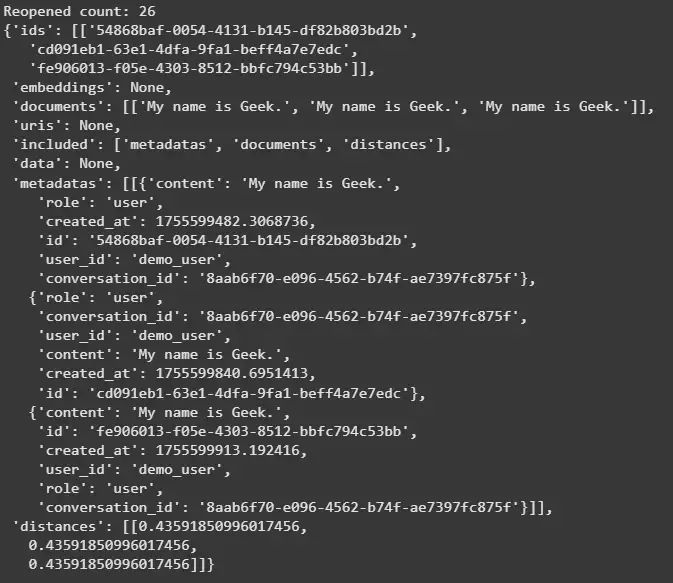
The output attached are in the embedding format.
The complete code can be downloaded from here.
