

The Datalist Options Collection is used to set or return the collection of all options value in a datalist. The elements in the collection are in sorted order.
Syntax:
datalistObject.optionsProperties:
- length: It returns a number of <option> element in the collection. It is read only Property.
Methods:
The DOM option collection contains three methods which are given below:
- [index]: It is used to return the element of the selected index. The index value starts from 0. It returns NULL if the index value is out of range.
- item(index): It is used to return the <option> element of selected index. The index value starts from 0. It returns NULL if the index value is out of range.
- namedItem(id): It is used to return the element from the collection with the given id attribute. It returns NULL if the id is not valid.
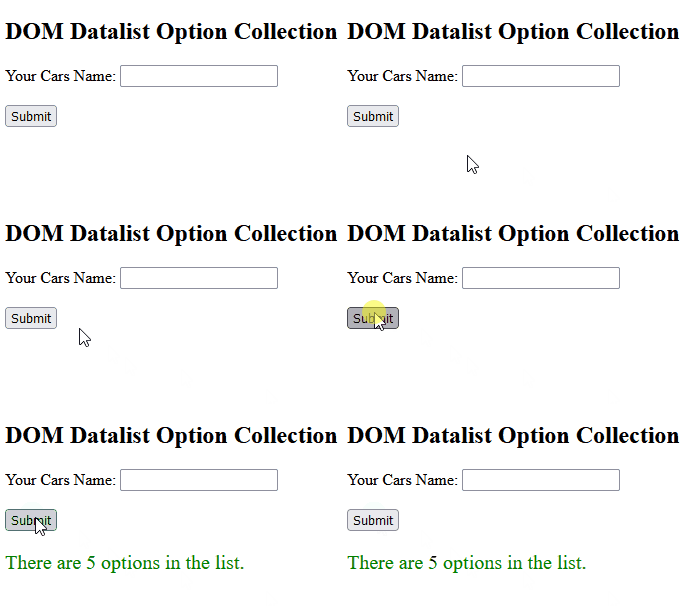
Example 1: Returns option length value.
<!DOCTYPE html>
<html>

<body>
    <h2>DOM Datalist Option Collection</h2>

    <form>
        <label>Your Cars Name: </label>
        <input list="gfg">
        <datalist id="cars">
            <option value="BMW">
            <option value="Bentley">
            <option value="Mercedes">
            <option value="Audi">
            <option value="Volkswagen">
        </datalist>
    </form>

    <br>
    <button onclick="myGeeks()">Submit</button>

    <p id="sudo" style="font-size:20px;color:green;"></p>

    <script>
        function myGeeks() {
            // Return length of option.
            let g =
                document.getElementById(
                    "cars").options.length;

            document.getElementById("sudo").innerHTML =
                "There are " + g + " options in the list.";
        }
    </script>
</body>

</html>
Output:
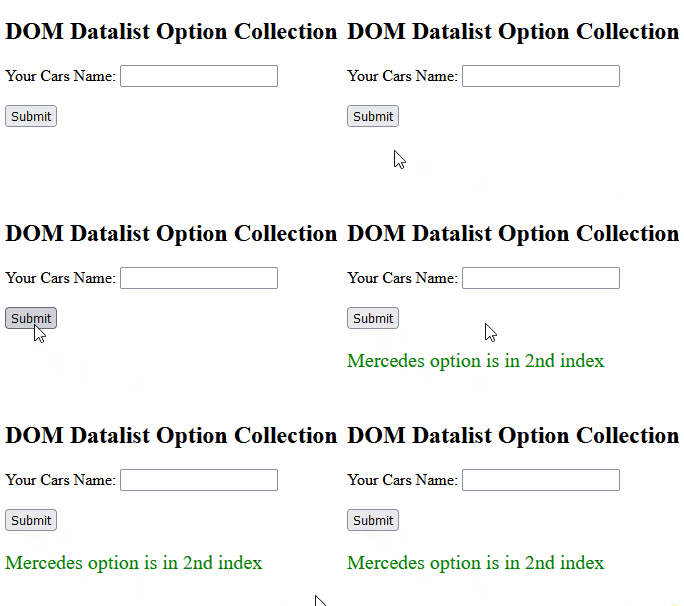
Example-2: Returns the option's value of a specific index.
<!DOCTYPE html>
<html>

<body>
    <h2>DOM Datalist Option Collection</h2>

    <form>
        <label>Your Cars Name: </label>
        <input list="gfg">
        <datalist id="cars">
            <option value="BMW">
            <option value="Bentley">
            <option value="Mercedes">
            <option value="Audi">
            <option value="Volkswagen">
        </datalist>
    </form>

    <br>
    <button onclick="myGeeks()">
        Submit
    </button>

    <p id="sudo" style="font-size:20px;color:green;">
    </p>

    <script>
        function myGeeks() {
            // Return the value of index 2.
            let g =
                document.getElementById("cars").options[2].value;

            document.getElementById("sudo").innerHTML =
                g + " option is in 2nd index";
        }
    </script>

</body>

</html>
Output :
Supported Browsers:
The browser supported by DOM Datalist option Collection Property are listed below:
- Google Chrome
- Firefox
- Opera
- Safari
