

Service Discovery is a mechanism in microservices that allows services to automatically register themselves and discover other available services without using hardcoded URLs or IP addresses. A Discovery Server (such as Netflix Eureka) acts as a central registry that keeps track of all running service instances, enabling seamless communication between microservices.
- Automatically registers and discovers microservices.
- Eliminates the need for hardcoded service URLs and ports.
- Enables dynamic communication and load balancing between services.
Steps to Developing Service Discovery
Step 1: Create a New Spring Boot Project in Spring Initializr
To create a new Spring Boot project, please refer to How to Create a Spring Boot Project in Spring Initializr and Run it in IntelliJ IDEA. For this project choose the following things
- Project: Maven
- Language: Java
- Packaging: Jar
- Java: 17
Please choose the following dependencies while creating the project.
- Eureka Server
Generate the project and run it in IntelliJ IDEA by referring to the above article.
Step 2: Verify the pom.xml File
After project creation, verify that the required dependencies are present in your pom.xml file.
<?xml version="1.0" encoding="UTF-8"?>
<project xmlns="https://maven.apache.org/POM/4.0.0" xmlns:xsi="https://www.w3.org/2001/XMLSchema-instance"
    xsi:schemaLocation="https://maven.apache.org/POM/4.0.0 https://maven.apache.org/xsd/maven-4.0.0.xsd">
    <modelVersion>4.0.0</modelVersion>
    <parent>
        <groupId>org.springframework.boot</groupId>
        <artifactId>spring-boot-starter-parent</artifactId>
        <version>3.0.6</version>
        <relativePath/> <!-- lookup parent from repository -->
    </parent>
    <groupId>com.gfg.discovery-service</groupId>
    <artifactId>discovery-service</artifactId>
    <version>0.0.1-SNAPSHOT</version>
    <name>Discovery Service</name>
    <description>Demo project for Discovery Service</description>
    <properties>
        <java.version>17</java.version>
        <spring-cloud.version>2022.0.2</spring-cloud.version>
    </properties>
    <dependencies>
        <dependency>
            <groupId>org.springframework.cloud</groupId>
            <artifactId>spring-cloud-starter-netflix-eureka-server</artifactId>
        </dependency>

        <dependency>
            <groupId>org.springframework.boot</groupId>
            <artifactId>spring-boot-starter-test</artifactId>
            <scope>test</scope>
        </dependency>
    </dependencies>
    <dependencyManagement>
        <dependencies>
            <dependency>
                <groupId>org.springframework.cloud</groupId>
                <artifactId>spring-cloud-dependencies</artifactId>
                <version>${spring-cloud.version}</version>
                <type>pom</type>
                <scope>import</scope>
            </dependency>
        </dependencies>
    </dependencyManagement>

    <build>
        <plugins>
            <plugin>
                <groupId>org.springframework.boot</groupId>
                <artifactId>spring-boot-maven-plugin</artifactId>
            </plugin>
        </plugins>
    </build>
    <repositories>
        <repository>
            <id>netflix-candidates</id>
            <name>Netflix Candidates</name>
            <url>https://artifactory-oss.prod.netflix.net/artifactory/maven-oss-candidates</url>
            <snapshots>
                <enabled>false</enabled>
            </snapshots>
        </repository>
    </repositories>

</project>
Step 3: Modify DiscoveryServiceApplication Class
Go to the discovery-service > src > main > java > DiscoveryServiceApplication and annotate it with @EnableEurekaServer annotation. Below is the complete code for DiscoveryServiceApplication Class.
package com.gfg.discoveryservice;

import org.springframework.boot.SpringApplication;
import org.springframework.boot.autoconfigure.SpringBootApplication;
import org.springframework.cloud.netflix.eureka.server.EnableEurekaServer;

@SpringBootApplication
@EnableEurekaServer
public class DiscoveryServiceApplication {

    public static void main(String[] args) {
        SpringApplication.run(DiscoveryServiceApplication.class, args);
    }

}
Step 4: Configure application.properties
Now make the following changes in your application.properties file.
server.port=8761
# Starts the Eureka Server on port 8761.
spring.application.name=discovery-service
# Assigns a unique name to the discovery server.
eureka.client.fetch-registry=false
# Prevents the Eureka Server from fetching registry information from another Eureka Server because it is acting as the registry itself.
eureka.client.register-with-eureka=false
# Prevents the Eureka Server from registering itself in its own registry.
Step 5: Run the Application
- Right Click Project
- Run As -> Spring Boot App
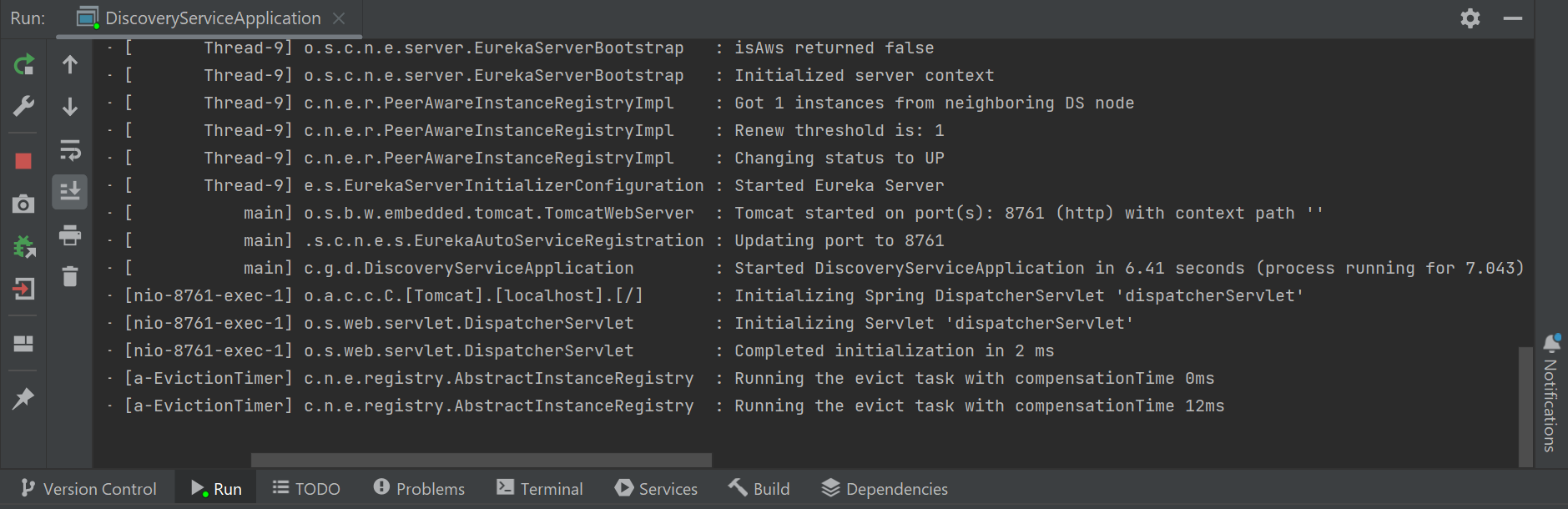
If the application starts successfully, the console will display logs indicating that the Eureka Server has started on port 8761.
Now hit the following URL in your browser
http://localhost:8761/
And you can see the Spring Eureka dashboard like below.
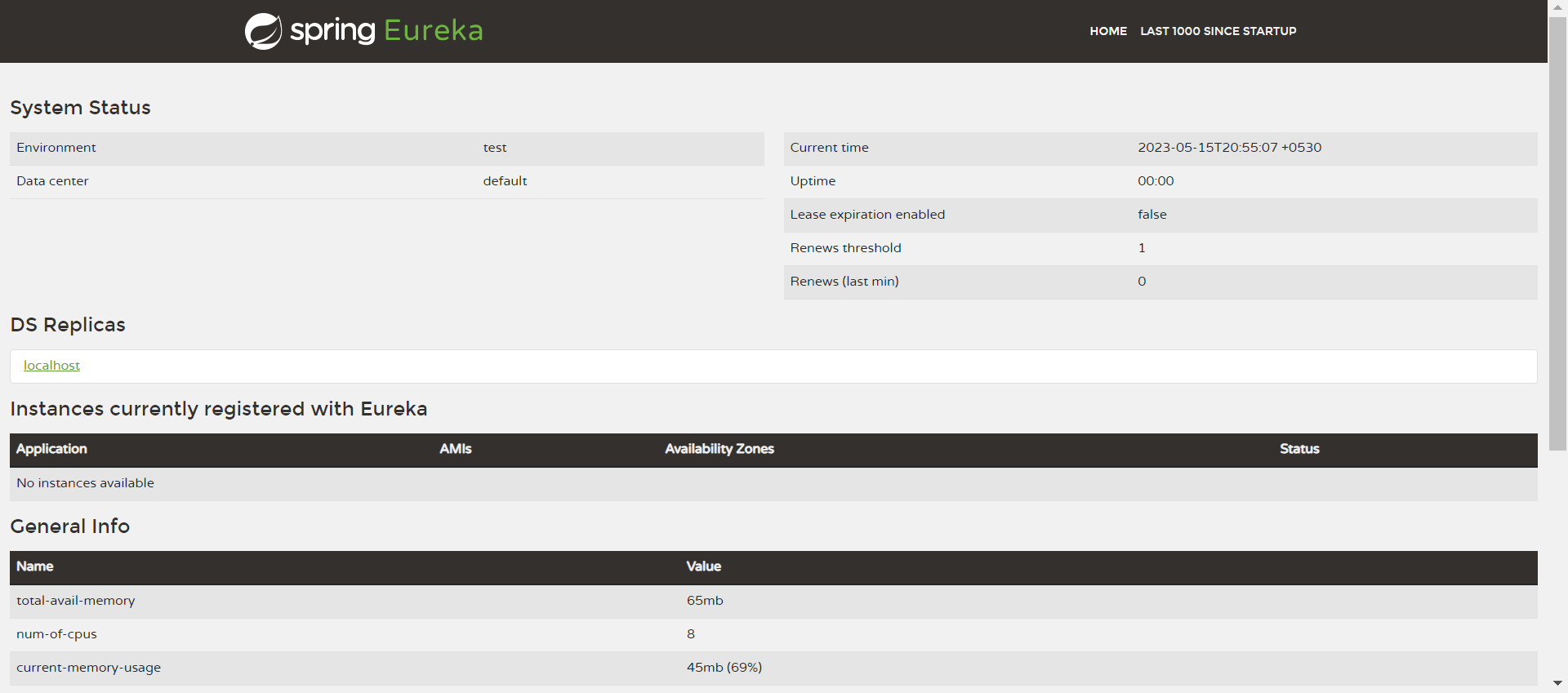
Explanation: This project creates a Service Discovery Server using Netflix Eureka. It acts as a central registry where all microservices register themselves, allowing services to discover and communicate with each other dynamically without using fixed IP addresses or URLs.
