
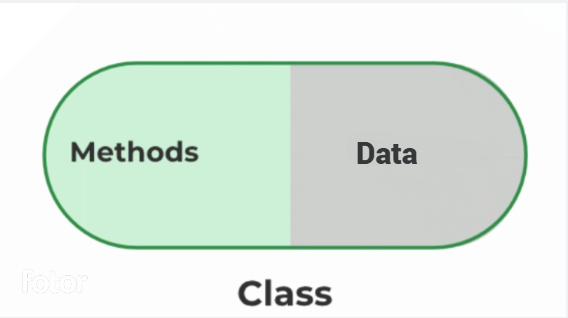
Encapsulation is a fundamental concept in Object-Oriented Programming (OOP) that hides the internal details of an object and exposes only the required functionality. It helps protect data and ensures controlled access to object properties.
- Hides internal implementation details from external code.
- Protects object data from direct access and modification.
- Can be achieved using closures, classes, and private fields (#).
class Student {
    constructor() {
        // Initialize the property
        this._name = "";
    }
    // Method to set the name
    setName(name) {
        this._name = name;
    }
    // Method to get the name
    getName() {
        return this._name;
    }
}
// Create an object
let student = new Student();
// Set the name
student.setName("Rahul");
// Print the name
console.log(student.getName());
- The name value is accessed only through setName() and getName() instead of directly modifying the property.
- Encapsulation keeps the data handling in one place, making the code easier to update and maintain.
Using Closures
A closure is a function that retains access to variables from its outer scope even after the outer function has finished executing. Variables inside closures remain inaccessible from outside, providing private-like behavior and controlled access.
- Maintains access to outer scope variables beyond function execution.
- Provides data hiding through closure scope.
- Enables controlled access to variables.
- Commonly used for creating private-like behavior in JavaScript.
function BankAccount(accNum, accHolder, balance) {
    let _accNum = accNum;
    let _accHolder = accHolder;
    let _balance = balance;

    function showAccountDetails() {
        console.log(`Account Number: ${_accNum}`);
        console.log(`Account Holder Name: ${_accHolder}`);
        console.log(`Balance: ${_balance}`);
    }

    function deposit(amount) {
        _balance += amount;
        showAccountDetails();
    }

    function withdraw(amount) {
        if (_balance >= amount) {
            _balance -= amount;
            showAccountDetails();
        } else {
            console.log("Insufficient Balance");
        }
    }

    return {
        deposit,
        withdraw
    };
}

const myBankAccount = BankAccount(
    "123456",
    "John Doe",
    1000
);

myBankAccount.deposit(500);
myBankAccount.withdraw(2000);
- _accNum, _accHolder, and _balance are private variables.
- These variables are accessible only inside BankAccount.
- deposit() and withdraw() are public methods exposed to the outside.
- Public methods modify the private data in a controlled manner.
Using Classes
ES6 introduced the class syntax, which provides a structured way to organize data and methods. Encapsulation can be achieved by exposing only the required methods while keeping internal implementation hidden.
- Groups related data and methods together.
- Provides a cleaner and more organized syntax.
- Supports object-oriented features such as inheritance and encapsulation.
class BankAccount {
    constructor(accNum, accHolder, balance) {
        this._accNum = accNum;
        this._accHolder = accHolder;
        this._balance = balance;
    }

    showAccountDetails() {
        console.log(`Account Number: ${this._accNum}`);
        console.log(`Account Holder Name: ${this._accHolder}`);
        console.log(`Balance: ${this._balance}`);
    }

    deposit(amount) {
        this._balance += amount;
        this.showAccountDetails();
    }

    withdraw(amount) {
        if (this._balance >= amount) {
            this._balance -= amount;
            this.showAccountDetails();
        } else {
            console.log("Insufficient Balance");
        }
    }
}

const myBankAccount = new BankAccount(
    "123456",
    "John Doe",
    1000
);

myBankAccount.deposit(500);
- _accNum, _accHolder, and _balance are internal variables that follow the underscore (_) naming convention.
- The underscore (_) is a naming convention and does not provide true privacy.
- deposit() and withdraw() are public methods accessible from outside.
- These methods update the balance and display updated account details.
Using Private Fields (#)
Private fields (#) provide true encapsulation by restricting direct access to class members from outside the class.
- Declared using the # prefix.
- Cannot be accessed directly outside the class.
- Provides true data hiding and encapsulation.
class BankAccount {
    #balance;

    constructor(balance) {
        this.#balance = balance;
    }

    deposit(amount) {
        this.#balance += amount;
    }

    getBalance() {
        return this.#balance;
    }
}

const account = new BankAccount(1000);

account.deposit(500);
console.log(account.getBalance());
- #balance is a private field.
- It cannot be accessed directly outside the class.
- deposit() updates the private balance in a controlled way.
- getBalance() provides read access to the private field.
- This ensures true encapsulation by hiding internal data.
