
OpenCV (Open Source Computer Vision Library) is an open-source library used for computer vision, image processing, and machine learning applications. It provides a comprehensive set of tools for analyzing, modifying, and understanding images and videos, making it widely used in both research and industry.
- Supports a wide range of computer vision tasks, including image processing, object detection, and feature extraction.
- Provides interfaces for multiple programming languages, such as Python, C++, and Java.
How Computers See Images
The following example demonstrates how to install OpenCV, load an image, convert it into RGB and grayscale formats, and display the results using Python. Unlike humans, computers don’t “see” images, they interpret them as numeric matrices:
- Pixel Values: Each image is made up of pixels and each pixel holds values for color and brightness. In color images, each pixel generally has three values (Red, Green, Blue).
- Matrix Representation: The image is stored as a NumPy array, where each entry shows a pixel’s intensity. Grayscale images are 2D arrays and color images are 3D arrays.
- Processing: Algorithms manipulate these arrays to apply transformations like edge detection, blurring or object detection.
Working
OpenCV processes visual data through a sequence of operations that transform raw images or videos into meaningful information:
- Input Acquisition: Captures images or videos from files, cameras, or video streams.
- Data Preprocessing: Enhances and prepares visual data for further analysis.
- Feature Processing: Applies computer vision techniques to extract useful patterns and information.
- Result Analysis: Interprets the processed data to support decision-making or automation.
- Output Generation: Displays, stores, or utilizes the final processed results.
Implementation
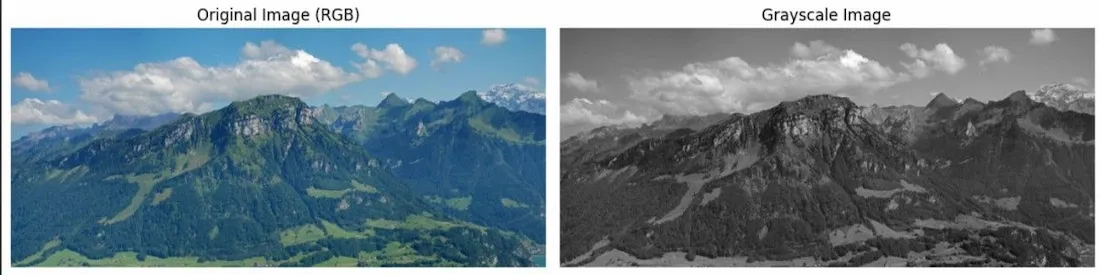
The following example demonstrates how to install OpenCV, load an image, convert it into RGB and grayscale formats, and display the results using Python.
Step 1: Install OpenCV
Install the OpenCV library using pip.
pip install opencv-python
Step 2: Importing Libraries
Here we import required libraries
- cv2: For image reading and processing.
- numpy: For image array operations (used internally).
- matplotlib.pyplot: For displaying the image visually.
- os: For potential path operations (though not directly used here).
import cv2
import numpy as np
import matplotlib.pyplot as plt
import os
Step 3: Add Image Path
Download image and add image path from system:
image_path = '/content/Sample_CV.jpg'
Step4: Load the Image
- Reads the image using OpenCV in BGR color format (default).
imgbecomes a NumPy array containing the pixel values.
img = cv2.imread(image_path)
Step 5: Convert to RGB and Grayscale
- Converts BGR to RGB for processing.
- Converts BGR to Grayscale.
img_rgb = cv2.cvtColor(img, cv2.COLOR_BGR2RGB)

img_gray = cv2.cvtColor(img, cv2.COLOR_BGR2GRAY)
Step6: Display the images
Displays both versions side by side using matplotlib.
plt.figure(figsize=(12, 5))

plt.subplot(1, 2, 1)
plt.imshow(img_rgb)
plt.title("Original Image (RGB)")
plt.axis("off")

plt.subplot(1, 2, 2)
plt.imshow(img_gray, cmap='gray')
plt.title("Grayscale Image")
plt.axis("off")

plt.tight_layout()
plt.show()
Output:
Applications
- Face Recognition: Detects and identifies human faces for security and authentication systems.
- Object Detection and Tracking: Recognizes and tracks objects in images and videos.
- Medical Image Analysis: Assists in processing and analyzing medical scans and images.
- Robotics and Autonomous Systems: Supports navigation, obstacle detection, and path planning.
- Industrial Inspection: Detects defects and automates quality control processes.
Advantages
- Supports multiple programming languages, including Python, C++, and Java.
- Provides optimized algorithms for real-time image and video processing.
- Offers a large collection of computer vision and image processing functions.
- Works across multiple operating systems and platforms.
Limitations
- Has a steep learning curve for beginners in computer vision.
- Advanced tasks often require integration with deep learning frameworks.
- Performance can decrease when processing large datasets or high-resolution videos.
- Some algorithms require careful parameter tuning to achieve accurate results.
