theHarvester is an open-source OSINT and reconnaissance tool written in Python. It helps security professionals collect publicly available information during the reconnaissance phase of penetration testing and security assessments.
- Supports information gathering from multiple public data sources through a single command-line interface.
- Works with search engines, certificate transparency logs, threat intelligence platforms, and other OSINT sources.
- Supports passive reconnaissance without directly interacting with the target system.
- Includes DNS enumeration, virtual host discovery, and optional port scanning capabilities.
- Generates HTML and XML reports for easy analysis and documentation.
- Available on Linux distributions and can also be installed from its GitHub repository.
Syntax
theHarvester -d <domain> -b <data_source> [options]Where:
-dspecifies the target domain or company name.-bspecifies the data source (such asyahoo,bing,crtsh, orall).- Additional options can be used to limit results, save reports, or perform DNS enumeration.
How to Install theHarvester
Installing on Kali Linux
- theHarvester comes pre-installed in Kali Linux. To verify the installation, run:
theHarvester --helpor
theHarvester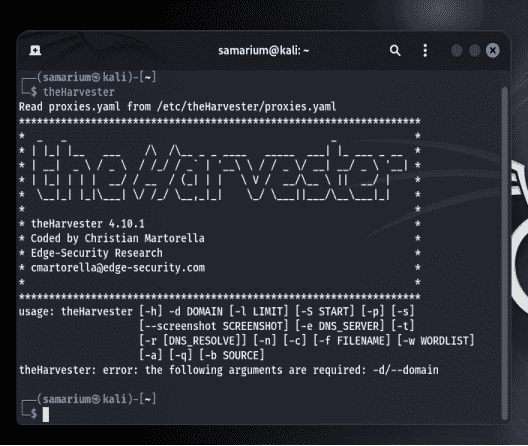
Installing on Debian/Ubuntu
- Install theHarvester using:
sudo apt install theharvesterInstalling from GitHub
- Clone the repository:
git clone https://github.com/laramies/theHarvester.git- Navigate to the project directory:
cd theHarvester- Install the required dependencies:
python3 -m pip install -r requirements/base.txt- Run the tool:
python3 theHarvester.py --helpExample
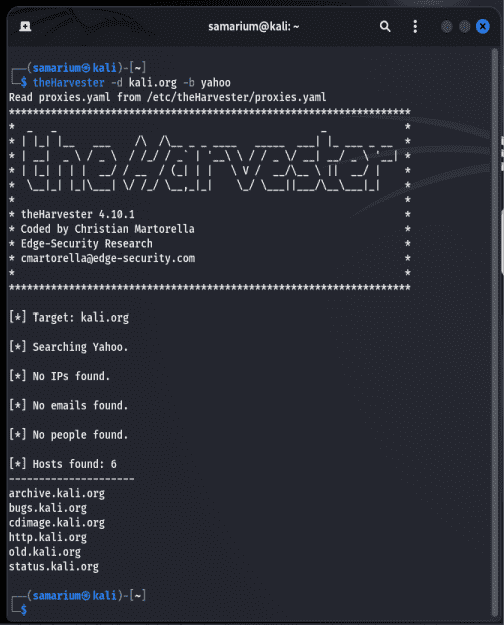
- The following command searches for publicly available information related to the kali.org domain using Yahoo as the data source.
theHarvester -d kali.org -b yahoo