
Next.js Routing is a built-in file-based routing system that automatically maps URLs to files and folders in the app directory, making navigation simple, fast, and efficient without requiring additional routing libraries.
- Uses file-based routing through the app/ directory.
- Supports static, dynamic, nested, and advanced routing.
- Provides fast client-side navigation using the Link component.
- Includes Route Handlers, Route Groups, Parallel Routes, and Intercepting Routes.
Note: The App Router supports advanced routing features such as Route Groups, Parallel Routes, and Intercepting Routes for building complex applications.
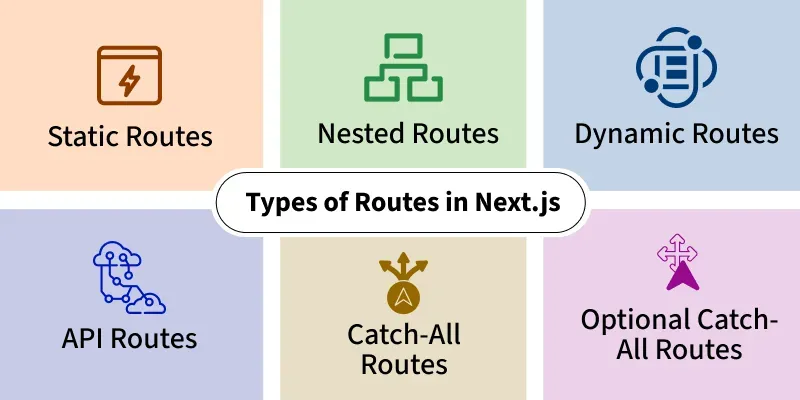
Types of Routes in Next.js
Next.js provides a powerful file-based routing system that supports static, dynamic, nested, catch-all, optional catch-all, and Route Handlers.
1. Static Routes
A static route is created by adding a page.js file with a fixed name inside the app directory.
// app/page.js

export default function Home() {
  return <h1>Home Page</h1>;
}
It can be accessed by visiting http://localhost:3000/
2. Nested Routes
A nested route is created by placing folders inside the app directory.
// app/users/about/page.js

export default function About() {
  return <h1>About Users</h1>;
}
We can access this file by visiting http://localhost:3000/users/about.
3. Dynamic Routes
Dynamic Routes use square brackets to represent variable URL segments.
// app/users/[id]/page.js

export default async function Page({
  params,
}) {
  const { id } = await params;

  return <h1>User: {id}</h1>;
}
It allows the component to access the dynamic id parameter and render content accordingly by visiting localhost:3000/users/<any-id>.
4. Route Handlers
Route Handlers create backend API endpoints inside the app directory.
// app/api/hello/route.js

import { NextResponse } from "next/server";

export async function GET() {
  return NextResponse.json({
    message: "Hello World",
  });
}
Accessible at http://localhost:3000/api/hello
Advanced Routing
The App Router provides several advanced routing capabilities.
5. Catch-All Routes
catch-all routes match one or more URL segments.
app/[...slug]/page.jsExample URLs:
/docs
/docs/nextjs
/docs/nextjs/routing
6. Optional Catch-All Routes
Optional catch-all routes match zero or more URL segments.
app/[[...slug]]/page.jsExamples:
/
/docs
/docs/nextjs
7. Route Groups
Route Groups organize routes without affecting the URL structure.
app/
├── (marketing)/
│   └── about/
│       └── page.js
The URL remains:
/about8. Parallel Routes
Parallel Routes render multiple pages simultaneously using named slots.
app/
├── dashboard/
│   ├── @analytics/
│   ├── @team/
│   └── layout.js
Useful for dashboards and multi-panel layouts.
9. Intercepting Routes
Intercepting Routes allow one route to render another route temporarily, commonly used for modals.
app/
├── feed/
├── photo/
│   └── [id]/
└── (.)photo/
Navigation in Next.js
Navigation is handled using the Link component and the useRouter and usePathname hooks from next/navigation.
Link Component:
The Link component enables client-side navigation between pages.
- Fast client-side navigation.
- Automatically prefetches routes.
- Prevents full page reloads.
import Link from "next/link";

export default function Home() {
  return (
    <Link href="/users">
      Users
    </Link>
  );
}
1. useRouter Hook
The useRouter hook enables programmatic navigation.
"use client";

import { useRouter } from "next/navigation";

export default function Home() {
  const router = useRouter();

  return (
    <button
      onClick={() => router.push("/users")}
    >
      Go to Users
    </button>
  );
}
2. usePathname Hook
The usePathname() hook returns the current route.
"use client";

import { usePathname } from "next/navigation";

export default function Page() {
  const pathname = usePathname();

  return <p>{pathname}</p>;
}
Steps to Implement Routing in Next.js
Follow the steps given below:
Step 1: Create a New Next.js Application
npx create-next-app@latest myproject1Step 2: Navigate to the Project Directory
cd myproject1Step 3: Project Structure
Create the following folders and files:
myproject1/
│
├── app/
│   ├── users/
│   │   ├── page.js
│   │   ├── about/
│   │   │   └── page.js
│   │   └── [id]/
│   │       └── page.js
│   └── page.js
└── ...
Step 4: Create the following files
import Link from "next/link";

export default function Home() {
  return (
    <main style={{ padding: "20px", fontFamily: "Arial, sans-serif" }}>
      <h1
        style={{
          fontSize: "48px",
          fontWeight: "700",
          marginBottom: "24px",
        }}
      >
        Home Page
      </h1>

      <ul
        style={{
          fontSize: "18px",
          lineHeight: "1.8",
        }}
      >
        <li>
          <Link href="/users">Users</Link>
        </li>

        <li>
          <Link href="/users/about">About Users</Link>
        </li>

        <li>
          <Link href="/users/1">User with id 1</Link>
        </li>
      </ul>
    </main>
  );
}
export default function UsersPage() {
  return (
    <main style={{ padding: "20px", fontFamily: "Arial, sans-serif" }}>
      <h1
        style={{
          fontSize: "48px",
          fontWeight: "700",
        }}
      >
        Users Page
      </h1>
    </main>
  );
}
export default function UsersAboutPage() {
  return (
    <main style={{ padding: "20px", fontFamily: "Arial, sans-serif" }}>
      <h1
        style={{
          fontSize: "48px",
          fontWeight: "700",
        }}
      >
        Users About Page
      </h1>
    </main>
  );
}
Step 5: Create the Dynamic Route
Create app/users/[id]/page.js.
export default async function UserPage({ params }) {
  const { id } = await params;

  return (
    <main style={{ padding: "20px", fontFamily: "Arial, sans-serif" }}>
      <h1
        style={{
          fontSize: "48px",
          fontWeight: "700",
        }}
      >
        User with id {id}
      </h1>
    </main>
  );
}
Step 6: Run the Application
npm run devOpen:
http://localhost:3000Output:
Uses of Next.js Routing
- Build static websites and landing pages.
- Create blogs with nested categories and posts.
- Develop e-commerce websites with dynamic product pages.
- Build dashboards using nested layouts and Parallel Routes.
- Create full-stack applications with Route Handlers.
- Enable fast client-side navigation with automatic prefetching.
