


Summary
- Obsidian is a top free pick to replace paid note-taking apps with powerful features and intuitive UI customization options.
- Simplenote keeps it simple with real-time sync, tag organization, and markdown support across multiple platforms.
- Apple Notes has stepped up its game with new features like highlighter, math notes, and real-time collaboration, but it's limited to Apple devices.
While there is no shortage of note-taking apps on the market, most of them are paid options or come with a freemium model. For example, OneNote uses OneDrive to sync your notes, which tops out at 5GB storage on a free plan. Evernote, another popular note-taking app, just had an eye-popping hike in its paid plans. Notion also has a Plus plan to unlock unlimited blocks for teams and file uploads. If you don’t want to add another subscription to your growing credit card bill, check my top free recommendations to create a productive workflow on your laptop in no time.
Obsidian is my top pick for replacing these paid apps. If you don’t prefer Obsidian for some reason, check my honorable mentions to jot down and manage notes like a pro.
1 Obsidian
If you have been following the productivity apps market closely, it shouldn’t come as a surprise to you that Obsidian tops the list. There is a bit of a learning curve with Obsidian, but once you get past the initial stage, it’s absolutely a joy to use.
Obsidian has a handy import tool that supports note transfer from all the popular options, like Evernote, OneNote, Bear Notes, Google Keep, Notion, and Roam Research. That way, you won’t end up spending the entire weekend transferring notes from your preferred platform.
An intuitive user interface


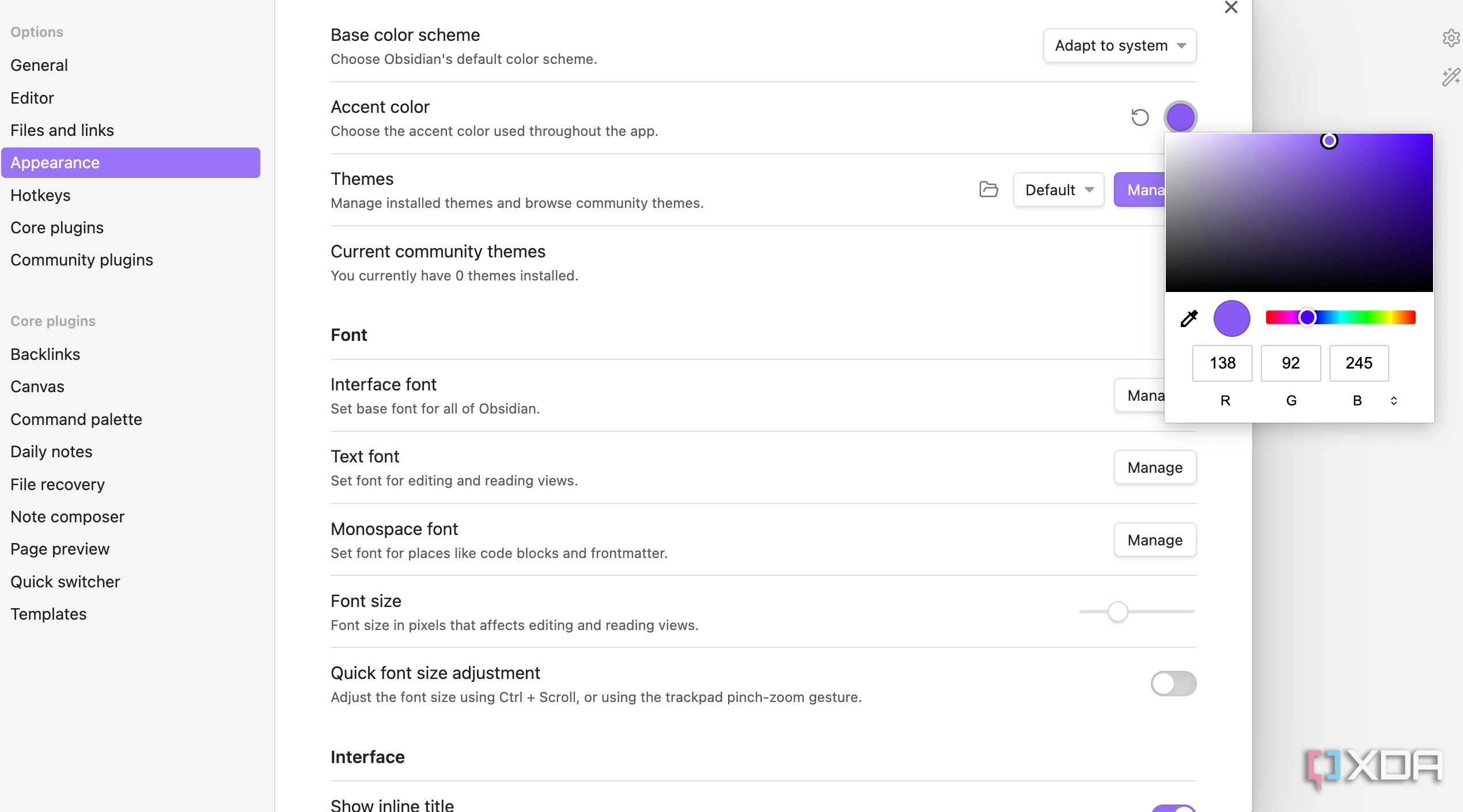
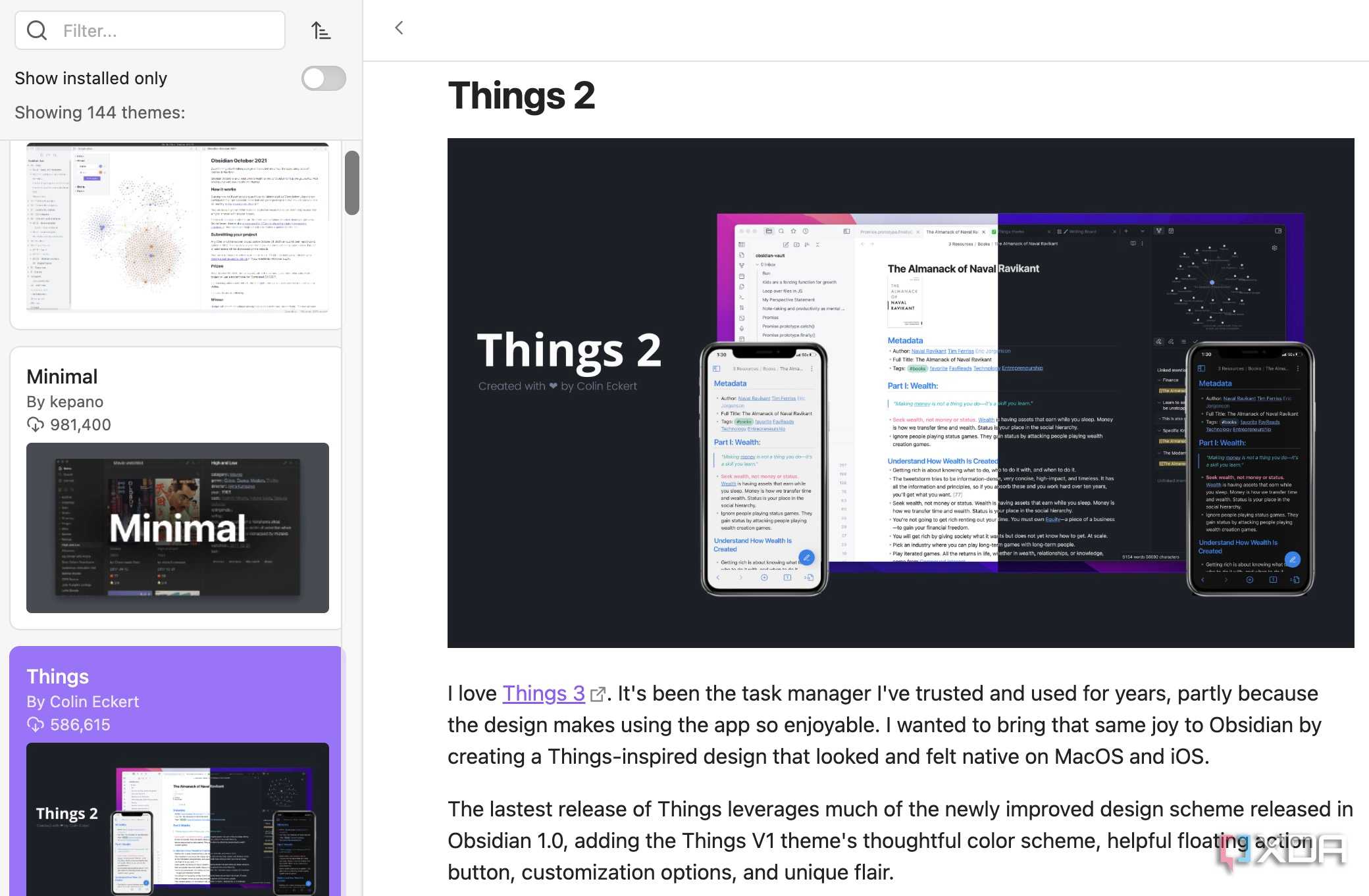



Thanks to a recent UI overhaul, Obsidian no longer has an outdated UI on the desktop. It now looks modern, intuitive, and comes with a bunch of customization options, so you can create the perfect look.
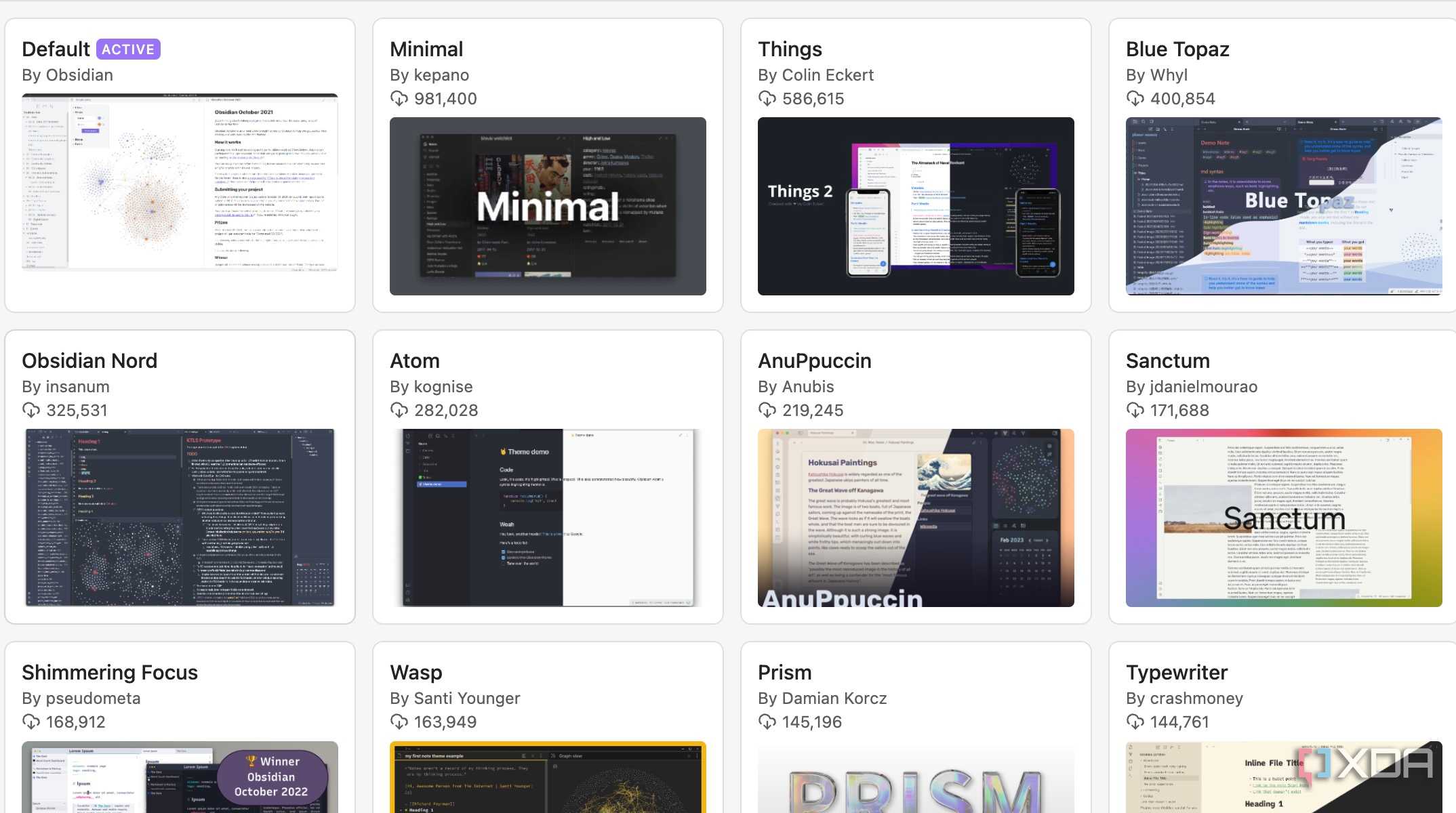
You can head to Settings > Appearance and switch between light and dark themes. It also has a robust color picker menu to set your preferred accent color. The best part is community themes, where you can glance over hundreds of themes from power users.
You won’t have a hard time finding a relevant theme from the community gallery. Since I’m a huge fan of Things 3 (a popular task manager app on Mac) esthetics, "Things" by Colin Eckert is definitely my favorite Obsidian theme.
Packed with features

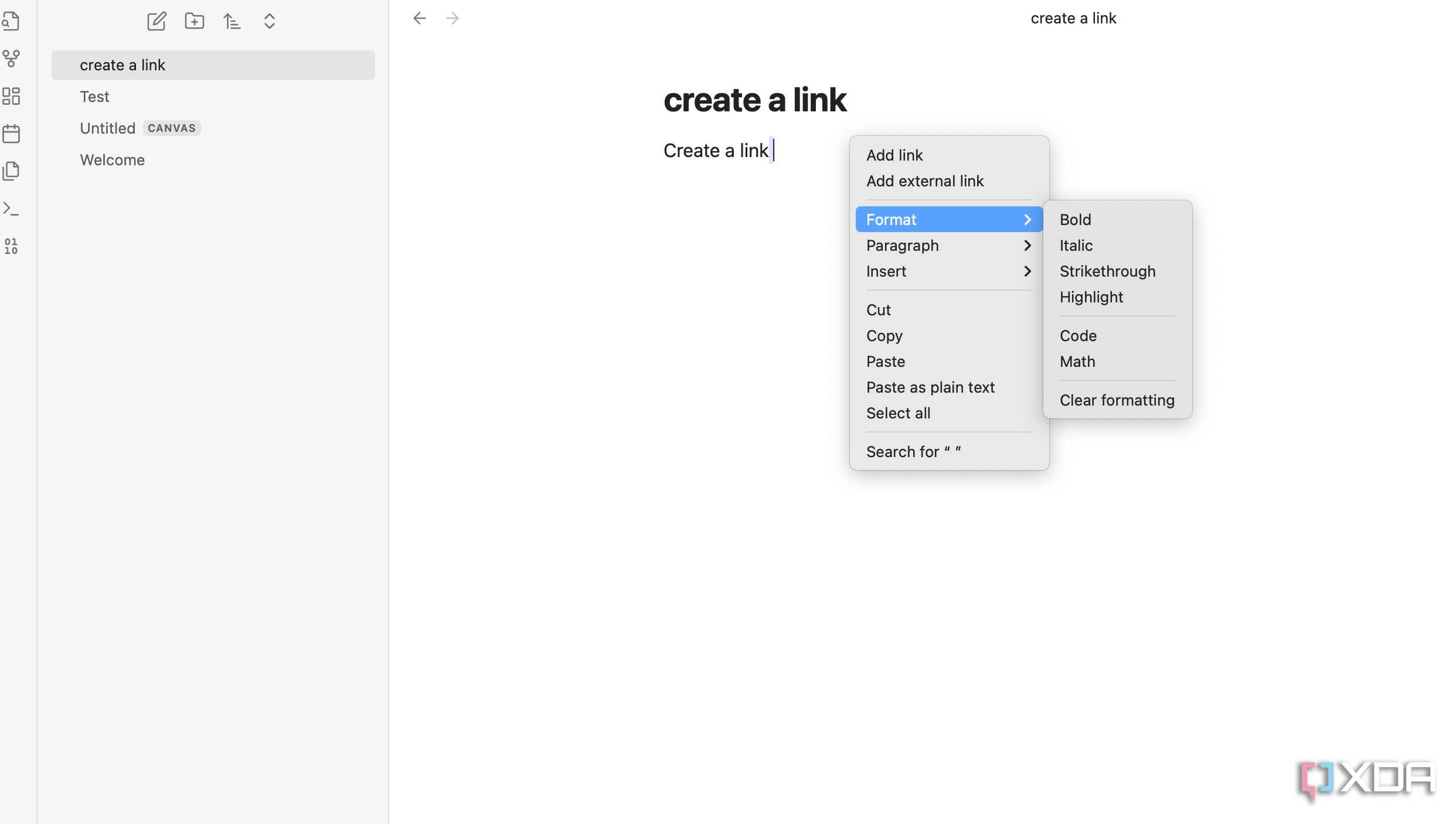
Obsidian editor may look basic at first glance, but it’s quite powerful. You can link anything and everything, to create connections between your notes in no time. That’s one of the reasons why Obsidian is popular among power users and researchers. It’s a markdown-based editor, and all the editing options are hidden under the right-click menu.
Obsidian stands out with two main features – Canvas and Graph.
Canvas is basically an infinite board to map out your ideas and thoughts. You can enter text, add cards and media, and even insert notes from another vault. Once your canvas is established, use curvy arrows to interlink its various aspects.
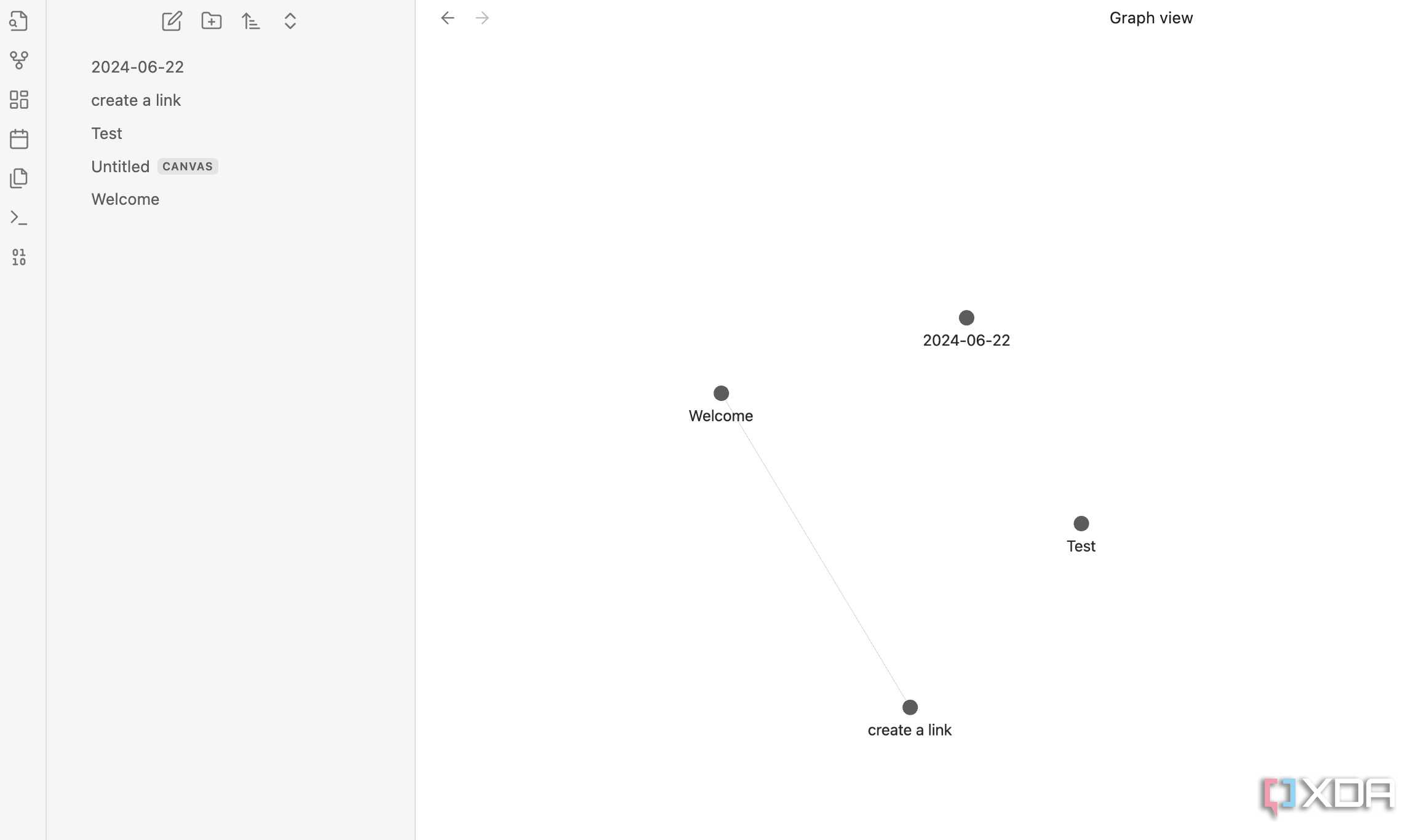
Graph is another unique feature of Obsidian. You can interlink notes and visualize the relationship between your notes from a dedicated graph menu. It mimics the human brain in a "mind map" as it connects thoughts in a similar manner.
Explore the world of plugins

Plugins is where Obsidian truly shines. They are basically like extensions on a web browser. These plugins unlock a host of features on Obsidian. For instance, you can enable tables, kanban boards, calendar view, outline structure, and much more.
Most core plugins are enabled by default, and I highly recommend exploring community plugins too, in order to get the best out of Obsidian. I use Outliner, Templater, Advanced Tables, and Better Word Count plugins.
Obsidian is completely free to download and use. It requires a paid plan to enable sync across your devices. However, there is a workaround. You can simply create and store local vaults in iCloud, Google Drive, or OneDrive and access the vault on all your devices.

Obsidian
- OS
- Windows, macOS, Linux, iOS, iPadOS, Android
- Individual pricing
- Free normally; $4/month for Obsidian Sync
2 Simplenote

Owned by Automattic (WordPress creator), Simplenote is another capable note-taking tool out there. It won’t wow you with crazy new features or a trendy UI. Simplenote focuses on and shines with the basics, such as real-time sync, tags to organize notes, the ability to post notes online, note history, markdown support, and more.
Simpenote is available to download on iPhone, iPad, Android, Windows, Mac, and Linux.

3 Apple Notes

Apple Notes used to be basic at best. However, with the recent iOS, iPadOS, and macOS developer beta updates, Apple completely hit it out of the park with Notes improvements.
Notes got some much-needed features like highlighter, collapsible sections, math notes, support for math equations, and more. These features are still in beta, and Apple may pull them up before the general release. Other notable add-ons include real-time collaboration, tags, smart folders, Apple Pencil support, and more. As is the case with all of the Apple apps, the biggest con of Notes is its unavailability on other platforms like Android and Windows.
Organize thoughts and boost your productivity
With the likes of Notion, Coda, Milanote, Roam Research, ClickUp, and more, the productivity market has boomed in recent years. That said, you don’t necessarily need to opt for expensive plans to unlock productivity. Most users should be completely fine with Obsidian’s free plan. The new Apple Notes app is also quite capable if you live in the Apple ecosystem.
If you want to explore more such free tools, check our separate guide to find the top alternatives to most popular paid software.
