


Open-source tools are more prevalent and important to use than ever before, especially if you’re trying to make the switch from Adobe software like Acrobat. With more data farming, AI integration, and paid subscription contracts, it can be hard to find good products without feeling like you’re selling your soul. As someone looking to move away from Adobe products and my beloved Adobe Acrobat, here are the six open-source PDF editors I’d happily move to for managing, viewing, and editing my PDF documents.
6 Scribus
Desktop publishing and PDF editor


If you’re looking for an open-source desktop publishing tool that can also handle PDF editing, then Scribus is a great choice. Although it’s better suited as a direct competitor to Adobe InDesign rather than Acrobat, it does allow for heavy PDF creation, including form building, which also pits it against Acrobat.
I’ve used Scribus on and off for a while, and it’s much slower than the Adobe counterparts, but with open-source software, that’s often something I need to get used to in comparison. Scribus is a great creative option that lets me create PDFs from scratch or edit existing ones to improve their content.

5 Inkscape
Creative tool turned PDF editor


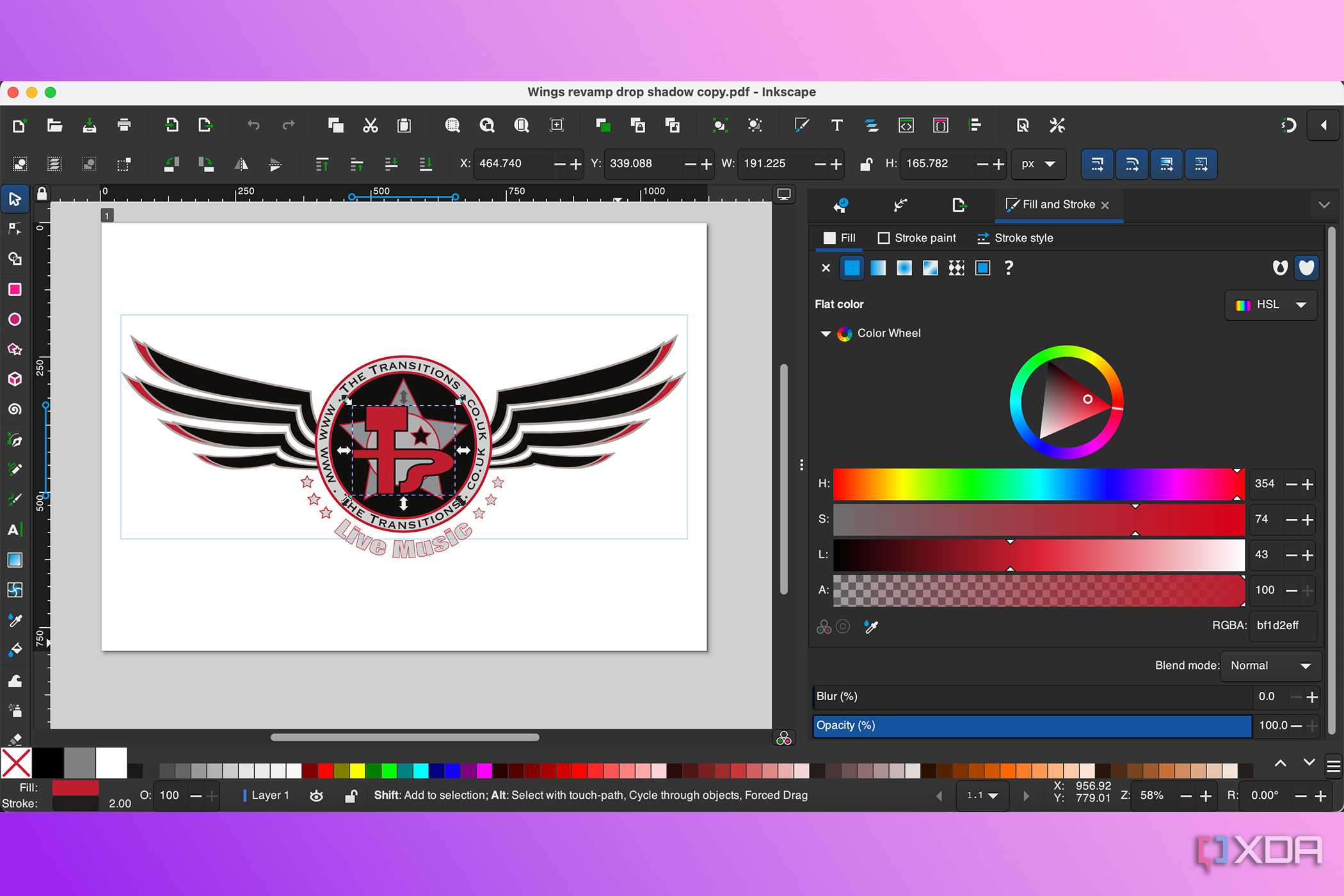


Inkscape isn’t typically on the tip of people's tongues when they’re thinking of PDF editors, but there are some great reasons Inkscape makes a helpful open-source PDF editor alternative.
Within Inkscape itself, there are plugins and extensions you can install to boost its tools, giving you even more use as a PDF editor. Customization can also be applied to the interface, allowing you to turn Inkscape into the tool that suits your needs best.
With vector support, Inkscape enables you to easily move objects around, adjust graphics, and apply images to your documents without compromising quality.
Although Inkscape isn’t the best PDF editor for word-based documents, it certainly has its uses for image-heavy documents, especially charts, graphs, and infographics.

4 LibreOffice
Open-source office tools


While LibreOffice isn’t directly a dedicated PDF editor, you can open and edit PDFs with it as a crossover between Microsoft Word and Adobe Acrobat.
LibreOffice is typically a great open-source replacement for Microsoft Office, Apple’s office suite, or the Google Suite, and it has alternative options for word processing, spreadsheets, and presentation creation.
You can upload and edit PDFs in LibreOffice, with many similar tools you’ll find in Acrobat. This includes editing text in PDFs, moving images on the page, adding digital signatures, and add hyperlinks. You can also add new pages or insert from existing files to merge documents together.

3 PDFsam
Open-source with commercial options


PDFsam is a basic PDF editor, but it gets the job done for most PDF tasks. It’s a free and open-source tool, like the others in this list, which also has paid commercial options under its PDFsam Enhanced plan.
Available since 2006, PDFsam gives you the ability to merge, split, or extract pages of your PDFs, as well as rotate them. You can work with static or interactive forms and documents to create PDFs that work best for your requirements.
Although basic, PDFsam is helpful in a pinch.

2 Stirling
Self-hosted PDF application

With dozens of features in Stirling’s PDF application, you’ll never need to think of Acrobat again. The first time I encountered Stirling PDF, I was shocked by how many PDF features were available. Most PDF editors or readers only have a handful of basic functions, but there are over 60 various tools from Stirling.
Although Stirling is free and open-source, it does offer paid Pro and Enterprise plans. Its free plan is free forever, though, but it’s limited to only the core PDF tools and self-hosting only.
You’ll find features such as PDF conversion, OCR tools, PDF flattening and merging, image extraction, PDF overlaying, redaction, and other expected PDF tools.

1 Omni Tools
PDF editor and other creative tools


I’ve been using Omni Tools for a little while. Not only can Omni Tools easily replace Acrobat for my daily needs, but there are also plenty of other creative features, including ways Omni Tools could replace parts of your Photoshop workflow.
If I were going to pick just one open-source PDF reader and editor, it would be Omni Tools. I’d choose it because of its accessibility in the browser, ease of use, and the fact that it has many other features all found in one place, too. It is more than just a PDF editor; it's much like having an Adobe subscription.
The PDF features in Omni Tools let you edit PDFs with advanced annotation, signing, and editing tools. You can also compress, merge, or split PDFs, convert your PDF to an EPUB format — which is something you can’t even do with Acrobat — or PNG format, rotate pages, and protect your PDF for better security.

Open-source PDF management is here to stay
With many great choices, all open-source PDF editors and readers offer free and secure PDF tools. Open-source software opens doors for all, with options for more operating system uses — Windows, Mac, and Linux as a minimum base from each tool — and gives you cost-saving ways to continue creating, opening, and editing PDFs without reliance on Adobe. While Acrobat is a great tool, there are many reasons people choose to move away from it. You don’t have to fret about finding a great replacement.
