


Summary
- Windows 11 Task Manager will now show disk type, boosting transparency.
- Details on disk types currently hidden in Windows 11 can be enabled.
- Accessing disk type in Task Manager is easier than through Settings.
Microsoft added some significant changes to the Windows 11 Task Manager in the last few years to make the tool more accessible and useful for users. But we haven't heard about any new Task Manager features lately. That's changing today, as, after a long hiatus, it looks like Microsoft is once again placing its focus on improving the Task Manager further. This time around, the company's goal is to introduce more transparency about the disk you're using in the Task Manager.
Windows 11 Task Manager will tell you more about your memory storage

The easiest way to access the Task Manager is from the Taskbar context menu in Windows 11. However, there is still no easy way to access the information about the disk you're using. But that will likely become a thing of the past soon. As spotted by famed leaker phantomofearth, Microsoft is working on a new Windows feature that will introduce disk type labeling to Task Manager.
On the Performance page of the Task Manager, you can see various information related to the storage drives, including read and write speeds, and capacity. In addition to those details, you may soon see the type of your disk drives on the Task Manager Performance page. Whether it's an NVMe SSD or a SATA SSD, the Task Manager will clearly show that information alongside other important details about the storage drives installed on your PC.
Details of the disk type are buried under the multiple layers of settings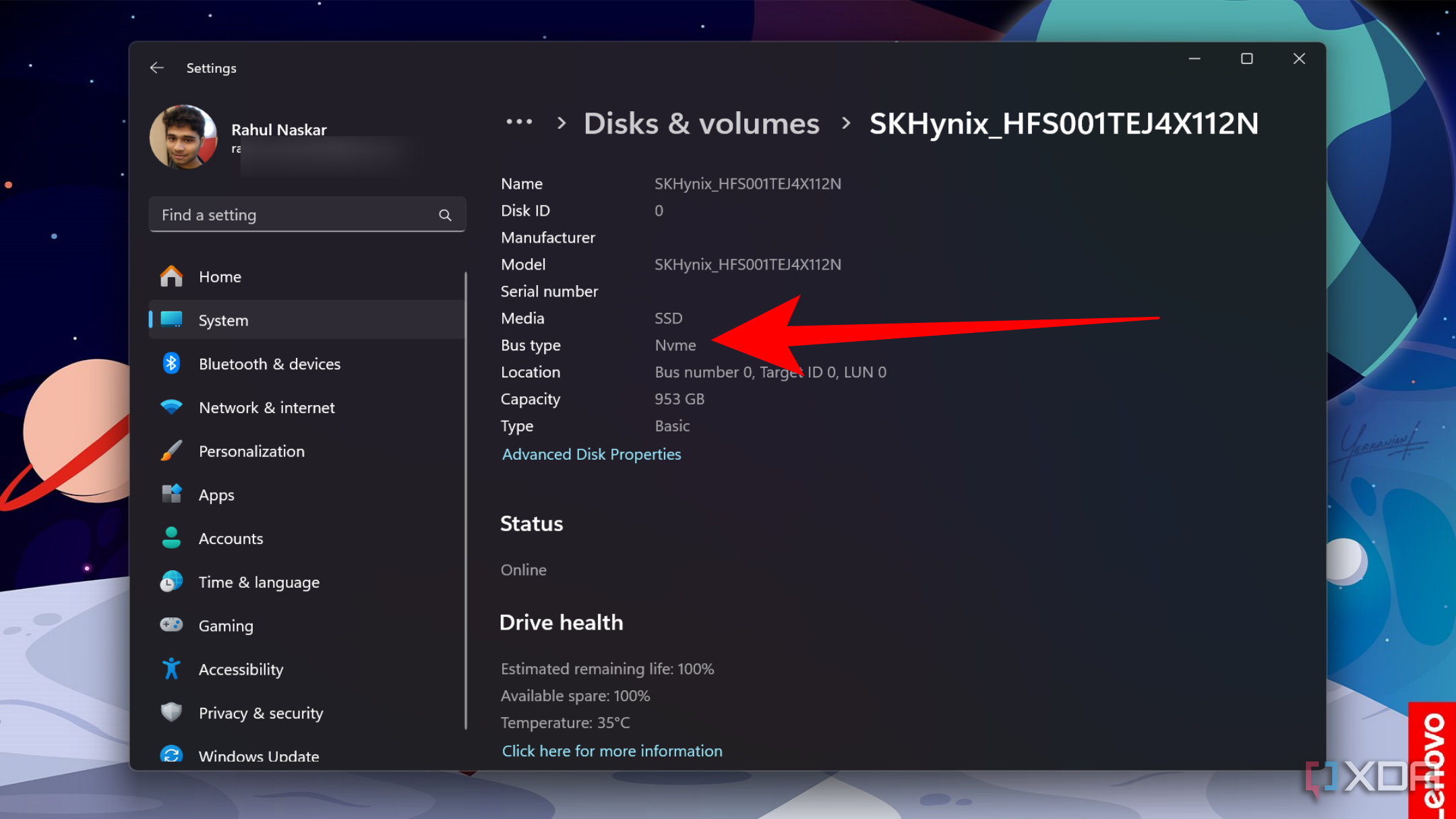
When you build a PC, you should be aware of the type of SSD you're going use, as it's one of the key hardware components that impacts the overall performance. But for some reason, if you can't remember, you can open the Settings app go to System > Storage > Disks & volumes, and then click on the disk and select Properties. That's a lot of mouse clicks, which is why introducing it in the Task Manager makes things a lot easier.
Disk type labeling in Task Manager is currently hidden in Windows 11, and you can enable it now
Those wanting to enable the feature right now need to know how to force-enable new features in Windows 11. If you're through with the steps, you also need to register your PC to the Windows Insider Beta channel and install the latest Beta build 22635.4225. Once the installation is done, you'll need to enable id:51978387 and reboot your PC for the change to take effect. However, do remember that Microsoft is currently testing the feature and that means you may not see it working every time.
