


Event Handling#
The Button Widget provides a mechanism to issue Kit commands or trigger events in response to mouse clicks. These events can be used with ActionGraph. Alternatively, events can be handled in Python with a Custom Application Event.
Actions#
Kit Commands (Actions) can be issued from buttons to execute a variety of tasks.
The Action option for the “clicked_fn” has an auto-complete dropdown of commands

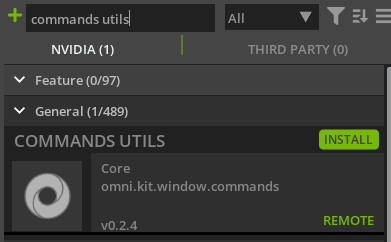
The Commands Utils is a valuable extension for a history and library of Kit Commands
ActionGraph Events#
An ActionGraph event can be used to respond to a button’s mouse clicks. In this example an ActionGraph node “Rotate to Orientation” is used to rotate a cone in the scene. A Custom Event is created in ActionGraph to trigger the rotation node. Once the event has been defined it can then be set in the Button’s “clicked_fn” property.
Note
The “Only Simulate On Play” checkbox is deliberately unchecked in the video since when this is enabled the event only triggers when the simulation is playing.
Python Events#
Custom Application Events allow your UI to trigger python script(s). After defining an ActionGraph Custom Event as described above, you can use it in python like this:
import carb.events
import omni.kit.app

# event "MY_CUSTOM_EVENT" defined in ActionGraph
MY_CUSTOM_EVENT = carb.events.type_from_string("omni.graph.action.MY_CUSTOM_EVENT")

def on_event(e):
   print("MY_CUSTOM_EVENT triggered with payload: ", e.payload)

bus = omni.kit.app.get_app().get_message_bus_event_stream()
event_sub = bus.create_subscription_to_pop_by_type(MY_CUSTOM_EVENT, on_event)
