





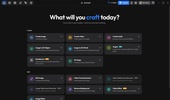
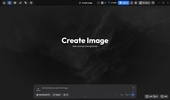
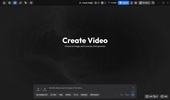

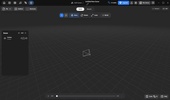

ArtCraft is an open-source creative tool that uses artificial intelligence to generate and edit images and videos. It's designed so that you can better control scene composition, combining text-prompt generation with tools to arrange visual elements, modify backgrounds, pose characters, and create 2D and 3D compositions.
Generate images and videos from your ideas
With ArtCraft, you can transform written descriptions into visual content using artificial intelligence models. Basically, you will be able to start with a simple idea, use reference images, and adjust different aspects of the composition to get closer to the result you're looking for. It also offers tools to create videos from scenes and images, which will make it easier for you to develop a visual idea from a static image to a moving sequence. The available options depend on the models and tools compatible with each process.
Compose scenes with 2D and 3D tools
One of the strengths of ArtCraft is that it includes compositing tools capable of combining images, backgrounds, foreground elements, and 3D objects to build scenes with greater precision. You will also be able to work with layers and cutouts to organize the different components of an image, which is very useful whenever you want better control over the placement of the elements instead of relying solely on a text description. Ultimately, you will be able to create the image you've dreamed of without any kind of creative limitations.
Control character positions and remove backgrounds
This app incorporates features that allow you to adjust the characters' poses and set their positions within a scene. This will help you plan the composition before generating the final result. Additionally, it includes a tool for removing backgrounds and reusing the cutout elements in other compositions. These options are aimed at those who need more than just the ability to generate random images and are looking to build scenes with a specific visual structure.
My thoughts after trying ArtCraft
What caught my attention most about ArtCraft was the number of creative tools it had to offer. I wasn't able to thoroughly test its generation and editing features, as paid credits were required to use them, but I was able to explore the different options and get an idea of its possibilities. Each section offers plenty of tools, from artificial intelligence-powered image and video generation to scene composition, pose control, and background removal. I also liked that the interface responded smoothly and allowed me to move between the different options without the experience feeling sluggish. Overall, I found it to be a very comprehensive tool for those looking to have greater control over their AI creations.
The best and worst of ArtCraft
• What I like most is the number of tools you can work with.
• What I like least is that, in order to do anything, you have to pay for a subscription or however many coins each project requires.
Download ArtCraft for free to explore AI-powered visual creation tools, generate images and videos, and build compositions with greater creative control.
ArtCraft is for you if
✓ You want to turn written ideas and reference images into AI-generated visuals and videos
✓ You value precise scene composition with 2D, 3D, layers, and foreground elements
✓ You need tools to adjust character poses, remove backgrounds, and reuse cutouts










Comments
There are no opinions about ArtCraft yet. Be the first! Comment