



 本文介绍如何使用XML在Android中创建不同样式的矩形边框,包括圆角矩形、虚线边框和渐变色边框,并详细解释了各属性的作用。
圆角矩形
res中的drawable文件新建一个reac_circle.xml文件
<?xml version="1.0" encoding="utf-8"?>
<shape xmlns:android="http://schemas.android.com/apk/res/android"
               android:shape="rectangle">
<solid android:color="#FFFFFF"></solid>
<stroke android:width="1dp"
		android:color="#63a219</stroke>

<corners android:radius="10dp" />

</shape>
虚线
<?xml version="1.0" encoding="utf-8"?>
    <shape android:shape="rectangle" xmlns:android="http://schemas.android.com/apk/res/android">
    <!-- 填充颜色 -->
    <solid android:color="#FFFFFF"/>
    <!-- 线的宽度,颜色灰色 -->
    <stroke android:color="#063671" android:dashWidth="15dp" android:dashGap="3dp" android:width="2dp"/>
    <!-- 矩形的圆角半径 -->
    <!--<corners android:radius="10dp" />-->

</shape>
3 画渐变色框
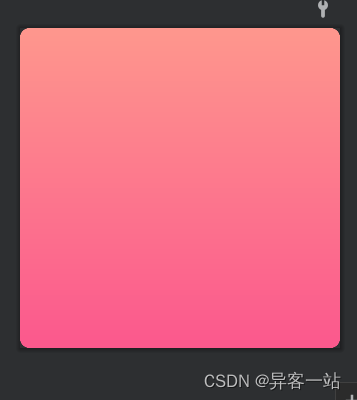
<?xml version="1.0" encoding="utf-8"?>
<shape xmlns:android="http://schemas.android.com/apk/res/android">

    <corners android:radius="15dp"/>

    <gradient
        android:startColor="#fe978d"
        android:endColor="#fb588d"
        android:type="linear"
        android:angle="270"/>

    <!--
   android: startColor = "" 渐变色的起始值
   android: centerColor = "" 渐变色的中间值
   android: endColor = "" 渐变色的结束值
   android: angle = "45" 渐变色的方向,默认为0从左到右,九十度时从上倒下,必须为45的倍数
   android: type = radial 渐变类型,有三种。1,线性linear.2,放射渐变radial 3:扫描线渐变 sweep
   android:centerX="0.5"      渐变中心相对X坐标只有渐变类型为放射渐变时有效
   android:centerY="0.5"      渐变中心相对Y坐标只有渐变类型为放射渐变时有效
   android:gradientRadius="100"    渐变半径 非线性放射有效
   -->

    <!--android:angle="0"//效果是:是从左到右,按照开始颜色到结束颜色来渲染的-->

    <!--android:angle="90"//效果是:是从下到上,按照开始颜色到结束颜色来渲染的-->

    <!--android:angle="180"//效果是:是从右到左,按照开始颜色到结束颜色来渲染的-->

    <!--android:angle="270"//效果是:是从上到下,按照开始颜色到结束颜色来渲染的-->
</shape>
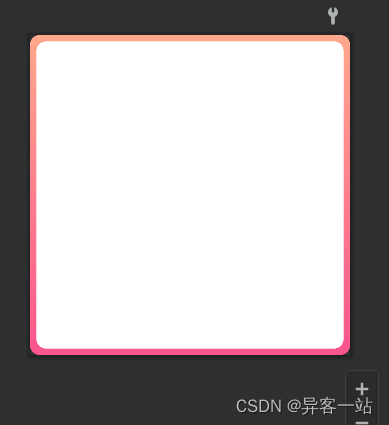
<?xml version="1.0" encoding="utf-8"?>
<layer-list xmlns:android="http://schemas.android.com/apk/res/android">

    <item>
        <shape android:shape="rectangle">

            <corners android:radius="15dp"/>

            <gradient
                android:type="linear"
                android:startColor="#ffa88d"
                android:endColor="#fb558d"
                android:angle="270" />

        </shape>
    </item>

    <item
        android:left="10dp"
        android:right="10dp"
        android:top="10dp"
        android:bottom="10dp">
        <shape android:shape="rectangle">

            <corners android:radius="15dp"/>

            <solid android:color="@color/white"/>
        </shape>
    </item>
</layer-list>





 扫一扫
扫一扫


 3345
3345

 被折叠的 条评论
为什么被折叠?
被折叠的 条评论
为什么被折叠?
 到【灌水乐园】发言





