


一、准备工作
1、开一个豆包大模型
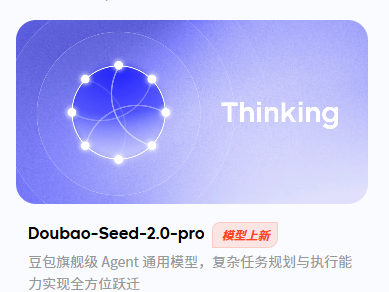
去火山方舟管理控制台的模型广场:火山方舟管理控制台
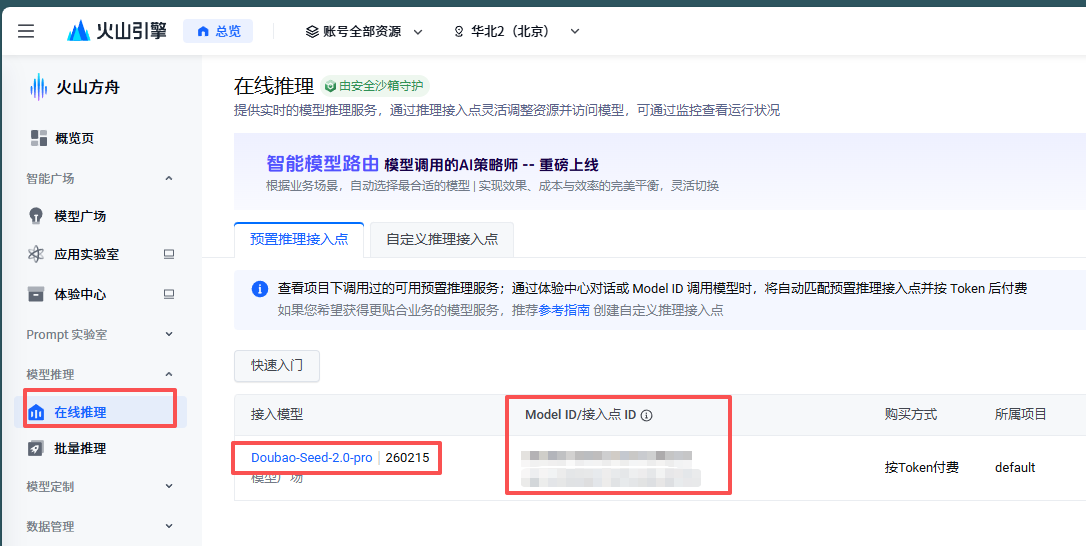
在侧边栏的推理模型中会有开通后的模型:
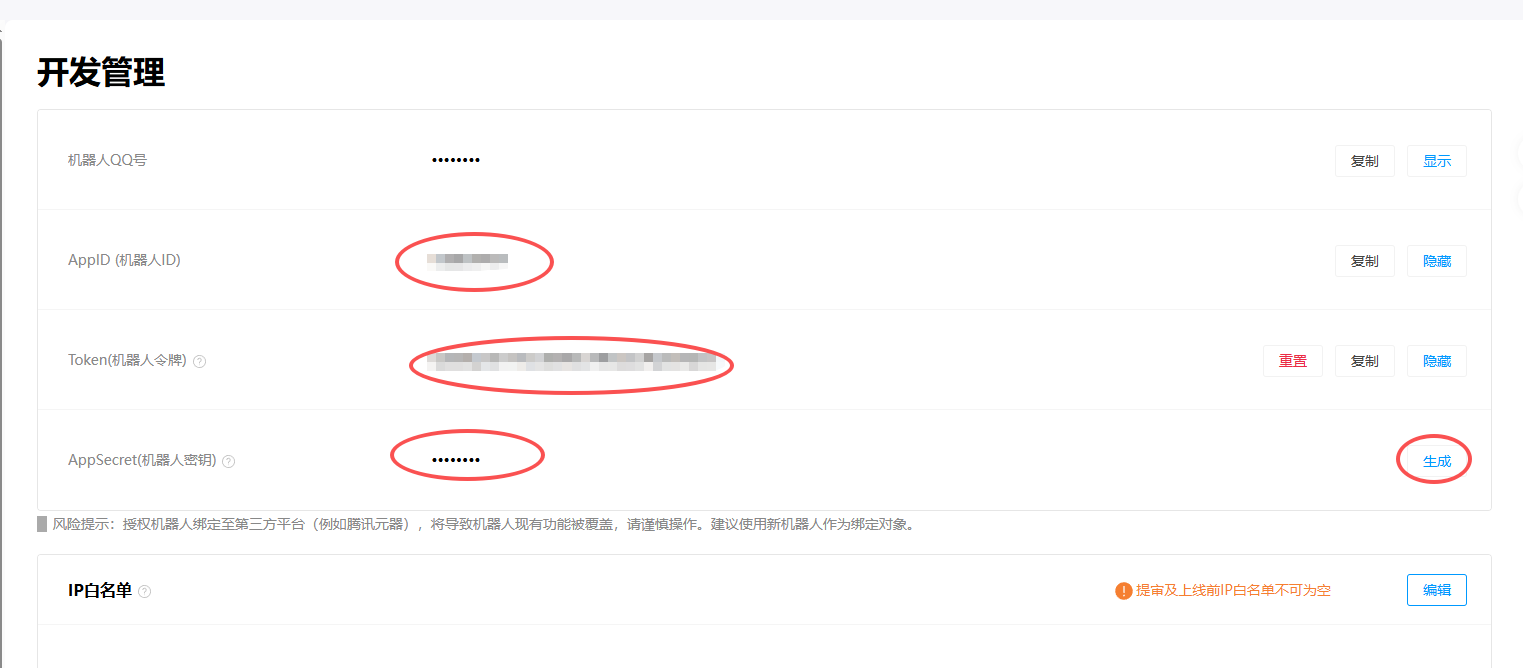
2、开通QQ机器人qqbot

注册一个机器人。
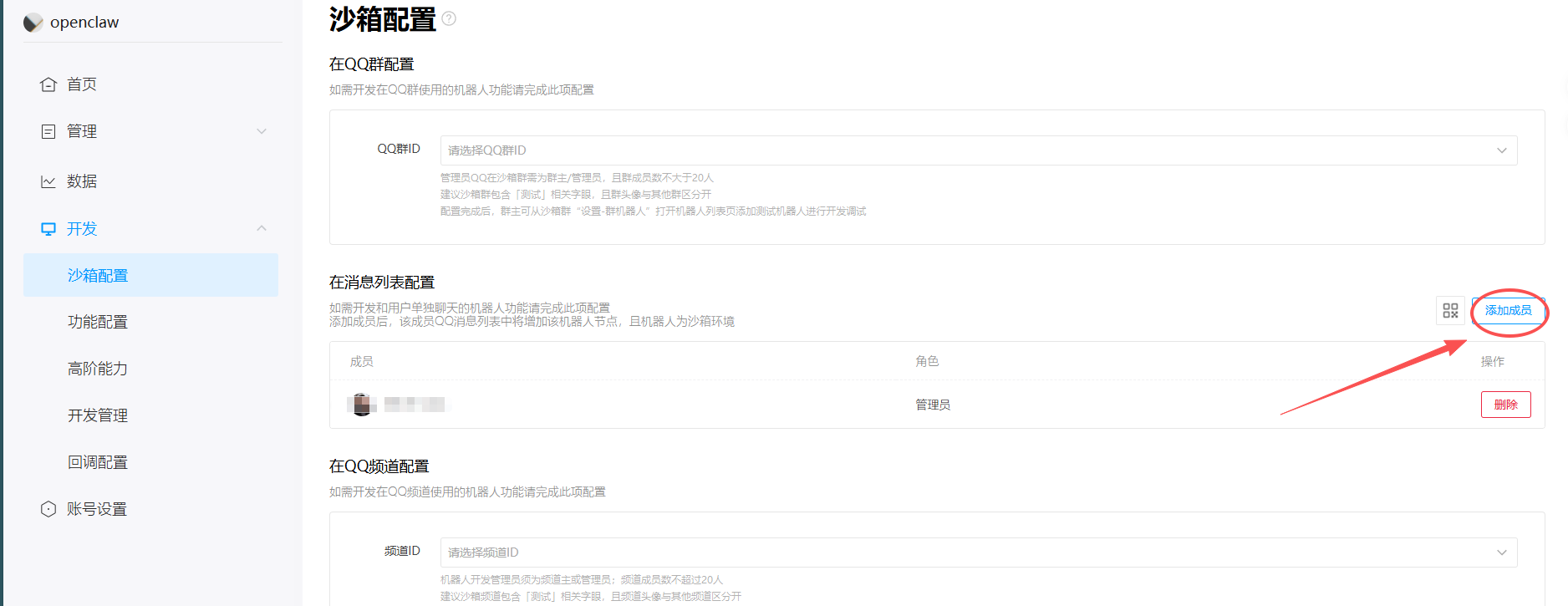
添加管理员
3、安装Node.js
curl -fsSL https://deb.nodesource.com/setup_22.x | sudo -E bash -
sudo apt install -y nodejs
node -v  # 确认 v22.x+
4、安装依赖
sudo apt update
sudo apt install -y build-essential gcc g++ make python3 libvips-dev
5、配置镜像
npm config set registry https://registry.npmmirror.com二、安装openclow
1、安装openclow
# 1. 一键安装 OpenClaw(脚本会自动检测 Ubuntu 并装 Node.js 22+)
curl -fsSL https://openclaw.ai/install.sh | bash

# 2. 启动初始化向导 + 安装守护进程
openclaw onboard --install-daemon
2、配置model
选自定义,填入相应的ID和KEY:
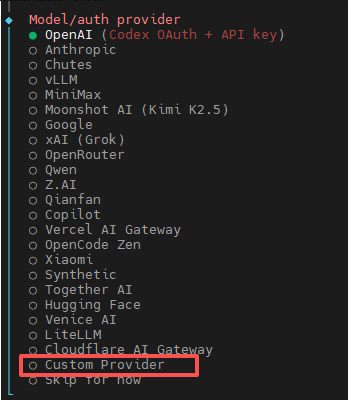
依次填入:
- Base URL:
https://ark.cn-beijing.volces.com/api/v3 - API Key:你的 ARK API Key
- API type:选择
openai-completions - Model ID
:豆包模型 ID
验证是否成功
openclaw status3、配置Channels
# 回到 pi 用户目录
cd ~

# 确保插件目录存在
mkdir -p ~/.openclaw/plugins

# 克隆插件到用户目录下
git clone https://github.com/sliverp/qqbot.git ~/.openclaw/plugins/qqbot

# 安装插件
openclaw plugins install ~/.openclaw/plugins/qqbot
添加qqbot的channel
openclaw channels add --channel qqbot --token "AppID:AppSecret"检测一下
openclaw gateway restart
openclaw plugins list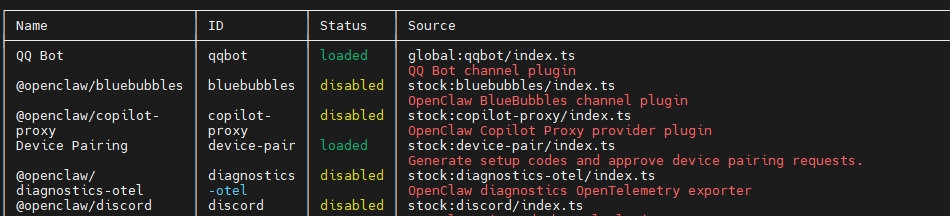
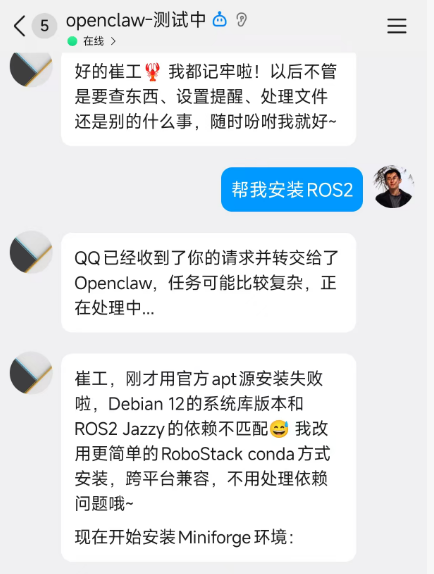
三、通过QQ机器人下达指令
 734
734


 扫一扫
扫一扫


&spm=1001.2101.3001.11974&articleId=158153224&d=1&t=3&u=3fd6db6ffc9346a78919eafb75884240)

 被折叠的 条评论
为什么被折叠?
被折叠的 条评论
为什么被折叠?
 到【灌水乐园】发言


