

Go to Windows platform Display platforms icon
Go to Windows platform Go to Mac platform Go to Android platform Go to iOS platform
Digital Clock icon

Digital Clock

5.1.8
5 1 reviews
8.7 k downloads
security security

Set up a digital clock on your desktop

Advertisement
Remove ads and more with Turbo
Advertisement
Remove ads and more with Turbo
Merche Contreras icon
Reviewed by
Merche Contreras
Content Editor
Merche Contreras is part of Uptodown's in-house Editorial Team. Translated by Uptodown Localization Team

Digital Clock 4 is an accessible, lightweight, and customizable tool that displays a digital clock on your desktop. With this app, you can easily place a digital clock on your screen and adjust it according to your preferences or needs. Download Digital Clock 4 for free and never lose track of the time thanks to this app.

Total customization

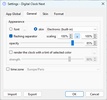
Digital Clock 4 allows you to adjust the size, opacity, and location of the clock on your screen. It also offers a selection of different skins, so you can completely change its appearance and adapt it to your wallpaper. Access its settings and modify whatever you want until you have a clock that perfectly suits your needs.

Advertisement
Remove ads and more with Turbo

Customizable time format

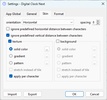
Another advantage of Digital Clock 4 is that you can choose the time format and customize the text in terms of font style and size.

Advanced features

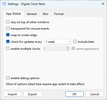
This app also allows you to work with different plugins for extra built-in features. This way, you can create the perfect clock for your needs, not only in terms of its aesthetics but also its practical application.

Digital Clock 4 is, in short, an efficient and functional app for keeping track of the time on your desktop. With its practical features and easy-to-use interface, it's an ideal tool for keeping a digital clock visible at all times while working on your computer. If you're looking for a customizable and easy-to-use clock, Digital Clock 4 is the perfect solution.

Information about Digital Clock 5.1.8

Basic information

Developer nick-korotysh
Category Desktop Customization
Rating All ages
Languages English
47 more

Distribution model

Pricing Free
License GPL 3.0
Source code
Copyright © 2026 nick-korotysh
Why is this app published on Uptodown? (More information)

Security and privacy

Required permissions Not applicable
See security and antivirus report

Download info

Downloads 8,675
Date Dec 2, 2025
File type MSI
Size 20 MB
SHA256 70bc7bbb3fb7a8cda2c79f8daa9451b19926480551be016e33f0e650f04c6836
Advertisement
Remove ads and more with Turbo

Older versions

See more
zip 5.1.7 Jun 2, 2025
msi 5.1.5 Apr 15, 2025
zip 5.1.4 Apr 3, 2025
msi 5.0.5 Jan 13, 2025
msi 5.0.0-1 Aug 13, 2024
msi 5.0.0 Feb 22, 2024
Available for other platforms

Rate this App

Review the app
Digital Clock icon

Rating

5.0
5
4
3
2
1
1 reviews

Comments

There are no opinions about Digital Clock yet. Be the first! Comment

Advertisement
Remove ads and more with Turbo
Start11 icon
Customize your Windows 10 menu
HideVolumeOSD icon
Hide the volume indicator on Windows
Epic Pen icon
Draw or write on any program
Rainmeter icon
Personalize your desktop with dynamic widgets
iTop Easy Desktop icon
Organize and optimize your Windows desktop
Desktop Goose icon
Unleash a goose on your desktop
Widget Launcher icon
Add widgets to jazz up your desktop
Syncthing icon
Securely synchronize files between multiple devices
Pale Moon icon
A modern, powerful browser with add-on support
Logi Options+ icon
Manage your Logitech mice and keyboards
Free Virtual Keyboard icon
Lightweight, accessible and customizable virtual keyboard for Windows
Speechify icon
Convert any text to audio
Work by Speech icon
Allows efficient work on a computer by speech
Winstep Xtreme icon
Completely transform the appearance and functionality of Windows
Coodesker icon
Keep your desktop organized
Easy Invert icon
Edit the color palette of your computer
Codex icon
OpenAI's official companion for programming with ChatGPT
Proton VPN icon
Powerful, free, secure and unlimited VPN
DLSS 5 Swapper icon
Install and manage DLSS 5 in games and emulators
DS4Windows icon
Use DualShock 4 controllers on your PC
PkgEditor icon
Edit PS4 files in PKG, SFO or PFS format
Sure icon
Track your personal finances from your PC
OpenIDEA icon
Everything you need to develop software
Disc Image Studio icon
Turn your images into designs burned on optical discs
Mouse Jiggler icon
Simulate the movement of your mouse cursor
Lively Wallpaper icon
Bring your desktop computer's wallpaper to life
Grand Theft Auto V Wallpaper icon
The coolest GTA V images on your desktop
CursorFX Free icon
Add stunning effects to your mouse cursors
GTA V Wallpaper icon
The Background for the Most Waited For Game
TranslucentTB icon
Add a translucent touch to the Windows taskbar
Start11 icon
Customize your Windows 10 menu
WindowBlinds icon
Change the windows aspect radically