





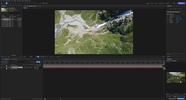
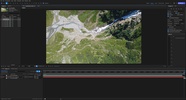
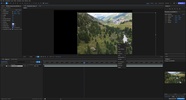
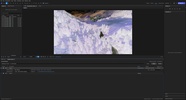
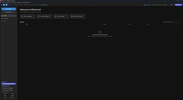
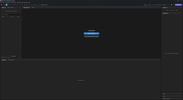
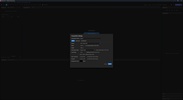
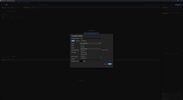
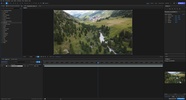
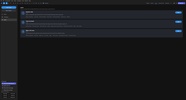

EffectCraft is an open-source app alternative to Adobe After Effects that allows you to create motion graphics using layers, animations, and effects on a timeline. By combining text, shapes, footage, nested compositions, cameras, and lights, you can create anything from animated titles to 3D scenes, complete with keyframe animation and curve editing.
Layers, composition, and more than 250 effects
To put a scene together, you can use solid, shape, text, footage, null, adjustment, and nested composition layers, in addition to parenting and track mattes. You can mix elements with dozens of blending modes and organize complex scenes without turning each element into a separate project, while the catalog of over 250 effects distributes blurs, color correction, distortion, generation, keying, particles, simulation, stylization, and temporal effects. Each one comes with preset parameters and can be animated from within the composition itself to achieve progressive changes in color, size, position, or intensity.
Fine control of the animation
The animation system works with Bézier curves and points to smooth motion paths, create custom vectors, and regulate the speed of each animation, with ease-in or ease-out effects included. Roving keyframes automatically redistribute movement between multiple points to maintain a constant speed along a path, something that's useful when you want a title to appear, bounce slightly, and end up in a specific place.
3D scenes and expressions
Layers can be converted into 3D elements to work with cameras, lights, and depth of field, as well as to generate ray-traced elements and move the camera over the scene using orbit, pan, and zoom tools. In the automation section, you can write JavaScript expressions directly into the properties, with functions like wiggle, loops, and inter-layer references.
Exporting and performance
The render queue can prepare your projects for export in various formats: H.264 and ProRes video with an alpha channel; 32-bit PNG, TIFF, and EXR sequences; GIFs, and Lottie files—the latter for both importing and exporting. This way, you can use a project for conventional video and also pull out assets with transparency or animations intended for web projects. Written in Rust, this program is very lightweight compared to alternatives like After Effects, and best of all, it's completely free.
My experience with EffectCraft
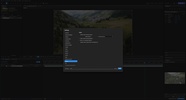
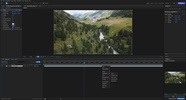
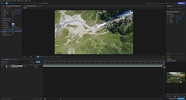
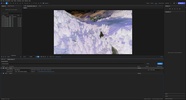
I created a project to edit a 4K UHD video at 23.976 FPS and imported my drone footage, generating sequences and adding all kinds of effects to enhance the viewing experience. Instead of just superimposing the name of the place in the center of the image, I placed a title on the edge of a mountain so that, as the drone moved forward, the letters would get closer as if it were really there. Afterwards, I added a blur and a color correction, then animated their parameters from the timeline; and to finish, I sent the project to the render queue and reviewed the export settings before getting the final file.
What I liked most about EffectCraft and what could be improved
· What I liked the most: the combination of graphics, effects, expressions, and 3D composition in a single editor, so you can tackle everything from the simplest animation to the most elaborate scenes.
· What I would improve: I would expand the resources and settings related to the workflow to make things easier as the project grows significantly in layers and compositions. Also, its performance relies a lot on the CPU.
Download EffectCraft to assemble your motion graphics with keyframe animation, hundreds of effects, 3D composition, and multi-format export.
EffectCraft is for you if
✓ You are looking for professional motion graphics, combining layers, keyframes and hundreds of customizable effects
✓ You value precise control over animations with Bézier curves, 3D scenes, cameras and expressions
✓ You want a lightweight, free After Effects alternative with video, image sequence and Lottie exports


 1 reviews



















Comments
There are no opinions about EffectCraft yet. Be the first! Comment