Repository navigation
direct CSS imports in TypeScript no longer work #9532

Description

Simpler CSS imports added for Fusion in #8843 no longer work in Flow 6.0.0.alpha1:
import styles from './list-view.css';

@customElement('list-view')
export class ListView extends LitElement {
  static styles = [Lumo, styles];
  ...
}
leads to the following error in the browser console Uncaught TypeError: Failed to set the 'adoptedStyleSheets' property on 'ShadowRoot': Failed to convert value to 'CSSStyleSheet'.
Steps to reproduce:
- download a TS + HTML project from start.vaadin.com
- override the version of Vaadin to 19.0-SNAPSHOT
- change the way how
hello-world-viewdefines styles: import them formhello-world-view.cssinstead of defining inline:
import styles from './hello-world-view.css';
@customElement('hello-world-view')
export class HelloWorldView extends LitElement {
  static styles = [styles];
...- delete the
types.dfile (so that Vaadin regenerates it) - start the app in the dev mode and open the default route
- see the blank page and an error in the browser console
Expected behavior:
- The app works in the same way as with V18 (as described in Simpler CSS import for TS views and CSS @import support #8843)
- there is an integration test that would block changes that break this feature.
Implementation notes:
This was probably accidentally broken while working on the application theme epic.
Workaround:
Add the following to the webpack.config.js file (after const flowDefaults = require('./webpack.generated.js'); and before the module.exports = merge(flowDefaults, lines):
flowDefaults.module.rules.filter(rule => rule.test.test('.css')).forEach(rule => {
  rule.use = ['lit-css-loader', 'extract-loader', 'css-loader'];
});Reacted by Kari Söderholm

Activity
caalador commentedon Dec 1, 2020
adding the lit-css-loadr and extract-loader fixes the issue, but the sample styling doesn't seem to actually style anything.
Even with editing v18 to use this kind of styling doesn't actually apply the style to the element.
Is there a functional example on how this works as we can now only test that no exception was thrown but that the styling is not there.
vlukashov commentedon Dec 1, 2020
Here is a sample V19 project with the workaround applied in
webpack.config.js: css-imports-demo.zip.With the workaround the app looks like this (using styles from
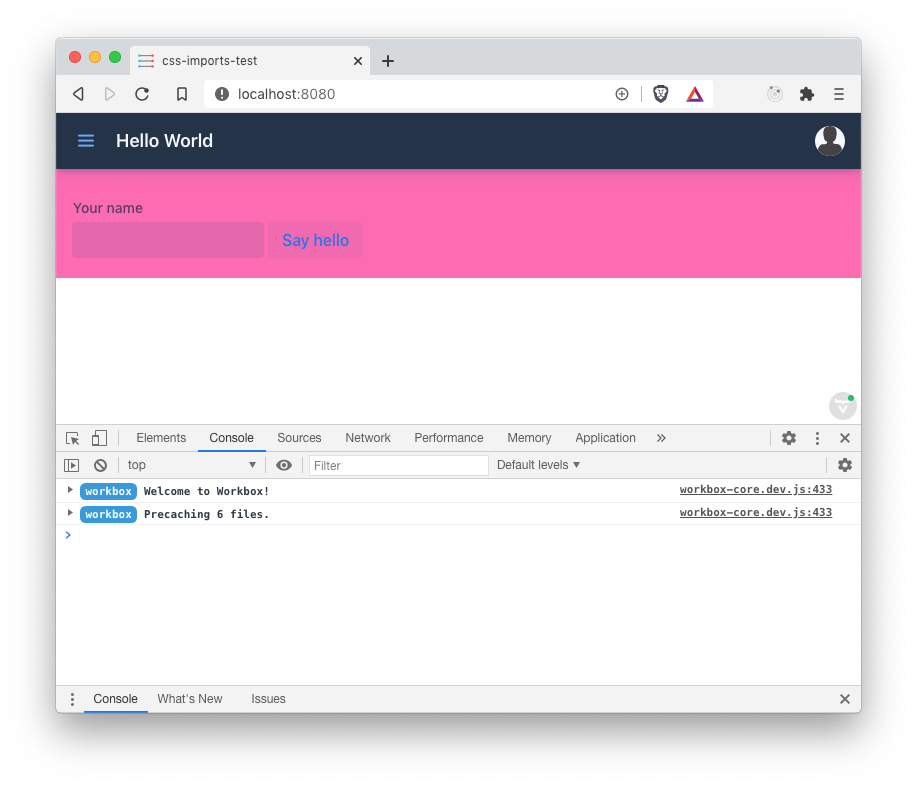
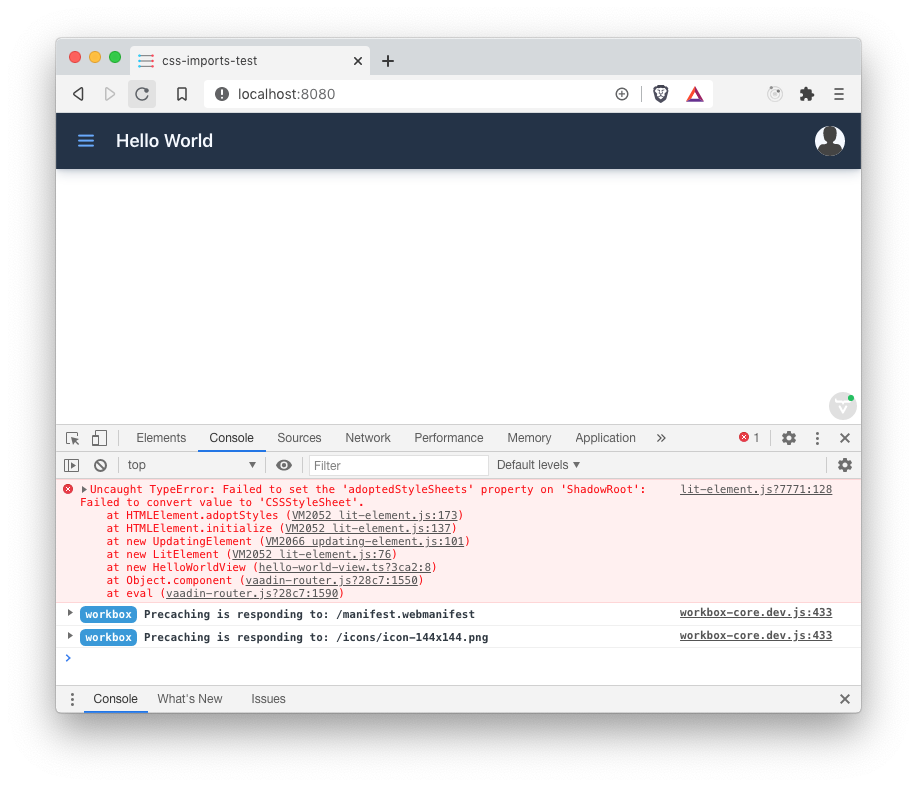
hello-world-view.css):Without the workaround it looks like this:
caalador commentedon Dec 1, 2020
So the generated css targets from start.vaadin.com are faulty?
vlukashov commentedon Dec 1, 2020
It looks like the project generated by start.vaadin.com includes the
hello-world-view.cssfile, but does not use it in any way. The styles for thehello-world-viewweb component in the generated project are provided inline rather than being included from a .css file.The attached project differs from the generated in that it includes the styles form a file (not inline), and the contents of the
hello-world-view.cssfile are also changed to make styling very visible.fix: Enable lit css importing
fix: Enable lit css importing (#9550)
fix: Enable lit css importing (#9550)
Update branch (#9665)