Author's Note: A deep comparison of Seedream 5.0 Lite and Gemini 2.5 Flash Image (the original Nano Banana), analyzing price, image quality, speed, and Chinese support to help you pick the best AI image generation model.
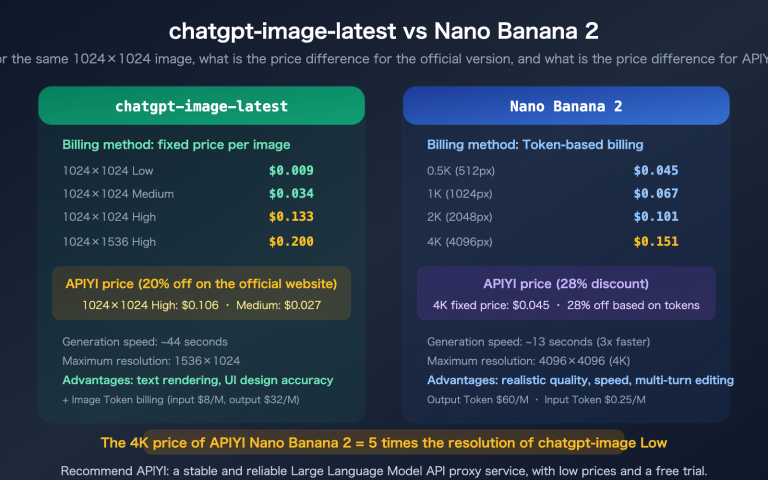
When choosing an AI image generation model, balancing cost and performance is a core challenge for every developer. This article compares ByteDance Seedream 5.0 Lite ($0.035/image) and Google Gemini 2.5 Flash Image ($0.02/image) to help you figure out: is this nearly 50% cheaper "Nano Banana" actually worth using?
Core Value: By the end of this article, you'll know exactly when the $0.02 Gemini 2.5 Flash Image is enough, and when you absolutely need the $0.035 Seedream 5.0.
Gemini 2.5 Flash Image Advantages: Cheap, Fast, and Strong English Text
While Gemini 2.5 Flash Image (the original "Nano Banana") isn't the most powerful image model out there, it really shines in specific areas.
Gemini 2.5 Flash Image Pricing Breakdown
| Monthly Volume | Gemini Flash Cost | Seedream 5.0 Cost | Difference | Savings % |
|---|---|---|---|---|
| 1,000 images | $20 | $35 | $15 | 43% |
| 5,000 images | $100 | $175 | $75 | 43% |
| 10,000 images | $200 | $350 | $150 | 43% |
| 50,000 images | $1,000 | $1,750 | $750 | 43% |
When you factor in APIYI's top-up bonuses (starting at 10% extra for $100), the actual unit price for Gemini Flash can drop to about $0.018 per image—making it one of the most affordable mainstream image generation models on the market.
Gemini 2.5 Flash Image Speed Advantage
Gemini 2.5 Flash Image generates images 5-10 times faster than Seedream 5.0:
| Scenario | Gemini Flash | Seedream 5.0 |
|---|---|---|
| Simple text-to-image | 1-2 seconds | 8-10 seconds |
| Complex scenes | 3-5 seconds | 12-15 seconds |
| Image editing | 2-4 seconds | 10-15 seconds |
| Web search generation | ❌ Not supported | 12-20 seconds |
This speed advantage makes Gemini Flash perfect for applications requiring real-time feedback, such as "instant previews" in online design tools or "on-the-fly illustrations" for chatbots.
Gemini 2.5 Flash Image English Text Rendering
Gemini 2.5 Flash Image ranks first on the LM Arena text-to-image leaderboard. Its English text rendering is currently the strongest among all image generation models:
- Labels and Titles: Clear, readable, and almost typo-free.
- Infographics: Excellent performance with English data dashboards and chart annotations.
- UI Prototypes: Extremely high accuracy for English interface text.
- Poster Design: Natural and aesthetically pleasing English typography.
💡 Note: These strengths are primarily seen in English scenarios. Chinese text rendering is a known weak point for Gemini 2.5 Flash Image, which we'll analyze in detail below.
Seedream 5.0 Advantages: Smart, High-Res, and Chinese-Friendly
Seedream 5.0 Lite might be pricier, but it has a clear edge when it comes to feature depth and Chinese-language scenarios.
Seedream 5.0 Web Search vs. Gemini Flash Static Knowledge
This is the biggest functional difference between the two—Seedream 5.0 can search the web, while Gemini Flash cannot:
| Test Scenario | Seedream 5.0 | Gemini Flash |
|---|---|---|
| "2026 Oscar Best Picture poster" | ✅ Generates after searching latest info | ❌ Based on training data; likely outdated |
| "Latest iPhone ad image" | ✅ Fetches latest product details | ❌ Might generate an older model's look |
| "Today's weather scene in Beijing" | ✅ Real-time weather data visualization | ❌ Only generates generic weather scenes |
Seedream 5.0 vs. Gemini Flash: Chinese Rendering
This is the most critical comparison for Chinese-speaking users:
| Chinese Rendering Scenario | Seedream 5.0 | Gemini Flash |
|---|---|---|
| Chinese Titles (4-8 chars) | ✅ Clear and readable | ⚠️ Occasional character distortion |
| Chinese Paragraphs | ✅ Mostly accurate | ❌ Prone to gibberish |
| Chinese Poster Layout | ✅ Natural layout | ❌ Messy layout |
| Mixed Chinese/English | ✅ Both look normal | ⚠️ Good English, poor Chinese |
| Pure English Scenarios | ✅ Good | ✅ Top-tier |
The Verdict: If your app targets Chinese users and requires Chinese text in images (posters, covers, infographics, etc.), Seedream 5.0 is the safer bet. For English-only scenarios or images without text, Gemini Flash offers much better value for money.
Seedream 5.0 Resolution and Editing Advantages
| Feature | Seedream 5.0 | Gemini Flash |
|---|---|---|
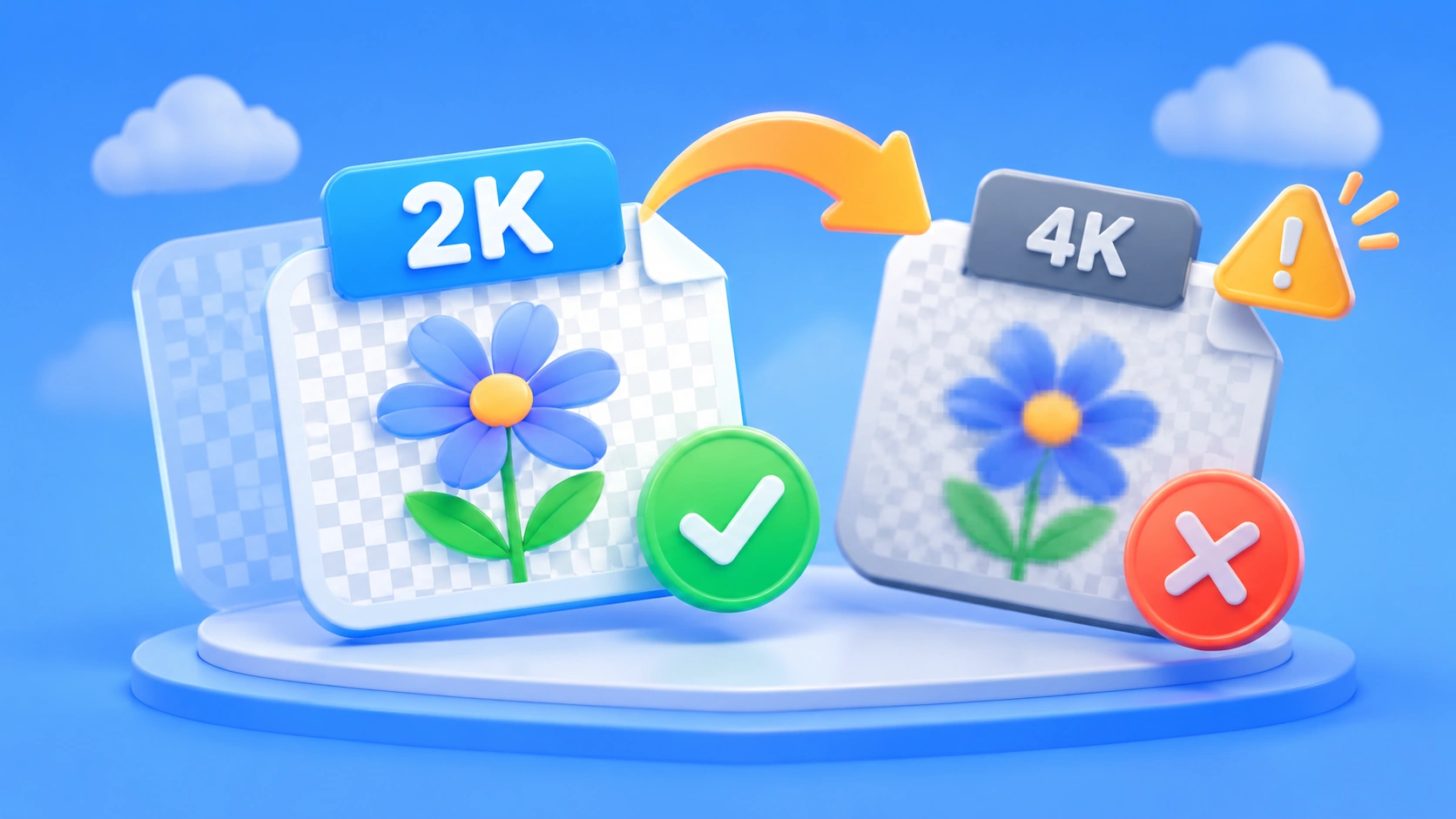
| Native Resolution | 2K | ~1K (1024px) |
| Max Resolution | 4K (AI Enhanced) | ~1K (Requires external upscaling) |
| Reference Image Count | Up to 14 images | Up to 5 images |
| Vague Intent Editing | ✅ "Make it look more premium" | ❌ Requires precise descriptions |
| Conversational Editing | ❌ | ✅ Multi-turn dialogue fine-tuning |
| Web Search | ✅ Real-time info | ❌ |
Quick Start: Seedream 5.0 vs. Gemini 2.5 Flash Image API
Both models support a unified interface on the APIYI platform; switching is as simple as changing the model parameter.
Seedream 5.0 API Invocation
curl https://api.apiyi.com/v1/images/generations \
  -H "Content-Type: application/json" \
  -H "Authorization: Bearer sk-YOUR_API_KEY" \
  -d '{
    "model": "seedream-5-0-260128",
    "prompt": "Cyberpunk style future city nightscape, neon lights reflecting on streets after rain",
    "size": "3K",
    "watermark": false
}'
Gemini 2.5 Flash Image API Invocation
curl https://api.apiyi.com/v1/images/generations \
  -H "Content-Type: application/json" \
  -H "Authorization: Bearer sk-YOUR_API_KEY" \
  -d '{
    "model": "gemini-2.5-flash-preview-image",
    "prompt": "Cyberpunk city nightscape, neon lights reflecting on wet streets after rain",
    "size": "1024x1024"
}'
View Python dual-model comparison test code
import requests
import time

url = "https://api.apiyi.com/v1/images/generations"
headers = {
    "Content-Type": "application/json",
    "Authorization": "Bearer sk-YOUR_API_KEY"
}

# English prompt (both models excel at this)
prompt_en = "A golden retriever wearing sunglasses, sitting on a beach, sunset background, professional photography"

# Seedream 5.0
start = time.time()
seedream = requests.post(url, headers=headers, json={
    "model": "seedream-5-0-260128",
    "prompt": prompt_en,
    "size": "3K",
    "watermark": False
}).json()
print(f"Seedream 5.0: {time.time()-start:.1f}s → {seedream['data'][0]['url']}")

# Gemini 2.5 Flash Image
start = time.time()
gemini = requests.post(url, headers=headers, json={
    "model": "gemini-2.5-flash-preview-image",
    "prompt": prompt_en,
    "size": "1024x1024"
}).json()
print(f"Gemini Flash: {time.time()-start

## FAQ

<details open>
<summary><strong>Q1: What's the relationship between Gemini 2.5 Flash Image and Nano Banana Pro?</strong></summary>

Gemini 2.5 Flash Image is the original Nano Banana, based on the Gemini 2.5 Flash model. Nano Banana Pro is the upgraded version based on Gemini 3 Pro (model ID: `gemini-3-pro-image-preview`), priced at $0.05/image on the APIYI platform. The Pro version outperforms the original across the board in resolution (native 4K), number of reference images (up to 14), and realism. This article focuses on comparing the original version.

</details>

<br>

<details open>
<summary><strong>Q2: Is Gemini 2.5 Flash Image's Chinese rendering really that bad?</strong></summary>

It's not that it's completely useless, but it's just not reliable. Gemini 2.5 Flash Image is world-class for English text rendering (ranked #1 on LM Arena), but Chinese characters often suffer from glyph deformation, missing strokes, or garbled text—especially with small fonts or complex layouts. If your image doesn't require Chinese text (like landscapes, product shots, or abstract art), Gemini Flash performs perfectly fine.

</details>

<br>

<details>
<summary><strong>Q3: Can I use the same API key for both models?</strong></summary>

Absolutely. Once you register on APIYI (apiyi.com), the API key you receive can be used to call every model on the platform. Both models use the same endpoint: `https://api.apiyi.com/v1/images/generations`. You just need to change the `model` parameter to switch between them, which makes A/B testing a breeze.

</details>

---

## Summary

The core takeaways from the Seedream 5.0 vs. Gemini 2.5 Flash Image comparison:

1.  **For maximum cost-efficiency + English scenarios**: Go with Gemini 2.5 Flash Image ($0.02/image, 1-2 second generation time, #1 in English text rendering).
2.  **For Chinese support + high resolution + smart features**: Choose Seedream 5.0 Lite ($0.035/image, web search capabilities, Chinese-friendly, 2K-4K output).
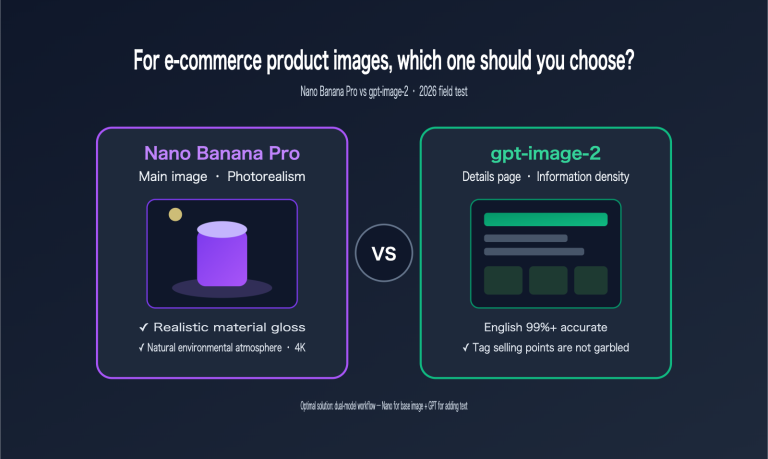
3.  **The best strategy is a hybrid approach**: Use Gemini Flash for quick English drafts and Seedream 5.0 for formal Chinese output. You can switch between them seamlessly using the same API key.

Both models are live on the APIYI (apiyi.com) platform, supporting pay-as-you-go pricing and a unified API interface. We recommend registering and testing the same prompt on both to see the difference for yourself before making your choice.

---

## 📚 References

> ⚠️ **Link Format Note**: All external links use the `Resource Name: domain.com` format. This makes them easy to copy but prevents direct clicks to avoid SEO juice loss.

1. **Google Official Developers Blog**: Gemini 2.5 Flash Image feature introduction and prompt guide
   - Link: `developers.googleblog.com/en/introducing-gemini-2-5-flash-image/`
   - Description: Official technical introduction for Gemini 2.5 Flash Image

2. **ByteDance Seed Official Product Page**: Seedream 5.0 Lite technical specifications
   - Link: `seed.bytedance.com/en/seedream5_0_lite`
   - Description: Source for Seedream 5.0 Lite official technical parameters

3. **LM Arena Leaderboard**: Comprehensive evaluation of AI image generation models
   - Link: `arena.ai/blog/nano-banana/`
   - Description: Source for Gemini 2.5 Flash Image (Nano Banana) ranking data

4. **APIYI Platform**: Unified API access for Seedream 5.0 and Gemini Flash
   - Link: `apiyi.com`
   - Description: Pay-per-use for both models, with top-up bonuses available

---

> **Author**: Technical Team
> **Tech Talk**: Feel free to share your experience in the comments. For more AI image generation news, visit APIYI at apiyi.com