
Go to Windows platform Display platforms icon
Go to Windows platform Go to Mac platform Go to Android platform Go to iOS platform
JFDuke3D icon

JFDuke3D

2026-01-05
5 1 reviews
847 downloads
security security

The best way to play the classic Duke Nukem 3D

Advertisement
Remove ads and more with Turbo
Advertisement
Remove ads and more with Turbo
Andrés López icon
Reviewed by
Andrés López
Content Editor
Andrés López is part of Uptodown's in-house Editorial Team. Translated by Uptodown Localization Team

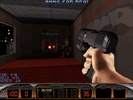
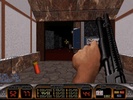
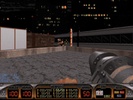
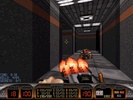
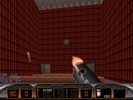
JFDuke3D is a port of the original Duke Nukem 3D source code, allowing you to play it comfortably on modern computers with a ton of quality-of-life improvements and other added benefits. To be able to play it, you will need the original game files, although you can easily use the free shareware version (available on the developer's website).

Very easy to set up

Before you can start playing, a small initial setup process is required. All you need to do is indicate where the original game files are stored on your device. JFDuke3D is compatible with practically all modern versions of Duke Nukem 3D, including: Duke Nukem 3D Megaton Edition (for Steam), Duke Nukem 3D Atomic Edition (for GOG), Duke Nukem 3D 20th Anniversary World Tour (also for Steam), and of course any other version of the game for MS-DOS. Once you select the files, you can start playing without a hitch.

Advertisement
Remove ads and more with Turbo

Single-player campaign and online play

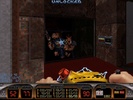
JFDuke3D features the complete original Duke Nukem 3D campaign, with its three episodes, plus the fourth episode added in the Atomic Edition. On top of that, you can also play online. From the Launcher, you can create a new game to be the host or, if you have the current host's address, join their game. For the single-player campaign, all the original cheats still work, including the legendary DNSTUFF.

My experience with JFDuke3D

Duke Nukem 3D is one of the most fun first-person shooters of the '90s and, thanks to this open-source version, you can enjoy it better than ever on modern computers. JFDuke3D is a real gem for those who, like me, continue to enjoy this classic.

The best and worst of JFDuke3D

• What I like most about JFDuke3D is that it is very easy to install and configure. Once downloaded, you can start playing in under two minutes.

• The thing I like least about JFDuke3D is that, by default, the mouse is not configured in modern mode. You have to activate it from the Options menu.

Hail to the king, baby!

Download JFDuke3D and enjoy one of the best FPS games of the '90s once again, with a ton of quality-of-life improvements that allow you to play comfortably on a modern computer, with whatever resolution you want on your widescreen monitor.

JFDuke3D is for you if

✓ You want to replay Duke Nukem 3D smoothly on modern PCs with quality-of-life upgrades
✓ You prioritize simple setup that recognizes multiple Duke Nukem 3D versions, including free shareware files
✓ You enjoy full single-player episodes and online multiplayer, while still using all original cheats

Information about JFDuke3D 2026-01-05

Basic information

Developer JonoF
Category Action
Rating Not specified
Languages English
47 more

Distribution model

Why is this app published on Uptodown? (More information)

Security and privacy

Required permissions Not applicable
See security and antivirus report

Download info

Downloads 847
Date Jun 23, 2026
File type ZIP
Size 1.5 MB
SHA256 02bcdef9728647b709793e66ecdc0577be533a2263822a527f2368b2a29b5156
Advertisement
Remove ads and more with Turbo

Rate this App

Review the app
JFDuke3D icon

Rating

5.0
5
4
3
2
1
1 reviews

Comments

There are no opinions about JFDuke3D yet. Be the first! Comment

Advertisement
Remove ads and more with Turbo
Among Us icon
Find out who the impostor is on PC too
Free Fire icon
Garena's battle royale, now on PC
Creative Destruction icon
A free Fortnite-style battle royale that won't disappoint you
Free Fire MAX icon
Play Free Fire Max, now on PC
Grand Theft Auto V Enhanced icon
Explore Los Santos without fear
Call of Duty Mobile icon
Play COD Mobile on PC
One State RP icon
GTA Online-style open-world game
RoS: Legacy icon
The return of a battle royale classic
Call of Duty: Warzone Mobile icon
Feel the adrenaline of this FPS on your PC
Special Forces Group 2 icon
A pure Counter-Strike-style FPS
Blood Strike icon
The Windows version of the popular battle royale
Standoff 2 icon
A brutal, fast-paced FPS
Valorant icon
Spectacular team-based tactical shooter
Darkwatch: Darker Edition icon
An explosive mix of Western and steampunk
Sabotain: Break The Rules icon
Step into a futuristic open world full of dangers
CatacombGL icon
Easily play the Catacomb saga on modern computers
Friday Night Funkin icon
A phenomenon in the rhythm game genre
Castlevania: Grimoire of Souls icon
One of the most obscure Castlevania games finally comes to PC
chiaki-ng icon
The best way to play your PlayStation games remotely
Universal Pokemon Randomizer ZX icon
The most convenient way to create your own Pokémon game
DBZ Budokai 3 HD Collection icon
PC port of this classic fighting game
Eglantine icon
A powerful Switch 2 emulator for Windows
Tomodachi Life: Living the Dream icon
Live your dream life on your favorite island
Super Street Fighter II Turbo HD Remix icon
The Xbox Live Arcade classic comes to PC
Among Us icon
Find out who the impostor is on PC too
Free Fire icon
Garena's battle royale, now on PC
eFootball 2027 icon
Feel the magic of soccer on PC
Five Nights at Freddy's icon
Hide from Freddy Fazbear in the dark
Plants vs. Zombies icon
Defend your home from the zombies
PS Remote Play icon
Control your PlayStation 4 or 5 from your PC
LDPlayer 14 icon
Play mobile games on PC with the power of Android 14
Craftsman: Building Craft icon
Create your own world now on PC