
Core feature
Searchable member directories for your community
Help members find each other with searchable, filterable directories that link to rich user profiles—perfect for associations, communities, and networking sites.
- Search
- Filters
- Profiles
- Pagination
Included in ProfilePress Lite and every premium plan
Popular with online communities →
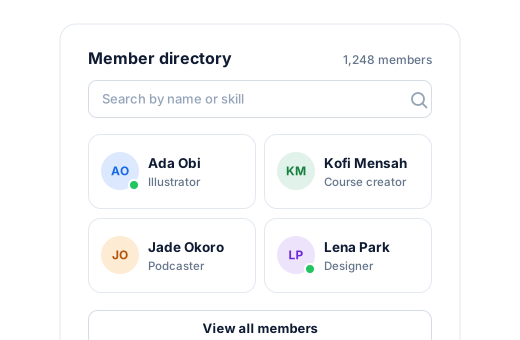
Member directories
Everything you need, built in.
No extra plugins to install, configure, or keep updated.
Search members
Let visitors search the directory by name and profile details.
Filter results
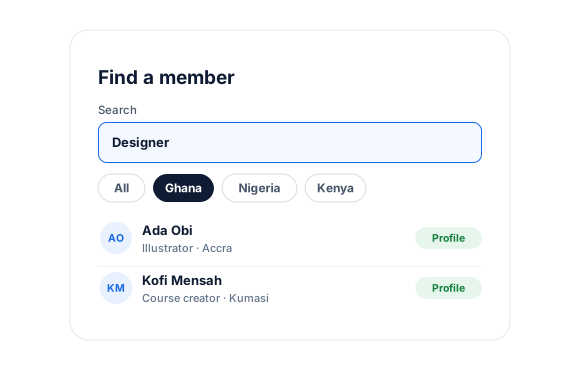
Narrow the list by profile fields such as country.
Choose who appears
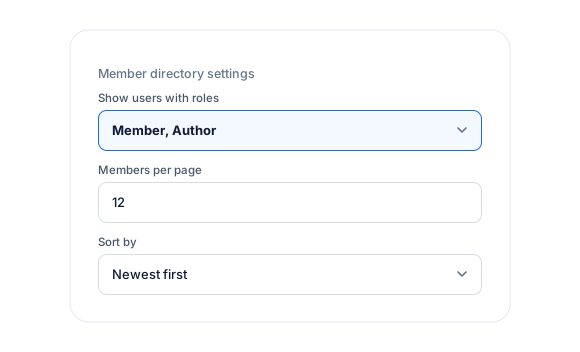
Decide which users are listed, for example by user role.
Beautiful layouts
Start from a pre-built directory theme and match it to your brand.
Linked profiles
Every card links to the member’s frontend profile page.
Built to scale
Paginated results keep large directories fast.
Member directories, up close.
01
Find the right people fast
A search box and filters help visitors find members by name, skills, or location.
02
Directories you control
Choose which users appear, how many show per page, and how the list is sorted.
03
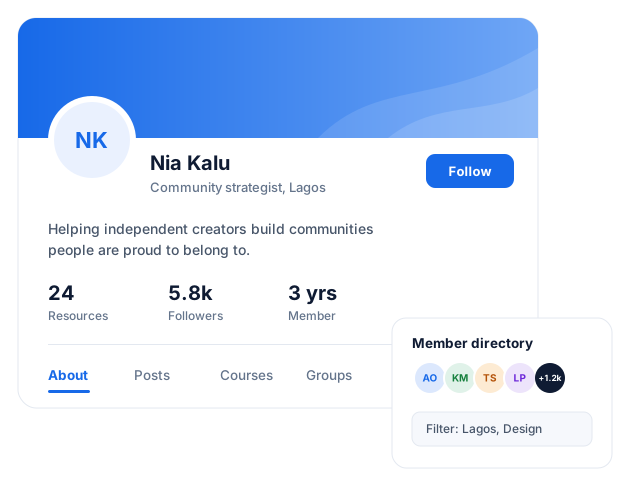
From directory to profile
Each member card opens a full frontend profile with the details and fields you choose to show.
Trusted by 100,000+ WordPress sites.
“One of the standout features for me is the flexibility in customizing user profiles and registration forms. The predefined templates save a lot of time, and the ability to tweak them to match my site’s branding is a huge plus.”
Pitouking · AppSumo customer
“We chose ProfilePress to build a business directory based on its features and library of documentation. I highly recommend ProfilePress.”

ttwd · Business directory site
“I’ve been using this plugin on our community site and it worked exactly as expected. The support team went above and beyond to assist me with any questions or issues I had.”
Salim Sani · Community site owner
Member directories FAQ
Still unsure? Talk to our support team.
Can I have more than one directory?
Yes. Create several directories—for example, one for members and one for instructors—and place each on its own page.
Can members hide themselves from the directory?
Directories list the users you choose. Use roles or plans to control who appears.
Is this included in the free version?
Yes. This is a core ProfilePress feature, available in ProfilePress Lite and every premium plan. Premium plans add more add-ons and remove the extra 2% Stripe fee.
Do I need to know how to code?
No. Everything is configured from the ProfilePress settings in your WordPress dashboard.
Pairs well with.
Extend this feature with add-ons and other ProfilePress features.
Forms & user profiles
Profiles and edit profile forms
Custom Fields
Add searchable profile fields
BuddyPress & BuddyBoss
Community groups and profiles
User Moderation
Approve members first
Build a better membership
site this week.
No revenue share. No member limits. No code required.
