
Go to Windows platform Display platforms icon
Go to Windows platform Go to Mac platform Go to Android platform Go to iOS platform
PrusaSlicer icon

PrusaSlicer

2.9.7
Open source
5 1 reviews
34 k downloads
security security

Export files to print on your 3D printer

Advertisement
Remove ads and more with Turbo
Advertisement
Remove ads and more with Turbo
Uptodown Content Team icon
Reviewed by
Uptodown Content Team
Review written by Uptodown's in-house Editorial Team using the insights provided by Prusa. Translated by Uptodown Localization Team

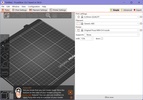
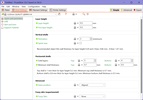
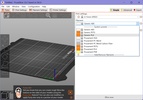
PrusaSlicer is an open-source program for the Windows operating system that allows you to transform 3D models (STL, OBJ, AMF) into files that are compatible with 3D printers. More specifically, you can get G-code instructions for FFF printers or PNG layers for mSLA 3D printers.

Simplify your work

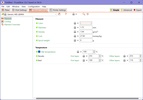
With PrusaSlicer, you can easily convert files for printing. Forget about having to use multiple online tools— with this program for Windows, you'll have access to a series of useful features, all of which simplify the 3D printing process. PrusaSlicer is compatible with any modern printer based on the RepRap toolchain.

Advertisement
Remove ads and more with Turbo

A program suitable for all types of users

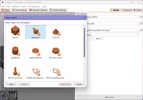
PrusaSlicer is a tool designed for all kinds of users, from beginners to 3D printing to those with experience with this technology. This means that, with just a little bit of knowledge about this process, you can use PrusaSlicer without complications. When you start the program for the first time, you'll have to configure it according to your system and hardware. Once that's done, you can access and start using all its features. No registration, payment, or subscription service is required.

Download PrusaSlicer here to take advantage of this useful tool for 3D printing.

Information about PrusaSlicer 2.9.7

Basic information

Developer Prusa
Category Monitoring
Rating All ages
Languages English
47 more

Distribution model

Pricing Free
License AGPL 3.0
Source code
Copyright © 2026 Prusa
Why is this app published on Uptodown? (More information)

Security and privacy

Required permissions Not applicable
See security and antivirus report

Download info

Downloads 33,963
Date Nov 3, 2026
File type EXE
Size 92.23 MB
SHA256 7862babe08627be87120356dc9f443c094652c1f151a78ff234b0e461c46805e
Advertisement
Remove ads and more with Turbo

Older versions

See more
exe 2.9.6 Jun 26, 2026
exe 2.9.5 May 22, 2026
exe 2.9.4 Nov 10, 2025
exe 2.9.3 Sep 15, 2025
zip 2.9.2 Apr 11, 2025
zip 2.9.1 Mar 11, 2025
Available for other platforms

Rate this App

Review the app
PrusaSlicer icon

Rating

5.0
5
4
3
2
1
1 reviews

Comments

There are no opinions about PrusaSlicer yet. Be the first! Comment

Advertisement
Remove ads and more with Turbo
HP Smart icon
The official HP app to control your printer
Microsoft PowerToys icon
Improve productivity on Windows
Chris Titus Tech's Windows Utility icon
Optimize, uninstall and customize with ease
Universal Watermark Disabler icon
Disable Windows watermarks
Fan Control icon
Control the speed of your PC's fans
Rectify11 icon
A more consistent experience on Windows 11
FanCtrl icon
Control your PC's fans
Ghostscript icon
Interpreter software for PostScript and PDF
HP Smart icon
The official HP app to control your printer
Creality Print (Slicer) icon
Transform designs for printing with your 3D printer
Stalled Printer Repair icon
Is the printing queue blocked? Solve it within one click
Brother iPrint&Scan icon
Automate your printing and scanning tasks
Ghostscript icon
Interpreter software for PostScript and PDF
Bulk Barcode Generator And Printing Software icon
Bulk barcode label, address label printing tools
GreenCloud Printer icon
Optimize your printing to save paper and ink
Epson Print CD icon
Design labels and covers for all your CDs and DVDs
Codex icon
OpenAI's official companion for programming with ChatGPT
Proton VPN icon
Powerful, free, secure and unlimited VPN
DLSS 5 Swapper icon
Install and manage DLSS 5 in games and emulators
DS4Windows icon
Use DualShock 4 controllers on your PC
PkgEditor icon
Edit PS4 files in PKG, SFO or PFS format
Sure icon
Track your personal finances from your PC
OpenIDEA icon
Everything you need to develop software
Disc Image Studio icon
Turn your images into designs burned on optical discs
WPS Office icon
An editing tool with powerful features
Windows 10 icon
Download the latest Windows 10 ISO on your device
AnyDesk icon
Faster remote desktop is possible
Logitech G HUB icon
Full control over your Logitech G peripherals
Windows 11 icon
Download the latest Windows 11 ISO on your device
FAT32Format icon
A lightweight program for format in FAT32
Rufus icon
Create boot disks from an external drive
Microsoft Word icon
The leading word processor for working with documents