





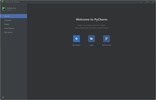
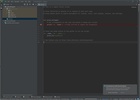
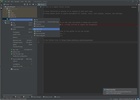
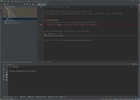
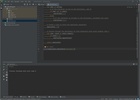

PyCharm, formerly known as PyCharm Community, is a Python-oriented integrated development environment (IDE), designed to offer you all the tools you need to program efficiently and comfortably on a single platform. Compatible with Windows, this IDE allows you to write, debug and execute code without the need for external programs or complex configurations.
PyCharm Community vs Professional
Developed by JetBrains, this program was originally released in 2011 as the free version of PyCharm. In 2025, JetBrains brought the Professional and Community versions together, offering all users access to the paid version for 30 days, after which they would automatically revert back to the free version. The latter, although with limited functionality compared to the professional version, retains all the key tools for effective Python programming.
Advanced project management in Windows with PyCharm
The PyCharm interface has been designed to organize your files and folders intuitively, facilitating quick access to any project element. Navigating the tool is simplified by an advanced search system that allows you to locate functions, classes or any code fragment in just a few clicks. This is especially useful when working on large projects or complex code bases, as it saves you valuable time.
Integrated debugging and execution for agile programming
PyCharm includes a powerful visual debugger that stands out for its ease of use. You can run your code and detect errors in real time from the same environment. The debugger allows you to inspect variables, follow the execution flow step by step and set breakpoints where you want to pause the program to analyze its behavior. What's more, the IDE gives intelligent suggestions and sends alerts to identify potential bugs before they affect your programming project. The result is displayed directly on the console within the IDE, eliminating the need to switch windows or use external terminals.
Support for multiple technologies and extensions
Although PyCharm is oriented toward Python, it also natively supports other essential modern programming languages, such as HTML, CSS, and JavaScript. This makes it a very practical tool if you work on web or cross-platform projects, directly from Windows. The platform even allows you to add to its functionalities through plugins. With these, you can add support for other programming languages like Rust or Dart, customizing PyCharm to suit your specific needs. Its in-built integration with version control systems like Git makes it easy to manage changes, create branches and collaborate with other developers without leaving the environment.
Increase productivity with smart assistance
PyCharm also offers intelligent auto-completion and advanced syntax highlighting, helping to reduce errors and speed up programming. As you write, the IDE analyzes the context of your code and proposes useful suggestions, corrections and shortcuts that make your work easier. Navigating between function, class or variable definitions is quick and easy. In addition, renaming elements in the code can be done safely and automatically, ensuring that all references are correctly updated throughout the project, which is essential to maintain consistency and avoid hard-to-detect errors.
Reliable community and support
There is a great community behind PyCharm . You will find detailed documentation, step-by-step tutorials and forums where users and experts share their solutions, tips and best practices.
Download PyCharm Community Edition and start enjoying a modern, intuitive, and simple Python development experience.


 2 reviews







Comments
There are no opinions about PyCharm yet. Be the first! Comment