







Go to Mac platform Display platforms icon
Go to Mac platform Go to Windows platform Go to Android platform Go to iOS platform
QwenPaw icon

QwenPaw

2.1.0
0 0 reviews
10 downloads
security security

Automate processes with AI

Advertisement
Remove ads and more with Turbo
Advertisement
Remove ads and more with Turbo
Merche Contreras icon
Reviewed by
Merche Contreras
Content Editor
Merche Contreras is part of Uptodown's in-house Editorial Team. Translated by Uptodown Localization Team

QwenPaw is an open-source AI personal assistant designed to help you create an AI work environment capable of chatting with you, using tools, managing files, processing documents, searching for information, executing scheduled tasks, and connecting you to different messaging apps. You can also extend its capabilities with plugins and MCP servers, tailoring the assistant to different needs and workflows.

Choose where and how your assistant runs

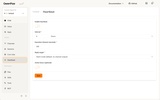
QwenPaw is designed to run in an environment you control, either locally or on a server you manage yourself. This gives you greater control over your data and how the assistant operates. It also supports local models through its own QwenPaw Local environment, as well as Ollama, LM Studio, and a range of cloud model providers. This lets you run the AI entirely locally without necessarily relying on an external API, or you can mix and match models to suit your needs.

Advertisement
Remove ads and more with Turbo

Access your assistant through different channels

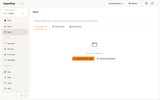
QwenPaw can connect to various messaging platforms, including Discord, Telegram, WeChat, DingTalk, Lark, and QQ, allowing you to interact with the same assistant across multiple services. It also comes with a web console, a terminal interface, and a desktop app, offering you several ways to access your workspace depending on what suits you best.

Split tasks between specialized agents

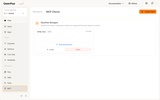
The system allows you to create independent agents with their own configuration, memory, history, and set of Skills. For example, you could have one agent dedicated to research, another focused on documents, and a third specializing in programming. QwenPaw also supports agent collaboration and subagents for handling more complex tasks, making it easier to build workflows where different assistants take on specific roles.

My thoughts after trying QwenPaw

What impressed me most about QwenPaw was the freedom to build my own AI assistant and choose where it runs, which model it uses, and what it can do. That flexibility comes at a cost, though: I found the setup process complicated, and I wouldn't consider it particularly beginner-friendly.

The best and worst of QwenPaw

• What I liked most is its great capacity for customization.

• What I liked least is that so much flexibility also implies greater complexity.

If you're looking for an AI assistant that's more flexible than a standard chatbot and want to experiment with automation, memory, agents, files, documents, and custom tools, download QwenPaw for Mac and tailor the environment to your needs.

QwenPaw is for you if

✓ You prioritize full control of your AI assistant, running locally or self-hosted with customizable models
✓ You want to access one assistant across Discord, Telegram, desktop, web console, and terminal interfaces
✓ You thrive on orchestrating specialized agents with distinct skills, automations, and plugins for complex workflows

Information about QwenPaw 2.1.0

Basic information

Developer AgentScope-AI
Category Artificial Intelligence
Rating +3
Languages English

Distribution model

License Apache 2.0
Source code
Copyright © 2026 AgentScope-AI
Why is this app published on Uptodown? (More information)

Security and privacy

Required permissions Not applicable
See security and antivirus report

Download info

Downloads 10
Date Aug 27, 2026
File type ZIP
Size 826.74 MB
SHA256 c174a8c886fe0c1f482b860204a00f2be333ce8ac6803c00bdd1cf544418543b
Advertisement
Remove ads and more with Turbo
Available for other platforms

Rate this App

Review the app
QwenPaw icon

Comments

There are no opinions about QwenPaw yet. Be the first! Comment

Advertisement
Remove ads and more with Turbo
ChatGPT icon
The official app of OpenAI's popular chatbot for Mac
Claude icon
Anthropic's AI assistant for macOS
Codex icon
An artificial intelligence engine specialized in programming
Google Gemini icon
Enjoy Google's AI on your Mac with the official app
Ollama icon
Access powerful language models locally
LM Studio icon
Download and run any LLM locally
ChatGPT Atlas icon
OpenAI's official browser with built-in ChatGPT
OpenClaw icon
The AI assistant that is always ready to help
ChatGPT icon
The official app of OpenAI's popular chatbot for Mac
Claude icon
Anthropic's AI assistant for macOS
Google Gemini icon
Enjoy Google's AI on your Mac with the official app
ChatGPT Atlas icon
OpenAI's official browser with built-in ChatGPT
OpenClaw icon
The AI assistant that is always ready to help
OpenMausBot icon
Coordinate your own team of artificial intelligence agents
Manus icon
Complete any task with this artificial intelligence
Pipali icon
An AI agent to streamline your workflows

balenaEtcher icon
Create self-booting external disks on Mac
Citra icon
The best Nintendo 3DS emulator for Mac
Brave Browser icon
A user-friendly and secure ad-free browser based on Chromium
OpenCore Legacy Patcher icon
Install recent versions of macOS on your old Mac
Mozilla Firefox icon
Cross-platform open-source web browser
OpenIDEA icon
Develop, debug, and manage your projects from a single environment
Disc Image Studio icon
Transform images into visual patterns for CDs, DVDs, and Blu-rays
SolidCraft icon
Design 3D parts for your projects
ChatGPT icon
The official app of OpenAI's popular chatbot for Mac
Claude icon
Anthropic's AI assistant for macOS
Microsoft Teams icon
Collaborate with your team on Mac
Slack icon
Manage multiple teams and projects on your Mac
Codex icon
An artificial intelligence engine specialized in programming
Google Gemini icon
Enjoy Google's AI on your Mac with the official app
Bitwarden icon
Keep track of your passwords with this open source manager
Ollama icon
Access powerful language models locally