

Go to Android platform Display platforms icon
Go to Android platform Go to Windows platform Go to Mac platform Go to iOS platform
Smart Launcher 6 icon

Smart Launcher 6

6.6 build 026
4.6 66 reviews
847.7 k downloads
security security

Simple, powerful and elegant launcher

Advertisement
Remove ads and more with Turbo
Advertisement
Remove ads and more with Turbo
Andrés López icon
Reviewed by
Andrés López
Content Editor
Andrés López is part of Uptodown's in-house Editorial Team. Translated by Uptodown Localization Team

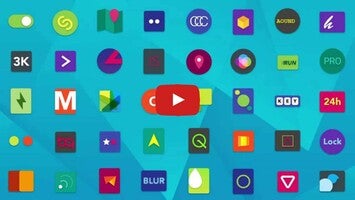
Smart Launcher 6 is a launcher that has been working on improving its features since its original release in 2012 and has won numerous awards for the best app of the year in different years. With this prestige, the app allows you to enjoy your Android device like never before, thanks to a carefully customized experience for each user.

Enjoy a launcher easy to configure

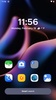
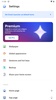
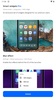
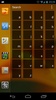
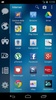
One of the first things that strikes you about Smart Launcher 6 is how easy and quick it is to set up. After installing the app, you will need to grant all the necessary permissions for it to work correctly, which, as is the case with many launchers, are numerous. Once you have done this, wait a few seconds for the app to automatically sort all your icons in a very similar way to how iOS has done since version 14. Of course, if after this automatic organization you are not happy with the location of an icon, you can move it manually.

Advertisement
Remove ads and more with Turbo

Choose your wallpaper and theme

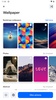
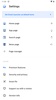
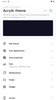
After the automatic icon configuration, the next step to start enjoying what Smart Launcher 6 offers is to choose your theme and wallpaper. By default, the app will give you the choice of keeping your own wallpaper, but if you prefer, you can choose from a range of high-resolution images. Then, you will need to select a theme. You can choose your desired color for backgrounds, surfaces, elements on surfaces, etc. In short, you can set up your own color scale so that your theme suits your taste and looks completely unique.

Use gesture shortcuts and much more

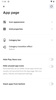
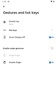
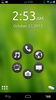
Another highlight of Smart Launcher 6 is the ability to easily manage and customize several gesture shortcuts. It's up to you. You decide what you want to happen when you swipe in a given direction. For example, by swiping from left to right, you can open the settings menu while making it so swiping from top to bottom opens your recent apps. You can also configure the Home (double-tap) and Back (long press) buttons. This way, you can open all your favorite apps quickly.

This is one of the most powerful launchers on Android

Download the Smart Launcher 6 APK and start enjoying what is undoubtedly one of the most prestigious launchers on Android. The app is brimming with features and offers a beautiful and elegant design you can customize. It is an outstanding launcher that continues to improve with each new update.

Requirements (Latest version)

  • Android 7.0 or higher required

Information about Smart Launcher 6 6.6 build 026

Basic information

Developer Smart Launcher Team
Category Launchers
Rating +3
Languages English
47 more

Distribution model

Pricing Free
License Proprietary
Copyright © 2026 Smart Launcher Team
Why is this app published on Uptodown? (More information)

Security and privacy

Required permissions
See 33 permissions
Certificate signature 5d42d0fef6cc52f37d2ff487e7c2c43a
See security and antivirus report

Download info

Downloads 847,713
Date Nov 14, 2026
File type APK
Size 20.76 MB
SHA256 304eade55ce297c3f874c3fa745cae5dc6dce08f35185bbe8855fa3cc3e7bdf3

Technical details

Package Name ginlemon.flowerfree
Advertisement
Remove ads and more with Turbo

Older versions

See more
xapk 6.6 build 025 Android + 12L Nov 14, 2026
xapk 6.6 build 024 Android + 12L Nov 5, 2026
xapk 6.6 build 023 Android + 12L Oct 21, 2026
xapk 6.6 build 021 Android + 12L Oct 11, 2026
xapk 6.6 build 020 Android + 12L Oct 3, 2026
apk 6.6 build 018 Android + 7.0 Sep 2, 2026

Rate this App

Review the app
Smart Launcher 6 icon

Rating

4.6
5
4
3
2
1
66 reviews

Comments

See more
dangeroussilvercrane30691 icon
dangeroussilvercrane30691
2 months ago

A simple and very good launcher

Like
Reply
eleotan13 icon
eleotan13
5 months ago

The most modern and beautiful launcher for Android right now—simply very well organized and optimized.

Like
Reply
xcy16 icon
xcy16
10 months ago

This Launcher is spectacularly beautiful and nice, but the downside is that when you search for apps in the app bar/app categories very quickly, everything gets deleted. But what I believe is that it'...See more

2
Reply
a_bdullrahman icon
a_bdullrahman
in 2025

Very good launcher that its name feels like not (Infinix Smart Series) which really like don't judge a book by its name.

Like
Reply
fatpurplespider55732 icon
fatpurplespider55732
in 2025

It is not a hack, there is still a premium version.

Like
Reply
dangerouspinkgoat39263 icon
dangerouspinkgoat39263
in 2025

the Best

2
Reply
See more
Advertisement
Remove ads and more with Turbo
Lightning Launcher icon
Launcher designed for Meta Quest and Android TV
Nova Launcher icon
One of the best Android launchers
Niagara Launcher icon
A launcher with a practical and elegant interface
Xiaomi System Launcher icon
A customizable launcher only for Xiaomi
Activity Launcher icon
Run hidden app activities and create shortcuts
Pixel Launcher icon
Improved version of the official Google launcher
KitKat Launcher icon
Get the KitKat experience with this new launcher for Android
Holo Launcher icon
A launcher based on Ice Cream Sandwich
Uptodown App Store icon
All the apps you could ever want on your Android
Pi Browser icon
Enjoy the decentralized web experience
Google Play icon
The best place to purchase Android books or apps
Google Chrome icon
The official Google browser
Secure VPN icon
Maintain your privacy and anonymity as you browse
Gboard icon
The official Google keyboard for Android
ZArchiver icon
Everything you need to work with compressed files
APK Installer by Uptodown icon
Easily install apps, regardless of format